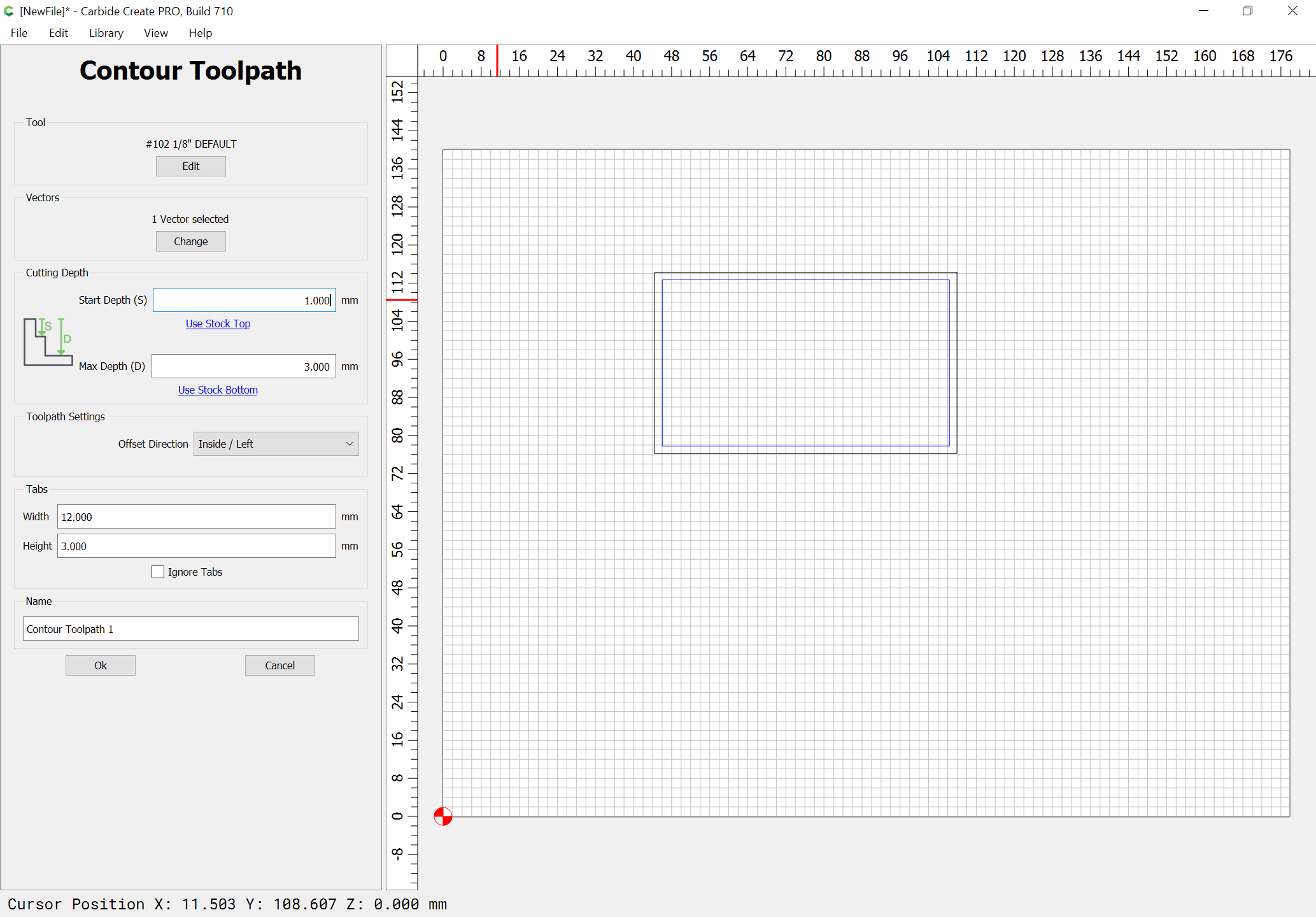
I don’t think 710 likes how I want to use the thickness value. Not sure if this has been covered yet
I was hoping to cut a nice tiny stepover finishing pass at the bottom of a pocket
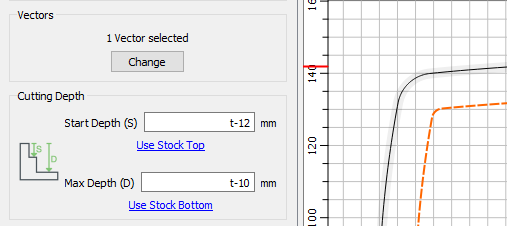
but it keeps telling me my toolpath is empty
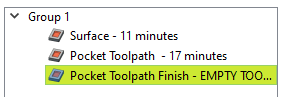
I don’t think 710 likes how I want to use the thickness value. Not sure if this has been covered yet
I was hoping to cut a nice tiny stepover finishing pass at the bottom of a pocket
but it keeps telling me my toolpath is empty
What’s the thickness of your board?
28mm
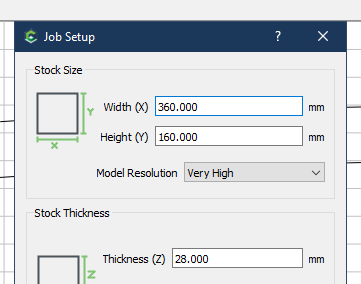
I was about to take back my thought…it doesn’t matter.
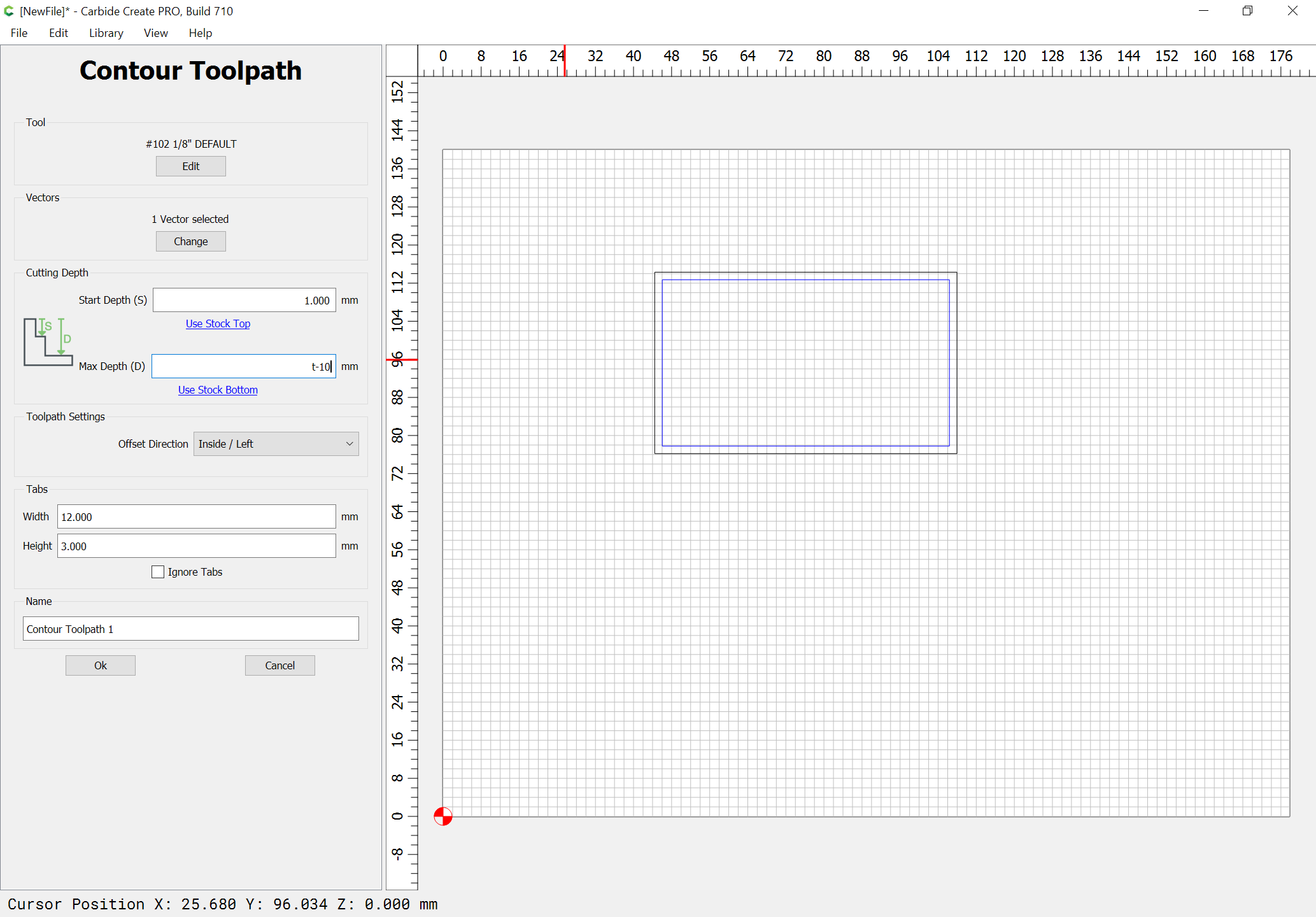
I’m not having the same issue. I can set start to t-.12 and max to t-.10 (I’m in inches) and it works fine.
I fiddled with the numbers to see the s < d error message and setting t-x where X > t to see that message, then when I set it back it did calculate

but still showed yellow. I saved and closed the file and the yellow is gone now. /shrug
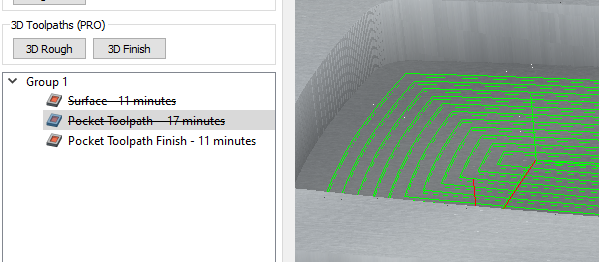
I did considered that as a possibility while doing reverse head math. but there is an error dialog in place that will notify if you accidentally reverse them.
Okay, if you have a file which is in metric and has a total thickness of 13mm:
and you go to Contour and type
t - 12
into start depth and then tap = you get:
1mm
Then for max depth if you type:
t - 10
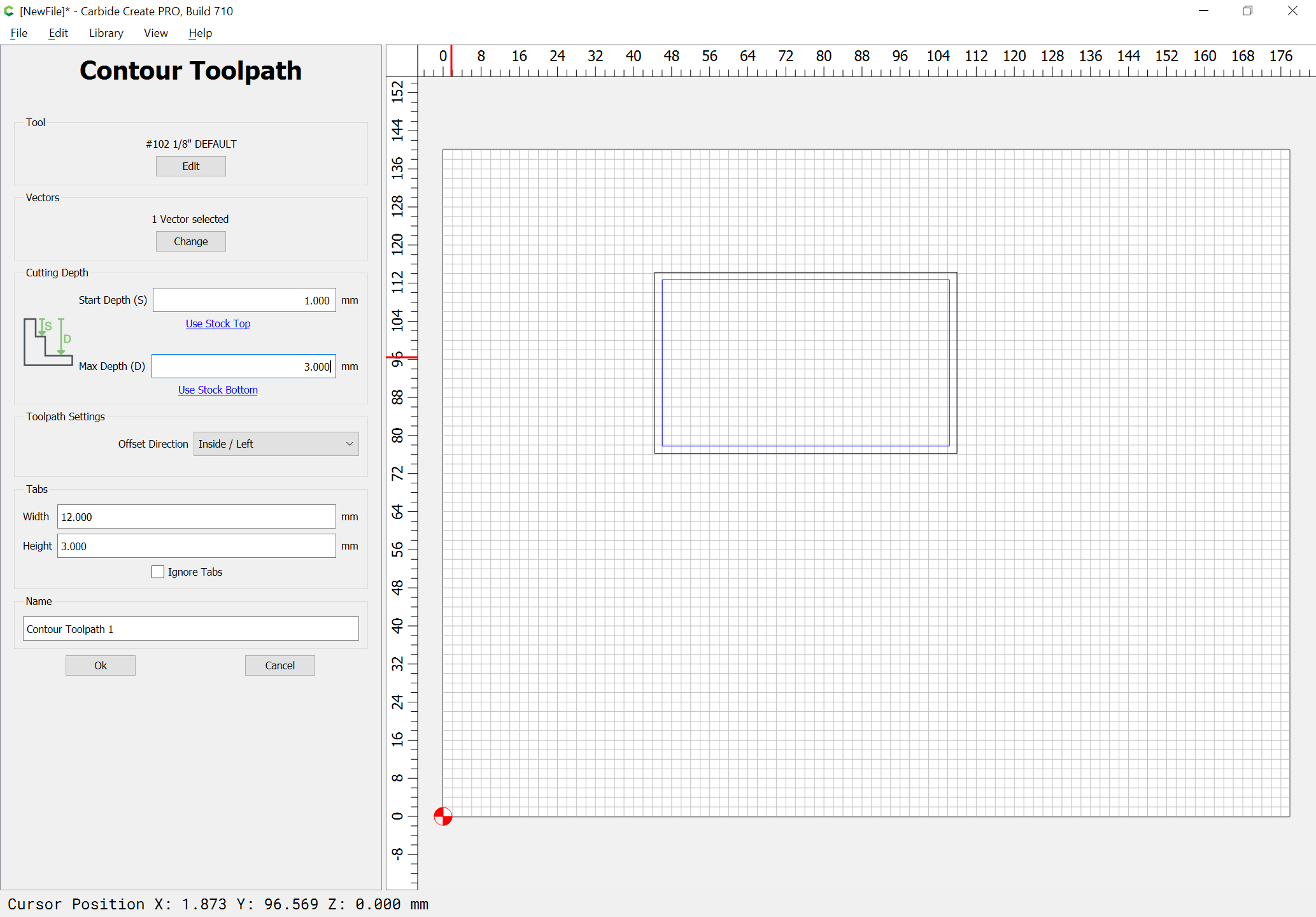
and tap =
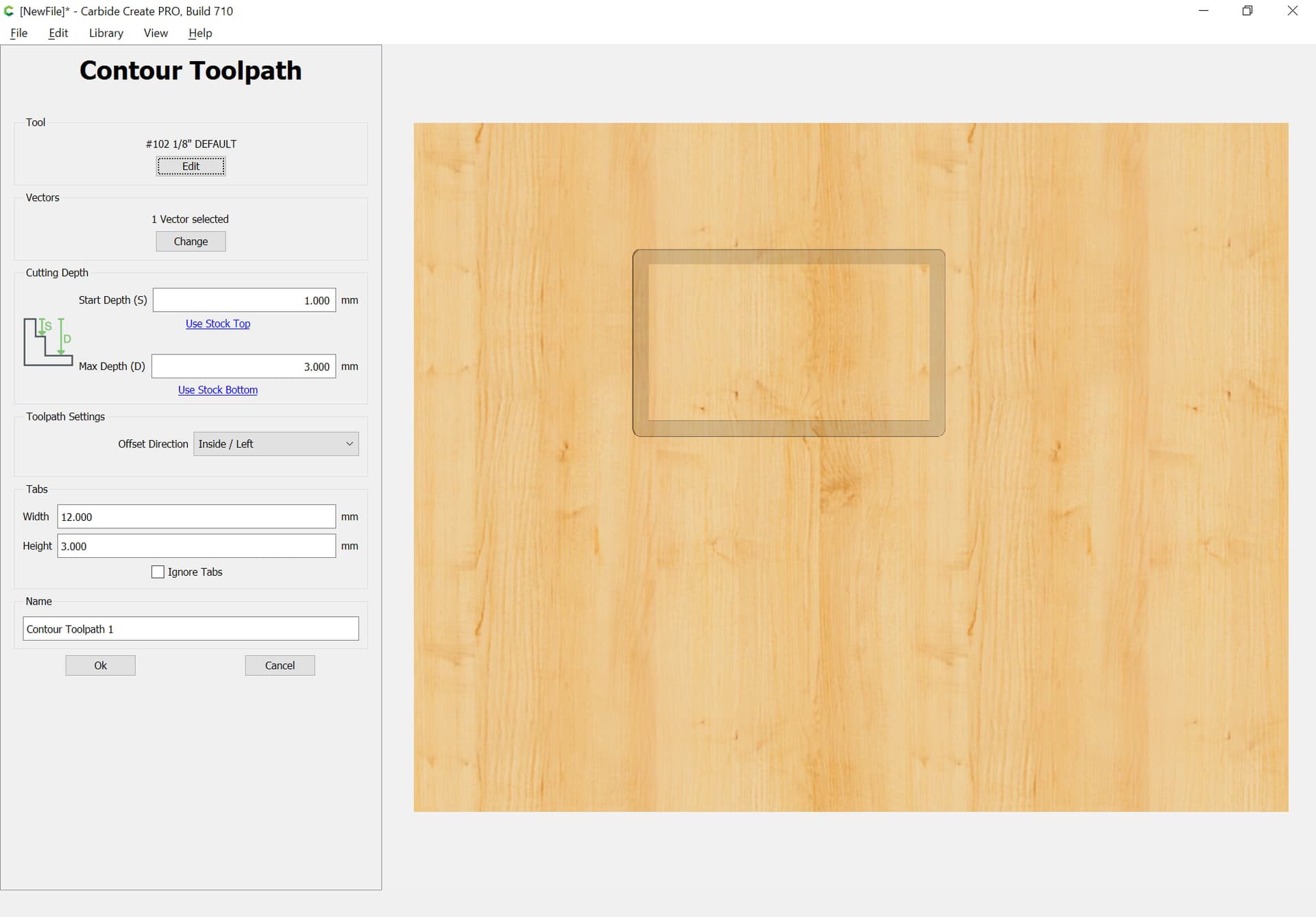
you get 3mm and the file previews as expected:
Sounds perfect! Machine, heal thyself!
Is there any documentation for the Carbide Create V7 yet. I did a search and on c3d sites the latest update for CC is June 2021.
I like C3d and the machines. My only gripe is documentation is very lacking. It takes forever to get an updated manual. It would appreciate it if when you are producing a new or updated product you have a technical writer parallel your development so the documentation is ready when you release a new or updated product. I know C3d has been moving at warp speed but documentation is very important.
I did find a couple of youtube videos about v7 and new v6 tools
I agree…but I think 7 is still in beta.
Yes v7 is still beta but other software venders have manuals for their beta software. C3D does not even have updated manuals for their current software.
The issue is there are lots of new features and the only way to find out the new stuff is to play around long enough to discover them. And when you do find the new stuff you are guessing how to use the new features. Not optimal and not even minimally acceptable.
Carbide Create 7 only adds two features:
and moves tabs into the Design tab.
See:
for tabs and Rest machining.
Everything else should be up-to-date at:
If not, let me know and we’ll get it added/updated.
Thank you Will for posting your site. I have put it into a pocket so I can refer to it when needed.
I think we found the problem. We’ll pull out the graph paper and see if we can get it fixed quickly.
I’d prefer to keep it all in this thread for now. We’re done with the “core feature set” to launch V7, which are all of the changes that break compatibility in some way, so we’d like to get it tested and then released. Once we do that we’ll start working through the larger todo list and then we can blow up the forum with V7 threads.
Glad you like it, I think that it’ll be a really big quality of life improvement when combined with layers linked to toolpaths.
If the consensus is that the tab size should be a global value then we actually have that code hidden in the Tab command UI right now. I’d assumed that there might be value in defining the size in the toolpath but that was just a guess.
We might have some other user-defiined depth variables but we’ll never go down the full parametric road, as much as I’d like to. It’s too big a task to develop and support.
Create is not, and will not, be cloud-based. The code is not written for the cloud and we’re not interested in trying to manage a complicated cloud app that requires 100% uptime across hundreds of machine and browser combinations.
This is ultimately why I decided to end my SW subscription this year after 12 years.
Moving an object should trigger a recalculation, and saving the file should save the toolpath. If you save the file while it’s recalculating (and therefore the toolpath data is invalid) then you should get a popup warning you that the toolpath data could not be saved to the file. (I’m only saying “should” because it’s a beta right now and anything could be broken).
If you have a depth value that references T in a toolpath, then any change to the stock should trigger a toolpath recalculation and the logic above will apply.
You’re reading my mind. I’d prefer to remove it because I’m a little afraid that adding a “T” might confuse people about what that means. We’ll see what happens as we tweak.
That’s exactly how we intended that you might use it. I’ll confirm that it works correctly on our end,
We’ve tried for years with zero success. We’ve got two very good part-time writers that aren’t really able to keep up with us. We’ve tried a number of other writers with really bad results.
I happen to dislike video in general (sorry Kevin and Winston, I do like YOUR videos) but most people prefer it and that is something we can keep up with. We’ll keep making videos for new features as the primary documentation and then feed them to our writers to convert to written documentation (on a delayed timeline).
I just want to go on record as saying that Kevin’s videos are excellent - and are needed. I think that more of his focus on basic techniques and workflows will reduce your software support calls. Not taking anything away from Winston’s videos, which are super informative, but the basics - step by step - showing permutations and options in an easy to follow way (the way Kevin’s have been so far) are really good. I know you added his stuff in relatively recently - I think it was an excellent choice.
We can’t have it both ways? Ability to set it globally and override in the toolpath?
Yeah, just to be clear, I don’t like video in general because I’m too impatient. I think our guys make great videos though.
Generally speaking, we prefer to have one way to do everything to remove as much confusion as we can.
We’ve considered making a TW and TH global variable that would be the default value for tab dimensions. I’m just not sure that we don’t add more confusion by doing that.
Honestly, I don’t think tw and th is worth it…I just don’t see that being used very much - personally.
I agree the videos from both are very good and I agree that brief training content (video or written explanations) would go a long way in reducing support issues.
Demo videos are a nice way to showoff functionality and even inspire usage, but training is where users understand and learn how to use systems. Both very good, but serve different purposes.
Creating trainings can sound too big and scary to do, but if they are done as micro-learning modules (e.g. a single screen or feature within a screen) they can be very effective. It also allows users to quickly locate and complete education for the specific area where they need it.
Just my 2 cents.
If you look way back at Will’s post 187, using t in start and finish depths in contour toolpaths shows the calculated values, not t-12 and t-10 for start and max depths. This suggests that the thickness variable is used once and the calculated number replaces it. Might be a good idea to clarify which persists, the equation or it’s result, if (say) the material thickness is changed