When setting up Carbide Motion for the first time (or required by a major update) on any Shapeoko CNC machine, there is an option to choose measurements of Millimeters or Inches. Since I often vacillate between inches or millimeters, depending on projects, is there a recommended setting? And what is the advantages for that setting?
Personally, I have used inches but that’s because it’s what is the easiest for me to mentally visualize and all but i don’t think there’s a benefit otherwise to one or the other. Metric can be more logical and easier to do the math on, but if you are used to thinking in imperial and it’s much easier to visualize 1/4" over 1cm or whatever, then I’d say it’s better to go with what’s the most logical for you.
1 Like
Having run a couple hundred projects in the last year or so, I think if I was starting over I would land on inches. I use both in every project, but always start with inches to match up the size of my piece. Then I flip over to mm to run my carve depths.
Just to be clear, I am not talking about using millimeters or inches when I setup a project in Carbide Create software. I am talking about “Setting Up New Machine” in Carbide Motion, specifically when you walk through the Machine Setup Wizard you get to a page “Set Machine Options” and there is a pulldown for “Select User Interface Units”. Here you can choose either Millimeters or Inches.
Reason for my question. I am learning to use VCarve Pro 12.5, and one of the books on this software has a comment about VCarve Job Setup for either an individual file or as a global default. “Select either Millimeters or Inches based on what your CNC machine uses.” The author states "if your machine operates in millimeters but VCarve Pro sends data in inches, a 20mm design becomes a 508mm disaster.
And if the setting in Carbide Motion does not matter, why is there an option? This might be a follow-on question for Carbide3D Tech support.
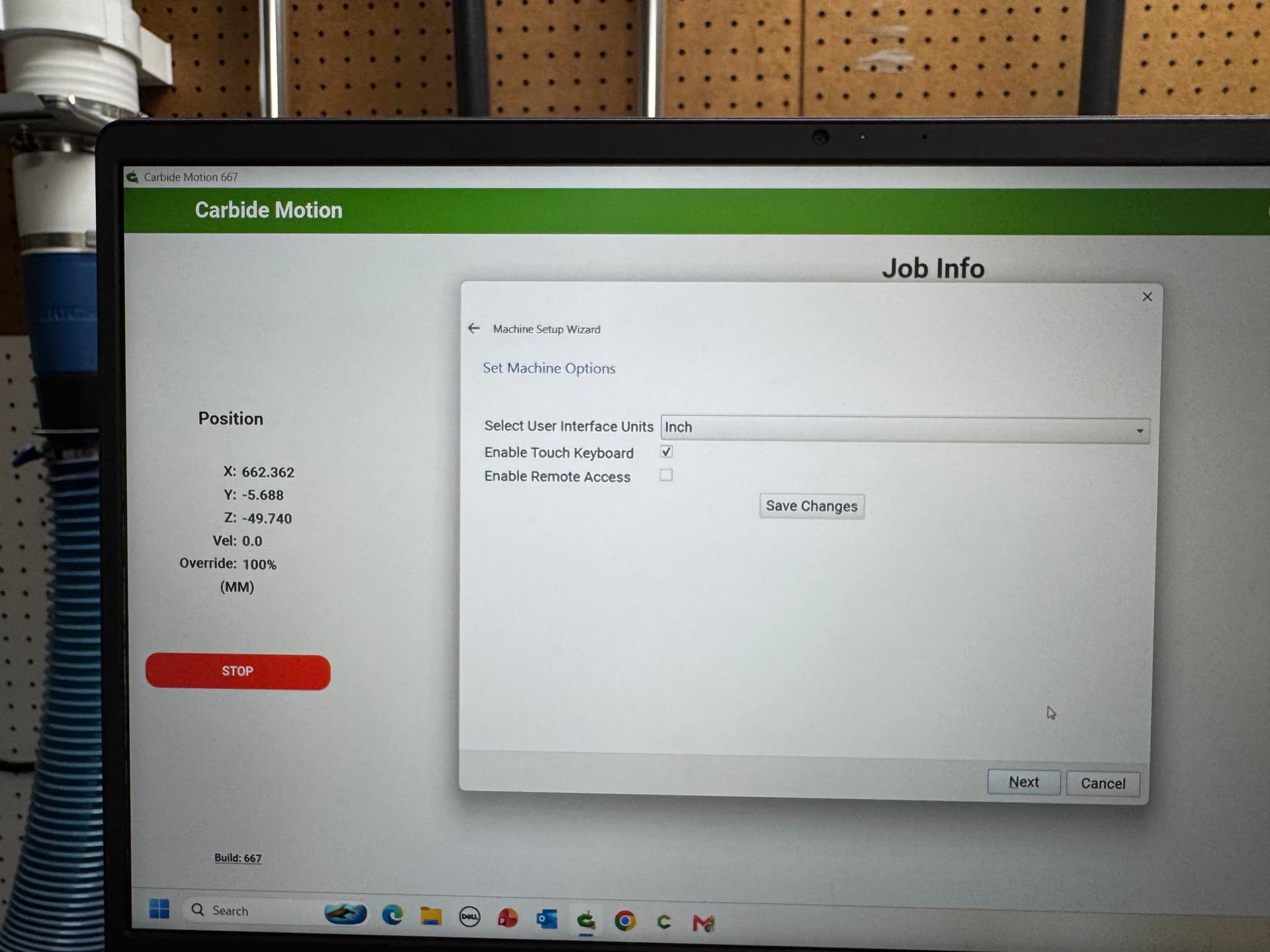
As far as I can tell, the setting in CM doesn’t matter, but it’s there for your preference. I assume that CM would do the units conversion internally so you wouldn’t have to think about what the project is set up in. The reason it’s there is probably because some people prefer one or the other and as far as the software might be concerned, it’s just displaying some different units in the interface so an easy preference to have.
There are probably other machines/control software that are locked into one or the other units and that’s why it’s saying that in the tutorial. I’m guessing that CM and the machines are actually in metric but the software can easily do the units conversion so we’re given that option. My assumption is because there was an error a while back where a value didn’t appear to be doing anything and the reason was because the field hadn’t been set correctly to do the units conversion so instead of entering 1in you were entering 1mm.
The units only affect the user interface. The unit setting does not limit the units of the G-code file, like it would on an industrial machine.
To avoid miscommunication, the post-processor for your CAD/CAM should always set the units with G20/G21, which is pretty standard behavior.
1 Like
For CM, inches or mm is entirely user preference. As Rob said, any GCode should have a unit selector in it.
GRBL (the controller) itself runs internally in mm. So, anything sent to it in inches is first converted to mm, then executed.
The only real difference is precision. Most GCode is produced with a fixed number of digits after the decimal point. Since (for example) a thousandth of a mm is smaller than a thousandth of an inch, mm is inherently more precise. Of course, either may well exceed the precision capable on the machine, so it’s likely a moot point.
Personally, even though I grew up using inches in everyday life, I chose mm because the inches i grew up with were fractional inches, but the machine uses decimal inches. If I’m converting mentally anyway, I might as well use mm.
1 Like
Conversion is the devils playground (just ask the Mars orbiter guys). I avoid it at all costs. I’d use whichever the machine uses internally (but I’ll admit I don’t know what that is).
I converted everything in my shop to metric a few years ago, my poor old brain could no longer deal with dividing 17/64 by three. Digital inches would have worked equally well but I can easily visualize 4 vs 7 mm quite accurately and can’t tell you which is closer to 0.217 ".
1 Like
Carbide inherently runs in mm.
If you want to track your corner extents and have numbers that make sense, use mm.
I moved the spindle to all the rapid positions, then jogged to the max extents, recording numbers as I went. This also helped when making a facing operation for the table top.
Switch to whatever you want for projects.
2 Likes
Thank you all for your insights. This has been very educational, and helpful.
This topic was automatically closed 30 days after the last reply. New replies are no longer allowed.