Corner Jig w/ Bitzero cut out

I do a fair amount of repeating work and use a corner jig to speed work piece setup along. File is set up for 1/2" thick, and I’d recommend a 12" x 12" piece of material. Holes match up with hybrid table and the uses the t-nuts and screws that shipped with the machine. You’ll want a 1/8" cutter for this, 1/4" is just to big for the screw holes.

Corner Jig.c2d (36.9 KB)

15 Likes

Thanks.
This is right up my alley for the work I am doing.

“Edit”
How do you hold your piece down on the lower left? I have had issues where my parts come up while cutting.

1 Like

Double faced tape on the corner. Search for “banner hem tape” you can find it on Amazon. It’s thin and super strong.

2 Likes

This might work. Added a pocket to fit the green work piece clamps. Untested so check the file before hitting the go button. If anyone does decide to make this, let me know how it works.
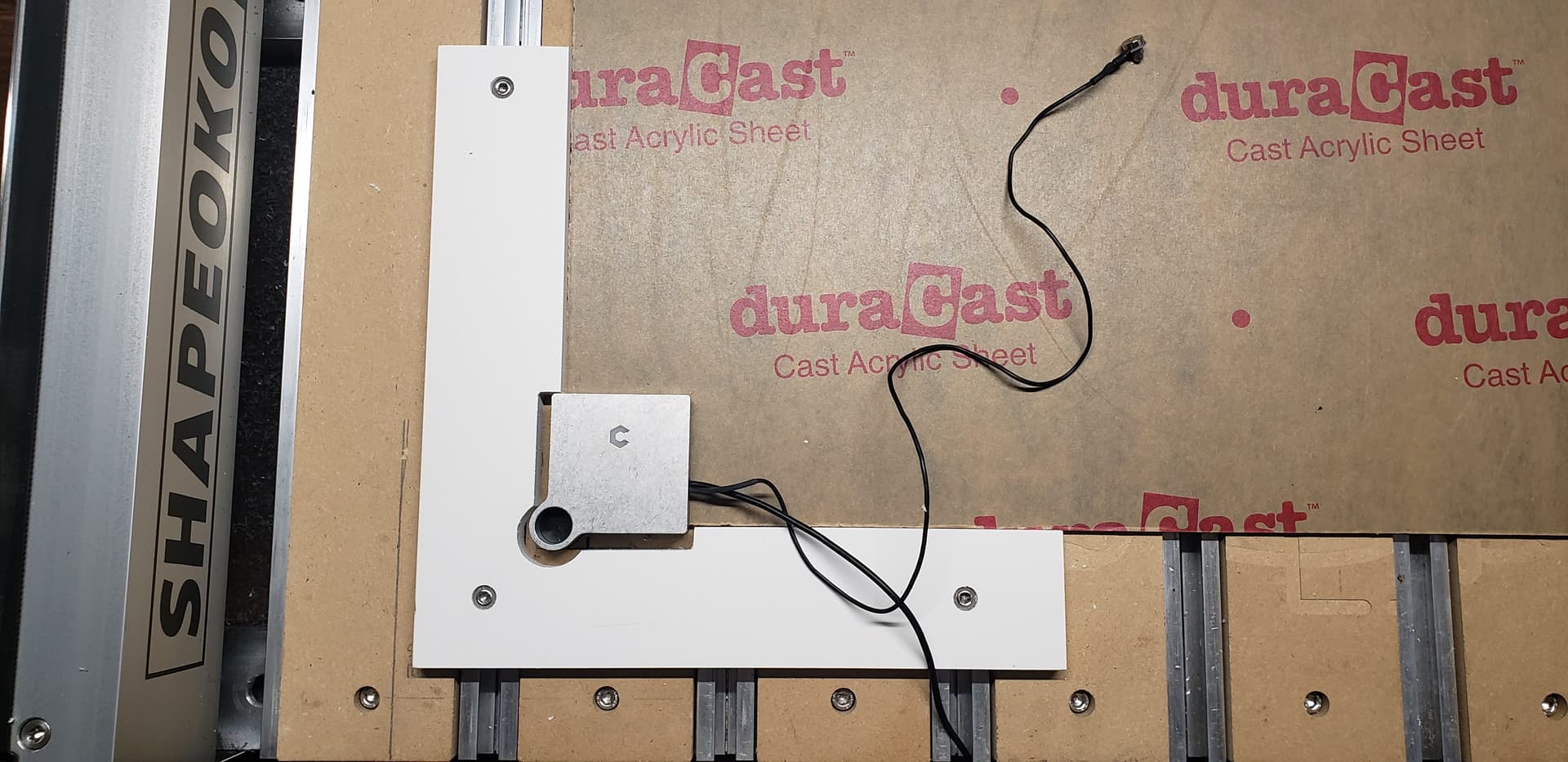
Corner Zero Hold.c2d (55.1 KB)

2 Likes

This jig is excellent! Thank you for sharing!

-Will

Bob: What a genious idea! Brilliant! TY!

@808 Thanks for sharing!!
Just to let everyone know …this file opens in CC V7 not CC V8

Put a threaded insert into the angle piece then attach the clamps to that.

3 Likes

open with CC V7, save, and re-open with V8, I did so, so here3 should be the actual file what I could open with V8
Corner Zero Hold(2).c2d (68 KB)

2 Likes

Thx I already did that when the original file was posted

@MrWilson you should submit this one to CutRocket
I made a few minor changes to the file like material size, added tabs… then cut it out of some scrap walnut I had laying around. Turned out pretty good …

Thank you @Jeffish but the design is @808 s, not mine. I love it though. It is so elegant!

Thank you kindly!

-Will

:rofl: :rofl: :rofl: Oooops… thx for point that out Will… I picked the wrong name from the @ list… :rofl:

@808 Corner Jig w/ Bitzero cut out - #11 by Jeffish