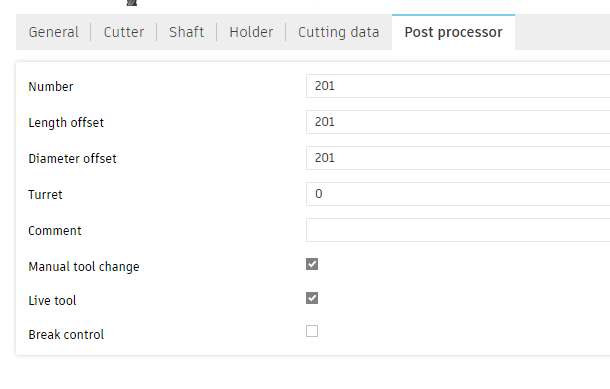
I’m using Fusion, and so I often end up with multiple jobs (.nc files) using the same tool. Like using an end mill to bore holes and then to cut out the part. However, every time a job runs, it wants me to load a new tool, even though the tool is the same.
I get that Carbide Motion won’t know what tool is loaded, but could that dialog have a “Tool Already Loaded” button so that it doesn’t have to do the BitSetter thing again?
Also, I just updated to the latest CM, and now when my job is done it no longer tells me to turn off the router. That’s fine, but it is a change - was that intentional?
I can’t speak to whether or not CM will ever implement a feature like that, but if these are programs you’re running again and again, you can just open the gcode file and delete the load tool command (M6).
You can also edit your post processor to deal with m6 automatically. I’ve got a check box in my post to toggle the first M6 code on/off. I also added a toggle for the remaining M6 codes if any additional tool changes are necessary. It’s really convenient for testing quick cuts.
I haven’t tried this post-processor recently but it might be worth a shot if you just want to download something instead of modifying your own:
That may not be ideal for me, as I’m not guaranteed to be running them back to back. My way is more of a “I know what’s there, so don’t bother” kind of thing.
Another solution would be to somehow concatenate two or more .nc files that use the same tool together. I imagine that’s possible, but I haven’t yet delved into g-code.
Just starting out here I run into a similar situation. It feels to me like Create / Motion software expects every project or job to be fully contained in one file start to finish. But not everyone works that way.
With the tool change prompts, I’m using VCarve Pro which does allow to save multiple toolpaths into one .gcode file. That approach omits the unnecessary M6 prompts if you sequence the toolpaths the right way. Does Fusion have a capability like that?
I also need to run jobs out of order or selectively. It’s not practical to have a code file saved for every permutation start to finish.
I hinted at this in another question I asked but its relevant here…
Let’s say you have a design for a small rectangle sign with different options for edge treatment and wordmark carvings (“Be Excellent To Each Other”,“Live Long and Prosper” etc.) You want to make twenty with different variations. So you want to run toolpath A and B on all twenty pieces but mix and match after that. One job gets toolpaths ABC, the next gets ABDE, the next ABCF. Its problematic to have a separate file for every one because if you decide to change something down the road, like make the outline 1/8" bigger or move a screw holes, then you have to change it in multiple files.
If you’re trying to toggle between similar jobs selectively, the constant tool prompts and BitSetter checks and jogs all over the table take a lot of time.
Fusion does have that capability, but in the free version they nuked it to be as basic as possible to discourage companies from abusing it.
I do seem to recall a couple years ago some folks on the forum talking about making a script to string together multiple programs together, but not sure what ever became of it.
@Smorgasbord Are you in this boat (with the basic version of Fusion)?
Yeah, I’m just a hobbyist so haven’t paid for Fusion. Not having truly rapid moves isn’t that much of an annoyance since I’m not in production, not selling anything. But I guess these small annoyances are building up - now there’s two.
And while I’m an ex-programmer (and ex-software manager after that), I haven’t bothered to learn g-code. Maybe because that’s too much like my old work?
OK, is stringing together two or more .nc files together hard to do by hand?
I still believe a run-time choice (meaning in Carbide Motion) with a button to skip the tool load since it’s already loaded is the best/easiest solution.
If you know code editing already, and you’re comfortable with geometry, it’s not hard to edit G-code. There’s plenty of pages which document G-codes, although not all are supported on Carbide machines. IMO the hard part is being able to correlate a line of code to the job by its coordinates…I’ve found NCViewer indispensable for this. But I’ve also seen people mess this up by missing a Z UP move and destroying a project.
The idea of a run time choice is interesting but that means you’re asking the software to be able to skip a line (or lines) of code on the fly after the program has been loaded. It would depend if the controller allows that I believe…
I’m also a huge +1 to having a runtime option to skip the tool change. For me it’s more about preventing unnecessary tool length measurements (reflections on small pieces in brass love to highlight any variation)
It sounds like you’re experienced enough to find one of the (many?) gcode combiner solutions that cropped up when fusion made the change to individual files.
That was years ago at this point so the projects are likely to be older, maybe that means more mature as well but it’s hard to say
Good luck to you and report back if you find something that works especially well for you
Carbide Motion already has a Program Restart button that enables you to specify the line at which you want to re(start). What I’m proposing is much easier:
• If the “Tool Already Loaded” button is pressed after “Start” (or maybe it’s a “Start with Tool Already Loaded” button(!), then just ignore/skip the first tool change instruction.
OK, turns out I’m still a novice Fusion 360 user. You can actually get Fusion to create a combined file for you, and it even works in the free version if you’re not changing tools: simply select multiple operations that use the same tool and then Post Process. They’ll be combined into a single .nc file.
If you have the paid version, you can select all your toolpaths and it’ll insert the necessary M6 / tool change commands as well.
I still think the “Tool Already Loaded” button on the tool change dialog is useful, however, such as if you’re running the same file over and over.
Gotcha that makes sense. I was thinking in terms of skipping code. There are skip G-codes, which I’m reminded aren’t supported by Carbide Motion. I never tried the Restart Program button before today. It appears from the G-code tab in that dialog that it creates an edited version of the stopped program and runs that instead without saving it. It has to prepend the chosen line with coordinate and unit G-code lines before it can move. It’s odd that it converts an imperial file to metric…