A number of CNC bit vendors provide tool library data for Vectric VCarve Pro. Unfortunately, not many of the companies provide data specific to Carbide Create (Pro).
The Vectric tool database is a sqlite database, which means the data is easily seen or edited, if desired. It would be ideal if Carbide Create had the ability to read / import data using this format.
Barring that, is Carbide Create able to read tool data from a .csv file (good) or a json file (better)? … because, entering tool information manually is something I’d like to avoid. (Too slow, too painful for hands battling arthritis, too many opportunities for making mistakes, etc.)
Thanks. I didn’t know about the csv import. I’ll have a look at the IDC site.
(I have a mixture of IDC, Whiteside, spetools, bitsnbits, … I’d be thrilled if we had a single source for getting hold of tool library info. I have a few different CNC CAD tools and each one seems to require its own format, loading instructions, etc. Don’t mean to complain. CNC tech is pretty amazing and also fun.)
I will say that importing the CSV to CC is not a clear process. There’s a thread somewhere on here that explains it but I think it’s basically you open the file location for the program and move the tools DB into it. I’ll see if I can find it
If you put a .csv file in place and CC is running you have to exit CC and restart it to see the new tool database. I think CC only looks at the tool database on startup and does not update unless the program is restarted.
I’m running the latest version of CC (Build 876, Built on: 2026-10-12) on a mac.
From what I can tell, the tool directory is ~/Library/Preferences/Carbide 3D/Carbide Create/tools. (CC doesn’t provide a way to print this directory name. It will open a Finder window on this directory - well, the parent directory, to be precise - but the Finder tool doesn’t show any context info. I had to search the filesystem to find the full path to this directory.)
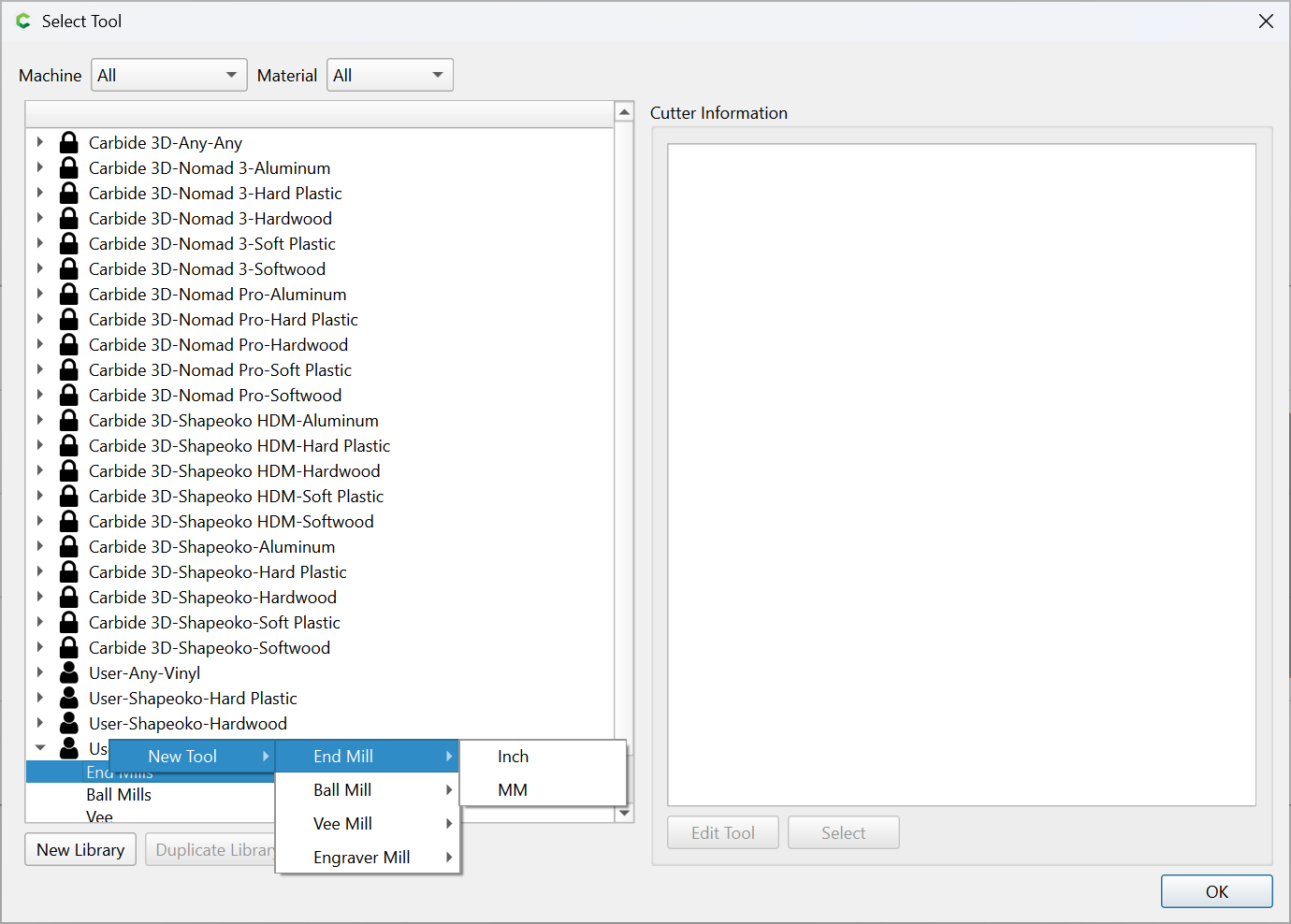
I downloaded the tool database from IDC Woodcraft, as suggested, and placed this database (a .csv file) into the tools directory. Restarting CC didn’t seem to find the file name. I tried creating a new tool library using the CC UI but this didn’t seem to work. I’m guessing that the name of the file must not be correct… but I don’t have any idea what the filename should be.
After creating a new tool library, I did see that CC must have created a file named '~IDCWoodcraftCarbideCreateDB+Any+Hardwood.csv", which seems a little odd. Normally, on a POSIX system, you won’t see a file with a leading ‘~’ since this is a bit problematic when trying to access the file with a shell.
I took a quick look at the CC executable and I see that sqlite has been compiled into the executable. Makes sense. Opening a vectric tool DB should be easy. The only question is, how hard would it be to create the queries that pull out the tool data from that sqlite DB? It can’t be that difficult since companies like IDC Woodcraft have the ability to write a Vectric tool DB as well as a CC .csv tool file.
So, I suppose I’ll summarize by asking 2 things:
Would the CC developers be willing to provide a change to the UI: get the name of a tool database CSV file and open it via the UI during a session instead of requiring a user to find and the fiddle with files in a tools directory?
Would the CC developers be willing to get the tool data from a Vectric sqlite DB instead of using a CSV file? That is, give the user the ability to specify the name of a Vectric sqlite tool DB, which CC can then read and use to populate the internal tool database?
Either of these capabilities would make things easier for developers and tool provides, too, I imagine. Having both abilities would be even better.
One more comment, or maybe this is a request. I’ve loaded an STL file (for a mandolin) and selected a 1/4" end mill bit from the standard CC tool library for the 3D roughing pass, then I loaded a 1/8" ballnose end mill bit for the finishing pass.
After selecting each these bits - they both have their specifications listed in inches in the tool library - CC shows the bits but says that specifications are in MM. However, the values shown for stepover, etc, are exactly the same as the imperial units specified in the tool database screen. I’m guessing that the statement about specs shown as MM is a bug. But, I can’t tell for sure. This may not be a major problem but I found it confusing.
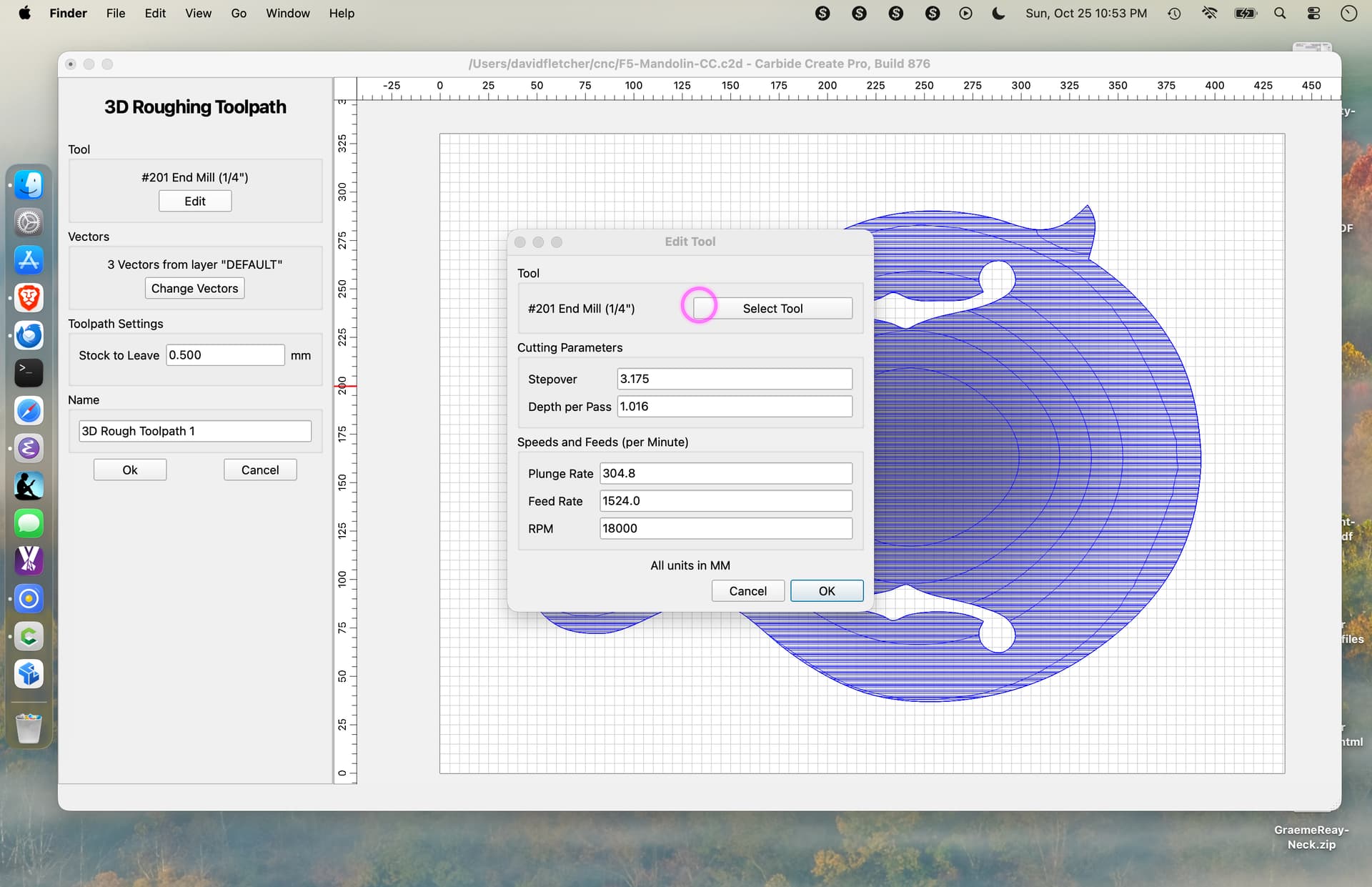
I loaded the mandolin STL file then created a rough 3D toolpath using a 1/4" end mill. Then, I created a finish 3D toolpath using a 1/8" ballnose mill. For the next screenshot, I edited the rough 3D toolpath, which shows the 1/4" endmill.
I’m new to this forum so… let’s see if I can find a button to upload the screenshot. Nope. Wait, looks like dragging the file from Mac’s finder works. Good. Notice the dimensions for the bit are in inches.
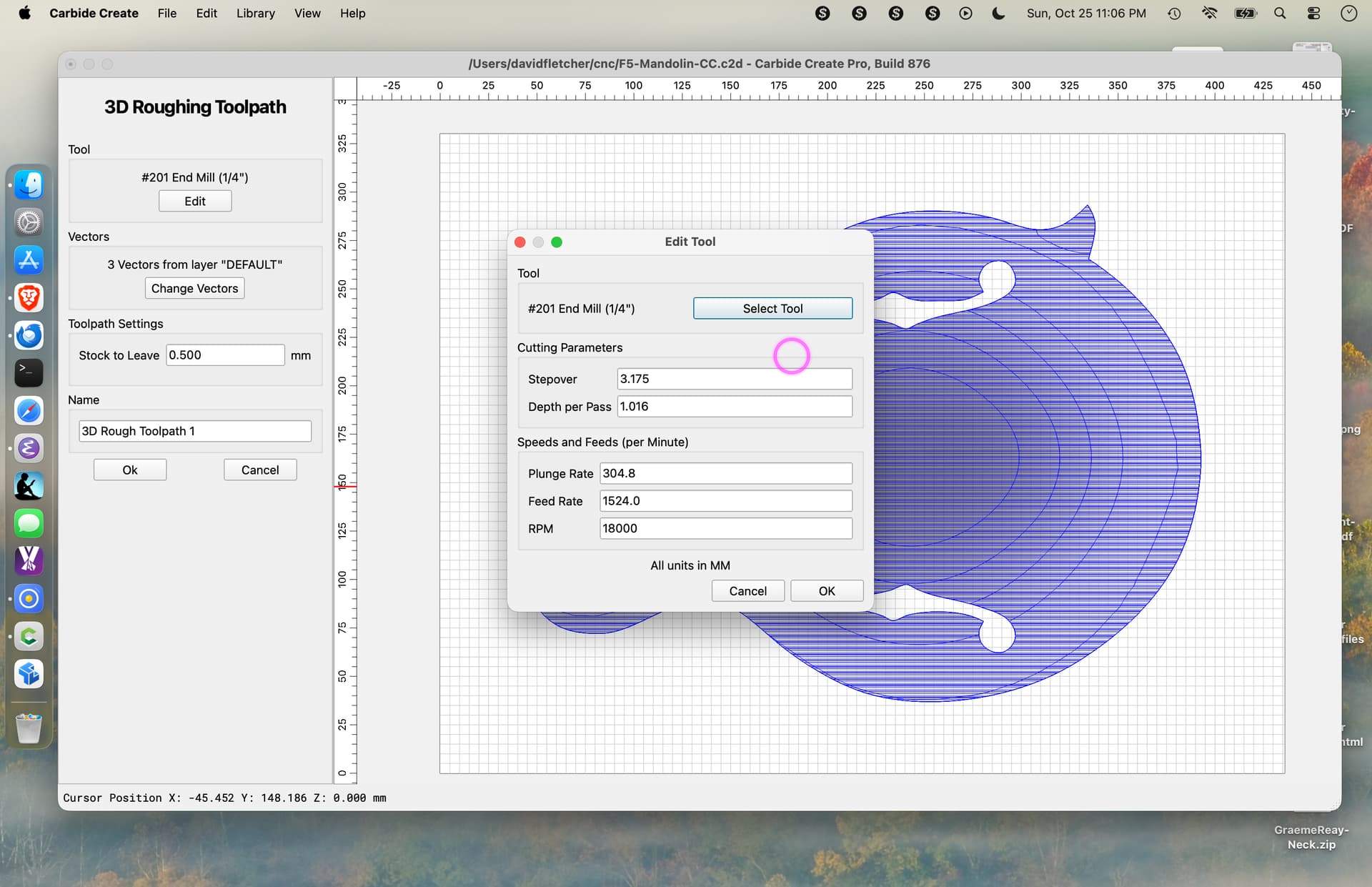
The text at the bottom of the dialog box says that dimenions are in MM.
Your response made me look a little harder at this and I now see what’s going on. The feed rate for the bt is 60 in/min, which is equivalent to the 1524 m/min value shown in the second screenshot.
I’m guessing that the ‘All units in MM’ message applies to just the items in the bottom box within the dialog as opposed to all of the values shown on the page.
So… how about moving the ‘All units in MM’ into the bottom box? That way, it’s a little more clear (to me, anyway) that only the values in the bottom box are shown in MM units.
One more recommendation, if you don’t mind. Would it be possible to use a color that is a little more vibrant than soft grey to surround the 3 boxes? The grey surrounding the boxes is a little tough for these old eyes to see with a quick glance. Surrounding the 3 boxes with, say, blue or green or red or purple would make the 3 sets of items stand out a bit more. I’d also suggest moving the topic strings (“Tools”, “Cutting Parameters”, “Feeds and Speeds …”) inside the boxes. It’s a subtle change, but I think it make the 3 different sections of the dialog box stand out a bit more.
Thanks for making me look harder at the dialog box. And, thanks in advance for reading and considering my reply.
The Shapeoko machines all use metric under the covers. You can specify inch but it is converted to MM in the gcode. All of the stepper motors move in steps per MM. Everything works if you use inch but every measurement is converted to metric. Then things are rounded off. I am not sure how many decimal places down the conversion goes but using inch can be slightly less precise than using metric. Personally I use inch and have had no perceptible problem with precision but I am just carving wood and not metal parts that may need precision to work peoperly.
On youtube I watch Richard Raffan. He is a famous wood turner that is English but now lives in Australia. He is 84 years old. In his videos he always shows measurements in inch and metric. Being 84 he grew up with inch as the standard and later the Europeans changed to the metric system. Unlike Richard I dont try to use metric at all. Sometimes I have to figure out what size a screw is in metric but on a day to day basis I on the Imperial system. Just stubborn I guess or maybe I am just too old to want to use metric and change my ways.
I’m an engineer by training, meaning I’m equally fluent in imperial and metric.
My difficulty wasn’t in the use of metric but with the labeling. It wasn’t clear (to my aging eyes and old brain) that the indication of metric measurements only applies to the bottom box of values. I mistakenly assumed that the label was indicating that all of the boxes contained metric values.
Once I figured this out - kudos to @WillAdams - all was fine… except I still think the labeling is confusing. I think this dialog box in CC would be improved with:
different colored lines around the 3 boxes
moving the labels for each box into the box
moving the ‘All units in MM’ into the 3rd box
These are small changes that shouldn’t take long to make, but I, a new CC user, would have benefited from them.
NB: I’ve beenj trying several different CNC CAD tools and I like CC’s clean interface. Most of my complaints so far have been fairly minor, like this one.
Hi Guy (@gdon_2003), I forgot to say that I also enjoy watching Richard Raffan and Tomislav Tomasic, one of his students. They both make the task seem effortless.