I am making holes for adding t-nuts into the bed of my cnc, however when drilling the through holes going 26mm deep the Z0 axis slowly moves up, as a result, it doesn’t cut all the way through. The first two holes cut through but as it cuts the rest the Z0 moves up and settles 10mm above the original Z0, so most of the holes haven’t cut all the way through the material. I’ve checked the belt tightness and the drill bit isn’t loose either so I’m unsure what else to check. I’ve also checked the v-wheels and they are all tight and the Z axis moves up and down smoothly when its turned off so not sure what else to check or change. Could it be worth getting a new motor?
If someone else has had a similar issue it would be great to get some advice on what the problem could be and what else to check.
Sounds like you are hitting the -Z limit & losing steps. Move the cutter and/or the spindle down a bit.
i did think that at first so i moved the cutter down and jogged it down to the max -z and there is enough space for it to reach all the way through the material. This is also proven because it has gone through the material on the first two holes but not the rest. Its very strange
Perhaps it’s losing steps just due to the forces involved. After it cuts & moves up, if you touch off the original Z0 spot, is it still on?
Not sure if i’ve understood correctly but after its finished cutting the job, the z0 position has moved above when i first measured it before cutting.
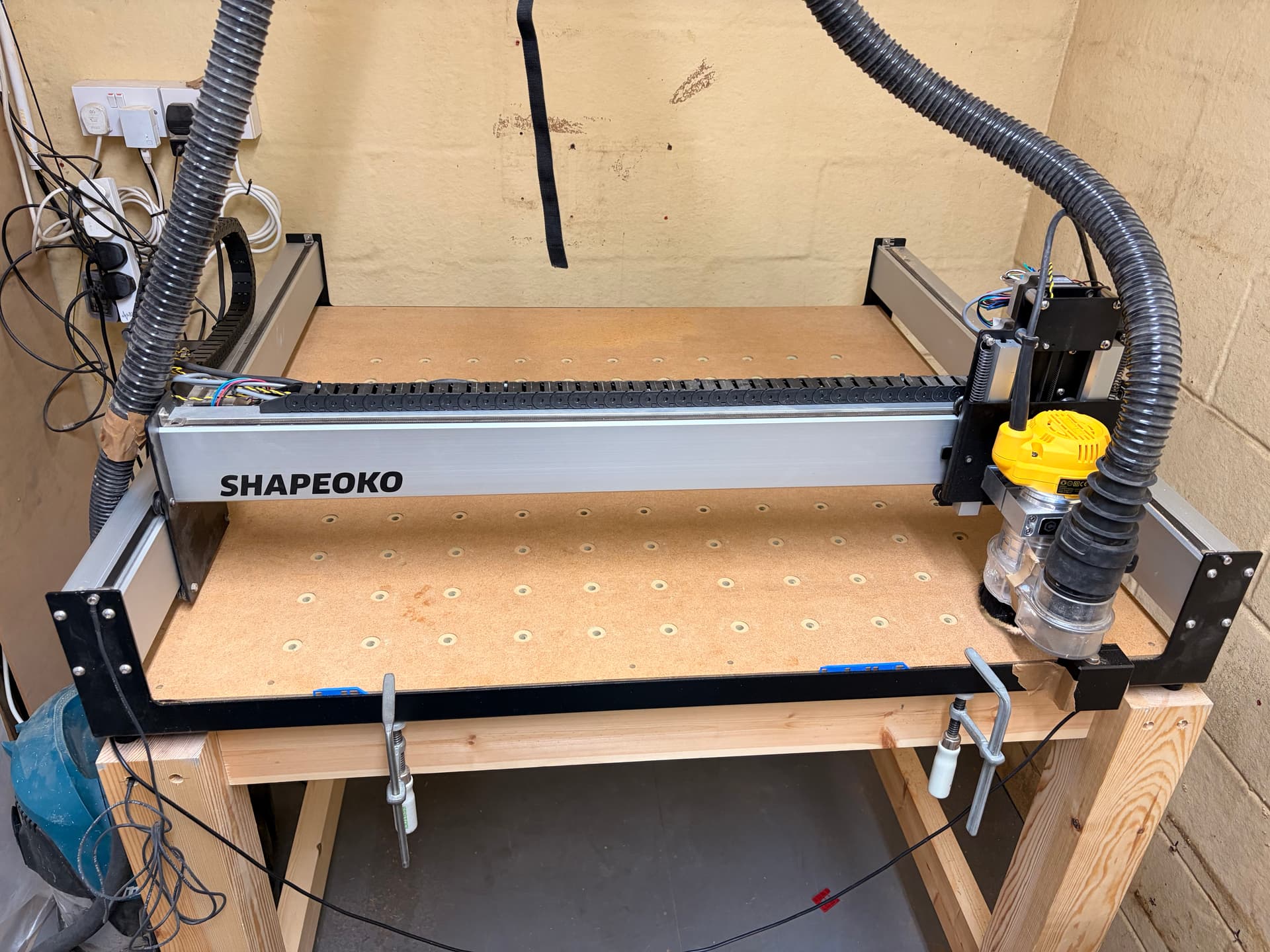
Which Z-axis does your machine have?
Post photos showing your machine and the cut?
What Will said ^^^
Also, what size holes, and what does your drilling operation look like?
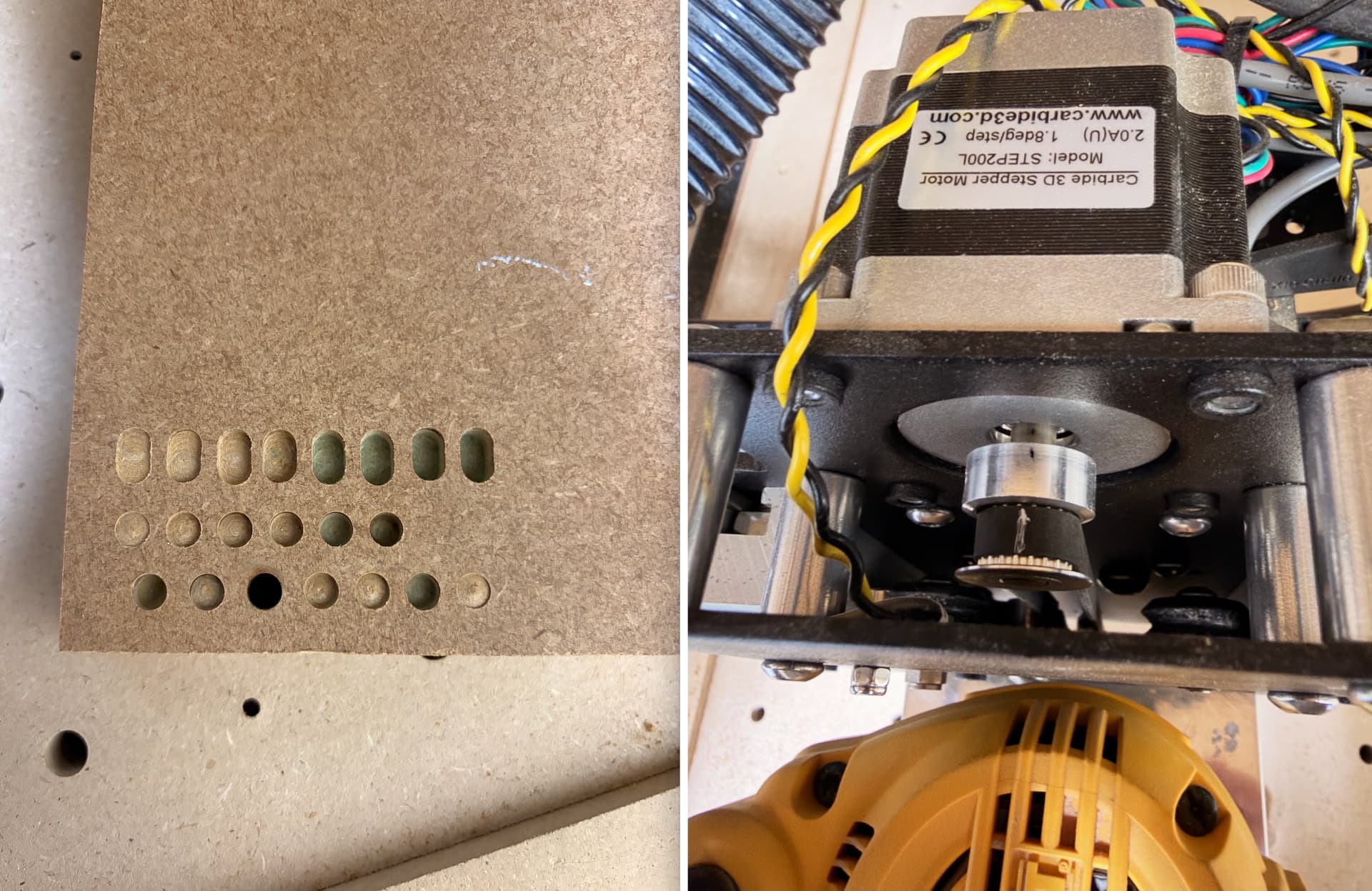
I am cutting 20mm diameter holess 3mm deep and 9mm diameter holes through 25mm mdf board. I have clamped the board down (I have done both sides - took one side off after machining)
That belt drive z axis sucks for drilling. You have very little ability to have any downward force on the spindle.
Stop drilling and start boring with an endmill.
ETA. I’d also
Recommend using a smaller aux wasteboard that screws to the main mast board. This smaller wasteboard should be a size you can resurface the entire surface.
If it’s happening on the 20mm holes, use a pocket path.
If on the 9mm holes, use Hole-Milling. Contour Operation,
On the tool, set the Depth per pass larger than the Max Depth
Set the plunge feedrate the same as the cut feedrate
Set the ramp angle to take what would be about your normal depth of cut.

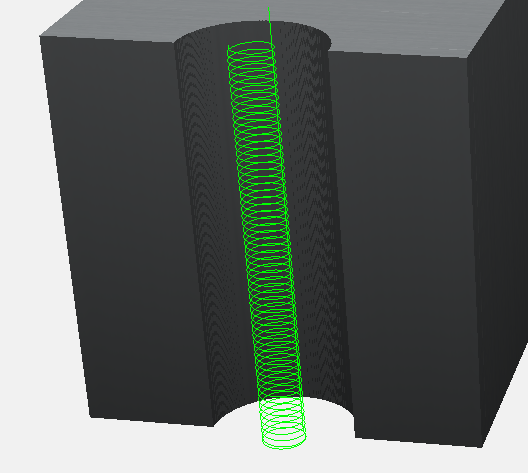
Two additional things which may help:
- use a longer tool and/or lift the work
- remove one spring temporarily
I am using a 6mm endmill downcutter bit and using pocket cut for this operation - do you mean the actual belt needs upgrading or the whole z-axis drive?
Also thanks for the feedback, sounds like a good idea when I surface it.
I managed fine with the belt-drive Z-axis for a long while — that said, the HDZ is an awesome upgrade and highly recommended, plus it will extend your X-axis working area (since it is narrower).
Strangely it isn’t happening on the 3mm deep pocket cuts, only the deeper through cuts is when the z-axis is going wrong - seems like its just struggling with deeper cuts potentially?
I will try the settings you have suggested - i’ve finished the job with a hand drill but will try with a scrap piece to see if the issue is solve-able.
I would check for Z-axis stepper motor skipping or a loose motor pulley before replacing the motor. Since the Z-zero gradually shifts during repeated deep holes, also check the pulley set screws and whether the Z axis binds under cutting load. A test with a lighter depth per pass may help identify the cause. I would not replace the motor until these checks are done.
I was unable to the settings you made as I haven’t bought carbide create pro so I can’t set the ramp angle and would like to find out the problem before purchasing this, thanks again for the help
I have marked the stepper motor, pulley and belt to test if anything is slipping (did this after checking any loose grub screws - which I couldn’t find). After both jogging it and moving it up and down manually i found that they do stay in alignment.
I did another test with it in jog mode, testing different hole depths from 1-8mm. From 1-5mm the holes were consistently .4mm too short. From 6-8mm the holes slowly got less deep with the 8mm deep hole being 7.3mm deep. Are there any more tests I could try or something I’m missing, if not what could be the best thing going forward?
One thing which I found to help with a belt-drive Z-axis is to lift the work up with an additional spoil/backing board so that the Z-axis doesn’t have to move so far down, keeping motion within the narrowest workable range.
Yep i would have thought the same. I’ve got a 25mm bed (originally was just 20 when i bought it) and put another 10mm board on top which I’m planning on replacing when it gets cut into. So i think i’ve mitigated this option best I can.
Found that reducing the plunge rate to 100 and the depth per pass to 1mm solves the issue (so far) with cutting some 6mm deep holes - could this mean that its a load issue and need to cut with fewer passes?