Thanks for the responses, @kelaa , @Moded1952
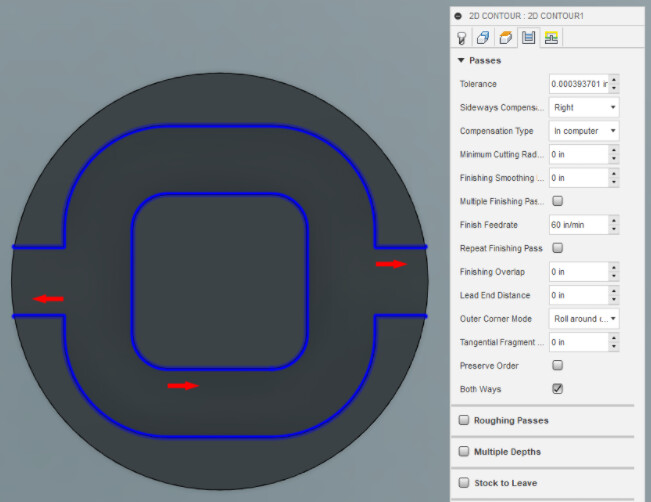
I’ll post a picture below of what the part should look like. The parts should be symmetric across a vertical plane. The issue I think I’m seeing is that every other corner appears to be cutting on the “wrong” side of the contour.
The first thing I thought was I must have a machine assembly issue as well. I went through everything I could think of mechanically and couldn’t find a smoking gun, so I started down the tool path.
I switch the sideways compensation from Right to Left (Conventional to Climb) and the incorrectly cut corners and correct cut corners mirrored on the part (as seen in the original posted picture). They are also near perfect mirrors, so I cut some another “Right” and it’s very consistent to the right shown in the original picture. So due to the consistency of parts coming off the machine, I feel like it has to be a programing issue.
Maybe I need to break up the contours to get them all on the correct side of the line. My hope was there is some compensation input in the tool setup or the contour setup that I’m missing that would fix the issue. But if anyone has ideas of specific things to look for on my machine or in carbide motion settings or something I’m all ears.