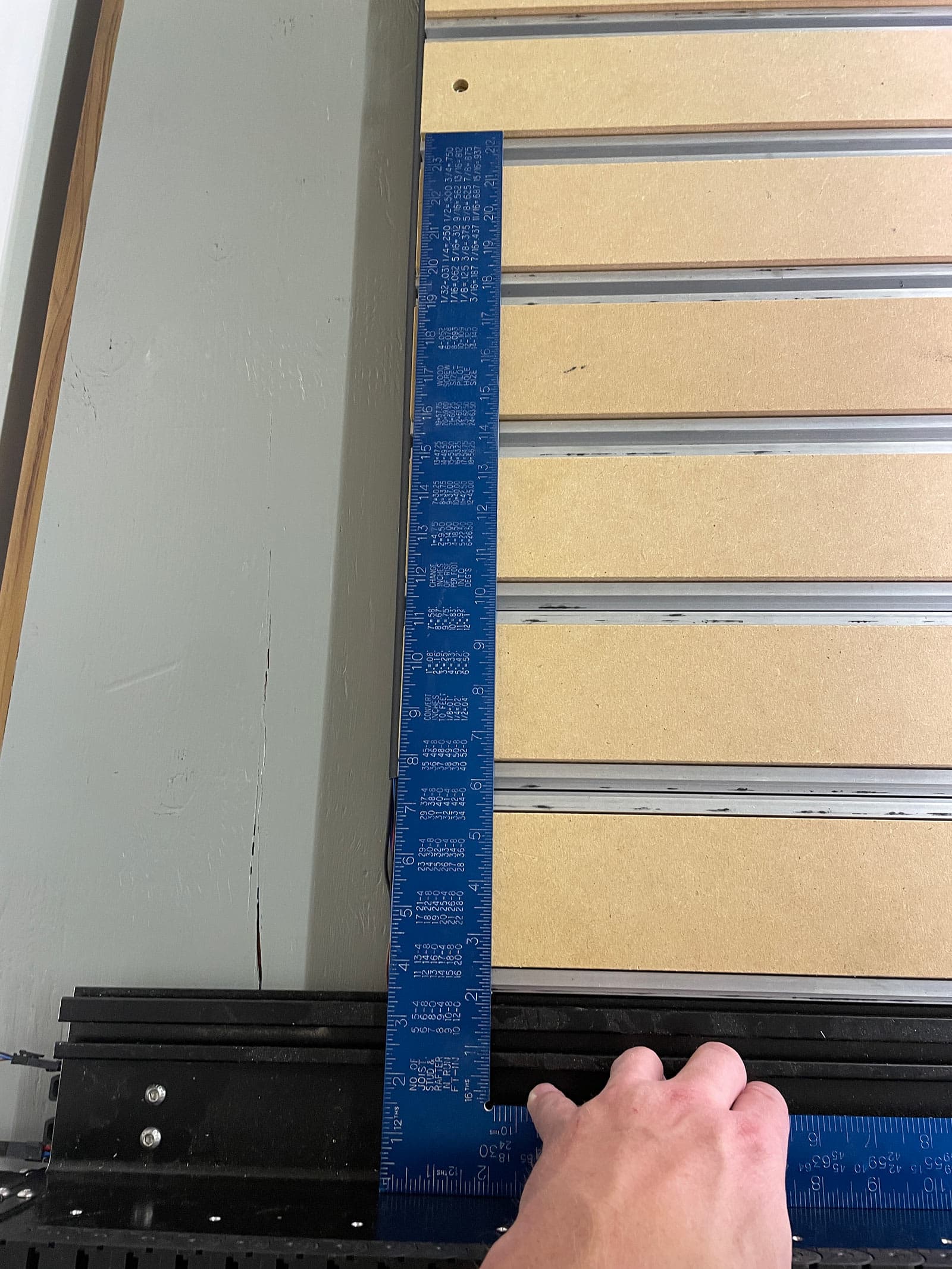
I just got my 5 pro and assembled it late into the night. I followed step 1.9 of the assembly guide to square the machine. Move the gantry from front to back and tighten the rails along the way. I forgot to actually check the squareness before I added all the slats and mdf. I fired it up for the first time and it HORRIBLY loud so I checked with a square and it’s off.
Is there a reason that the squaring process in the documentation would have failed?
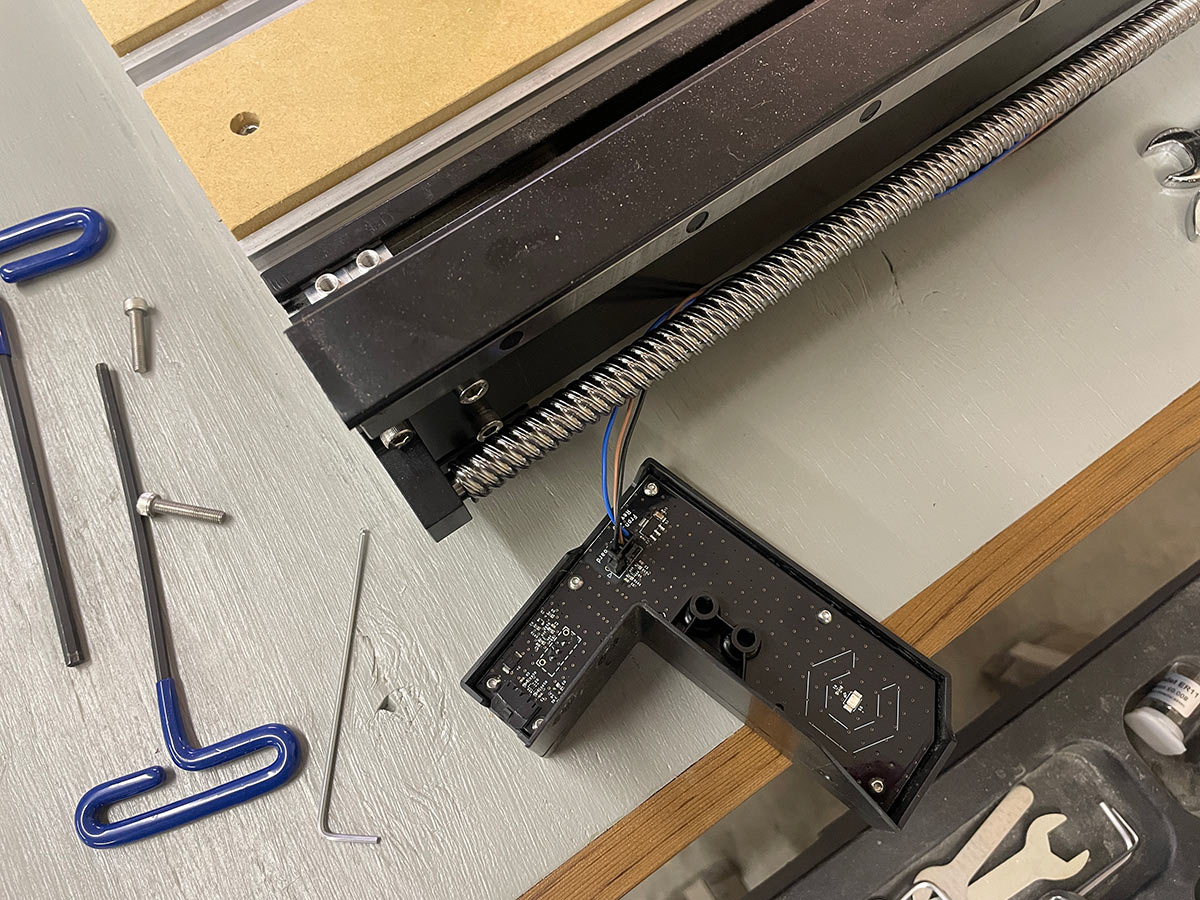
Also when I received the machine one of the rear sensors had both of its screws out and rattling around in the box. So I will need to figure out how to calibrate that.
As of now I see a future of removing many many many bolts.
you will want to contact support@carbide3d.com to have them guide you through troubleshooting.
Does the horribly loud sound occur after successful homing of the machine ? If it is during homing, it may just be that one of the limit switches did not register. I would be surprised that a small squareness issue like that would have such an effect.
Those slats can be shifted a bit (there is some slop in the screw holes), i wouldn’t check square against that. Measure from corner to corner (believe that’s what is in the manual).
Check all your bolts, I’ve had my machine for a few weeks and found one of the ball screws was very loose yesterday.
You don’t need to remove, just loosen, measure the diagonals and square up.
Check in with support@carbide3d.com on positioning the homing switches — I suspect you’ll need to square the gantry against the frame and then adjust them until things line up and then secure.
I was able to get it much more square, but still does not want to be totally square. About 3/32 or 1/8 off currently. It’s REALLY loud when homing or doing quick position. Seems to be what I would think a normal sound when just jogging it in “fast” speed. Also much louder as the gantry gets closer to the front of the machine. Going to contact support today. Thanks for the response
I have heard they are loud as well… but this level of sound requires hearing protection. I use planers, routers and about every saw under the sun. This sound is. up there with my planer which is probably the loudest tool I have. It’s gets much more quiet as the gantry moves to the back of the machine. Still trying to get out of meetings so I can call support.
Uncoupling the steppers from the ballscrews allows you to move the gantry around, could help in locating possible binding/rough spots in screws and/or rails.
I ended up taking all the mdf and table slats off. Loosened all the table and gantry bolts, squared the machine and re-installed all of it. I also added some oil to the rods (even though it’s brand new). The sound is better and at a loudness that I feel you all have come to terms with. Making sawdust now.
Note : The PDF instructions section 1.9 DO NOT tell you to square the table in a logical way (corner to corner). I was following them to a T. The video does show the corner to corner method which is logical. So Carbide 3D please update the PDF to include a corner to corner squaring for future CNCers.
I also found that 2 of the screws were totally out and the rest were 3/4 of the way out on this circuit board behind the glowing logo. This was just vibrating around at a very high rate like the reed in a saxophone which got worse when the gantry would get closer (to the front). Sounds much more acceptable now that they are tight