I now have to include the thickness of my spoilboard when telling the software how thick my stock is… The bitsetter has the actual machine bed built in and I have to add it all together to get the bitsetter to cut into my spoil board for registration on a two sided job. Anyone else have this situation?
Try explaining a different way.
The position of the bitsetter is arbitrary as long as all the tools can reach it.
To cut below the surface of the spoilboard there has to be enough travel in the Z axis to reach the depth you want.
You should not have to change the thickness of your stock in your CAD software (Carbide Create??). If your stock is 2" thick, and you want a 1/2" deep hole in the spoilboard, you just make the Max Depth of that toolpath 2.5".
That’s what I have done for the past two years… all of a sudden it won’t let me carve into my spoil board for registration on a two sided job. When I set zero either with bit-setter or manually it cuts 2" in the air. Normally I would set my software to machine off bed for Z zero and it would work just fine. Not any more evidently.
This is definitely not how it works, and the only real change to the workflow in recent years has been the fact that now after you set your Z-zero, Carbide Motion immediately measures the tool. Can you share a project file and maybe take a short video of your process at the machine and upload it to YouTube or maybe Google Drive? Something doesn’t seem right.
1 Like
This is how I do the set z zero manually…
And the file both the Original and gcode
Wont let me upload either
Did you update CM?
Can you manually jog below the table, in a T slot?
1 Like
I updated CM a few days ago. And I can jog down to the machine bed but not beyond.
As you can see in the photo I have a spoil board on my machine bed that I’m trying to machine some registration holes for a two sided job. Which I have done several times in the past.
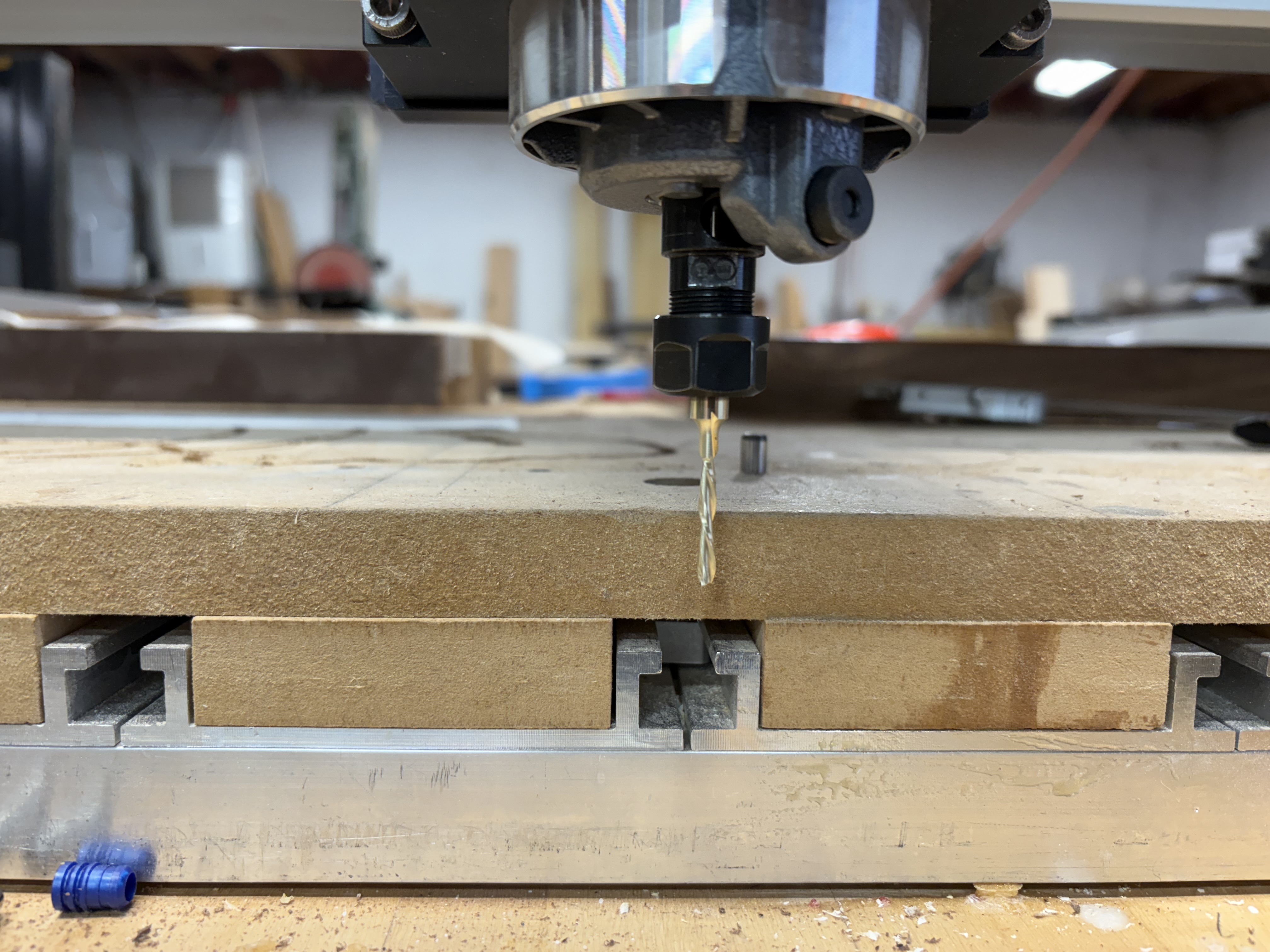
If possible, temporarily lower the spindle?
It almost looks like a 1/2” offset issue related to which Z Axis is selected in setup? I say this based on forum threads, I have a S5 Pro and just selected that upon setup.
If all of that is set up correctly then you could just lower the router in the mount to get the depth you need.
However that still does not explain why you had this capability before and now you don’t?
1 Like
Yes that’s the big question the only difference is I have updated CM to the latest build.
Re-run the Setup Wizard to confirm things?
https://carbide3d.com/hub/docs/shapeoko-setup/
Set the origin at the baseplate, then move to it, then move up 1 inch — how much does it move?
Are you using a BitZero? v1 or v2?
So I’ve done everything that has been suggested and nothing seems to work. Should I go back to the cm that was working? Have seen the videos of how I set z zero?
Yes. Go back to the old version if it works for you.
This topic was automatically closed after 30 days. New replies are no longer allowed.