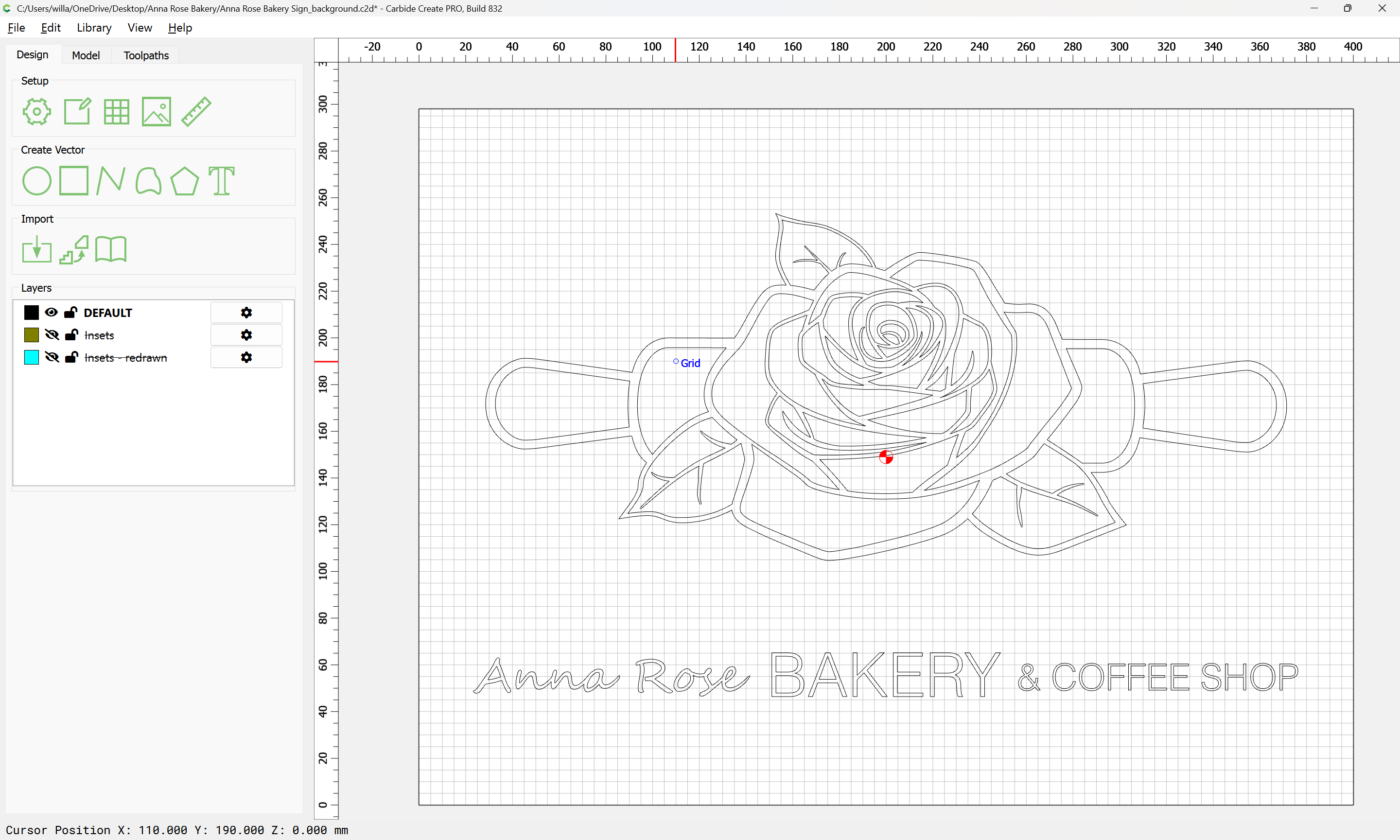
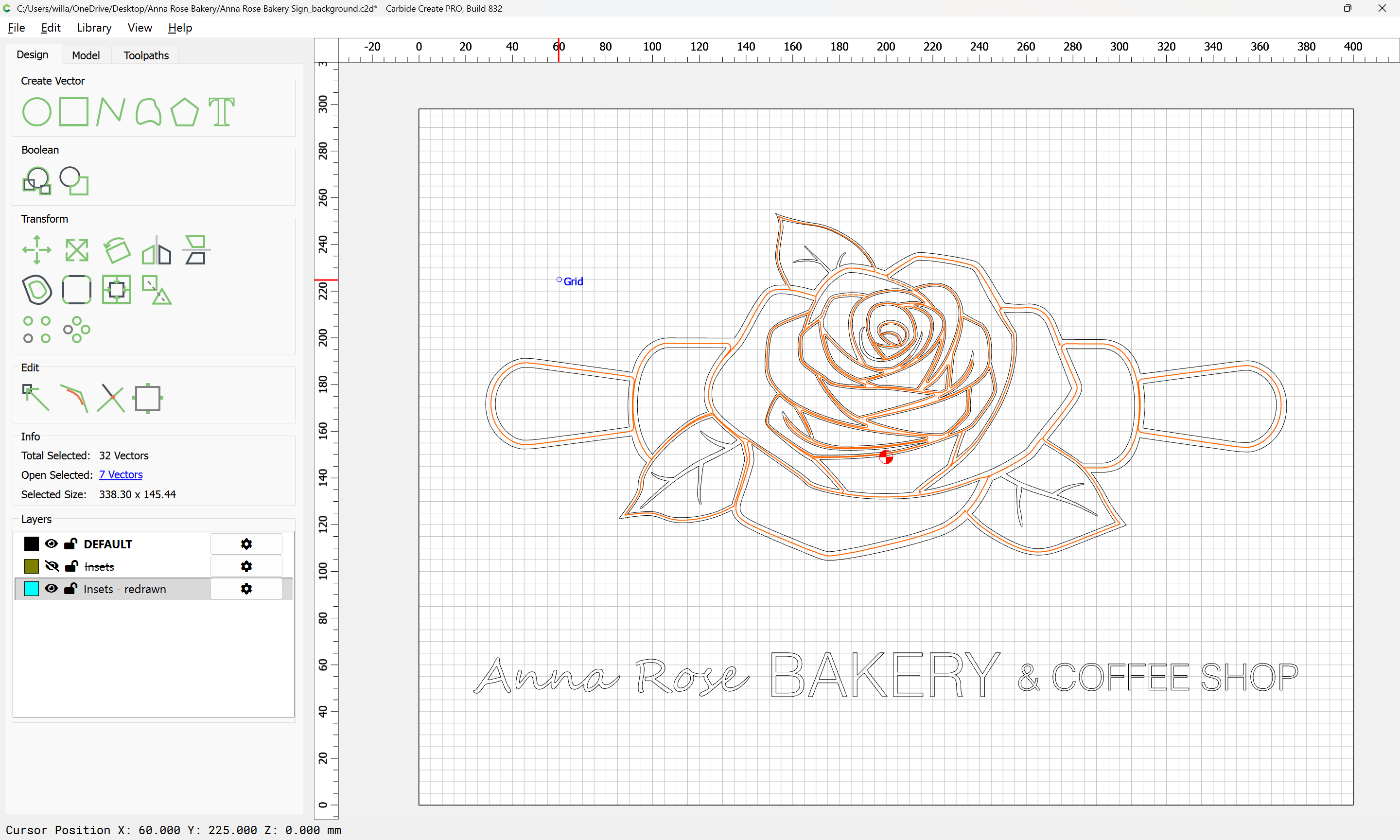
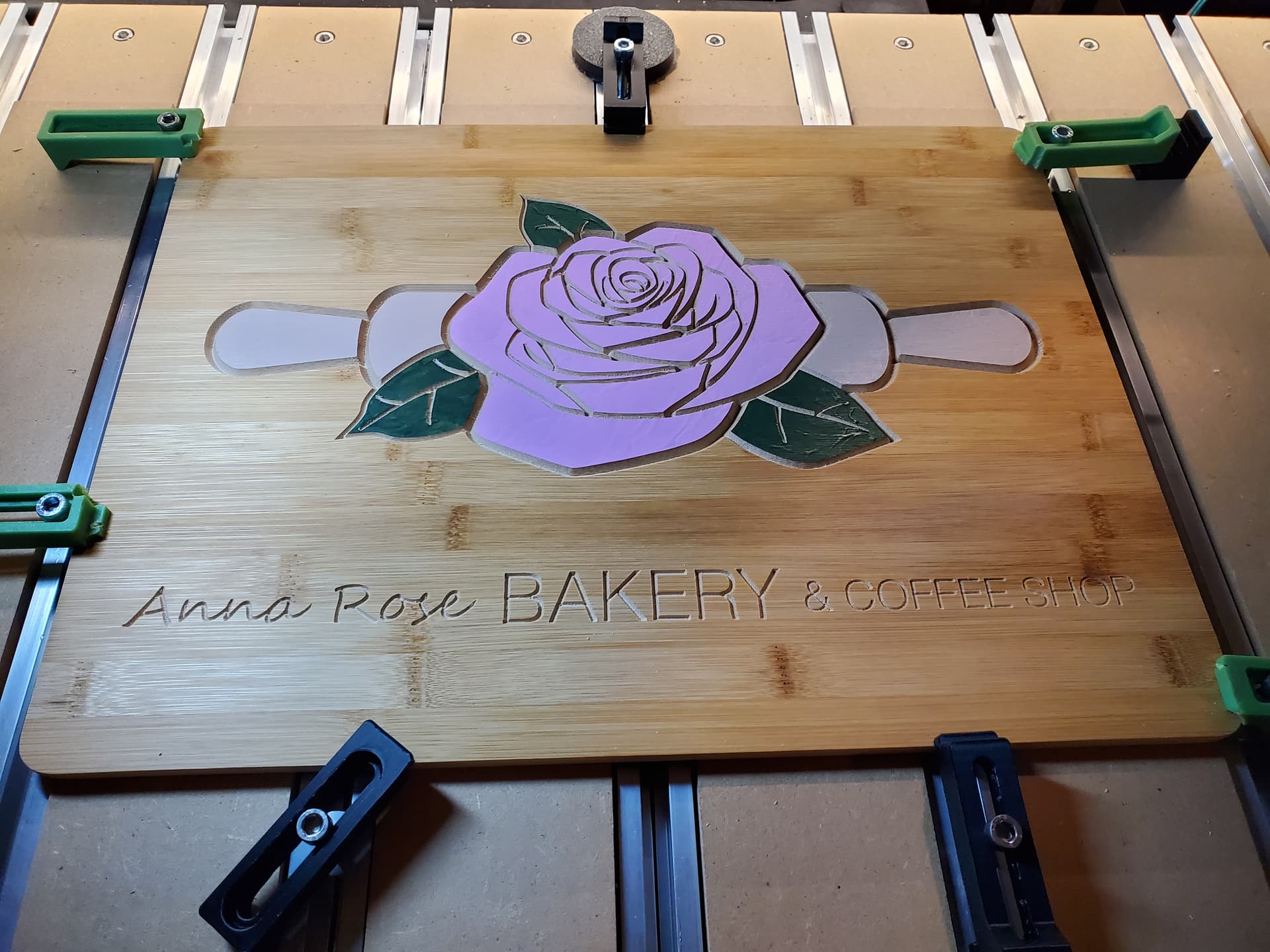
Will, I had to read this through 3 times before I think I understand it (not being a woodworker but always keeping my eyes/mind open…) So the no-offset contour toolpath is to create “boundary moats” around the color areas, which are just surface-painted by hand before the V-carving?
All well and good, but I’m thinking that there is an important step missing just before this … masking the painted parts so the V carve can be painted or filled. One wouldn’t want the open V carve for a cutting board.
If you want the V carve to have the natural finish for a decorative piece, but if not I don’t see how one can eliminate the masking.
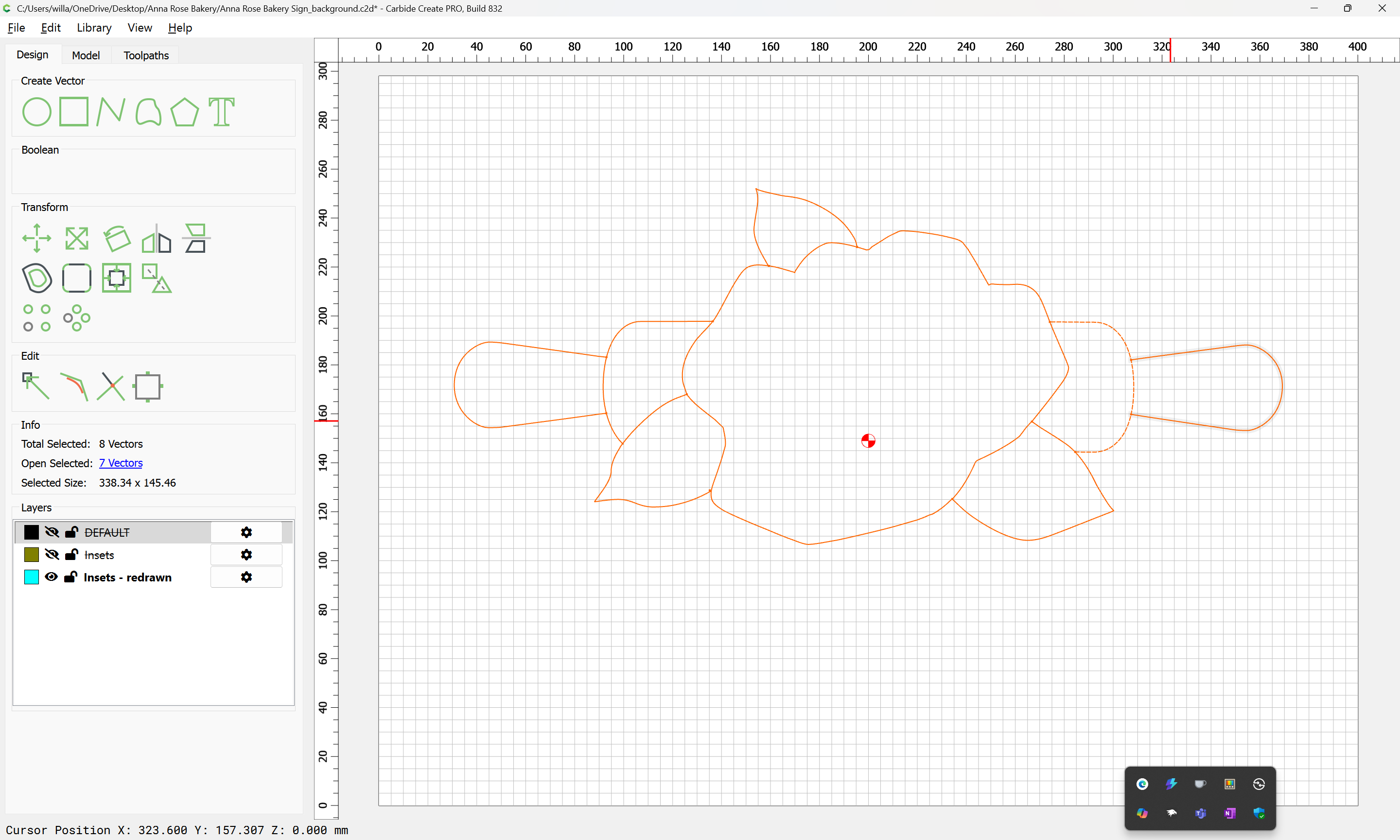
Will, could you explain the process of creating the line drawing “in-between the lines?” Is this something you did with the off-set tool? Seems like it would only do the outline of the entire object, not one contiguous line that encompasses all the pieces.