I ran an advanced v carve with a 45v bit and a 1/4DC for the pocket. I was going to epoxy this and then run a second pocket outline. The sim gives me a small ridge of wood left between the pockets. I have no offsets on. I’m guessing this is because the v bit is outlining putting a 45d angle in aeound the contour?
-is there a way to just have the vbit cut the corner sharp angles?
-what should I do to fix this?
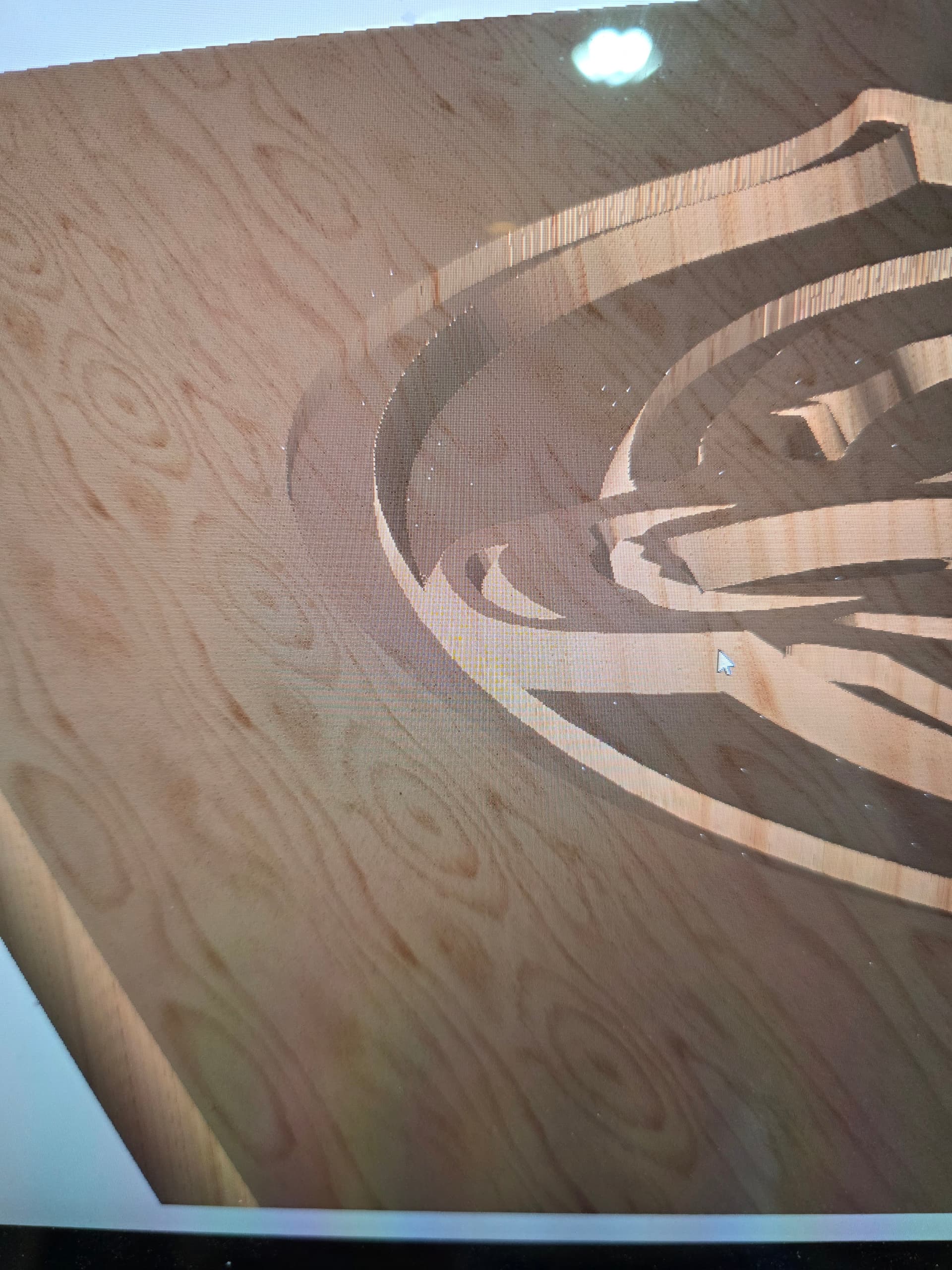
Post your design file. We can’t give you advice if we can’t try to see what might work.
This is what you asked the system to do…
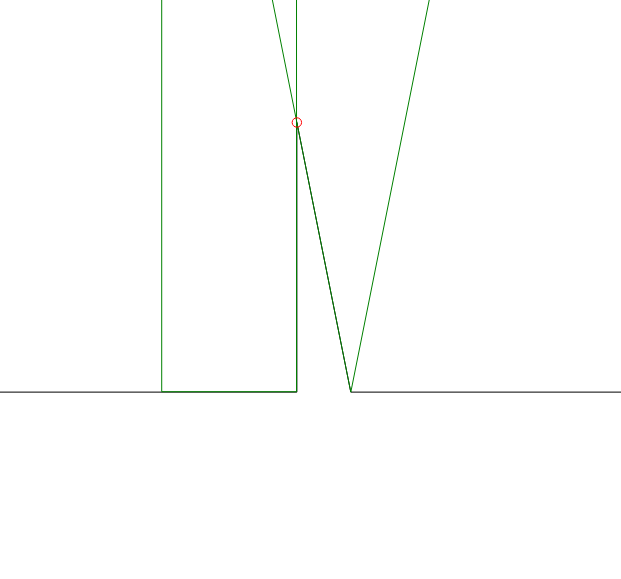
The red circle is the vector that it’s tracing. The V-bit cuts to depth keeping the tool tangent to the selected vector(s).
If you are epoxying multiple colors, pour the first color with offset vectors so it overlaps into the 2nd color. Then carve for the 2nd color, cutting into the overlap.
3 Likes
Thank you for the feedback, I figured as much.
Is there anyway to use v carve to just cut the acute angle areas or is this not possible?
Not sure what you mean by “acute angle areas” ?? The corners that the round cutter won’t fit into, that get “picked out” by the V-bit walking upward in Z up the corner??
Then no, you can uncheck the clearing tool, then the V-bit also won’t clear the areas where the clearing tool wouldn’t fit. But it will still trace the entire boundary, and pick out the corners.
1 Like