Question: Can you change the stock thickness (Z) in the same cad file to run pieces of various thicknesses?
Clarification:
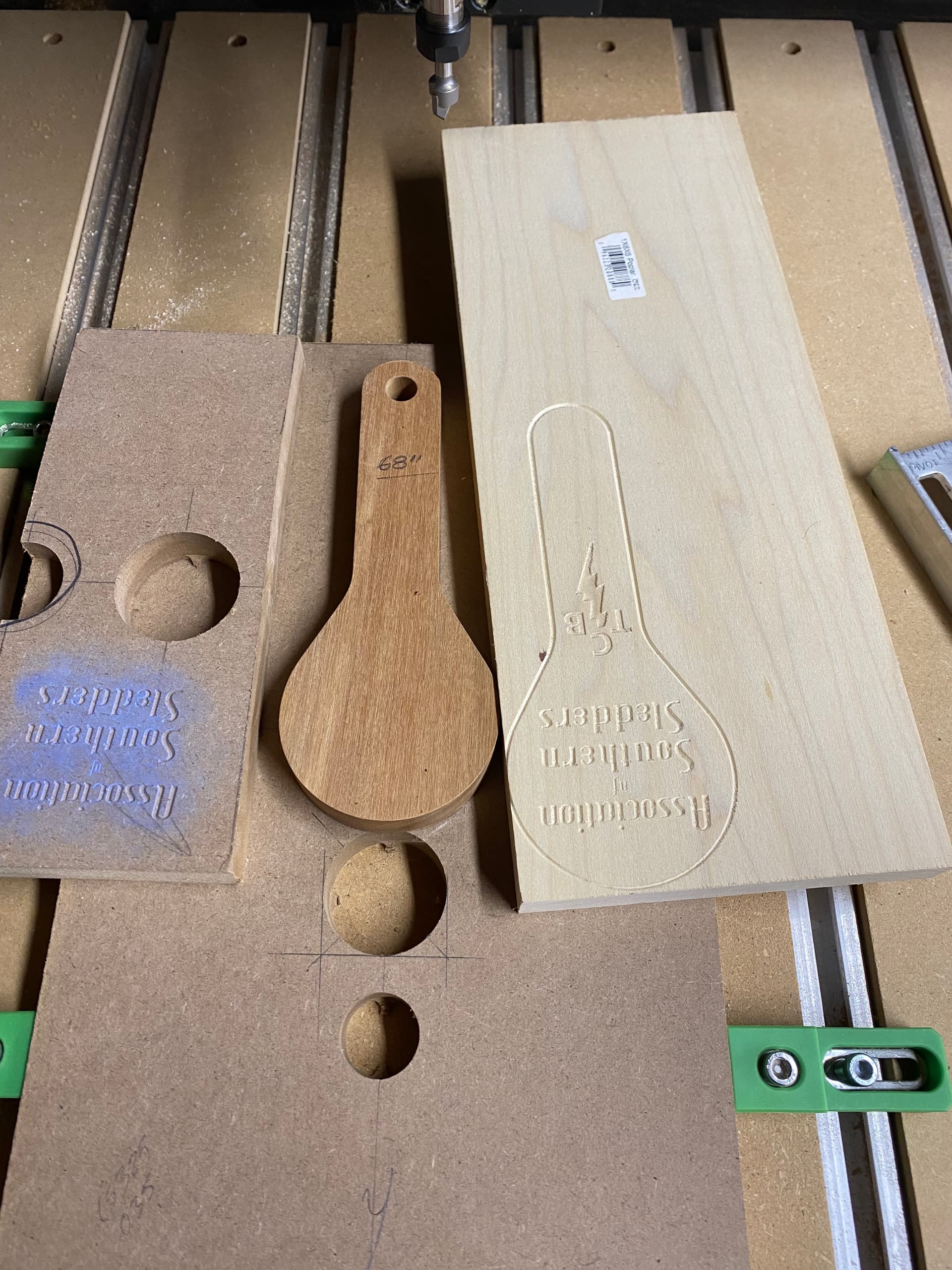
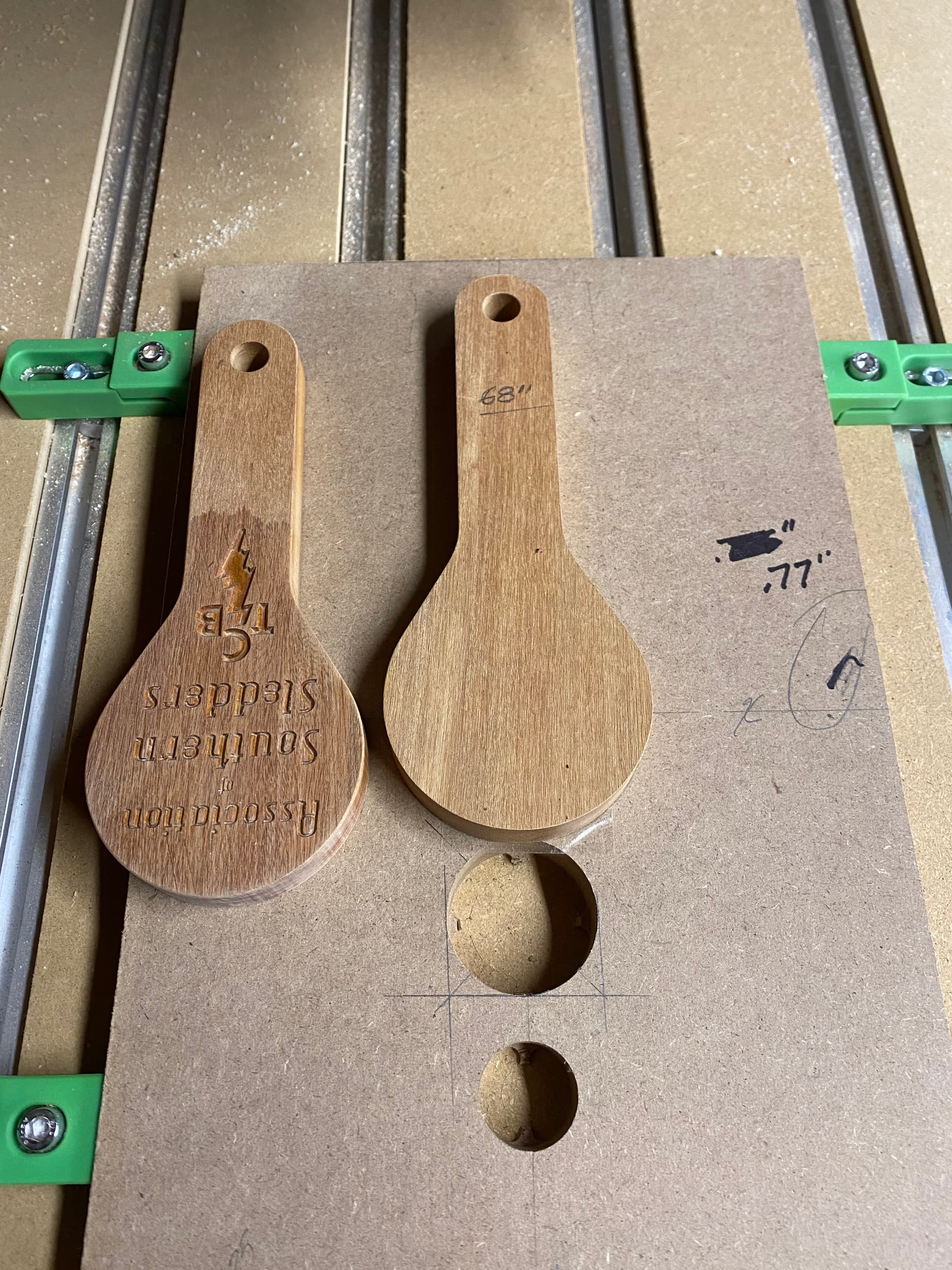
I have a Pro5 2x4. On the table I have MDF that is 0.765” (Z) clamped as my fixture to hold the product part to engrave text. The product piece is 0.63” (Z) thick. I have preformed this once on a final stock sized piece with success, but did not like the way the text looked. I switched to MDF to try other text styles. I went in the CAD file I changed the stock thickness to 1.53” (0.765x2=1.53) and ran my trials again with success. After deciding on what text to use I affixed the product piece (0.63”) to the MDF fixture and went back into the CAD file and changed the stock size to 1.395” (0.765+0.63=1.395) SAVED the file, loaded the new file onto Motion and ran program. The result was the cutter appeared to be referencing the MDF height (1.53”) cutting the air above my product piece. This is clearly not a case of the table not being true as it has worked before and the only thing that has changed is the stock thicknesses. I have tried this several times. I have shut everything down, restarted, reinitialized the cnc. Went all the way back to the point of performing the first starting the cnc steps. Reinstalled/initialized the bitsetter (the Z reader). I have saved the file as new tool path with no success. I even reset the VFD height ensuring that it would be able to reach required depths. Also, the machine goes through all the steps with bit setter checking each bit change and bit setter seems to be working fine, green lights at each touch off.
Cliff notes:
Machine appears to be still referencing the previous stock height of the two MDF boards and will not engage in the new lower stock height even after saving new tool paths. I thank you for any help and insight.
WillAdams
Thank you for your response, I am sorry for my delayed reply.
My Z in Job Setup is set to TOP.
I don’t know if I have explained my situation very well.
I am a first timer with using cnc, but I am an automotive designer of +40 years, 30 years using Siemens NX cad so I am familiar with CAD, design and manufacturing, but perhaps I am assuming too much of Create.
I am sure this is an oversight on my part and will end with a palm to the forehead but the frustration level is killing me!
I want to V-Crave text and an Advanced V-Crave symbol in various thicknesses of boards using the same CAD file. My logic says change the Stock Thickness in Create Setup to whatever the new one is, save the file, go to cnc load new job on Motion, cut the part. Open same Create CAD file change Stock Thickness, save file, load in Motion, cut. Repeat with varying thicknesses of stock.
Do I need to zero out my vfd/bit to the table by the paper method first then continue using the BitSetter?
Again, thank you for any help and your patience.
If you instead zero from top-of-stock, you do not need to edit your design file each time. Instead, you would reset your Z Zero for each piece of stock.
So long as all the pieces of stock are thicker than the VCarve is deep, then the stock thickness in CC doesn’t matter when carving using top-of-stock as the Z Zero.
Now, if your project also does things like cut out a perimeter, then you are back to needing an accurate thickness in CC.
The Z Zero is part of the Settings for the project, it can be either top-of-stock or bottom-of-stock (i.e., the wasteboard).
If you continue to have difficulties, upload a .c2d file, step-by-step notes on how you are securing your stock and setting zero relative to it and managing all tool changes and a photo showing the machine at the zero position, and a pair of screen grabs from Carbide Motion, one showing “Position”, the other after clicking on that to toggle to “Machine Position”.
Thank you for your help. I am sorry for the long delay of my response. I am not sure what I was doing wrong but I went back to my Create files and changed the Z height to Bottom of stock and now when I run various thicknesses of stock, I just change it in the Create file and re-save it and re-load on to Motion and all is well. I just wanted to run the same text, symbols basically surface carvings on different thickness of stock without physically resetting the zero each time.
In the attached images I wanted to be able to crave this on different stock thicknesses with as little set up as possible due to the amount stock I have available I didn’t want to waste anything. It is faster for me to change in the file and resave each time. Yes it can be a risk if I forget to do this but I have a check list, that and I talk it out loud to myself as I go along! Many thanks again!!