I have a shapeoko xxl 3rd generation with bittsetter installed in south east corner of bed.
My flattening router bit is 1" diameter and has 3 blades. How do you get a proper measurement as the blades on the bit dont line up with bitsetter button???
1 Like
If your bit has a hole in the middle of it bigger than the head of the BitSetter then it wont work as is. Some people just use the paper method to set Z zero. Others make a 1/4" disk and set that on the top of the BitSetter and let the bit come down on that. Then after that you have to move your bit down 1/4" with jogging and set Z zero manually.
Personally I use the paper method for my flattening Whiteside bit because it is easier than a bunch of clunky things I have to keep up with.
2 Likes
If you make a disk to extend the bitsetter, you don’t have to adjust anything as long as you use the disk for the whole session starting with the first tool measurement after initializing. If you have other bit changes, leave the disk in place.
Or set your zero manually, and use the GRBL or Generic post so it has no tool changes.
2 Likes
My bit setter has a magnet in the top of it. I just put a washer on it, works fine.
Just remember to check where washer is before you turn on your spindle…
Tim: to set zero one may use the manual “paper” method, or the BitZero. Now you have the project zero. To avoid the machine going to the bit setter to find the working zero (as I call it) every time a project starts you must switch off the Bitsetter in the CM settings somewhere like this:
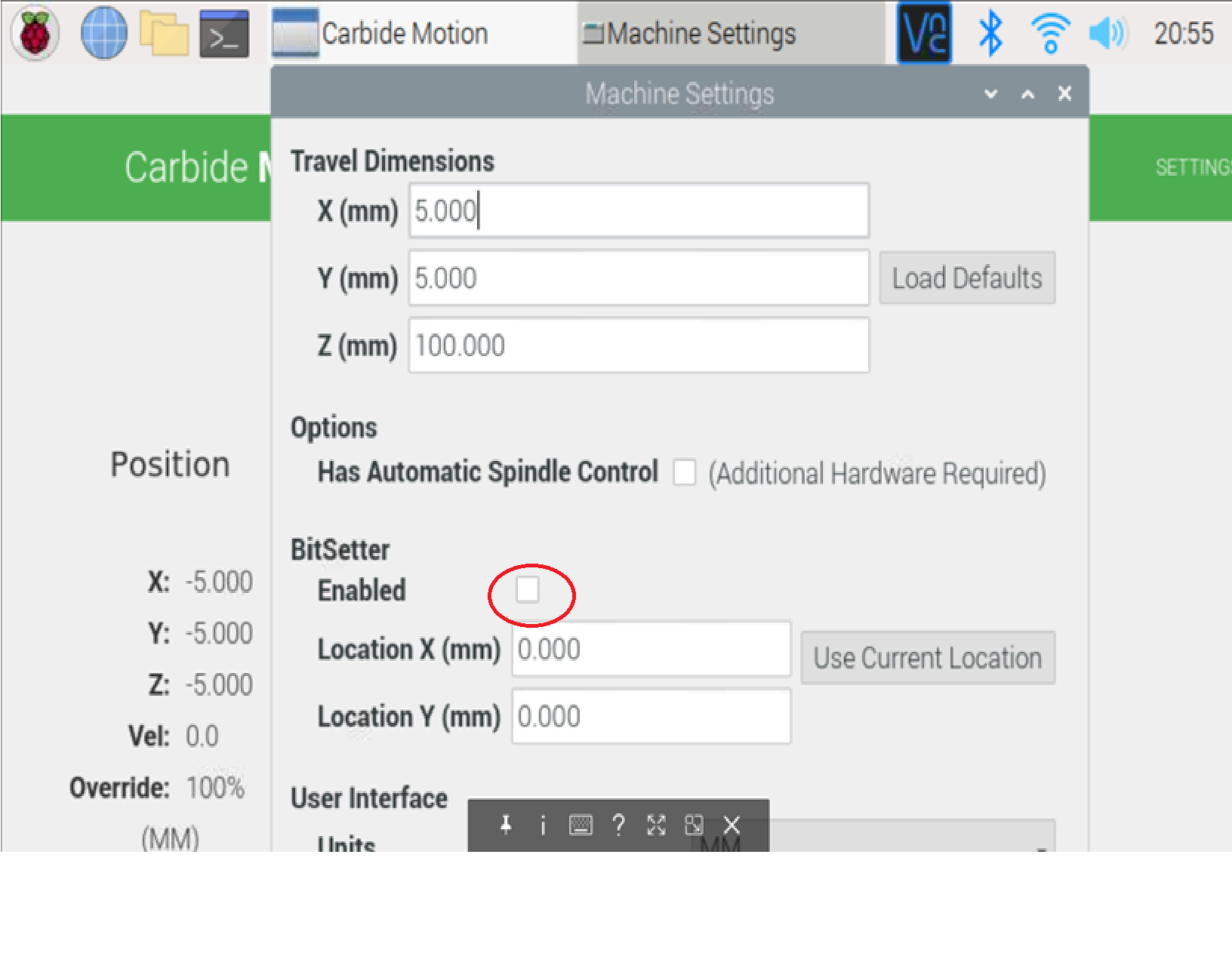
(don’t forget to switch it back afterwards. Don’t ask me where I know that from…)
1 Like
This topic was automatically closed 30 days after the last reply. New replies are no longer allowed.