Everything has been working great, but today, when I went from one job to another, the bit started hammering down on the Bitsetter. I tried reloading the machine and that didn’t fix it. I deleted the whole carbide motion reinstalled it reset it all back up that didn’t fix it, so I just quit for now. Really really frustrated, but I love the machine (5pro 4x4 w/ VFD router). Somebody please help or give me a call and y’all can talk me through something. Thank you in advance.
1 Like
The BitSetters have a red light that turns green when you push the plunger down manually. Check that the light changes states. If the light does not change the BitSetter is not sending the signal to the control board. If the control board does not get the signal it just keeps lowering.
1 Like
I did, it turns green every time. I checked all the sensers and check good. After turning the machine off overnight it seems to be working again. I can’t just keep shutting it down for hours just to get it working again.
Let us know about this at support@carbide3d.com
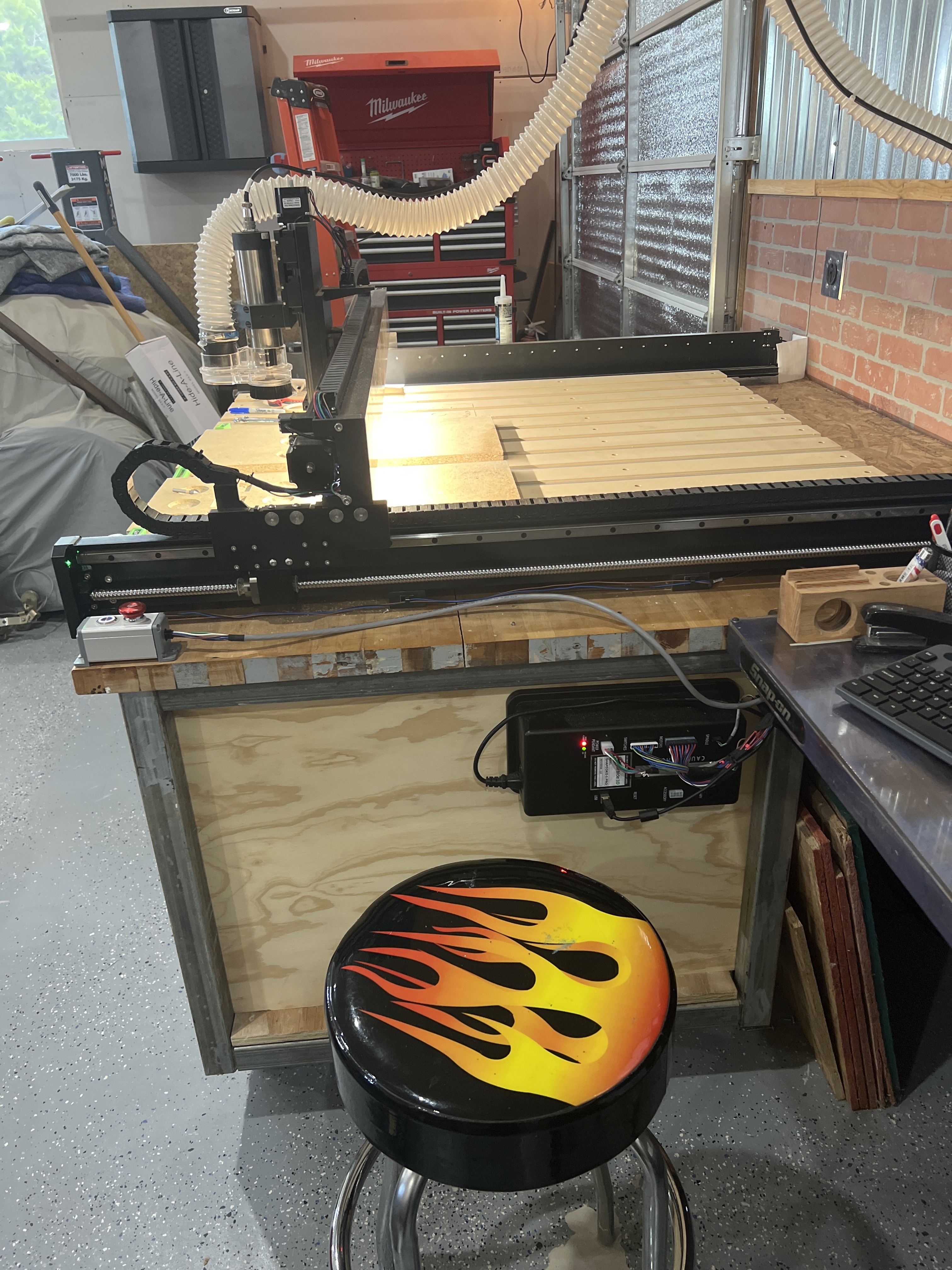
Where is your machine? Where is the control box? In what orientation? What is the ambient temperature?
The machine is in my workshop and it can get warm in there. I can understand if it was 90 in there but these machines should work under various conditions. The control box is on the side of my work bench so it is n the open
Let us know at support@carbide3d.com and we’ll work out how to handle this.
Sent it. Crazy thing is this morning it worked right off the bat, but after it sat for about an hour and I went to run a program and it started doing it again. I am learning inlays so I really need the Bitsetter. This really makes it frustrating for someone starting out with a new CNC.
The problem may be overheating — try putting a fan blowing on the control box and see if that then allows it to work — if that works, let us know.
Alternately, you can avoid using the BitSetter by toggling the button on whether pocket clearing happens first or last and write out each toolpath twice, once with each option, and just quit the job when each asks for a tool change.
1 Like
I will put my fan on it but yesterday I had the AC on so it was nice and cool. When I am trying to do inlays with advance V-carve its hard swapping the bits out every time and making sure they are the same length every time. Super Frustrating
Should I go back to the old CM to see if that helps? For now, I am going to shut everything down for a few hours and try again. Have you guys thought about putting fans inside the mother box?
There is a fan in the control box — we are looking into why it doesn’t activate on some of them — that’s why we need for you to contact support.
I did, I sent it to support.
Last question for you. When I park the machine and turn everything off, the router drops all the way down to the waste board. Shouldn’t it stay in the parked position?
The friction on the Z-axis is low enough that with a weighty router/spindle it will drop — I just put a block of foam and a rag under my Z-axis when I park it.
Copy, me too. Thanks
I had the same problem. As @WillAdams William suggested having a fan blowing on the heat sink bar on the control box solved the issue.
Please note this isn’t an actual solution, but a temporary work-around — anyone who has this problem needs to let us know at support@carbide3d.com and we’ll work out how to handle it.
1 Like
Copy, I did sent it. Hopefully they will get with me this week
My SO3 has been running all summer in 100+ degree temps in the shop and works flawlessly. It is hot but like a Timex watch takes a licking and keeps on ticking. It is currently 106 F and will be running it in a little bit. Some people have had problems in freezing temps due to the lubricants freezing. Once they got back of 45 F everything went back to working. I realize right now cold is not a problem but unless you have a cold solder joint somewhere the temperature is not the problem.
I didn’t think it would be but thank you for responding…