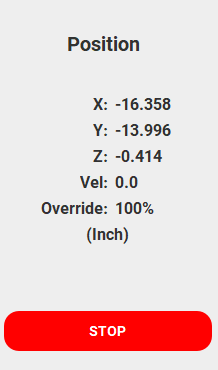
I am on CM 649. Today I connected to my SO3 XXL with HDZ and it made me do a configuration. No problem. Everything seemed to go well. I had a project I set the X and Y to the center and then Z with the BitZero. The Z went to the BitSetter and probed. I then did a rapid position to X and Y and it went to the center of my project. Then I did a Z +6MM and the bit was about an inch above the center of the work instead of the 6MM. I did a change bit to get the machine to reset the Z. Did the rapid position and it was still about an inch above the top of the project. I then set the Z with the paper method. So the Z went to the BitSetter and probed. I did the same rapid to X and Y and then Z+6mm and it worked fine.
Not sure what is going on with my BitSetter after the forced configuration.
I updated to CM 651. Same problem. I set zero on spoilboard. The Z went to the BitSetter and that worked as normal. I then moved to the center position with rapid positions. I did the Z+6mm and here is the result. I had a piece of stock on the table that measured .672" and it was very close to the top of the vee bit I used to set Z zero. The piece of random wood was not used in the zeroing process.
Before starting CM 651 I removed the shapeoko.json file to force a reconfiguration when I connected. The configuration process went smoothly but I was never asked about what versions of the BitZero (v1) or about the BitSetter (v1 also). I told the config that I had an SO3 XXL with HDZ. I also enabled my BitRunner. The BitSetter config was spot on where I had set it up during config.
I edited the shapeoko.json and change bitzero to 1. Saved file and restarted CM 651. I set zero on spoilboard with BitZero and after trip to BitSetter I went to center rapid position and the bit is still way above. I then jogged down to the spoilboard and here is the result.
I think my computer did something weird with the shapeoko.json the first time I edited it. I clicked on it and told Windows to open it in Notepad. The Notepad asked me if I wanted to keep changes. I said no and deleted the shapeoko.json file and did the config again. Then the BitZero had a 2 for type. So it is now fixed by editing to a 1 instead of a 2.
I edited the shapeoko.json file and changed BitZero to “1”. Powered off SO3, started CM. Set Zero on spoilboard with BitZero and everything worked as it should.
Seems like a bug. The CM setup never asked me about BitZero type. After editing shapeoko.json and saving and restarting machine and CM everything worked.
@WillAdams your fix would likely work but I just edited my shapeoko.json file.
There still remains the problem of CM assuming things that you should have to pick. Appreciate your answer but people with an SO3 will likely run into this “bug” if some type of warning is not made during the configuration. Luckily for me I have a lot of experience with my SO3 but not every user knows what I know. Plus I am not even that smart. I can see this causing casual users problems.
I was kinda curious about this.
I use a v1 BitZero, my shapeoko.json notes “bitZeroType”: 1,.
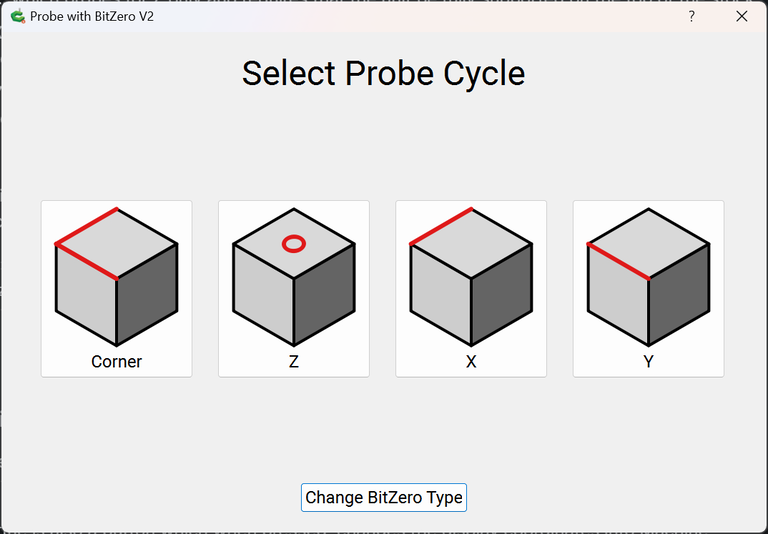
Just for the heck of it I ran the Probing cycle and selected v2 and ran a Z only probe. After closing CM 651 I looked at the shapeoko.json, it noted “bitZeroType”: 2,.
I ran another probing cycle and selected my v1 BitZero, Z zero probe only. Closed CM again and the .json was updated back to “bitZeroType”: 1,.
I don’t believe the BitZero is configured when you setup CM to your machine like all the other settings. It’s not until you select your BitZero version during a probing cycle when the shapeoko.json gets that info.
If the .json has the wrong BitZero type stored and you Z zero off the deck with the paper method the .json won’t get updated.