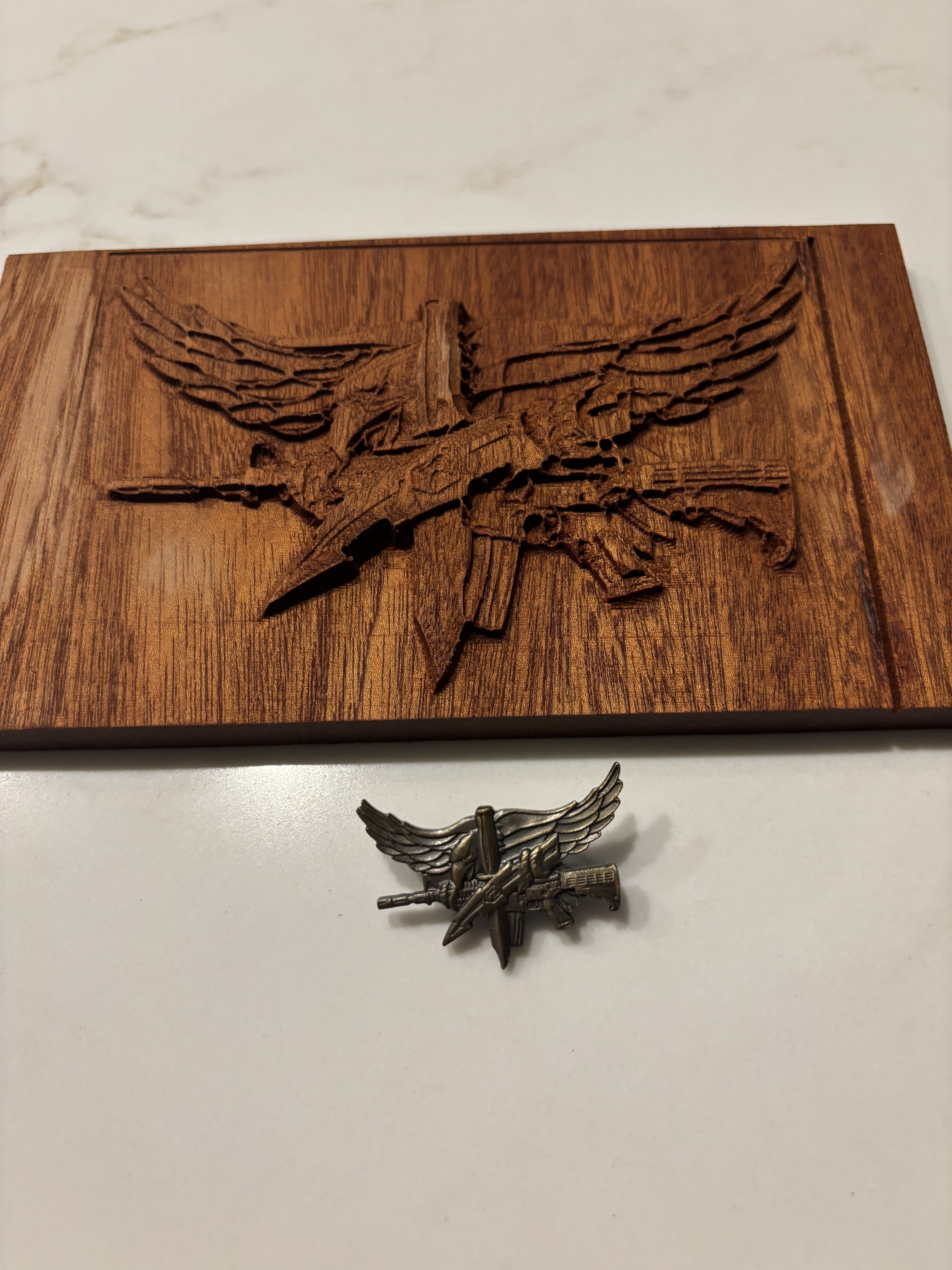
Calling all masters

I need some help creating a 3d cutout of this SWAT emblem. I want to glue it to a plaque when its done. I am so confused about 3d carves even when watching numerous videos. Can someone please show me how to create a 3d cutout of this file? I had a hard time with some wavey flags, but when I saw the concept of it, it was easy. Now with an actual figure like an eagle, I cannot get it right.

Please help! Thank you
Mike
SWAT Cutout 3d.c2d (1.5 MB)

The first consideration is you have modeled this to be thicker than the Stock Thickness:

(indicated by the red)

Changing that:

image

yields a more workable result

and adjusting the proportions of the dimensions should yield something which suits.

Thank you will. I see the difference, but I still can’t get it right. I will need to watch more videos and keep trying. It just seems so easy watching videos, but there is nothing easy about it.

I used easy create to make a 3d file. It helped create a TIFF file. Now I need to covert that into something Carbide create will understand. Any suggestions?

Carbide Create Pro will import TIFF files:

I am getting closer. That helped a lot.

1 Like


Not a bad start

4 Likes

@SwatBoss226

Agreed, not a bad start at all! Looks good!
What is the wood species?

Mahogany. I think if I carve a bigger model of it, it will be cleaner for sure, but not bad for a first time 3d carve.

I’m hoping some carbide create Jedi master will read this post and make sense of the artwork for a beautiful outcome. :pray:

This topic was automatically closed after 30 days. New replies are no longer allowed.