How can I curve words when creating a project in Carbide Create? Looked everywhere and can not find this anywhere in the training videos
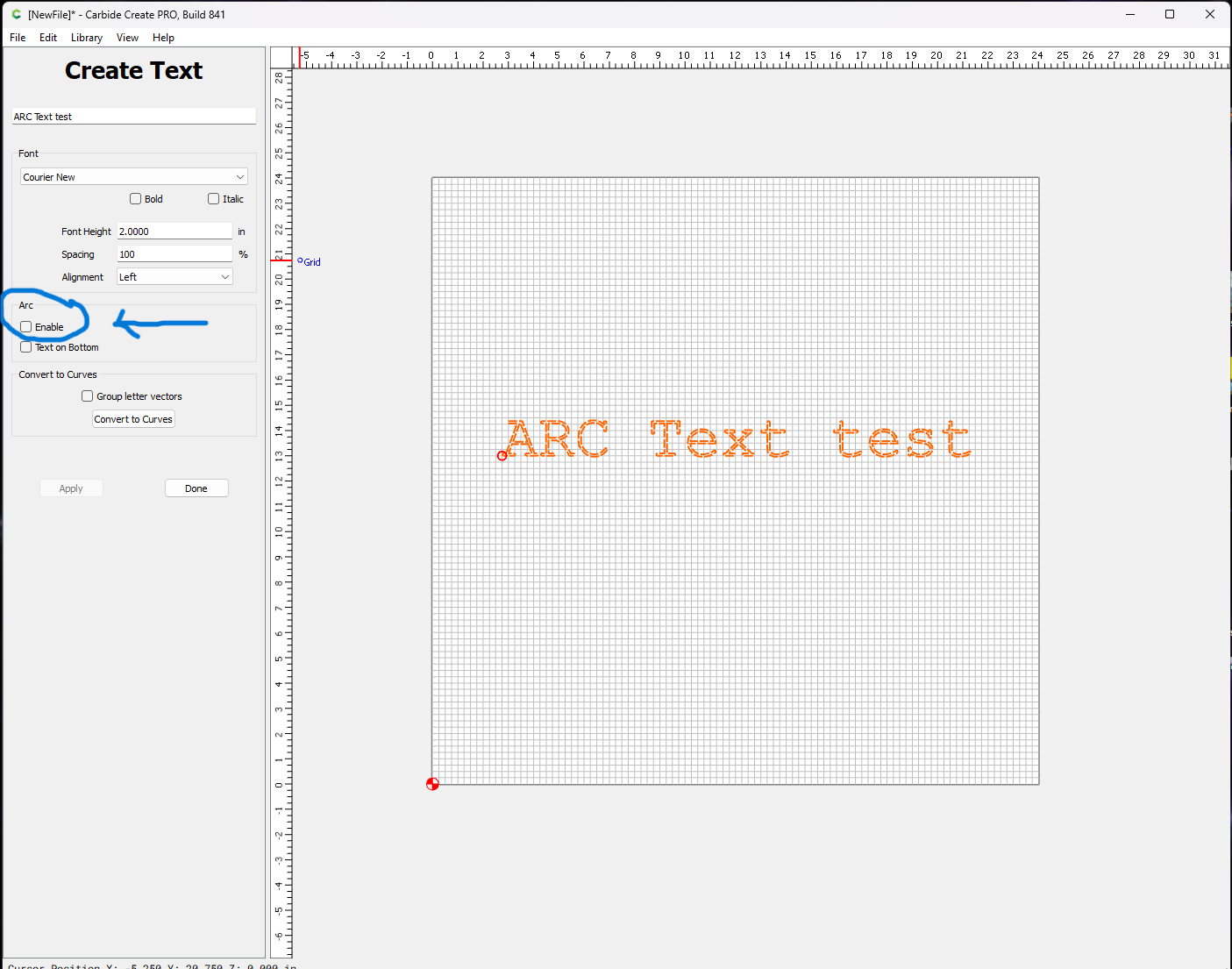
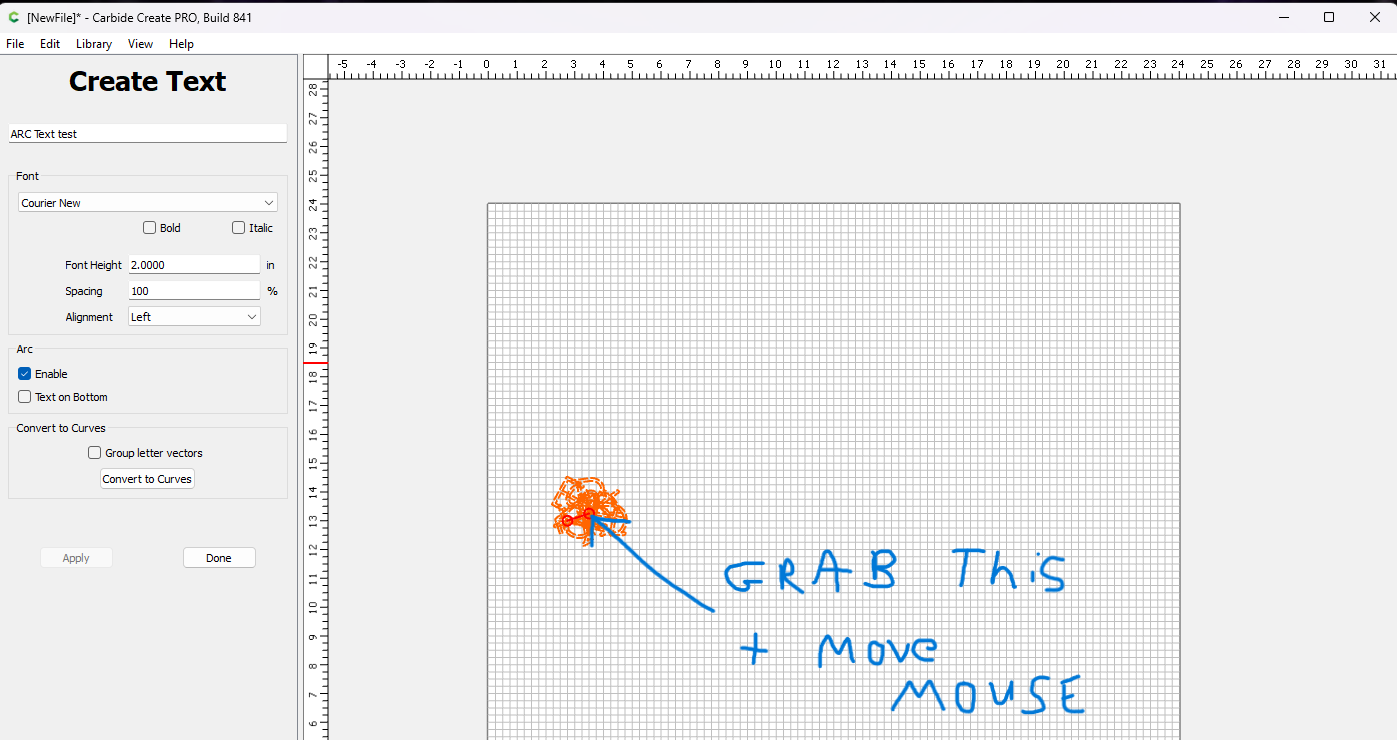
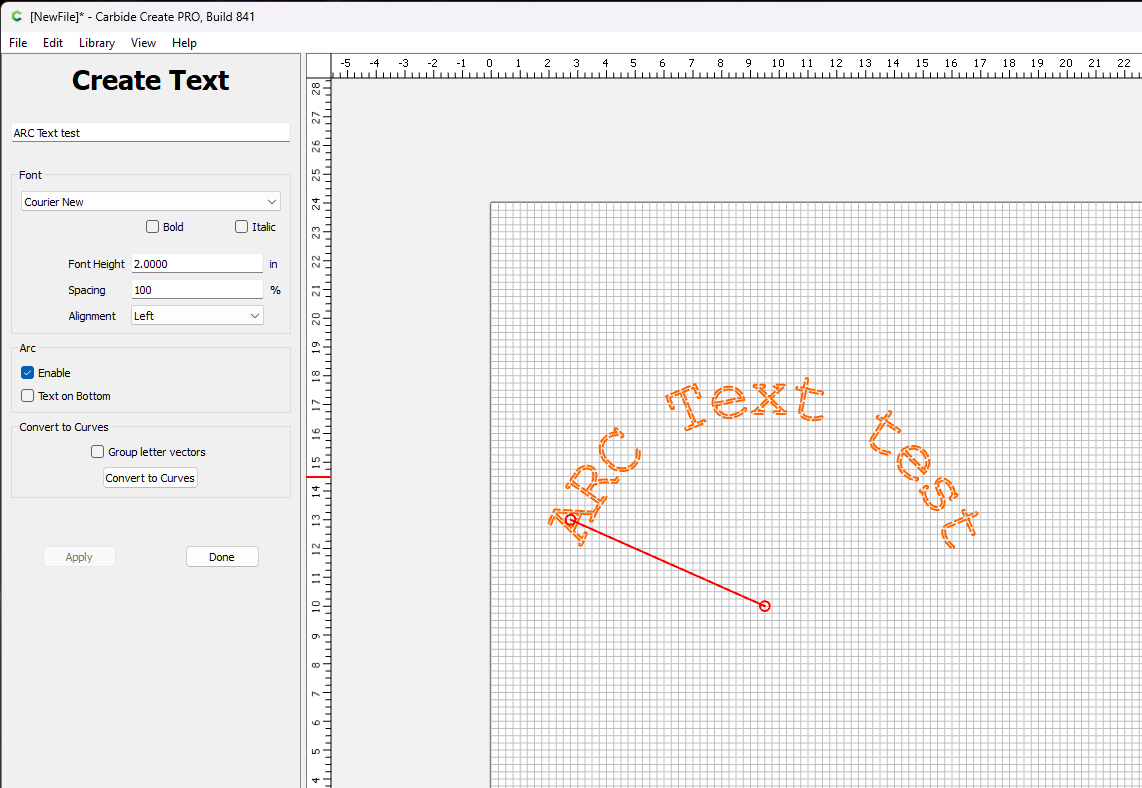
When you create the text you will see a box labeled “ARC” select “Enable” then select the line in the text with your mouse and move it around to get the arc you desire.
2 Likes
Thanks. Worked out great!!!
1 Like
This topic was automatically closed 30 days after the last reply. New replies are no longer allowed.