I’ve created an outline vector for an stl. It’s a rather ornate outline with several isolated loops. I’m trying to simplify it by deleting these loops so that I end up with one contiguous outline but most of the points won’t delete. Some individual points will delete as will those on the main outline. I’ve done this before in other files with no problem.
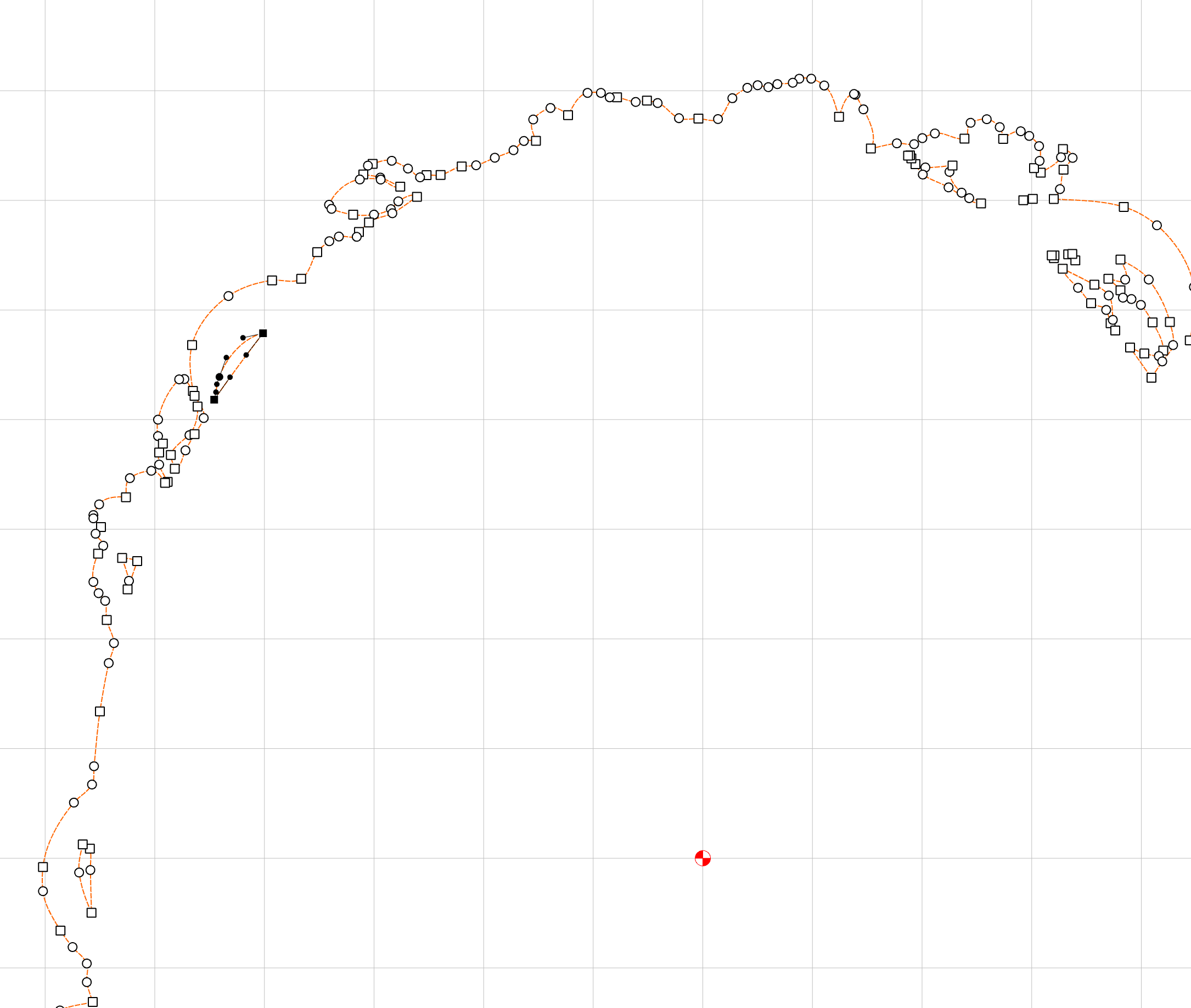
Here’s a sample of some recalcitrant points (in black):
I think this one is just a little deceptive and unclear in the UI. I’m pretty sure you cannot delete the final three nodes of any loop. So the loop you have highlighted in your example will not allow additional node removal.
That said, if you select the entire svg and “ungroup” you should be able to delete entire loops without node editing. Just click the loop you want to remove and hit the delete key.
If you want to get rid of all internal loops in one quick deletion, you can select the entire svg, click ungroup, and hold the shift key while clicking the outline that you want to keep. That should unselect your outline (turn it black while all internal loops are still orange)
Clicking delete at that point should leave just your outline.