ViggoTW
November 5, 2023, 11:20am
1
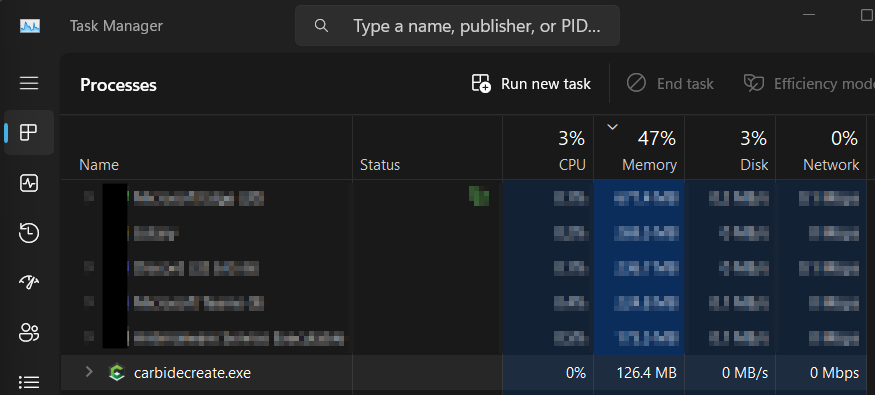
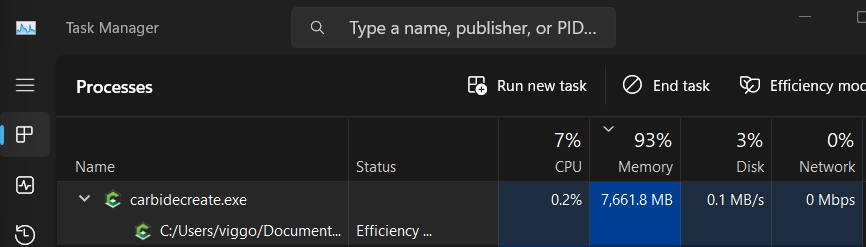
When working with Carbide Create, it has started to freeze out of nowhere. It seems to happen when I’m working with tools (measurement, drawing lines, etc). I tried monitoring it using Task Manager, and it appears that the memory usage skyrockets from around 126MB (during normal operation) to over 7.5GBGB after it freezes.
After opening the project
After Carbide starts freezing
WillAdams
November 5, 2023, 12:12pm
2
Which version of Carbide Create?
Please try the new beta:
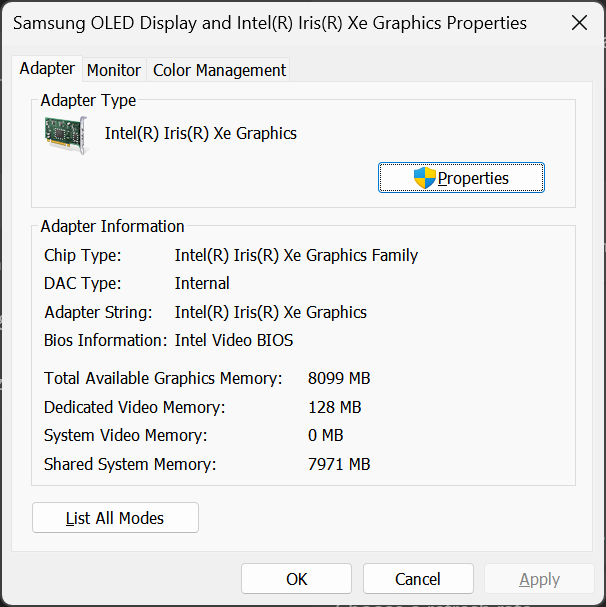
What video card and driver are you using? Is it possible to update the driver?
If you continue to have difficulties, let us know step-by-step how to recreate this and we will try to look into this with you.
ViggoTW
November 5, 2023, 7:50pm
3
I was using 741, but the problem persisted after I upgraded to 757. I will try upgrading to the beta you linked to.
Regarding the video card, I am using Samsung Galaxy Book2 Pro 360 with an Intel Iris Xe Graphics card.
One interesting observation is that I am (luckily) still able to save when it has frozen. I’m just not able to click any other buttons.
WillAdams
November 5, 2023, 7:55pm
4
I’m using a Samsung Galaxy Book 3 Pro 360 w/ that same chip
and it works well.
Let us know what you find out.
system
December 5, 2023, 11:21am
5
This topic was automatically closed after 30 days. New replies are no longer allowed.