I know that Carbide Motion supports keyboard shortcuts for Jog functions. It would be very helpful, when using a keypad or stream deck if the following also had keyboard shortcuts.
We’ve got a jog pendant that should be shipping soonish (we’re getting the first production order of PCBs underway right now). That’s going to be our preferred way to handle jogging beyond the basics.
I will also note that a small tablet or other handheld device with touch and a remote viewer allows total control and can be wireless/quite convenient.
Rob, does that mean no possibility of accomodating the ShuttleXpress jog pendant? Back in the 883 Classic days I moved away from CM to bCNC for that specific accommodation… I also used two for over a decade on my Tormach mill and my CNC-converted Feeler lathe.
On the other hand, I’ll probably be first in line to pre-order your own pendant, because it will be excellent…
We’ve had enough trouble with the GUI/Platform code around touch and key events for jogging that we decided to bypass that going forward. For the pendant, we wrote our own serial code for each platform, rather than use the generic abstractions in Qt, to make sure there’s as little between us and the jog events as possible.
We’ve managed to get it close to the feel of jogging one of our Haas machines, so we’re calling that a win.
So basically Carbide3D is going to force users who already have a solution they like but would like a little more functionality to buy the new pendant?
You already know the answer to your question is no? C3D can’t force you to purchase anything.
I have had zero issues with my 5 pro except the ones I caused as a user. It seems the information in this thread indicates there can be programming issues with using generic software that is not specific to the original manufacturer. The decision being made is to protect me as a user to prevent jogging issues, in this case the manufacturer choose to write specific code to each model. A jog pennant was not available from C3D when I purchased my machine so I went the wired route that many did for my own reasons to not go wireless. My choice.
If I choose to have this new functionality then I can get the pendant. If not, I still have a completely functional machine?
I’m glad to see C3D is at least offering this functionality to me if I decide I needed it.
I’ll have to agree with Redlander here. While I would personally love the extra keyboard shortcuts for my own pendant/gamepad/streamdeck, I wouldn’t go so far as to accuse Carbide3D of anything untoward by not implementing them.
This isn’t a matter of revoked functionally after the fact or extortion by locking all functionally until you buy their pendant. There are far worse things going on in the corporate sphere than a company simply releasing a new product…In short, I don’t think Louis Rossmann would be upset by this response.
That said, I’d still like the shortcuts but I’ll probably pick up the pendant as well if I’m honest with myself
Never jogged a Haas but it sounds like it’s going to be a good experience
Correct, nothing is going away from the current jogging.
Over time, we expect to change the jog screen if you have the pendant plugged in to make it easier to probe or rapid position instead of showing the jog buttons.
In the big picture, this is part of the reason that we release everything as downloaded software. If you have a version you like, and you don’t want anything to change, save it, and it’ll run for a long, long time.
Even bigger picture, when the pendant is released, you can buy it or not. Nobody needs it, but many will want it. I was in the “nobody needs this” camp until I got to play with it. Now I want it.
I’m in the “need it” camp. I’ve ran industrial machines for around 3/4 of the last 15 years. And a good jog pendant is so nice. But the Rii mini keypad has served me well for my time owing Shapeokos, and it works well to.
Rob answerd this now affirming that any solution that uses the existing keyboard hotkeys will still function. So no conspiracy and it will continue to function as it has in the past.
Beautiful! Can you share any prelim renders or other info? Would this eliminate a lot of the interaction required with the computer to zero out each axis/probe as well? Or is it strictly movement manipulation while maintaining the probing in the gui?
We’ve been knocked off enough that we’re not ready to share that until we’re ready to ship. That said, it’s close to a traditional jog pendant.
This will handle all of the jogging, and we’ll probably add some code to make it possible to set a zero from the pendant as well. If we do end up removing the traditional jog screen when you have the pendant plugged in, the screen would be used to provide faster access to rapid positions and probing.
I found a plugin for the Stream Deck that can do mouse clicks at designated positions on the screen. As I always run full screen on my Fusion Tablet, I have been able to create menus on the stream deck for all probe, jog and zero functions.
If anyone is interested, DM me and I can share the stream deck profile
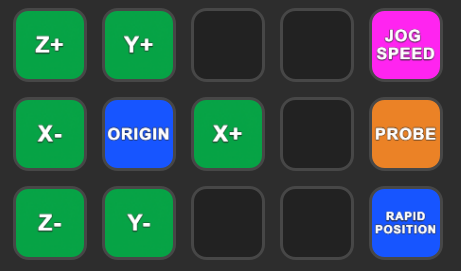


 I’ve ran industrial machines for around 3/4 of the last 15 years. And a good jog pendant is so nice. But the Rii mini keypad has served me well for my time owing Shapeokos, and it works well to.