Can someone at Carbide help me fix the issue I have with the spindle rpm setting popup in CM to match the rpm defined in my c2d. toolpaths. I use a S4 with a Carbide compact router and use a bitrunner V2 to control it.
For example, if I have a toolpath created with a cutter rpm specified for 18000, I want the CM rpm popup to say, “Please set RPM to 18000 (Set speed dial to 3)”.
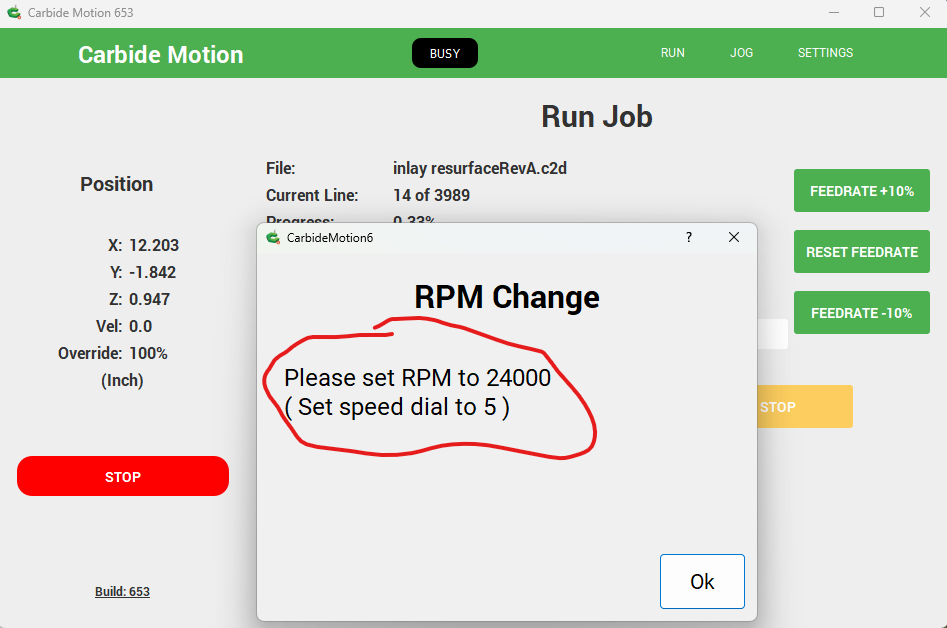
When I run any file, it is always reporting in the CM rpm popup to say “Please set RPM to 24000 (Set speed dial to 5)” no matter what my c2d. file toolpath defines it to be.
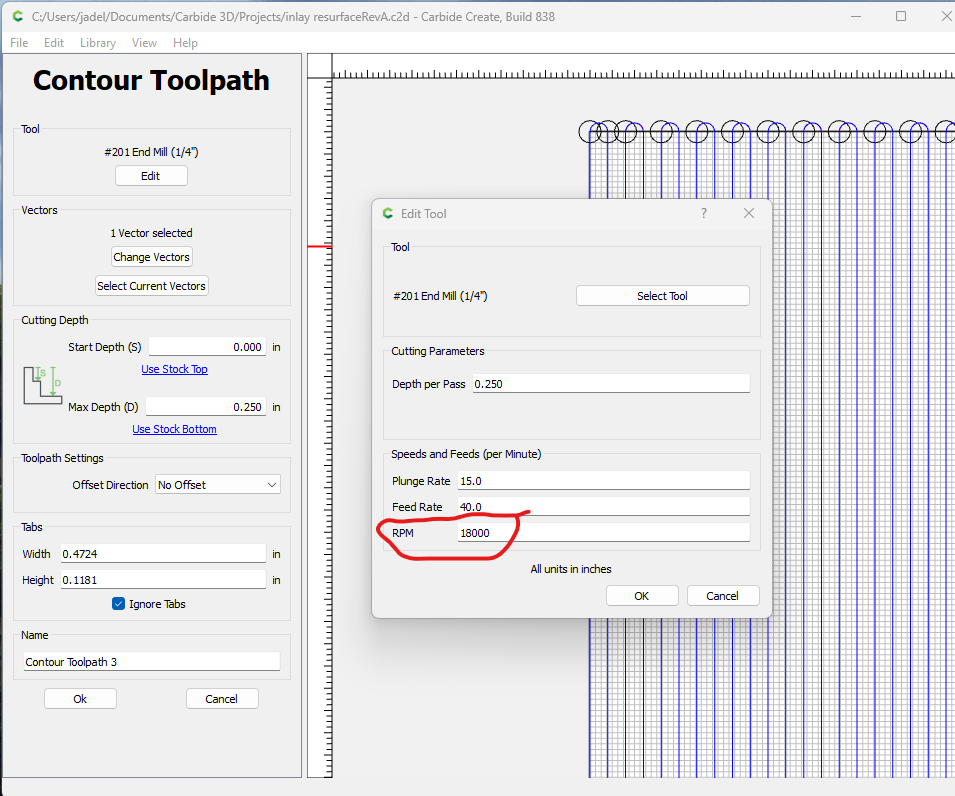
Here are 2 screenshots that illustrate the issue.
The toolpath specifies the RPM at 18000
The CM popup instructs to set the RPM to 24000
I have written about this issue in the past and wanted to bring it up again. It was never resolved and it is quite annoying. I have tried different suggestions such as reinstalling CM, reconfiguring CM, deleting the .json files in the CM folder then reinstalling it. None of this fixes this issue.
Where in the CM program is this function controlled to produce the popup and specify what to set the RPM speed?