It’s not the first time I have this problem in the last year. Normally, I was able to restart the machine when I change the Z Homing switch or played with the connection. But today, no.
First time, I change the Z homing switch for a new one, it restarted and worked for 1 hour. And on the second project, after a bit change, it did 2 circle going down 3 mm at a time and on the third one, it drop by many mm and got stuck in the spoilboard. I had to shut it off with the red button. Now, I am not able to restart the machine propelly, I have a video about it but can not upload it here. I am very sure that it is not a Z homing switch problem. When I do the initialization, I can test the 4 Homing switch and the light turn on and the software see it. The message I have on CM is
HM009: The machine could not find the homing switches.
Shapeoko 5 Pro 2x2.
When I try to initialize, the first movement my Z axis is doing is going completly down and then go up. It’s like it is in reverse.
For the video, I have one but don’T know how to upload it here.
To confirm, when you power up none of the homing switches are stuck on?
If you test each switch, does it promptly light up and signal as the correct input as expected?
With the power off, try lubricating the Z-axis, then manually moving it all the way to the top, all the way to the bottom, then to the middle of the Z-axis motion range — are you then able to initialize as expected?
To confirm, when you power up none of the homing switches are stuck on? No, all free
If you test each switch, does it promptly light up and signal as the correct input as expected? Yes
With the power off, try lubricating the Z-axis, then manually moving it all the way to the top, all the way to the bottom, then to the middle of the Z-axis motion range — are you then able to initialize as expected? Tried it, lubricate twice, all is good but it is not initializing, Strange sound while moving and stop with the error message.
I think I find something. I pushed my Z homing switch cable into the machine connector, And now it’s working. What should I do? How can I change that connector?
Good idea, I like it.
As of now, my problem is not exactly that the connector ar disconnecting from each other. I think it’s the cable inside the machine connector that are getting out of there socket. Last time it’s when I pushed the cable into the connector that the problem stopped.
The weird issue is that when it’s happening, the Z axis goes into the opposite direction of what it’s suppose to do.
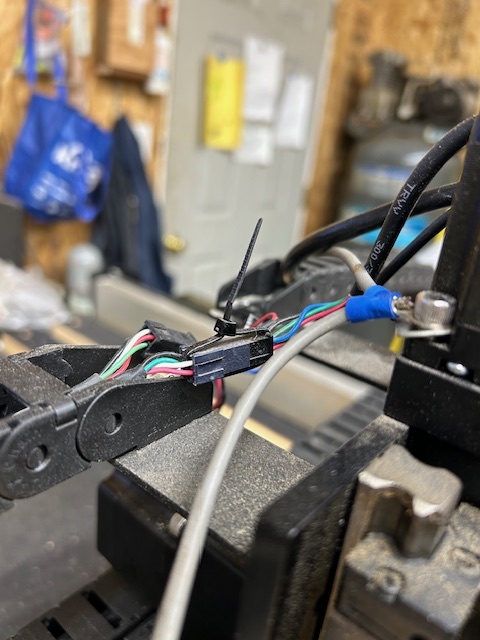
I tried using a small tie wraps like in the above picture to hold the black wiring harnesses together more securely. This made my disconnect problems worse because I think it distorted the individual wires a little as they were entering the black harness which seemed to break the connection more easily. I gave up on that idea.
I am thinking about switching to terminal blocks like the link below if I keep having problems with disconnects.
I have the same machine- and had the same problem. Occasionally the Z axis would drive the bit through my project and into the wasteboard making a bad sound.
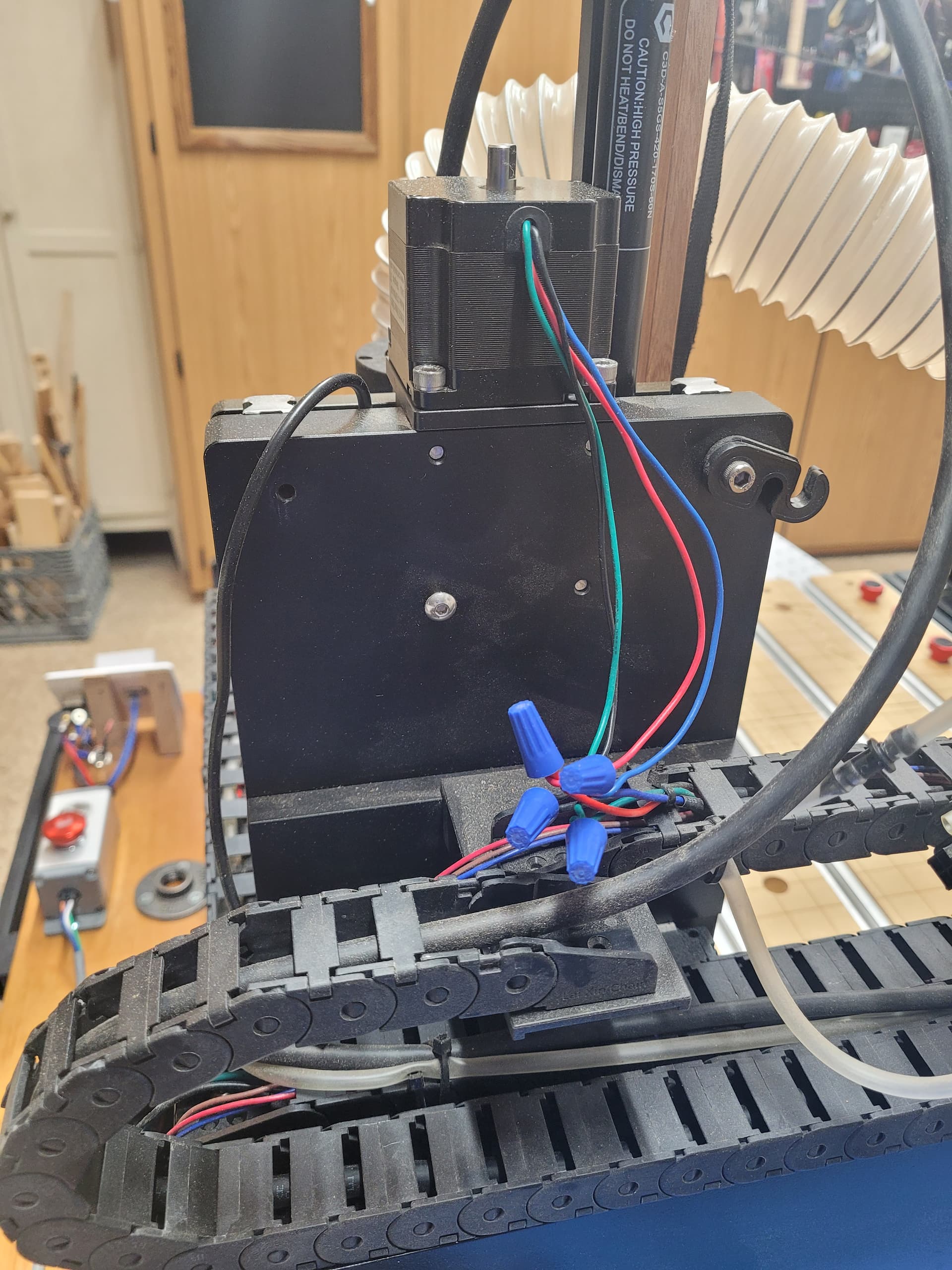
I finally figured out that it must be a bad connection to the stepper motor. The controller was sending a signal to raise up but the movement never happened so each time the controller sent the signal to lower - it just kept going lower and lower until hitting the stop.
I replaced the the connectors with wire nuts and haven’t had the problem occur again. Switched them out about 2 years ago.