I’m using easygreat to convert a picture to a 3D image, downloading it as a TIFF then using imagetoSTL to get my STL file for Carbide create pro. The first couple images I did turned out great but now I’m getting leyered lines in my STL file and of course that is transferring into my design. Any ides?
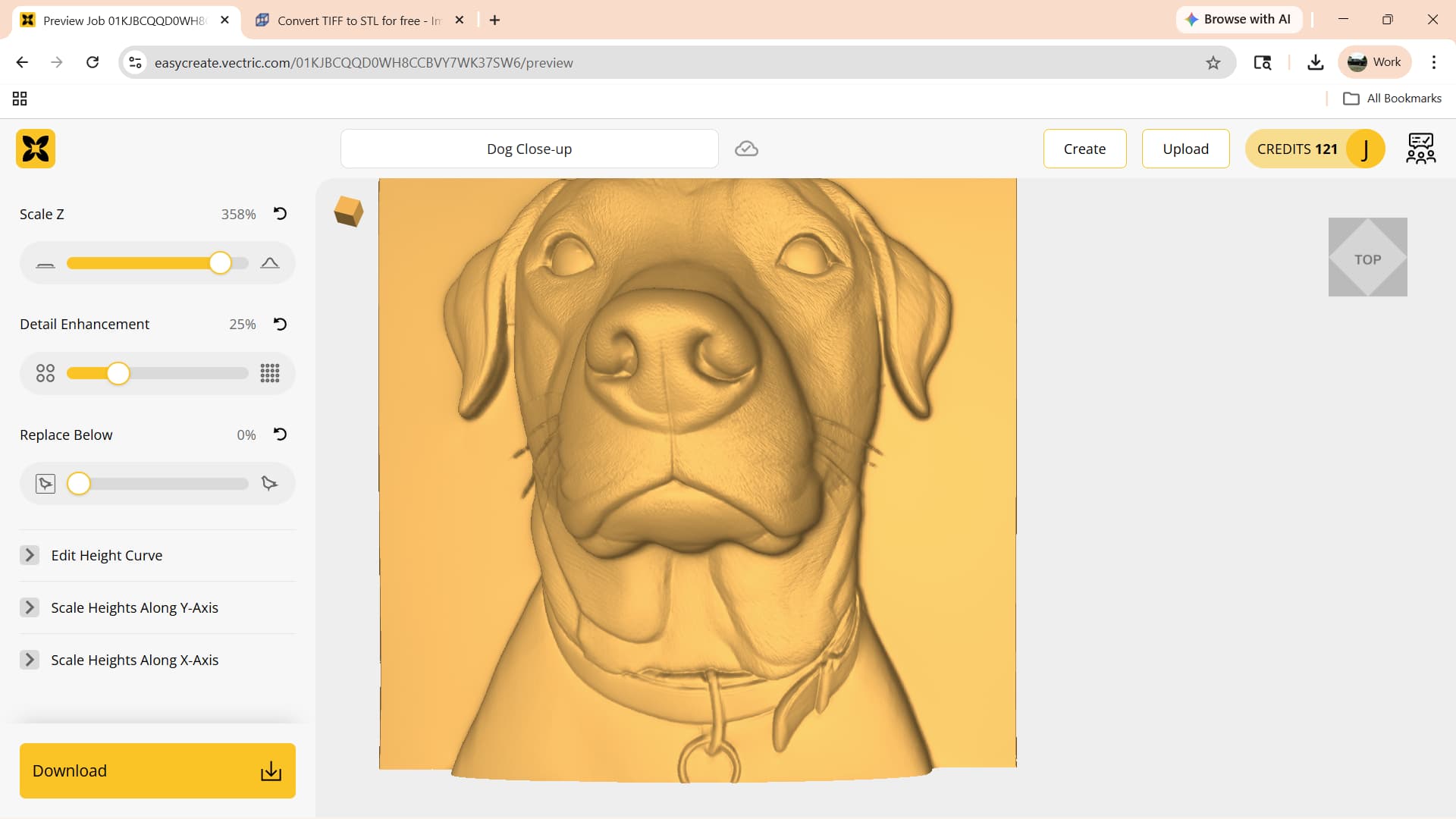
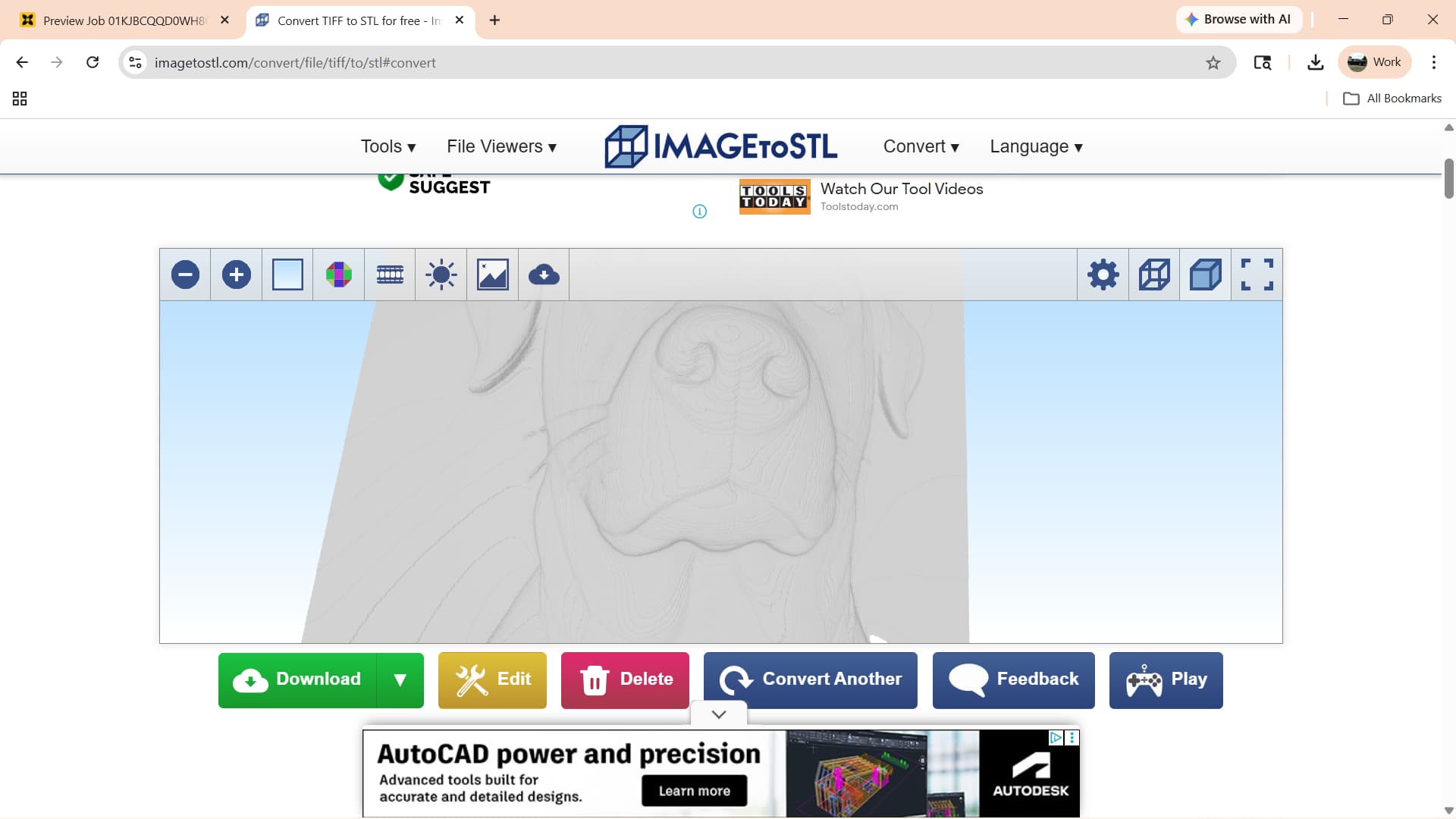
1 Like
Why convert?
Carbide Create Pro added TIFF support in:
Build 840
Pro
Added TIFF support for 3D model import.
That said, the lines may be in the pixel image — check in a pixel editor?
1 Like
Hmm, when did they do that? I have CCPro V8 and didn’t see that. I’ll have to check it out. Thanks.
See:
Besides what Will says, you didn’t show us the TIFF file. Those “lines" are probably there if you look real close.
it wouldn’t let me upload a tiff, it gave me this warning - “Sorry, the file you are trying to upload is not authorized (authorized extensions: jpg, jpeg, png, gif, pdf, mcf, stl, tps, dxf, c2d, zip, egc, nc, svg, hex, h, tap, json, gcode).”
You will need to either convert the TIFF into a PNG (note that this is a lossless/exact conversion) or zip the TIFF and upload the zip archive.
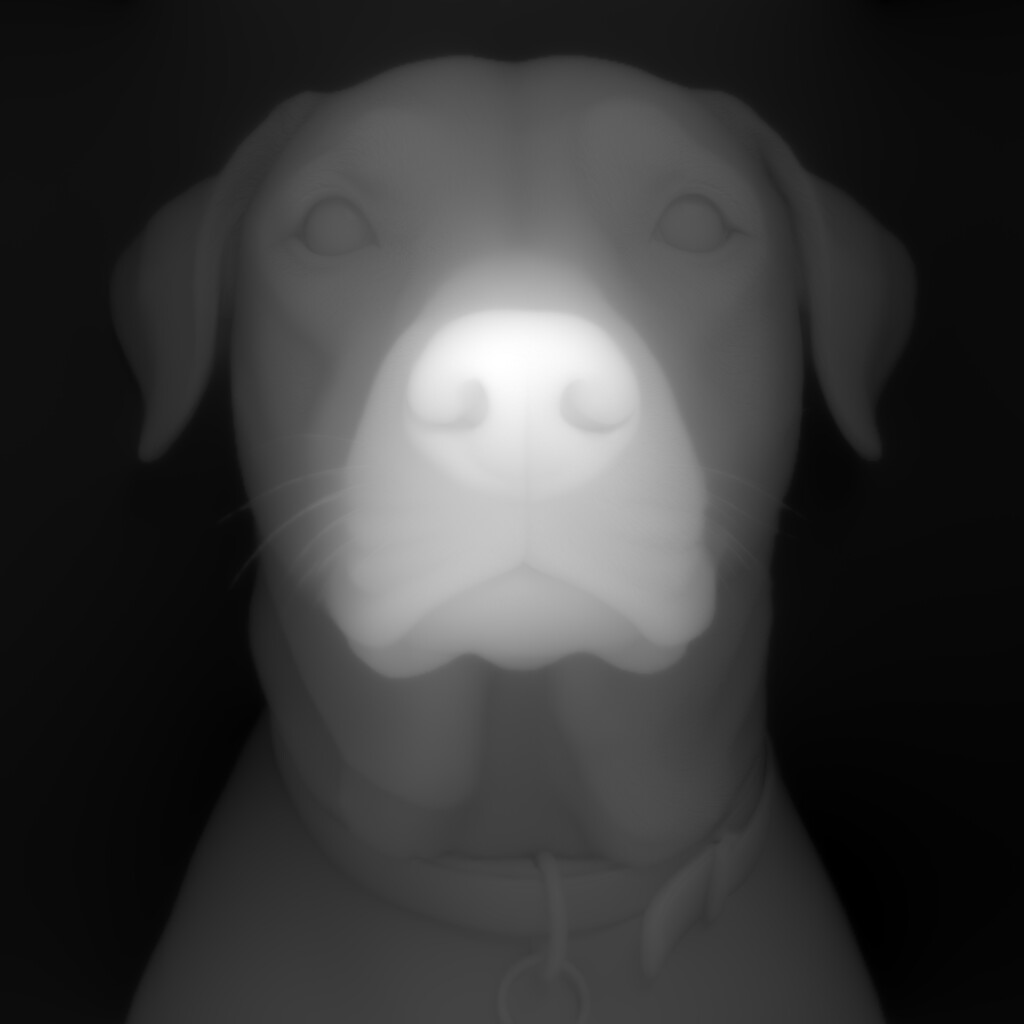
for some reason I can’t get the newest beta version to go. I can get the .exe file downloaded but it won’t complete its operation. might have to check with IT guy here at work.
I downloaded my V8 on 1/14/2026 and apparently I already had the TIFF option, just didn’t know it. I put that image in my design and ran a simulation and the layered lines are gone. Thanks for the help.
Need to look into getting the latest beta downloads on, I like the nesting idea.
This topic was automatically closed 30 days after the last reply. New replies are no longer allowed.