If you overlay the circular arcs you’ll see both curves are not arcs.
1 Like
Here’s yet another method…
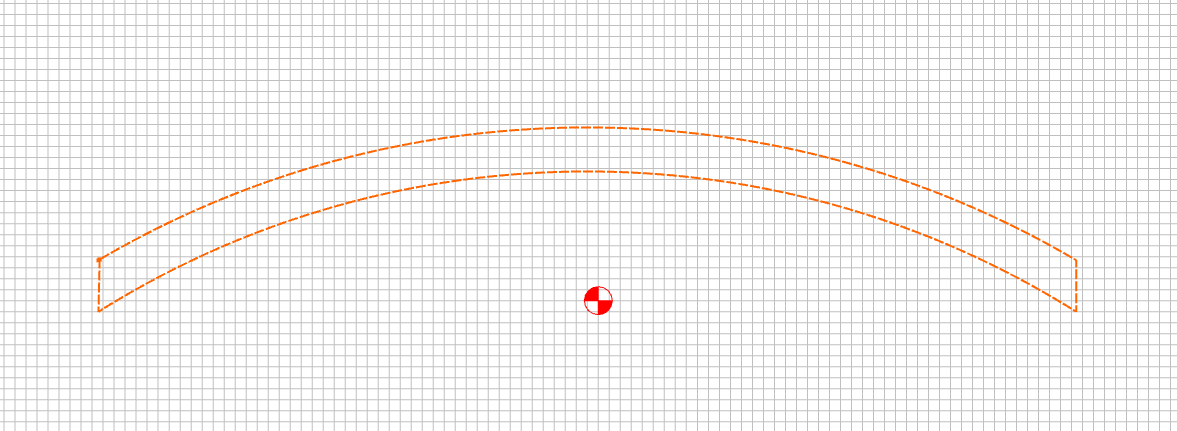
Create the arc as Will suggested, but when you trim the nodes, use an oversized rectangle from the one you eventually want (not trying to get the arc right for this demo):
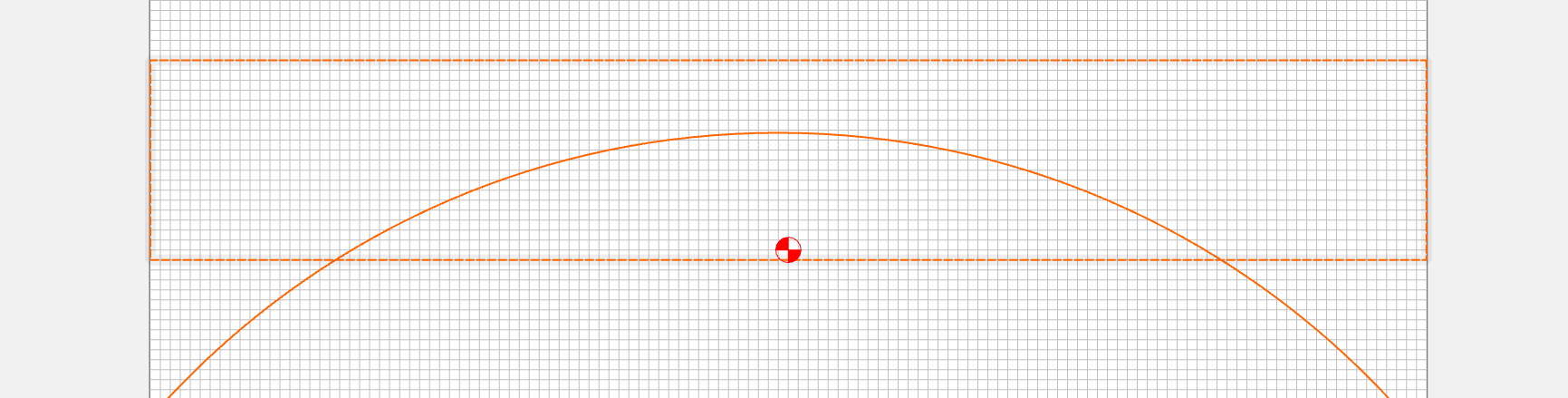
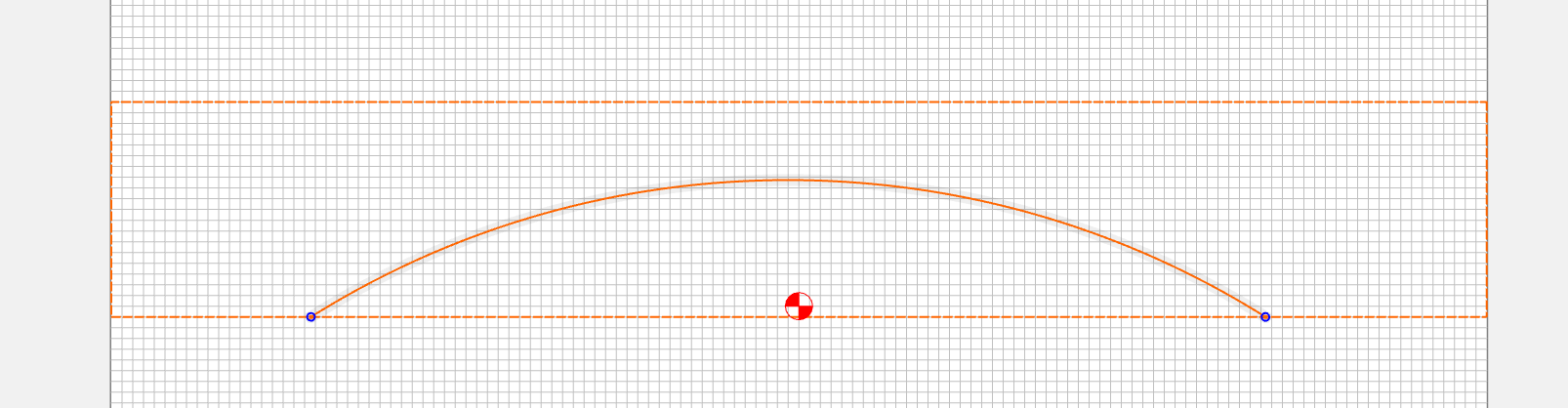
Now, just select the arc and use the offset tool to make a corresponding arc 1" thick (for me, it was OUTSIDE)
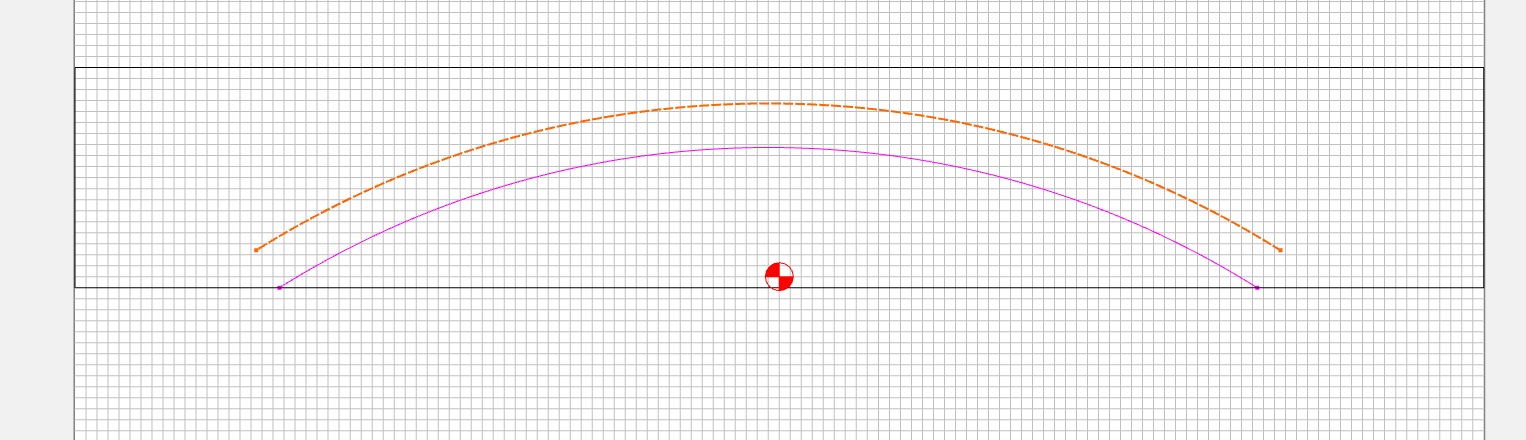
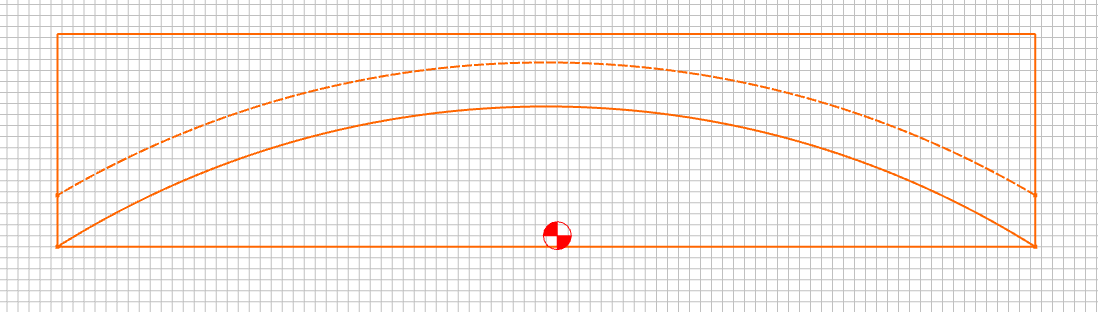
Then draw the rectangle to the size you really wanted, retrim all the ends… Draw the two small lines to connect the ends of the vectors, select the four vectors and join. Done.
1 Like
The problem with doing that is that the offset arc is a polyline.
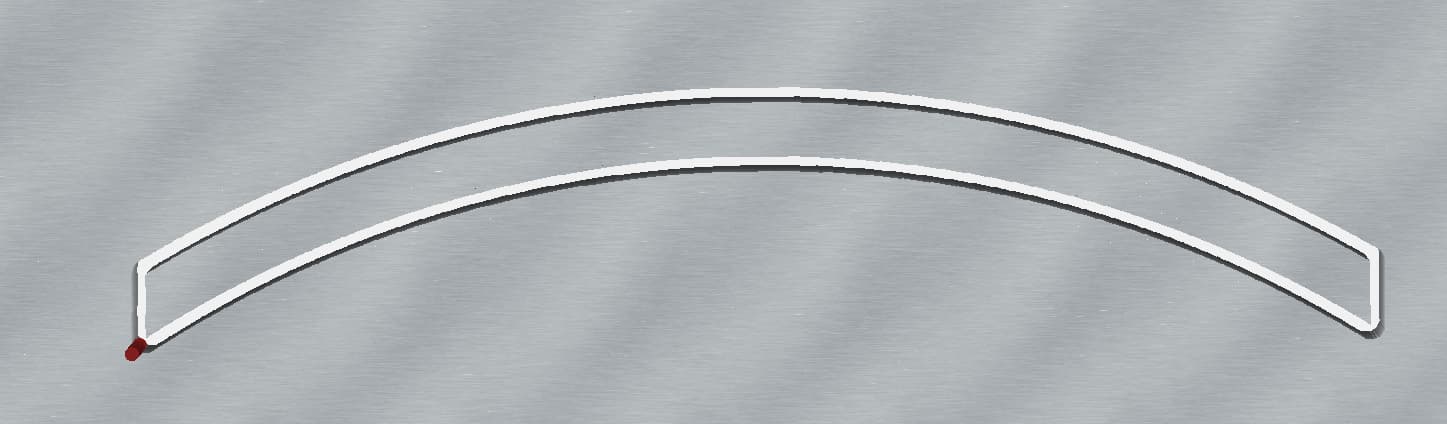
Try Node Editing and/or zooming in.
I’m overly sensitive to this (spoiled by years of drawing w/ compasses and using Adobe Illustrator and Freehand).
The math for this sort of thing is hard and most companies working in this space have a dedicated team of folks handling the geometry/trigonometry/algebra/calculus of the vector (and other math forms) calculations involved in such operations — moreover, there’s a PhD, or possibly a Fields Medal or Turing Award for the first person to come up with (and publish) a general solution for determining the correct curve descriptions of such intersections — while I’d love to cheer (goad?) Rob into achieving that, I also don’t want him to stop running the company or having a life outside work, which is what I suspect this research would require.
We discussed this sort of thing a bit in the past, and I have the beginnings of a reading list on this sort of thing at:
esp. note:
(still hoping to find a typo or at least a point of improvement in that so I can have an account at the Bank of the Island of San Seriffe to go along w/ my physical Knuth Reward Check)
1 Like
I’m not sure what you’re saying the issue is… I redrew the lines more carefully ( I was sloppy before)…and got this one:
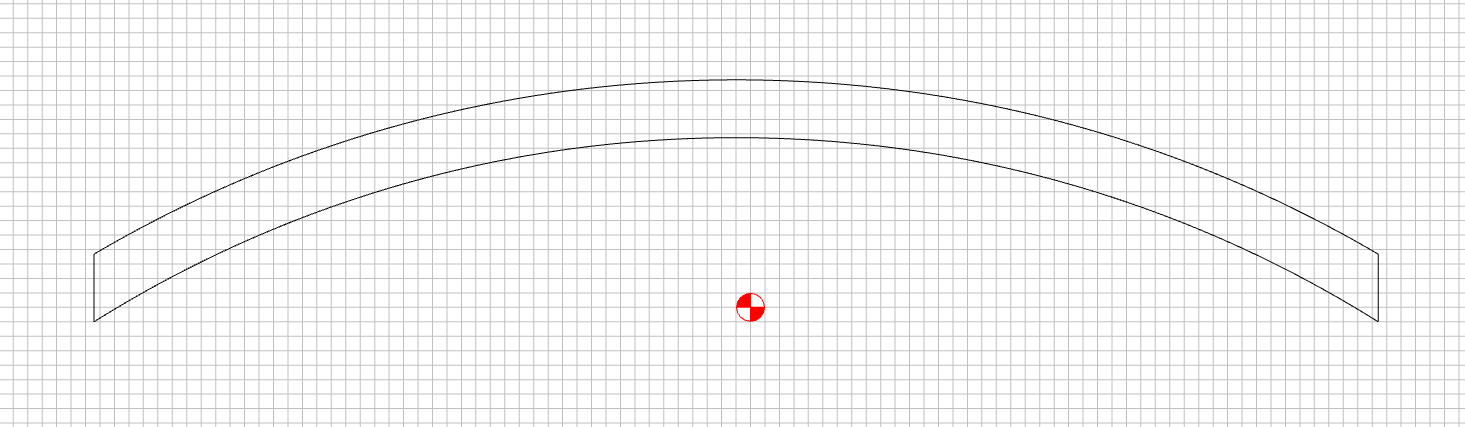
I see no issue…and I didn’t have to calculate the 1" arcs / radii.
Top shows a polyline, bottom shows a Bézier curve which approximates an arc:
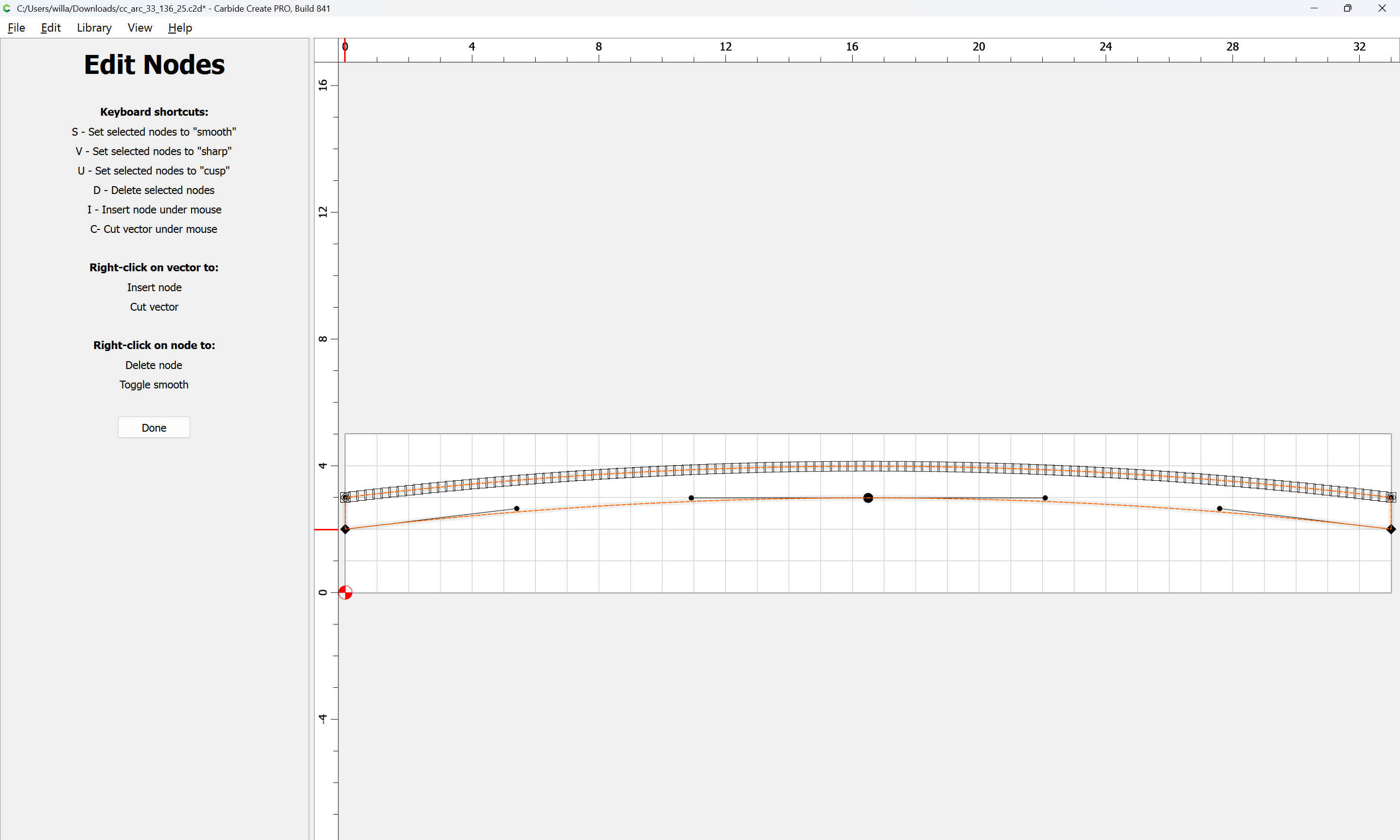
(Note that a Bézier can only approximate an arc/circle)
For more on this see:
As much as I’d’ve liked for Carbide Create to become a clone of Macromedia Freehand, the truth is it’s something much better and much more usable for our customers.
1 Like
Probably should split this off into a feature request (create arcs), as it’s hijacking the Beta thread.
In the trials I’ve done, it appears that the discrepency I describe is pretty consistent.
i.e. the acceleration handles length after smoothing seems to be consistently the same % short.
I’m merely suggesting a multiplier or fudge factor to get the smoothing algorithm much closer to a pure 3rd degree polynomial, rather than perfect.
The simplest example I presented before was a square being smoothed into a circle.
If I create a square & smooth it, the simplest, smoothest curve would be a circle.
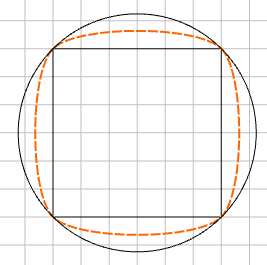
I’m not privy to the smoothing algorithm being used, but I think I could modify it to get ‘close enough for all practical purposes.’ without diving into all of the complex math behind it.
In the square to circle example, the magnitude of the vector is about 28% of the tangent distance to the next node.
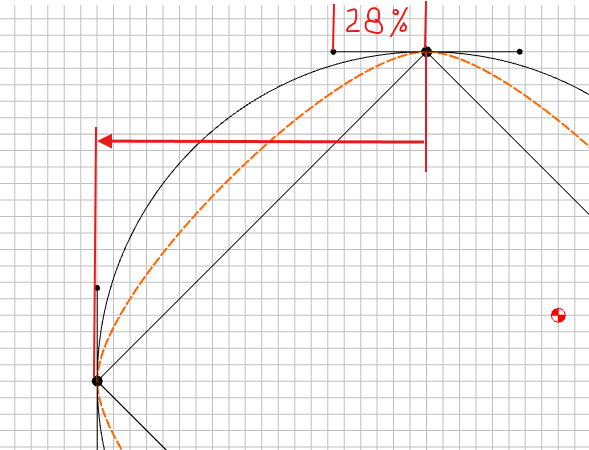
I’m suggesting something like 55% to get it very close to ‘as smooth as it can be’
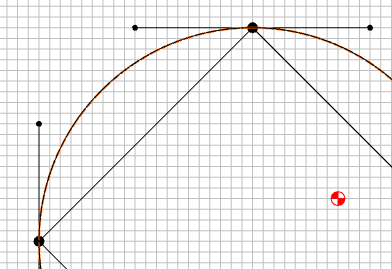
Indeed! I’m only suggesting we approximate it much closer than we are currently. 
1 Like
I moved it to the Carbide Create area, since I haven’t seen an explicit feature request, and if one was made, I’m not sure a good case can be made for the difference between a “real arc” and the approximation of a Bézier curve being meaningful to the folks who are the intended users of this program.
Case in point, curve contrasted with polyline:
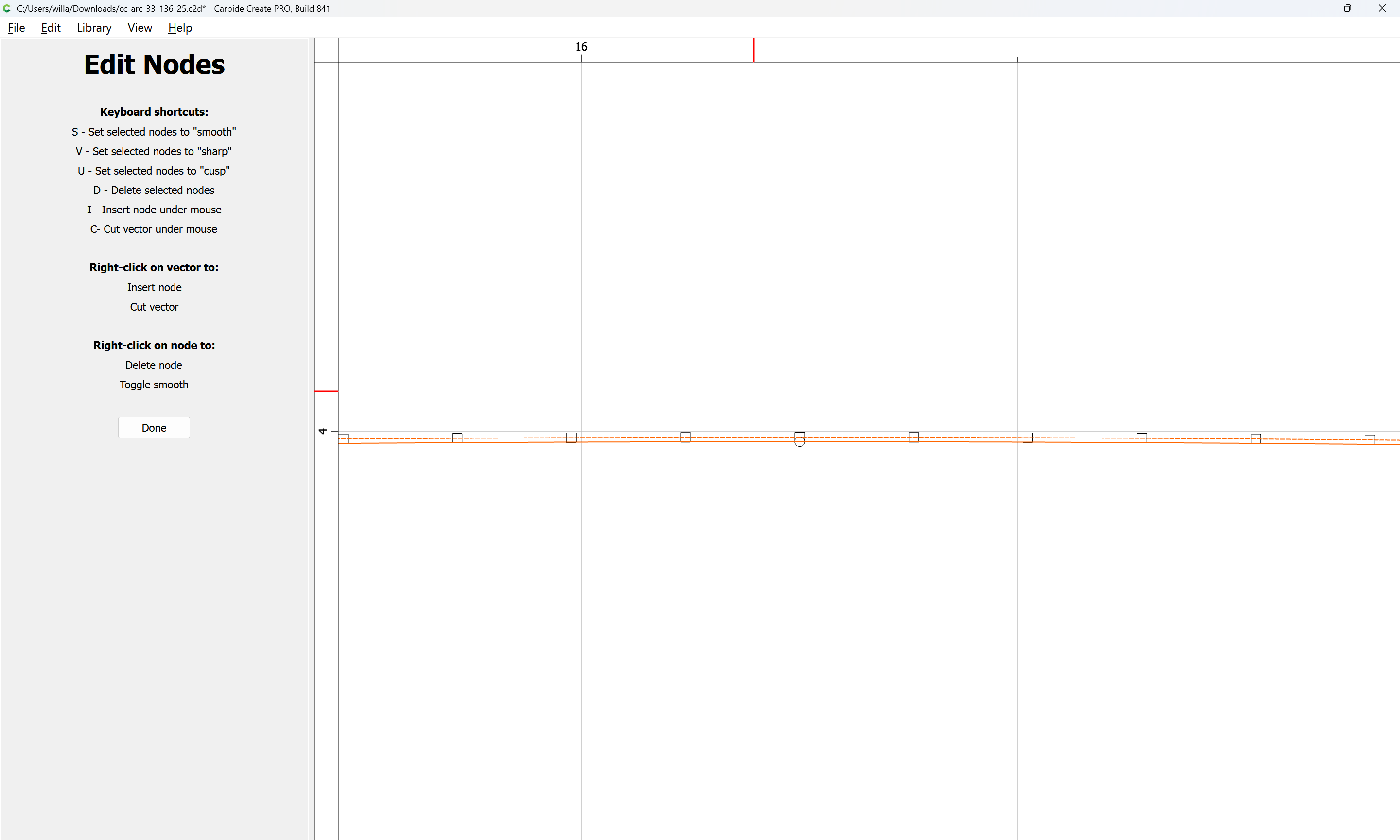
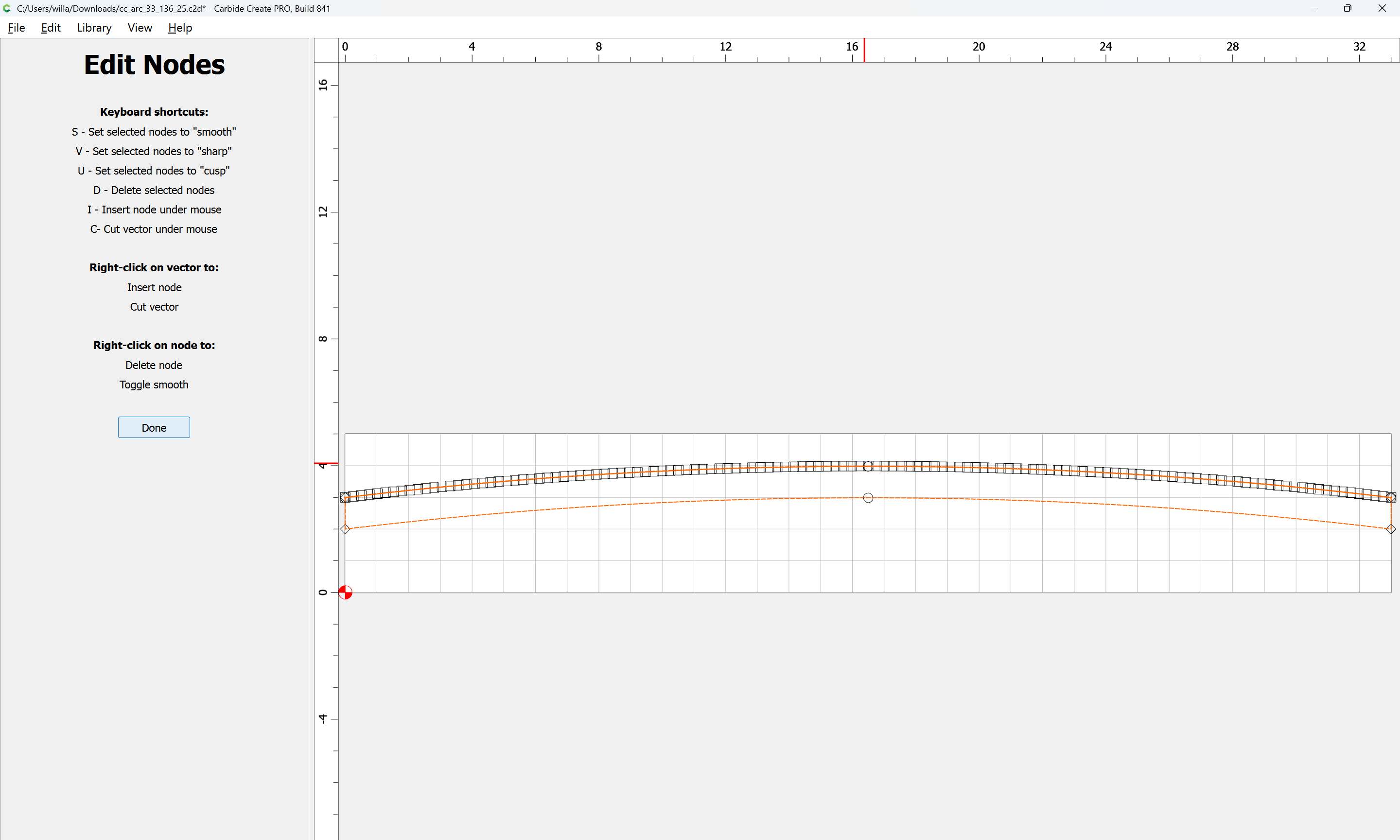
Determining how a curve differs from how a polyline would result in machine movement in Grbl is left as an exercise for the reader, but c.f.,
“A Word About File Formats” at:
(I think there’s a better page showing that on that site…)
I would argue that “smooth” does not imply that arcs are created at every opportunity. Given the infinite nature of user inputs, that would probably be impossible, whether mathematically or functionally, because of pathological input files.
The “smooth” toggle currently sets the handles at a reasonable location where no nodes should overlap, and no self-intersection loops are created, so the user can grab the handle to adjust the curve.
I think adding a Create Arc command makes sense, though.
4 Likes
I stand corrected. Moved and renamed.
Agree. Arcs are only appropriate in the previous 3 point example, and in the square → circle example as the nodes are equidistant.
A smooth curve through these 3 points is obviously not an arc. But extending the magnitude of the curvature vectors does improve the ‘smoothness’
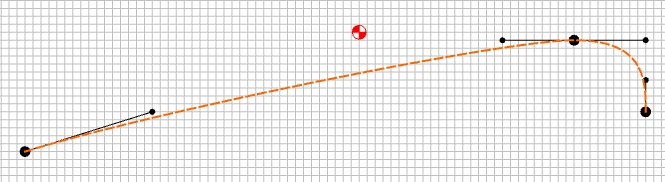
And yes, I was referring to daveyJ (David) initial request for creating arcs.
1 Like
I’m trying to remember some examples of more complex curves where I wanted to smooth them but the nodes still came out ‘sharper’ than I expected. I simplified it to the square → circle example as it’s easier to measure & see the result.
I think it may have been text from a font that was designed to be choppy / rough. I liked the general shape of the text, but wanted a smoother edge.
After selecting the nodes & hitting “S”, I had to go back & extend each magnitude vector manually to get what I had in mind as a ‘smooth’ curve.
1 Like
An arc should show a ctr point, versus a Bezier curve which does not have one.
I use arcs until I can’t.
One further note/work-around here — Carbide Create already has two options for rounding geometry:
Corner tool:
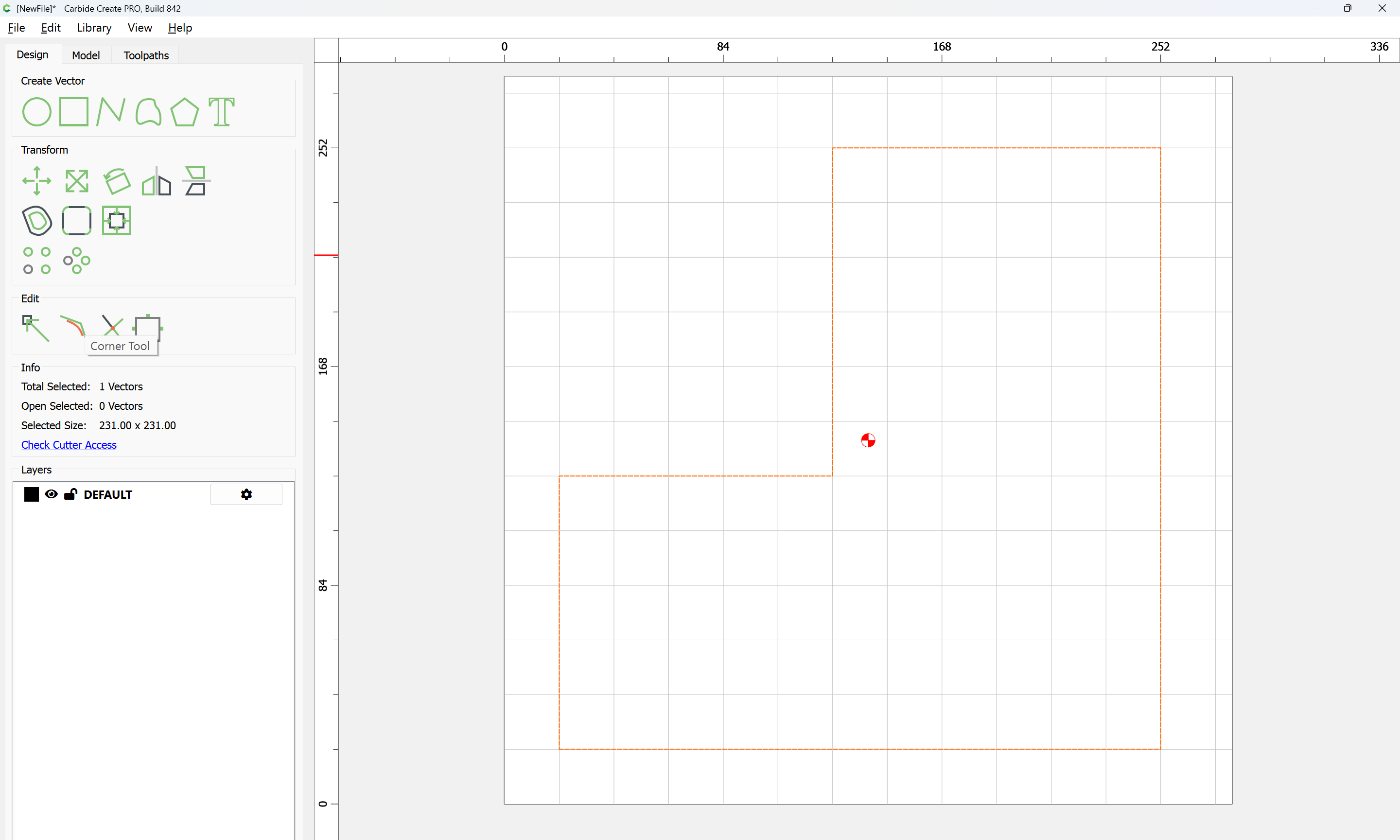
which allows rounding individual corners:
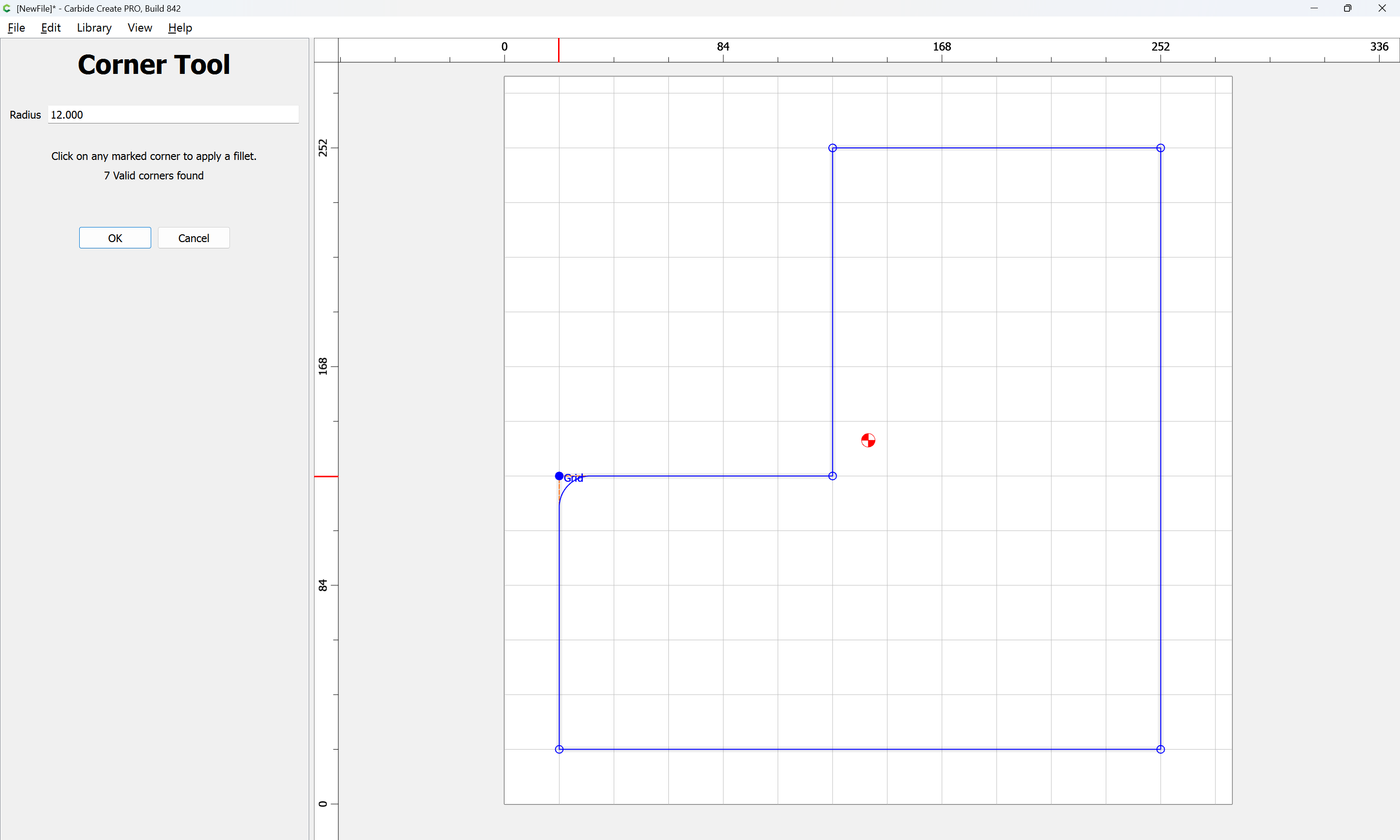
and Fillet All:
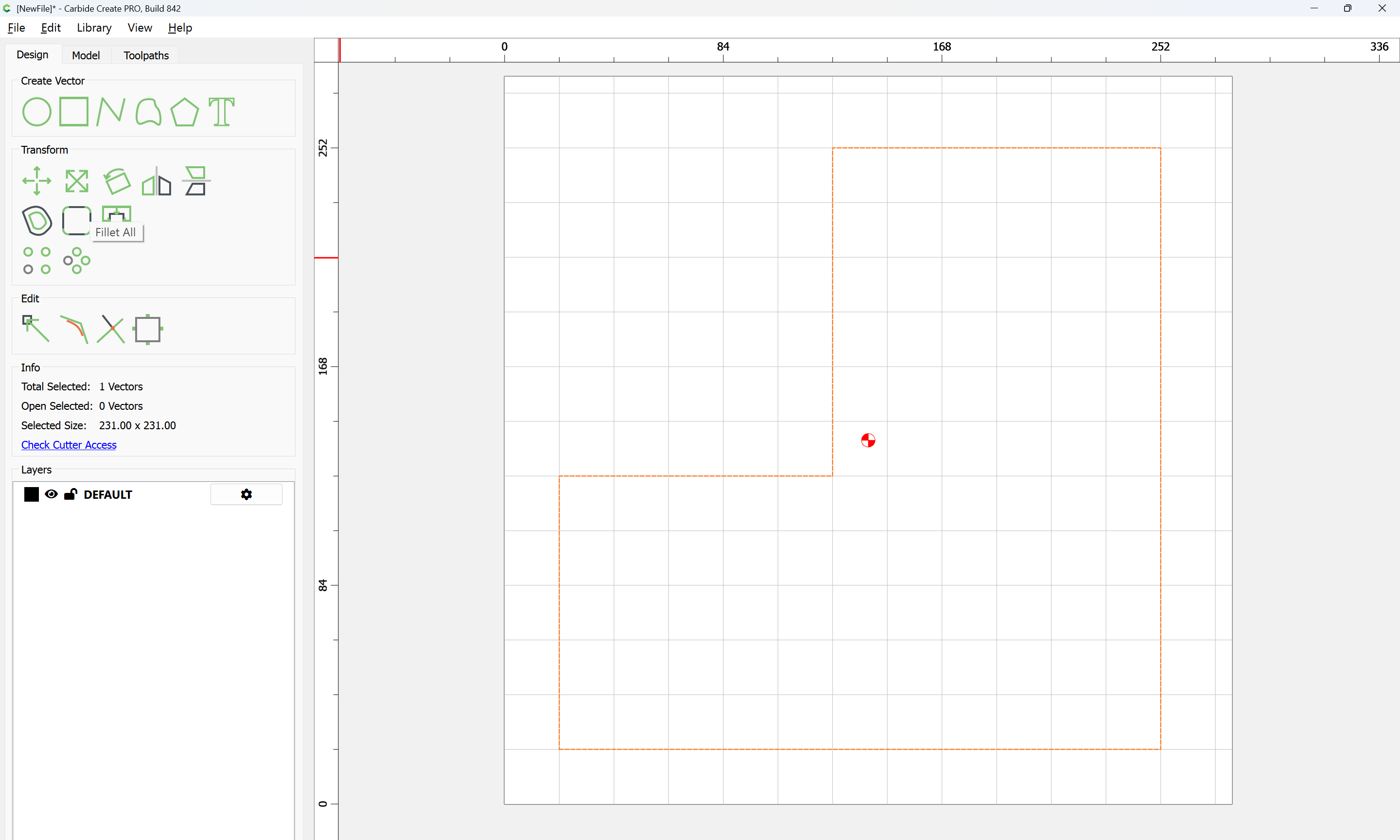
which does them all:
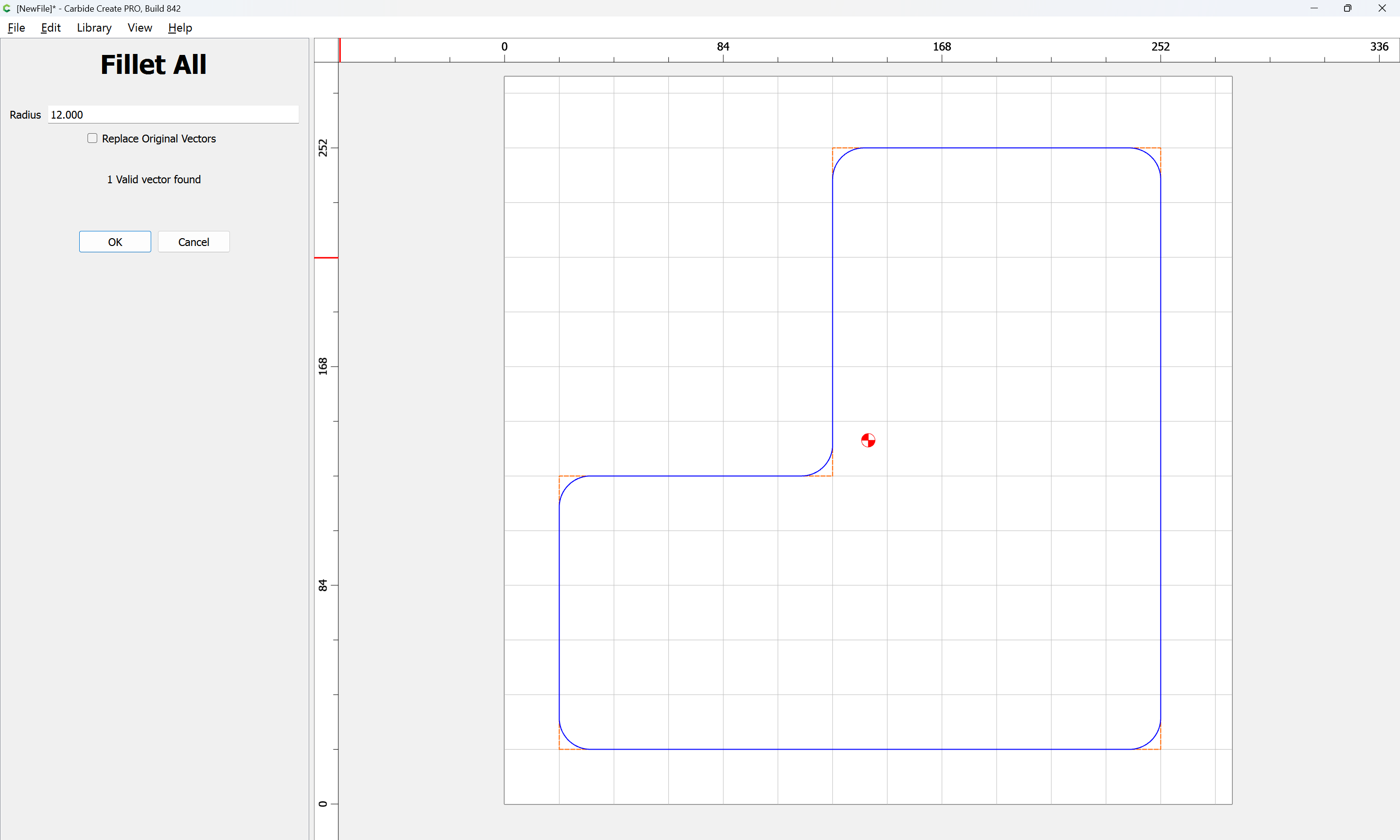
OK
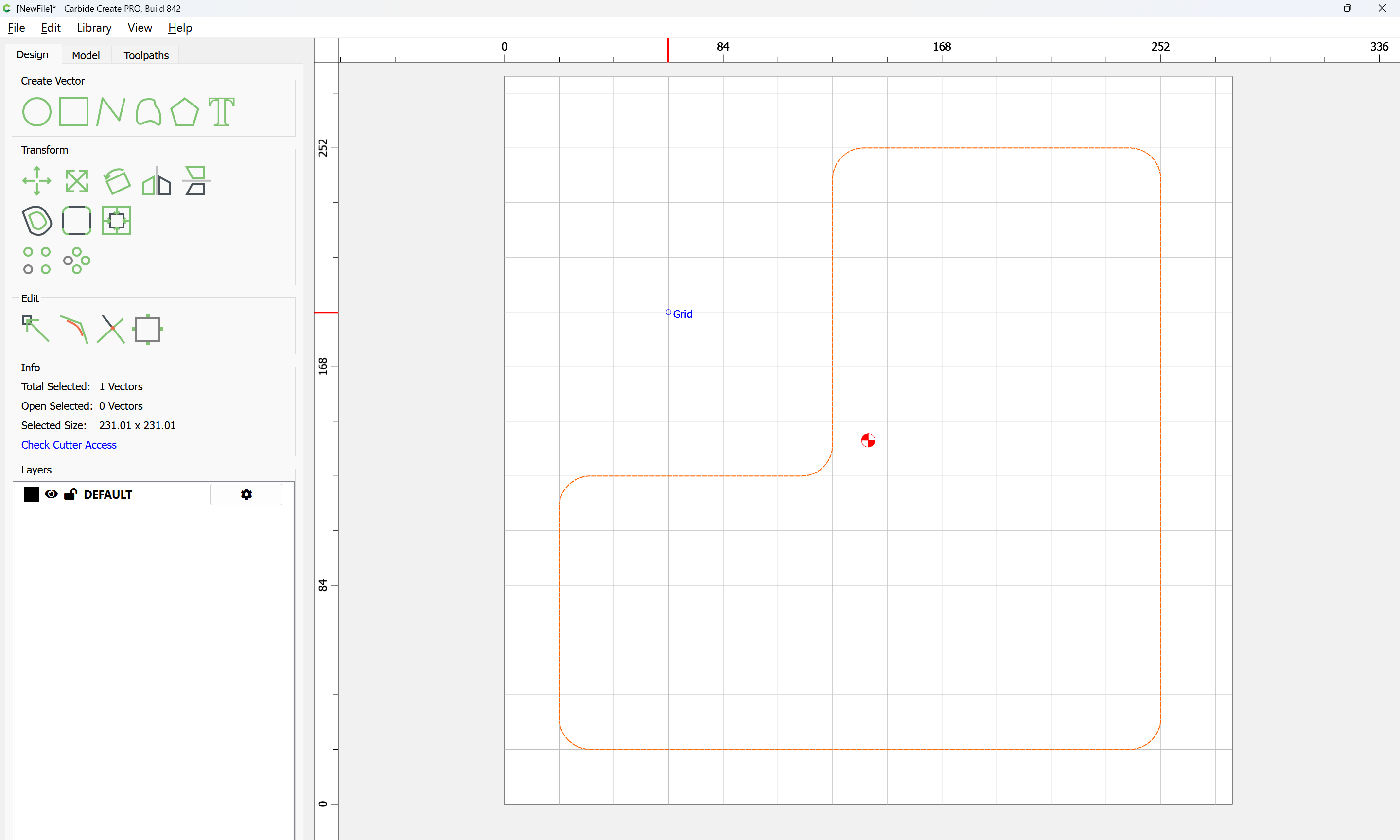
The round entities do not have a center point.
Arcs are great layout tools if there are center points to work with.
Maybe this needs to be turned around?
Would an additional “snap” to the center of an existing radius be a good fit for your usage?
(I know I often draw in a temporary square to add that point for later constructions)
I would allow the center point to be selectable, and allow a user to draw to/move/stretch the arcs using that point.
EDIT: Add the ability to have a Line tangent to the Arc. Allow for movement of the Line free and and keep the line tangent to the Arc.
Allow Arc to Arc tangent relationship.
Allow trimming to the tangent point.
This topic was automatically closed 30 days after the last reply. New replies are no longer allowed.