Shapeoko 3 xxl
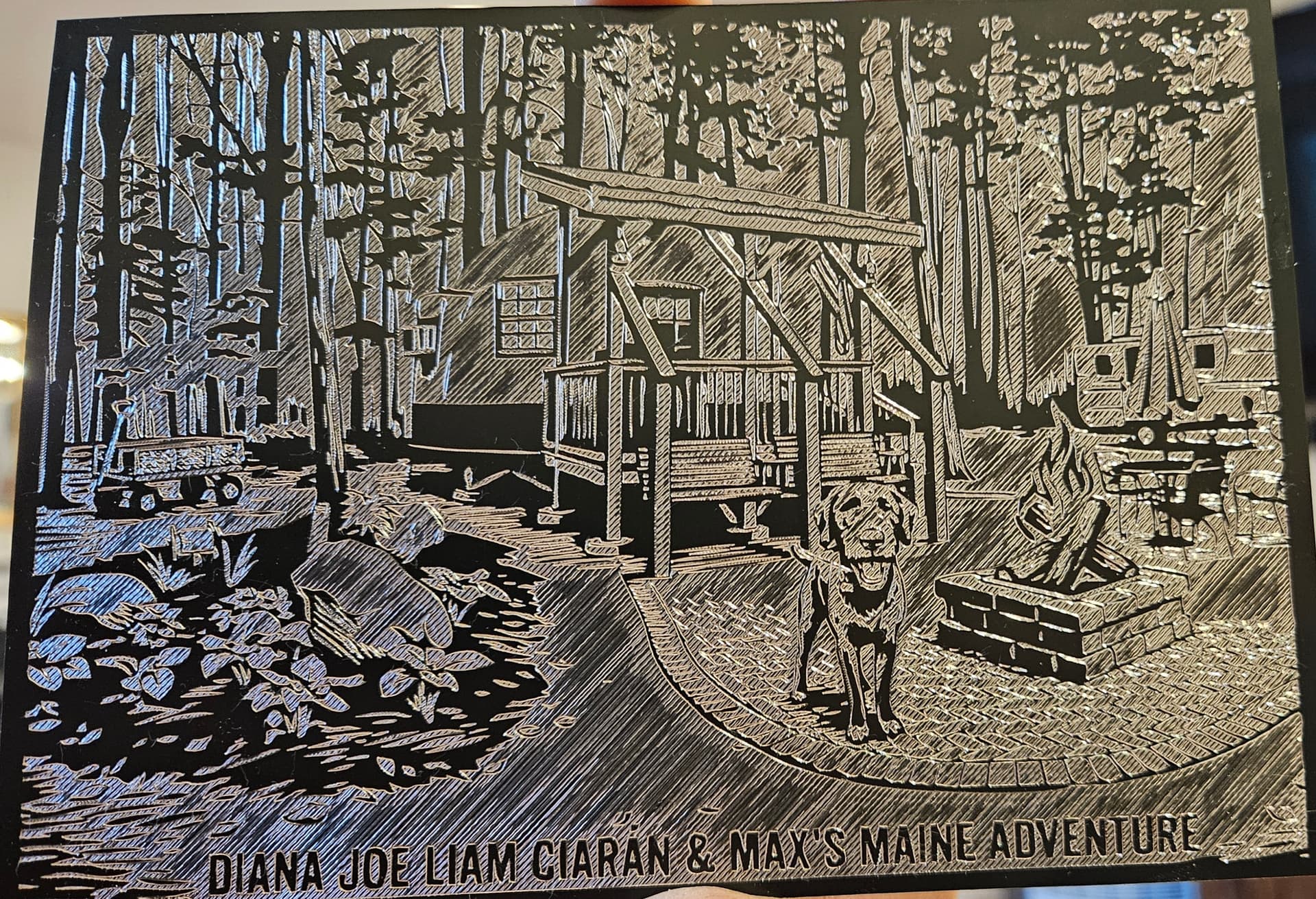
Material was anodized aluminum plate 5"x7" 0.5mm
120⁰ McEtcher
Bitsetter turned off
Stepover .250mm
Depth per pass 0.381mm
Plunge 762mm/m
Feed 1524mm/m
Rpm 0
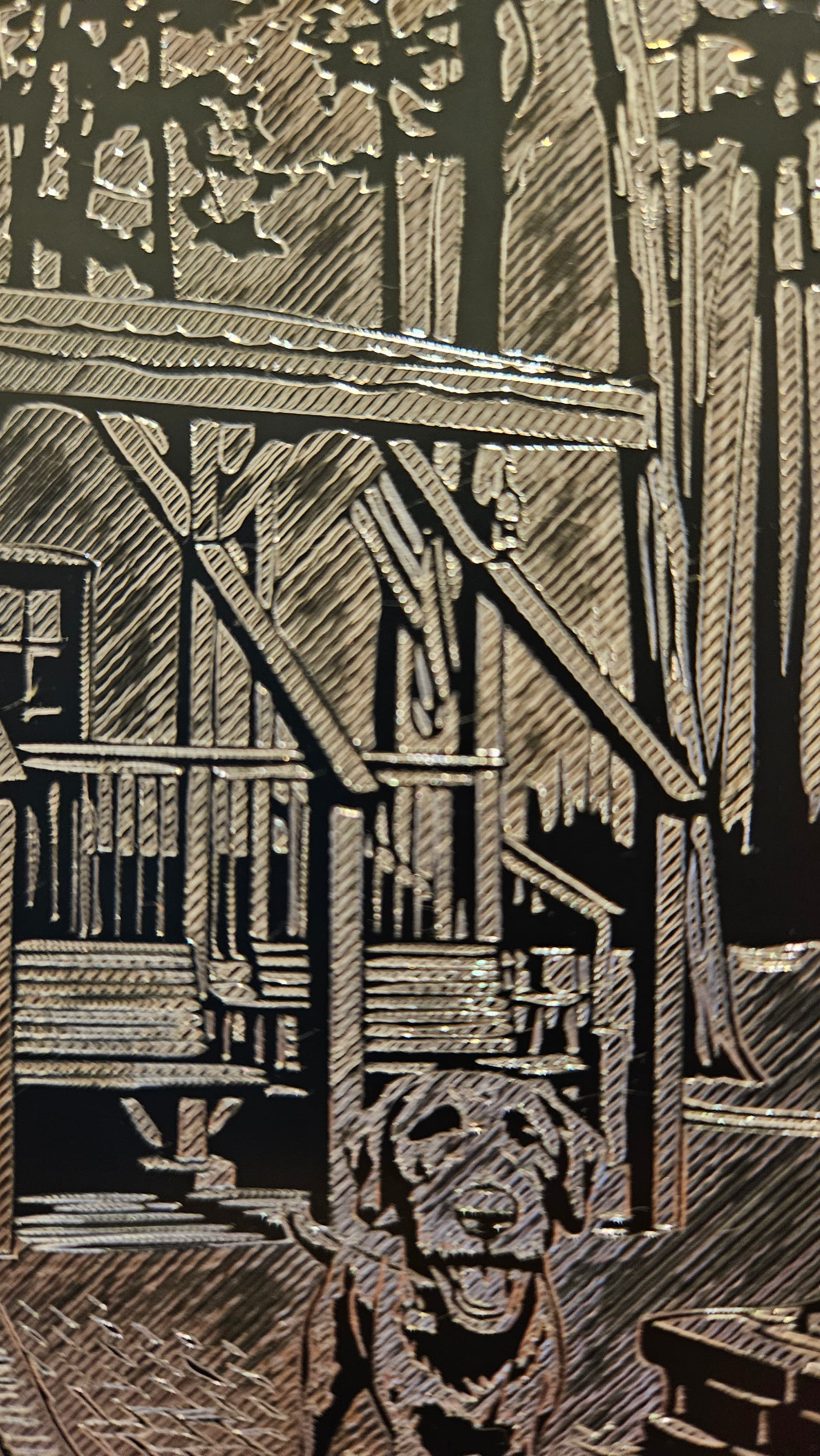
Can anyone make any recommendations to improve finish? Is this the right tool for the job or is this the job of a laser engraver? I was hoping the for the lines to be less noticeable.
I like the stylized results as is.
Did it cut everything more than once ? Looks kinda deep.
If you back off the spring pressure the lines would be fainter.
Stepover could reduced. I am not home so I can’t check what I use on black acrylic.
It looks decent. One could try a 90 degree McEtcher (my favorite), which should make the etches a bit narrower. This may allow a smaller stepover yet still give a more defined outcome. Trial and error with various combinations of stepover and depth per pass on a small piece of scrap will show the broad range of results obtainable with your material. Cheers.
I personally like the look. It definitely looks like it was engraved. If you didn’t want the lines, I would think you’re better off going with laser engraver.
I did a name tag for my kid’s camp footlocker with a 90⁰ McEtcher and felt that it cut too deep but that may have been because i used the bitsetter forgetting the tip could compress and throw off Z-0.
It looks like you guys seem to like the style as is and i may just have different expectations. I do need to play with the settings a bit like reducing pressure and stepover.
Overall this mcetcher is a great tool and will be a game changer for single line fonts when i redo my boats USCG tag.
I really want to get a Neje laser module for projects lile this but need to finish my enclosure and add ventilation before i set off smoke alarms
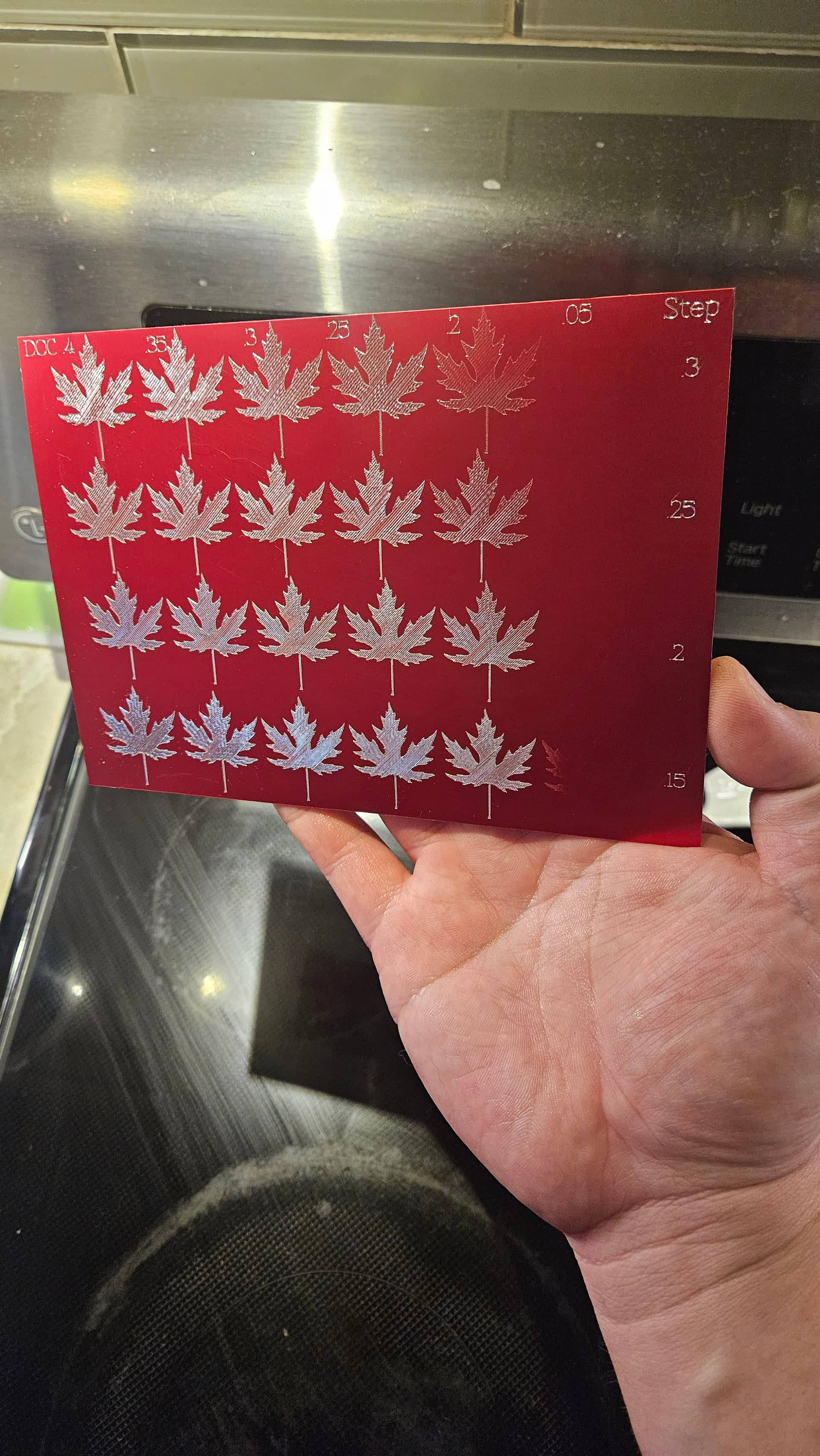
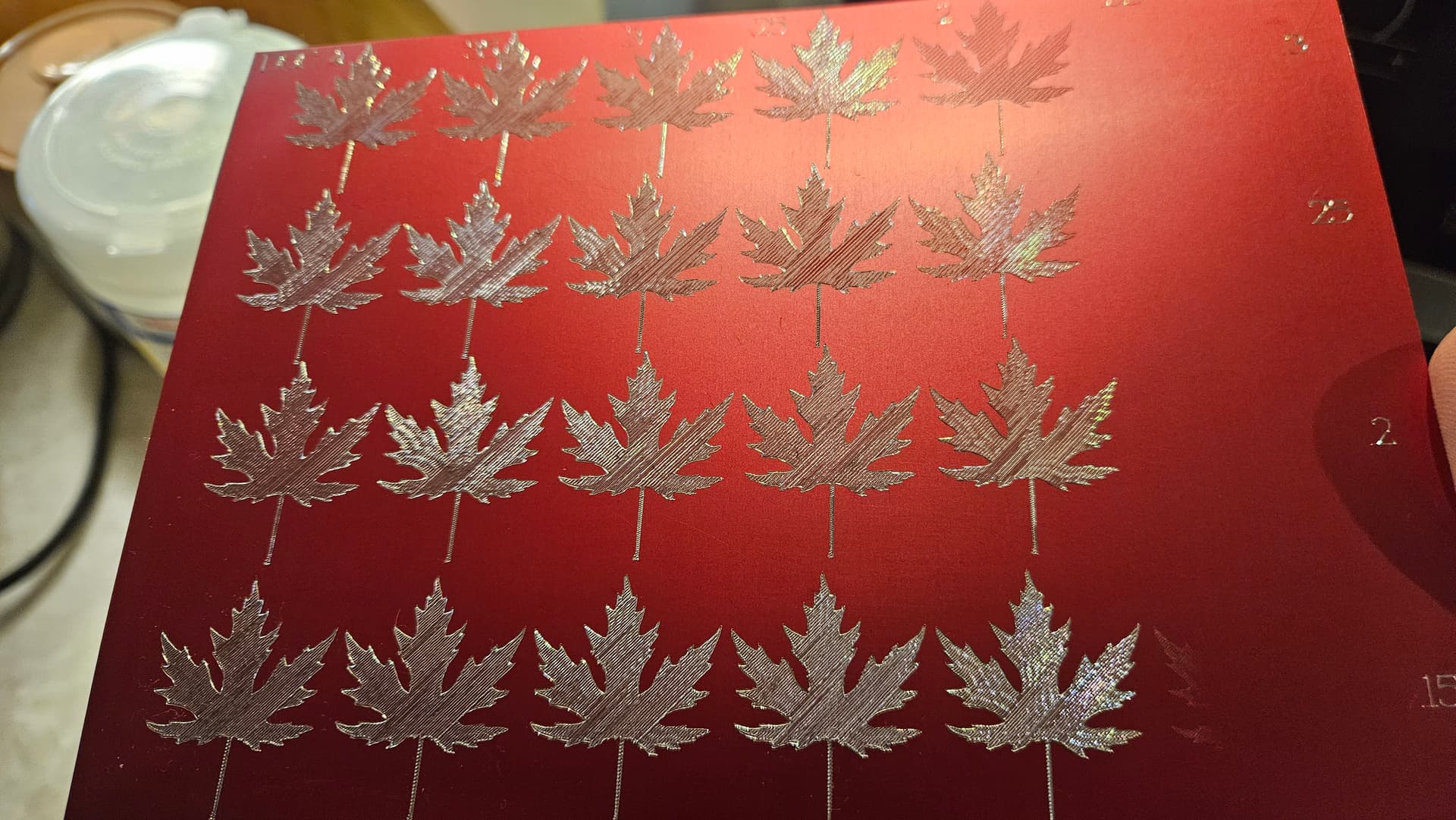
I ran a test piece with multiple stepovers and depths. The last line barely worked except for a little ghosting due to uneven surface. Tape and glued the piece to a piece of baltic birch scrap.
This is with a 120⁰ bit. I will do a run on the other side with the 90⁰. Its hard to tell the differences between most of the depths. Maybe the spring rate is linear and depth of cut doesnt make as big a difference as it seems. In my confusion i totally stipped .15mm and .10mm d.o.c. and went straight to .05mm
The only thing that bothers me a little is the lines have varying glimmer, that could be the aluminum loading the leading edge of the bit. I could try tuning off “cut in both directions” and i think crosshatching would look great.
I just bought it so I cant really offer much info.
Some things i noticed, for single line fonts, the “.” Periods/Decimals are so small that the tip just taps the workpiece and barely registers. As you can see on my red test plate, there are supposed to be decimal points in those numbers. In the future, i might try making small circular toolpaths in place of periods/decimals.
I had no idea the spring was adjustable so ill need to play spring preload instead of cutting depth. Aluminum is relatively soft and i think im displacing a lot of material and getting lots of burrs. My hopes are to get the quality of the Pink Floyd album cover engraved on the Macbook that carbide 3d demonstrates.
Once i get tip pressure dialed in, i would like to play with shading via different stepovers/crosshatching.
I wonder if carbide 3d has the ability to vary stepover depending on shade. If not ill have to separate vector profiles for each toolpath.
It really sounds like im chasing laser quality. Drag engraving definitely has its place and is a different tool in the arsenal.