I was cutting out some piggy banks on a piece of 1.5" thick pine. Since the cut was so deep I decided to use the cutout tool path. I have a long 1/4" bit that can cut through 1.5" material. When cutting the outside the cutout tool path cuts into my spoilboard. I use bottom of material to avoid that. On regular contour cuts I dont get my spoilboard cut up. Only when using the cutout tool path does this happen. I am using CC v855. Here are some pictures.
The one on the left was cut first and I realized I forgot to add the tabs. So I stopped the cut and there was a small onion skin still holding my piece in place. Since it was almost all the way through I edited the CC file and cut only the right hand one after adding tabs.
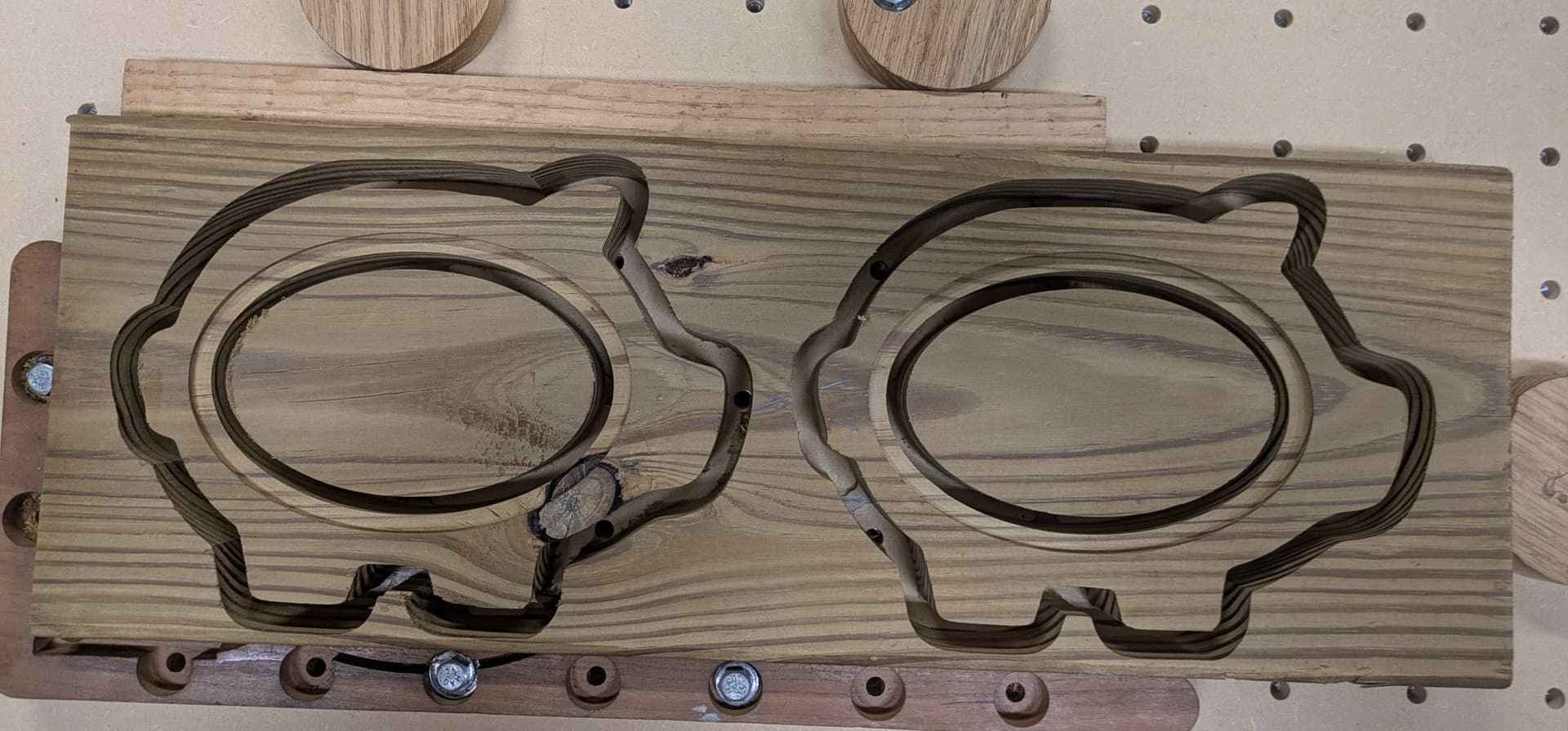
Here is the spoilboard after the cut finished.
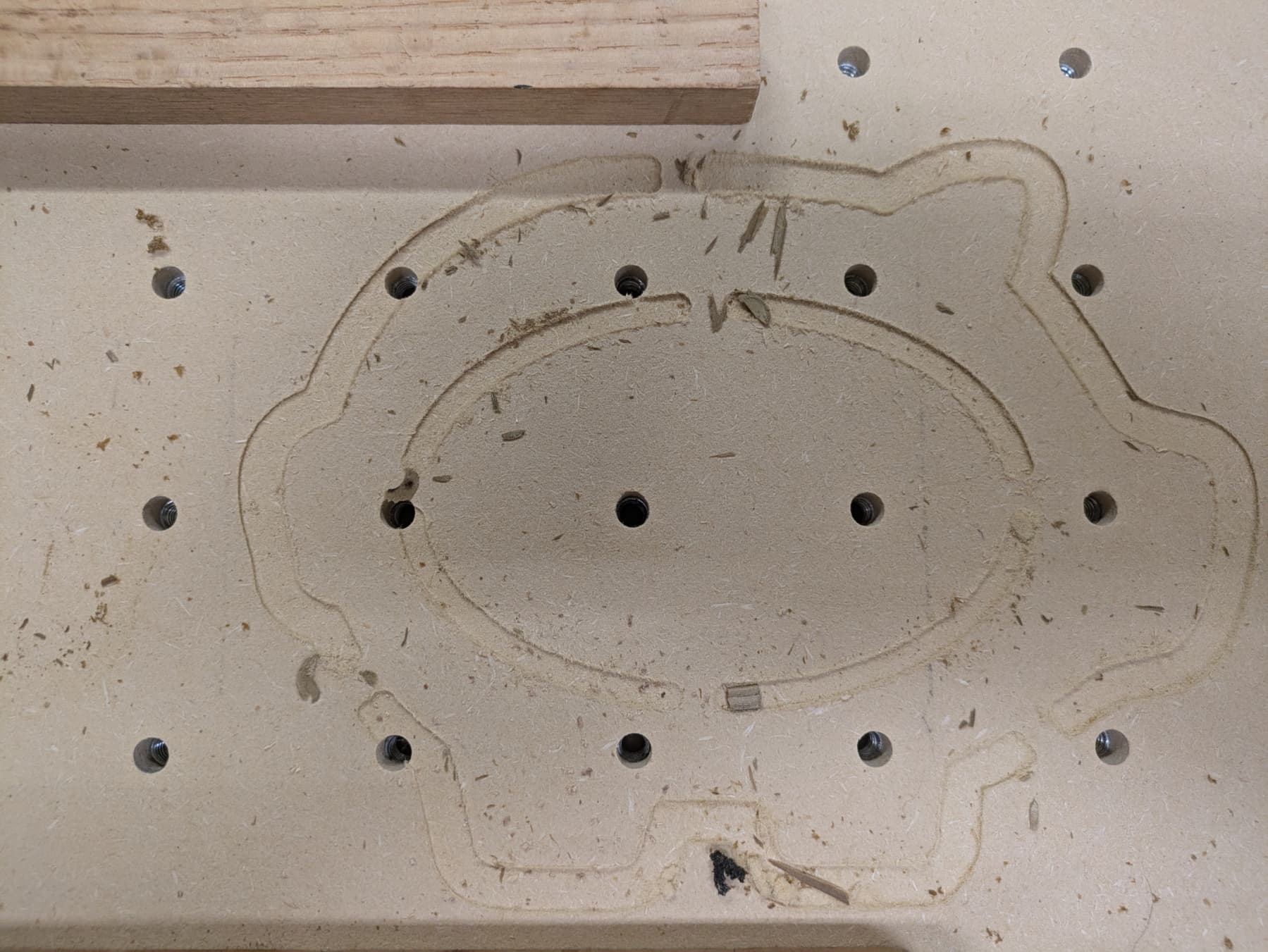
This is the right side and the left side likely had 2 more passes to make and would have been the same as the right if I had not stopped the cut.
So to avoid this what should I set in the cutout tool path to keep from cutting through to the spoilboard. I used the cutout tool path because of the deep cut in 1.5" material. This is not the first time I have had this happen using the cutout tool path.
Would having an offset and then do a pocket keep me from cutting through?
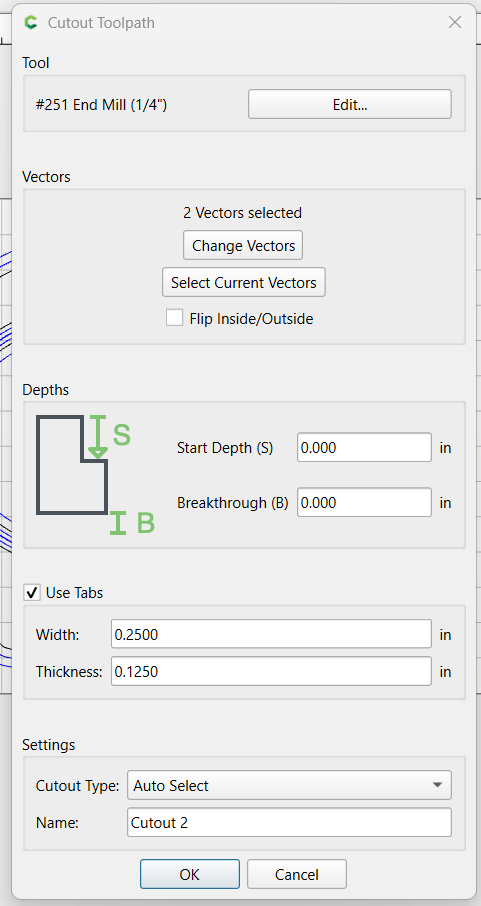
Here is the cutout tool path from the file.
Here is the setup screen.
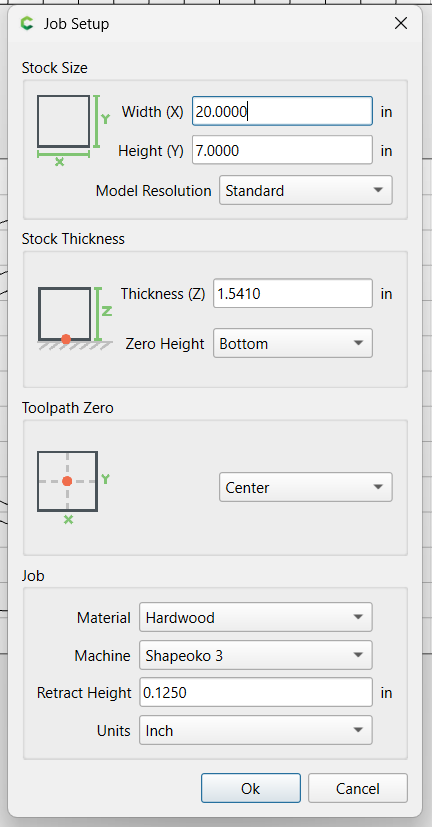
I used the BitZero to set z zero on the spoilboard. I have successfully done this many many times before without cutting through on contour tool paths.
piggy_bank_outline.c2d (196 KB)
After finishing I edited the file back to cut both outlines so if I cut this in the future it would be ready to go.