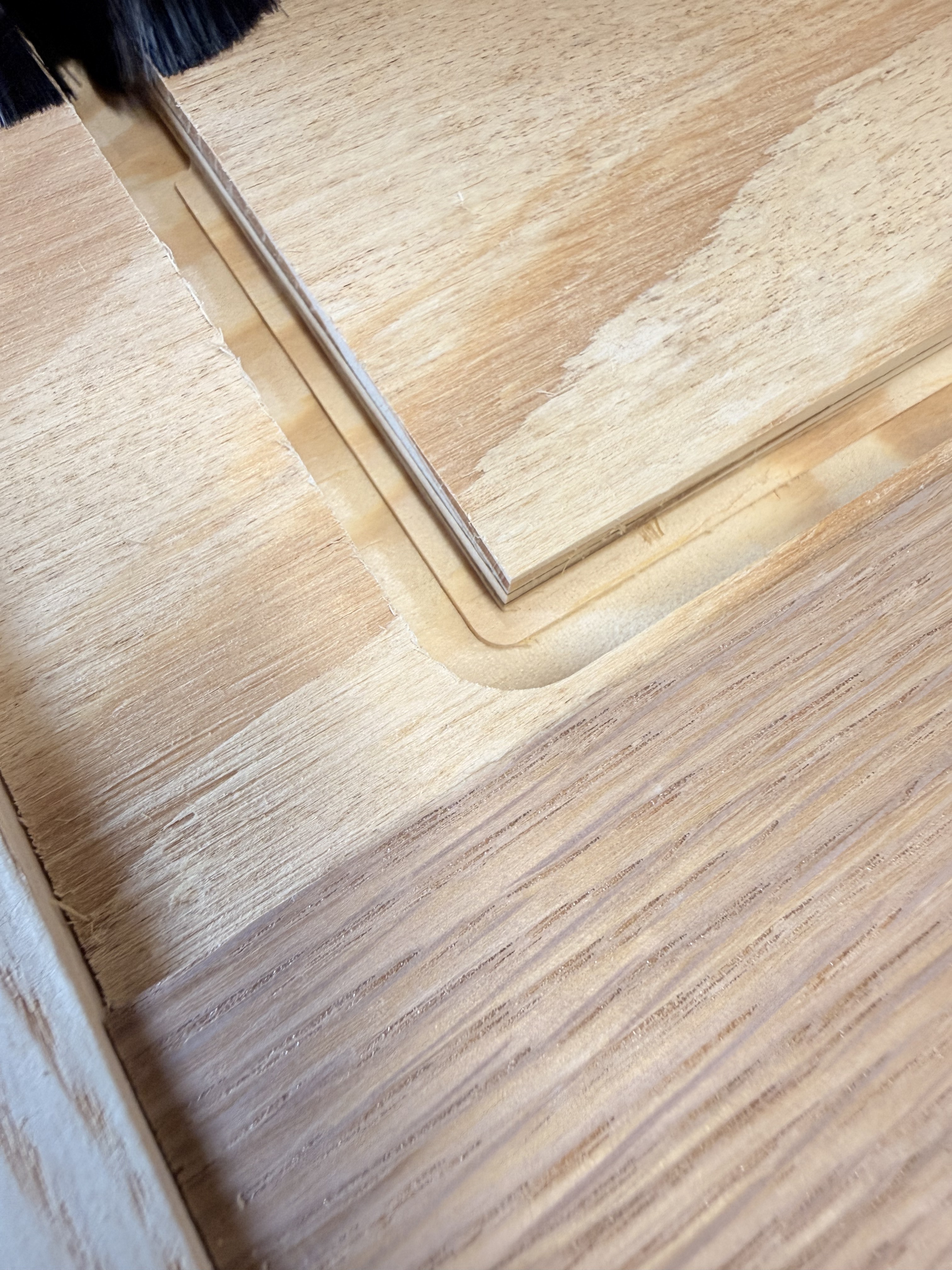
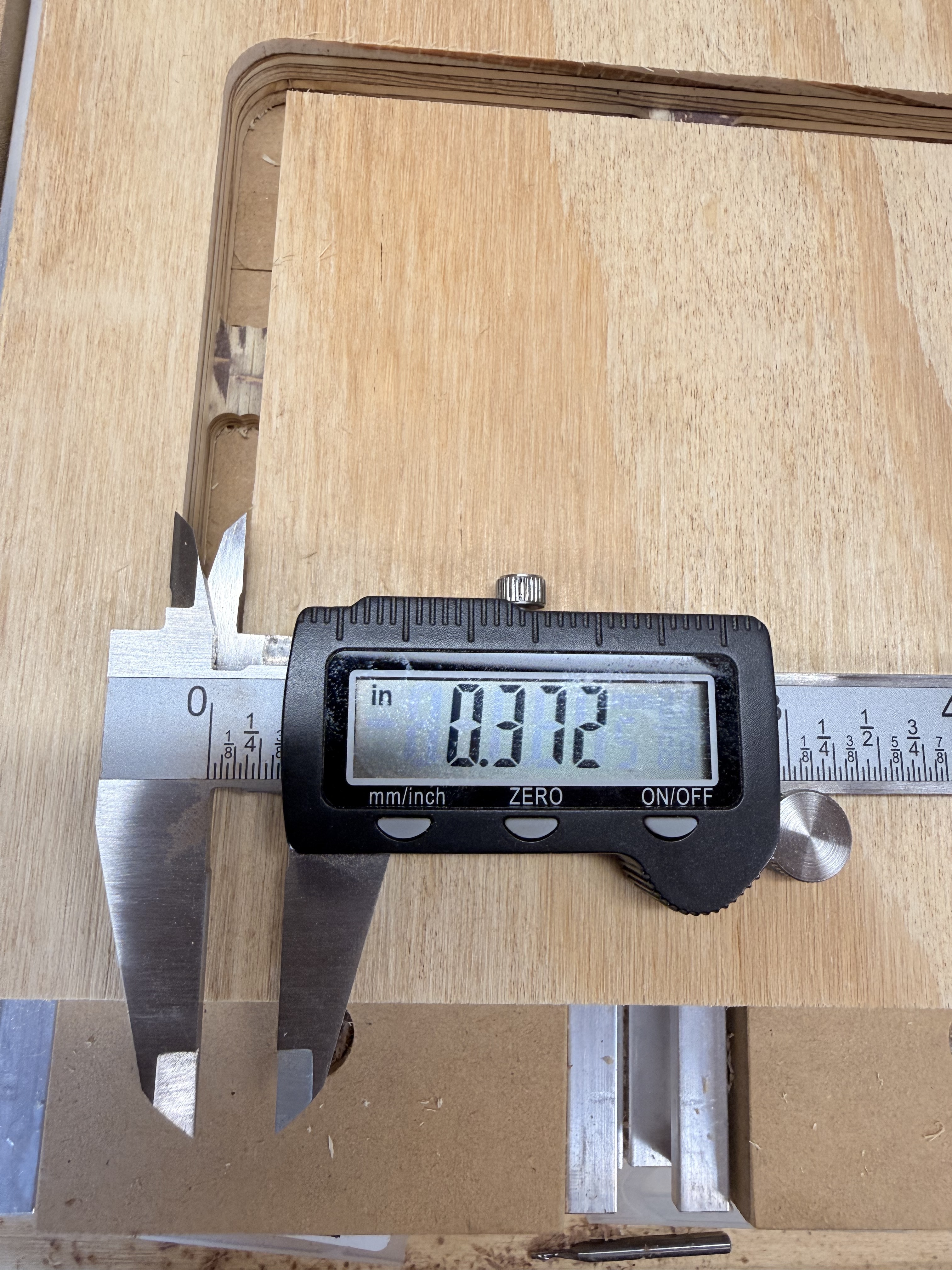
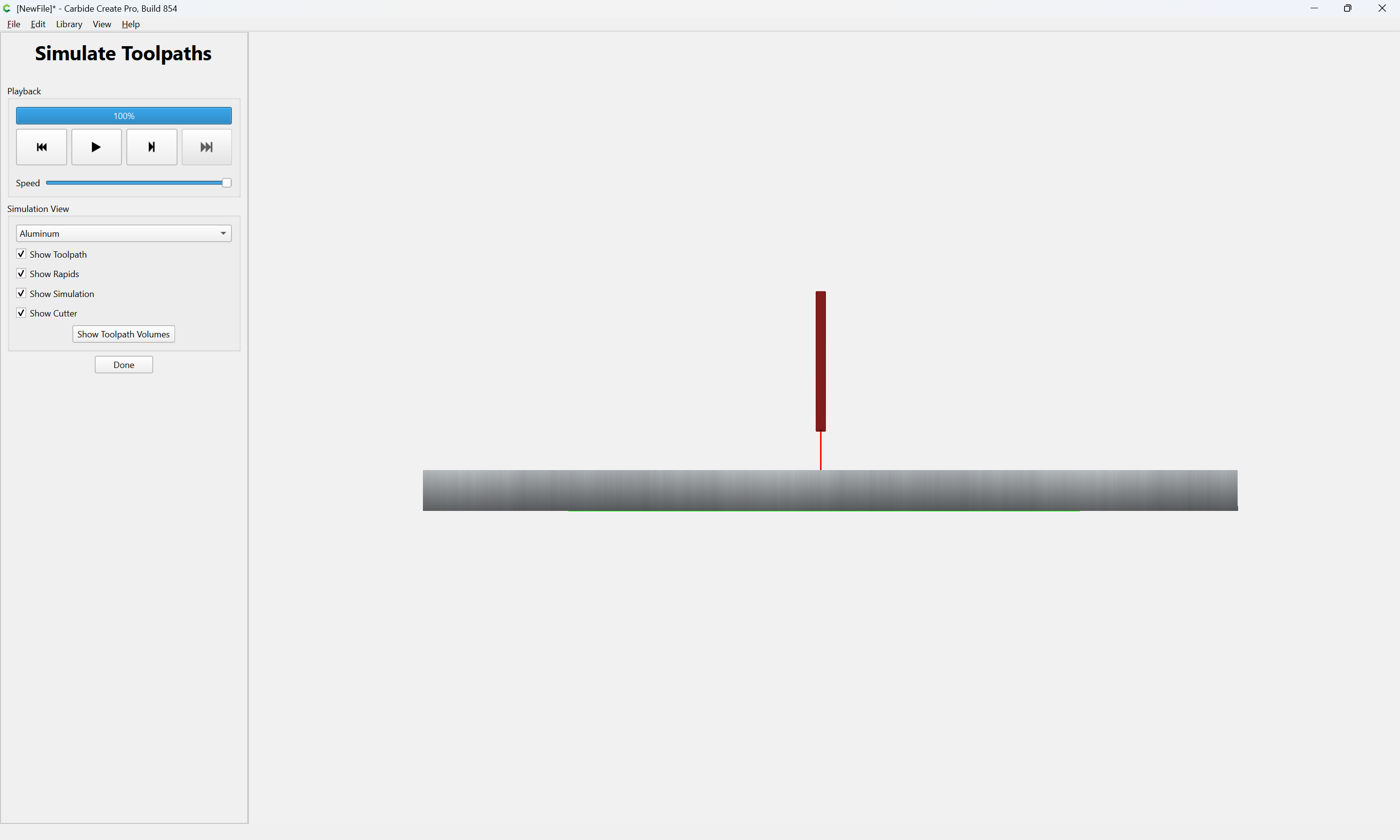
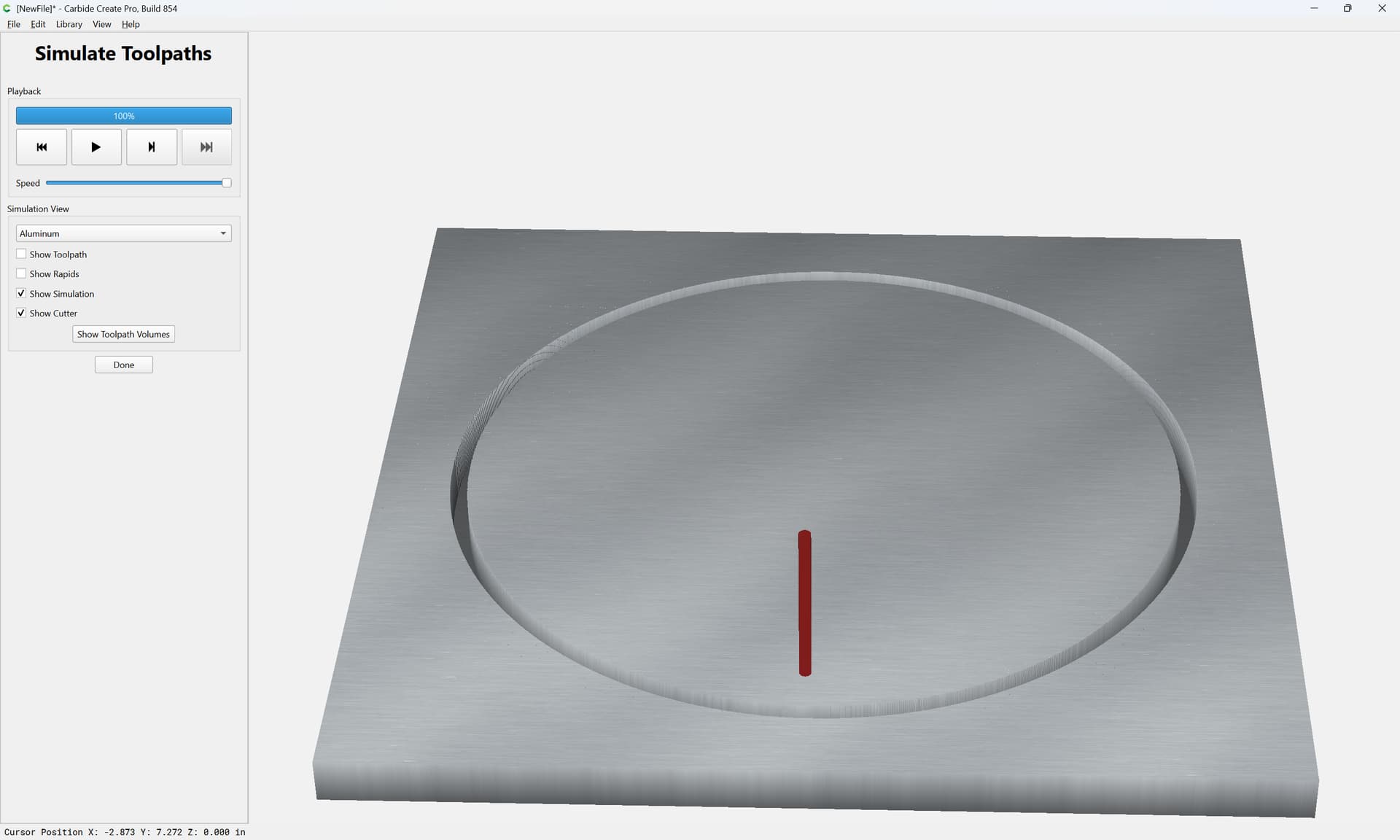
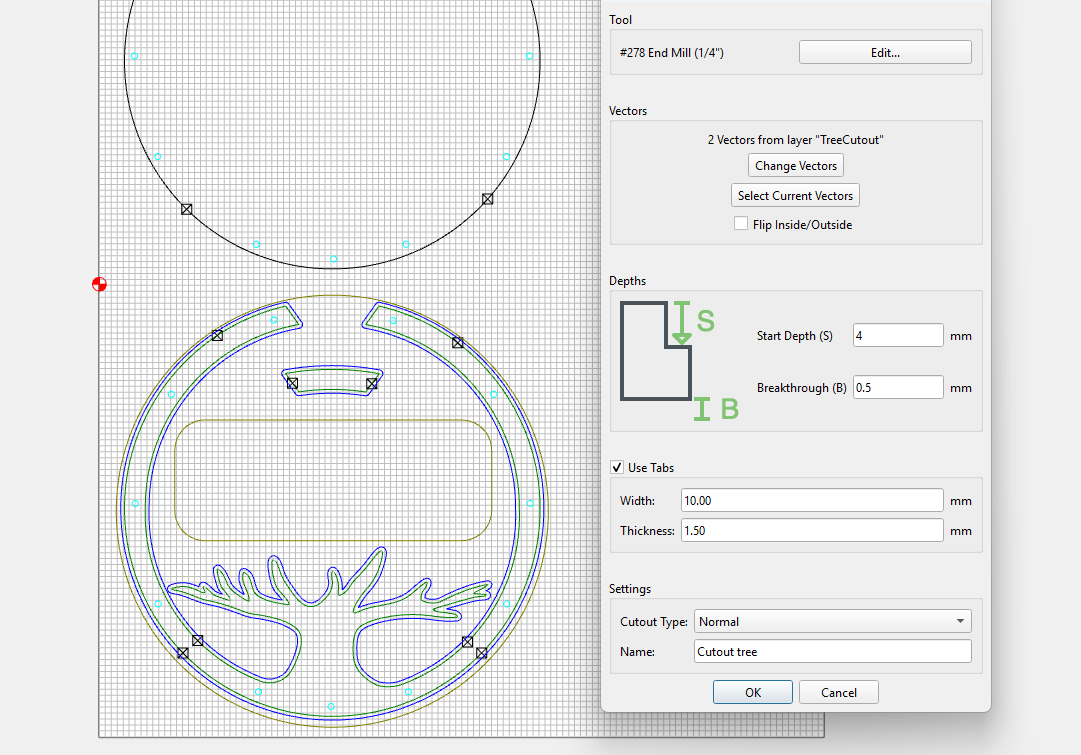
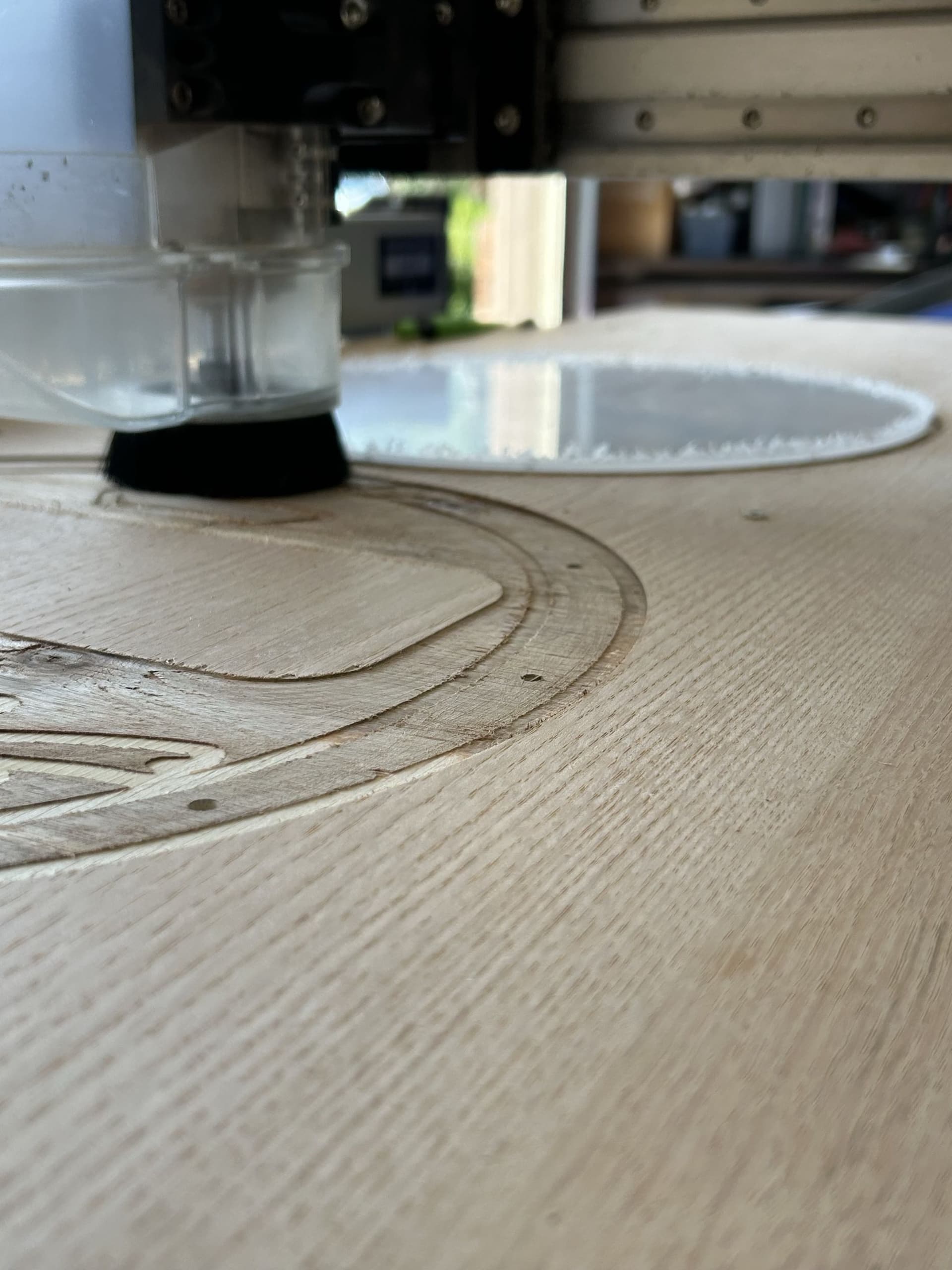
I couldn’t find a lot of information on the new cutout toolpath so I decided to test it on scrap. I used a 1/4” upcut bit. It actually adds a toolpath outside the “original” and alternates cutting between the two a little at a time. This will prevent a deep, narrow cut when cutting a profile. In my case it would’ve help the other day when my cross exploded due to built up sawdust in the cut. The 1/4” bit left a cutout of .37” so there is some overlap.
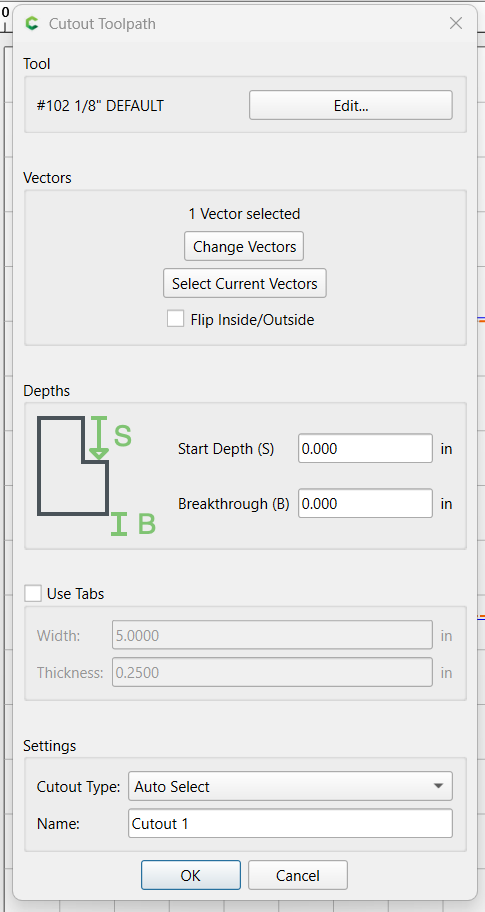
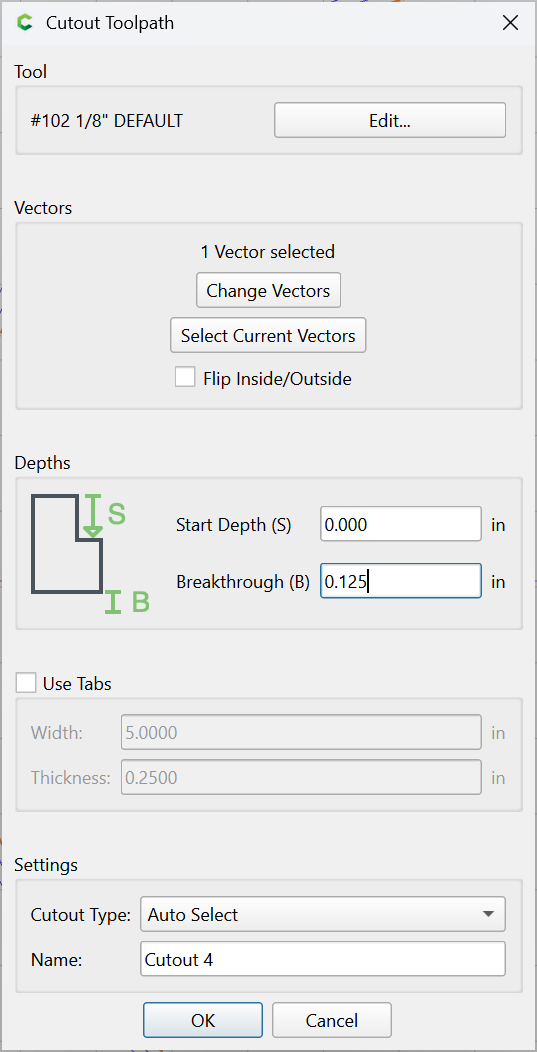
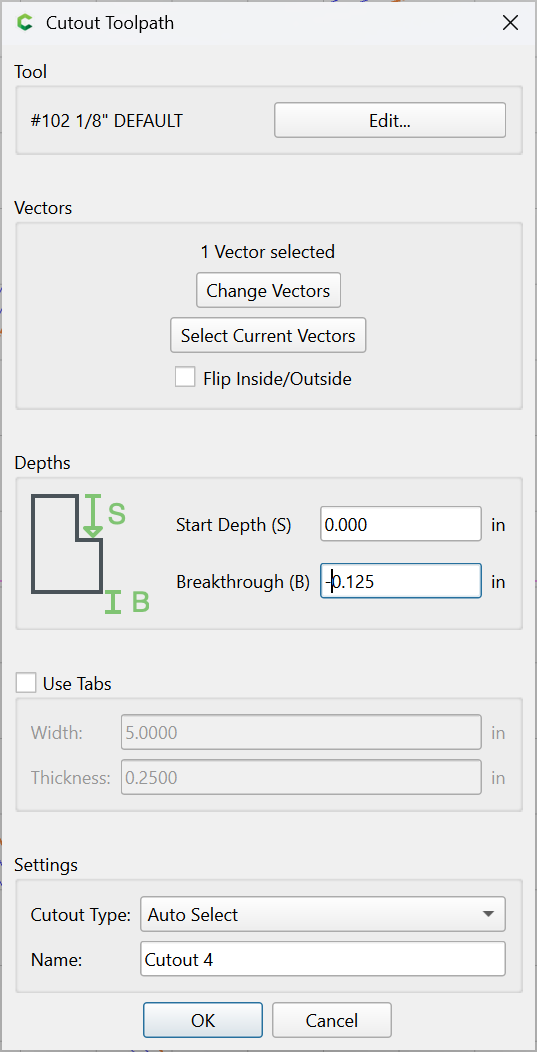
I get the start depth and the reason for the Cutout Toolpath but I have seen conflicting ideas about Breakthrough here on the forum. If you just want to cut to the bottom of material should it be set to 0.0? If you want to cut slight below and into the spoilboard should the number be negative or positive. Likewise if you want to leave an onion skin should the number be negative or positive?
The cutout tool path works great for thick wood and hardwood. I’ve been using it for my products for a clean cutout. The only issue I’ve found is when using the wide path setting the tabs not only increase in length to accommodate the wider cut, it also increases the width proportionally. This is problematic for some of my items I make. Overall, this is a great addition to the program.
Depending on size of your objects maybe painters tape and super glue would work better than tabs. I hate removing tabs and I seem to never get a really clean removal. I do go through a lot of painters tape and super glue but when done all I have to do is sand a little. You have to sand anyway. Plus without camps around the material you have less chance of hitting one of them by accident. CC has come a long way from when I started using it in v3. Now the Z goes up all the way before returning to home after the end of a project. CC did not always do that and you could hit clamps.
You can always adjust the size of the tabs depending on what tab sizes are required to hold the project in place when cutting out.
If I have room I use an orbital sander or my bench sander with 180 or 220 grit and lightly touch the tabs until they are gone with no burn marks. When I plan tab placement I try to put them in places I can get at easily with either of the sanders.
I try to avoid using painters tape method. I have made my own clamps that hold the wood yet gives me maximum yield from a board. There low profile and I rarely hit them. I use small tabs to hold the cut part inplace. I’m able to use wire nippers to cut the tabs than router the tabs off. But, thanks for the suggestion.
I do the same. I have a special table setup with a hand router and bearing straight bit to run my items around to remove tabs. it’s the cleanest way to do it. My concern is the new cutout tool works great but the tabs get wider when using wide pattern I can’t use my nippers. I’m able to use small tabs to hold my products so I can cut them with wire nippers.
I’ve played with the tabs settings in the cutout function to get close to the size I like for my items. the wide pattern cutting increases the width proportionally to the length increase. the single cut works great.
The Start Depth in the new cutout feature in V8 is not working. I can set it to any value and the simulator still starts the cutter at zero Z. G-code also doesn’t show the correct start depth. Can anyone verify this for me? So far I only have ChatGPT agreeing.
I will try it later. However we know that “ChatGPT is NEVER wrong” except when it is.
Nothing wrong with asking AI for advise but never take the answer as gospel.
ChatGPT error rates vary heavily by task, ranging from a low 5% on structured math to over 50% on complex coding and niche technical queries. Newer models reduce mistakes, but errors remain unpredictable because the AI presents wrong information with total confidence.
I was just playing around in V8 with cut out start depth. You’re correct, no matter what start depth you choose, it seems to start at 0 based on the simulation. I did not check G Code.
I did also notice that if you choose a start depth greater than 0, the breakthrough doesn’t “break through” in the simulation. However it works if start depth is set to zero. Not sure if this helps or not.
I agree with you that ChatGPT, etc. are often wrong as I have had my share of mis-information. My reference to AI was tongue-in-cheek. That said it has saved me a lot of time and money over the last year and helped me learn about v-carving and 3d in the CNC world. But if you use it keep that “grain of salt” handy.
It was mentioned in another thread, but we posted an update yesterday that should fix a couple of bugs in the Cutout toolpath. Carbide Create Beta Downloads | Carbide 3D
I am downloading the beta version as I write this. I had went back to v853 because the library was missing in 854.
I primarily use bottom of material for almost every job I run. You should always measure your material carefully but even if you are not accurate you wont cut through the bottom of your material and scar up your spoilboard. The spoilboard is just that and is intended to get spoiled and replaced periodically but not having your spoilboard all scared up increases the length of time before replacement. Frankly replacing the spoilboard is a pain. Doable but a pain.
also found over the weekend that trying to use the start depth of the cutout does not work. I had to cut some acrylic and plywood and decided to just tape everything together. the acrylic was only covering the top circle so the bottom geometry is where I tried to have the lower start depth so I wasnt spending time aircutting.