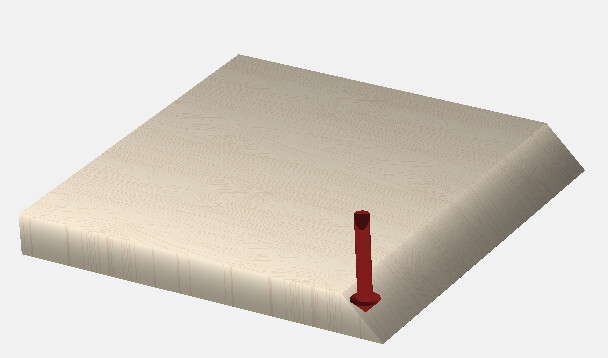
I have a project that will require a 45-degree angle along one edge of a 3/4 inch thick piece of flat stock.
I thought about mounting the stock at a 45-degree angle on my wasteboard, but I don’t have an accurate enough 45-degree angled mount to feel confident in the accuracy of the cut.
My 90-degree V-bit doesn’t seem wide enough to do this on its own.
I have tried to make a 3d file, but the previews don’t look right. The 3d preview shows the cut not going the full width, which I can live with. The toolpath preview shows even a shorter bevel.
Have I made mistakes in the 3d modeling, or is there a better way to do this?
I would suggest designing the feature with concentric rectangles & then assign no-offset Contour toolpaths to the appropriate depths using the 90V - turn the problem from a 3D carve to a 2D. Take more time to design, but way faster to machine out.
I tried the V-Carve toolpath generator but it doesn’t appear to be able to handle it properly - although it could be used to clear out most of the material you would still need to design other Contour toolpaths to clean out what the V-Carve doesn’t remove.
The easiest way would be to use a 90° Vee & do some offset paths.
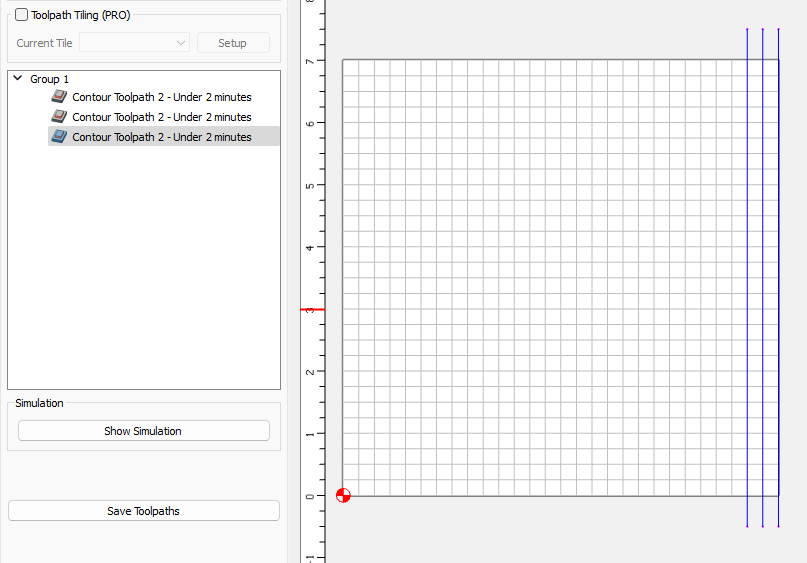
The far left path, offset 1/2" from the edge at 1/4" deep
The 2nd offset 1/4" and 1/2" deep
and the 3rd on the edge at 3/4" deep