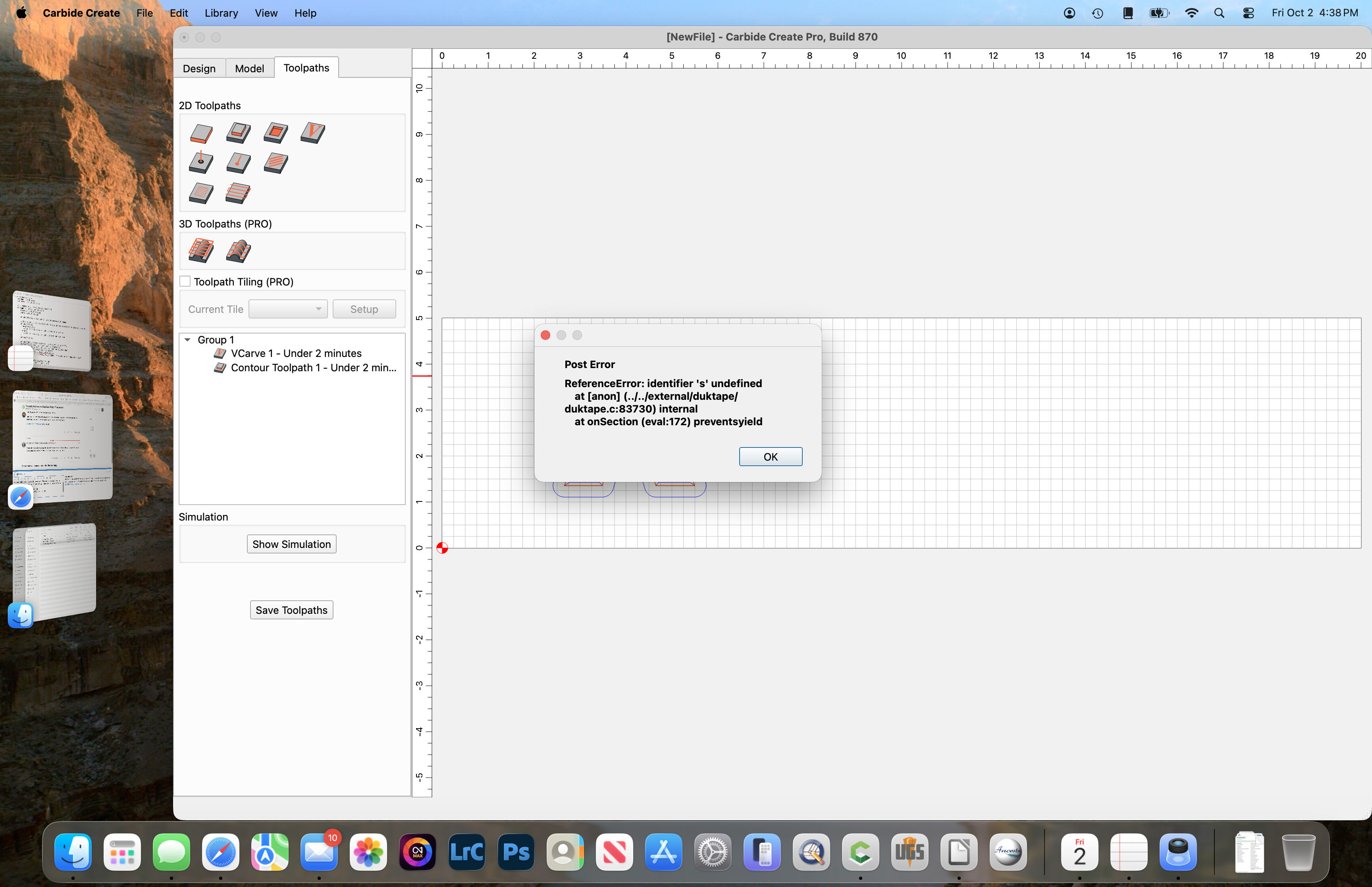
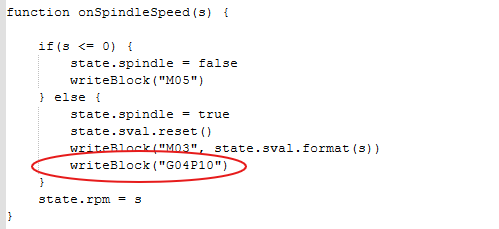
First, I’m new to writing code. I’ve managed to tweak a generic carbide create post-processor to turn on my VFD router and pause for 10 seconds before starting to cut. What I have works great if I don’t have tool changes. Currently when I have to change tools the Gcode tells the router to stop and raise to make the tool change. When I restart the process after changing tools the router does not start or has a dwell time before cutting. How and were would I write in the code in the post-processor to set the parameters in the Gcode to turn on (M03 S = spindle Speed for new tool), Pause (G04 P10), then continue on with the cut.
I am using Carbide Create Pro Build 870 to create the files. I use Universal Gcode Sender to control my machine. Attached is the Post-Processor I am working on.
Please zip the .post and upload the .zip archive and we can look into this with you w/o the need to copy-paste and possibly introduce errors.or lose space characters.
See attached.
The lines I added are in the “function onSection”. They are the last two lines under the Manual tool change sequence - #1. I am getting an error when it makes the Gcode .ns file. GRBL CCP_VFD2.post .zip (3.1 KB)
Without those two lines the post-processor works great when I don’t have to make a tool change. My work around was to edit the Gcode in UGS at the change tool point and place these two lines under an M0 command. Then the router does what it’s suppose to do and I can finish the process. I just want to automate it so the lines are there when I generate a .nc file in Carbide Create Pro.
Okay… here are two Gcode files. ShapeokoTest2 is the stock .post file you had me download. ShapeokoTest1 is the modified file that I would like to have produced from a .post file. Also, I have included the drawing that made the files. ShapeokoTest1.nc (24.4 KB) ShapeokoTest2.nc (24.1 KB) Test File.c2d (52 KB)
Can you help me with the modifying the .post file to produce the Gcode with router startup and dwell at the beginning and at tool change.
Thanks,
Ken J.
For what it’s worth, I just look at the path for the starting position & jog the tool about 18" away from the start. That gives enough time for the spindle to wind up.
Thanks Tod, That helps. I’ll give it a try. I use the M00 pause to allow me to recheck before starting. It comes in handy at the beginning because I seam to forget to put my brush on for dust pickup on occasion. Most of my paths start near the lower left edge of my board. the file I sent was just a sample for the Gcode.
Just wanted to let you know that fixed my problem. Thanks for that. It works great now. I have two other issues in the script. The M6 and the G53 code are causing issues. I’ll work on tweeting the code.
Note that M6 turns the spindle on/off — if you don’t have spindle on/off you won’t want it.
Similarly, G53 moves in terms of machine coordinates — if your machine doesn’t have homing switches and support for same you won’t want it moving thus.
I found the M6 will be useful for tool changes. In UGS the command activates a screen allowing me to move and manually re-zero Z for the new tool. All my spindle functions run through UGS. When I hit resume it will continue onto the remaining lines of code. This will save me time by not having to run separate programs for each bit to finish a project. G53 is a matter of determining the proper setting so not to trigger the stop switches but move the Z to a safe area.
I have a FoxAlien XE-Pro 8040 for my CNC machine. I run UGS on a linux system and build my Gcode files in Carbide Create Pro. My toy designs are generated in RibbonSoft QCad /Cam Pro. The combination works well.
Update on the M6 and G53 issues. I found that the current version of UGS will support the M6 command, but my GRBL 1.1h controller does not recognize it. I when a different direction on G53. I dumped that too to a safer method that works with my controller better.