I have a shapeoko 3 xxl…When I try to initialize the machine, the z axis drives to the table and then give me a grbl 9 error…I checked the prox switches (x,y,z) by manually moving each axis to limit and they showed contact…
Power up, connect to the machine, go to Settings | Debug — are any switches stuck on?
Which Z-axis does your machine have?
Have you sent the correct machine configuration?
no switches are stuck on…when I manually move to limit, they indicate…not sure z axis,standard?
when I go to initialize, z drives about 1.5 inches down, stops, give fail to find homing switch
just found I have the z plus…
I was using the incorrect file…problem resolved
1 Like
SO3 Z-Plus and the HDZ run in opposite directions. Usually when the initialization sends the Z down it is because you picked the wrong Z. There are 3 possible Z’s for the SO3
- Original Belt Z and that runs the stepper the same direction as an HDZ.
- The Z-Plus that runs the opposite direction of a belt Z and/or HDZ.
- HDZ that is the heavy duty Z.
Here is a picture of a Z-Plus
The Z-Plus has a stud at the bottom with a hole the leadscrew goes through but does not touch the leadscrew. It seems some early z-plus does not have that stud.
Here is an HDZ
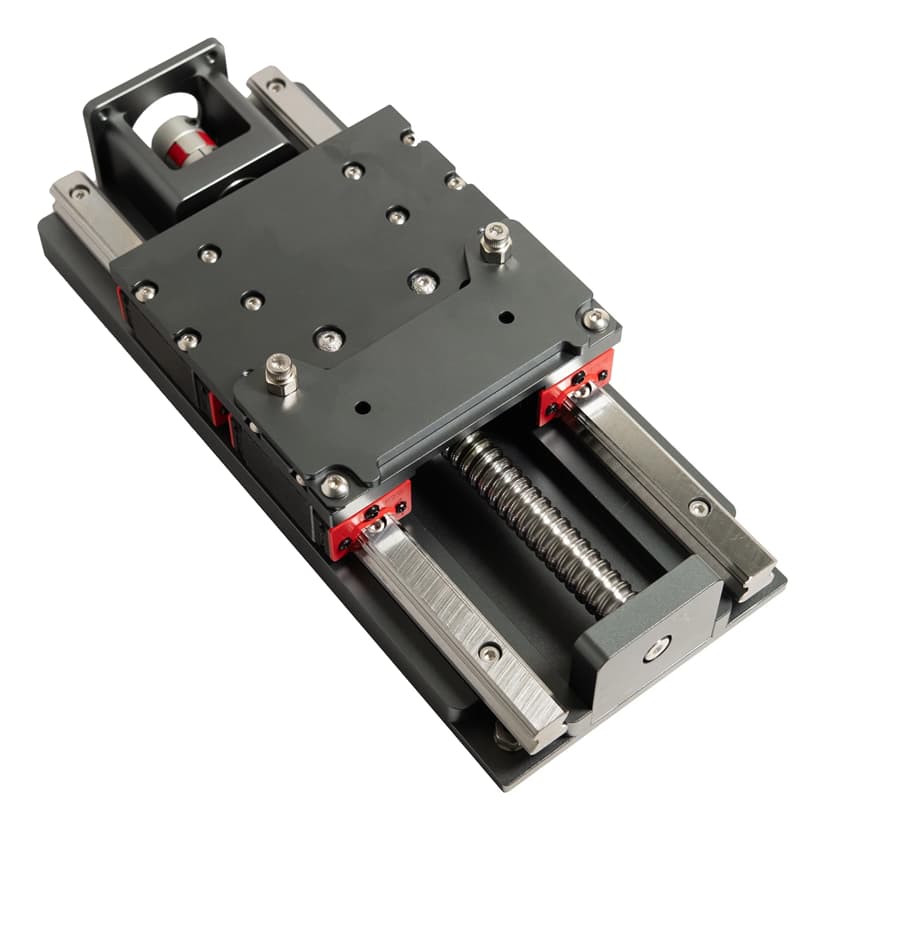
The HDZ has a bearing at the bottom of the leadscrew.
Take a good luck at your Z and pick the correct one.
Power up Shapeoko and open Carbide Motion. Connect but do not initialize. Run the setup and pick the correct Z. After that you can connect and see if initialization happens correctly.
All Shapeoko machines starts initialization by moving the Z up to the top hitting the switch/sensor. If that passes the Z moves to the right reat and hits the X and Y switches/sensors. If all 3 switches are hit then initialization is complete and you can proceed.
Let us know if this fixes your problem.
2 Likes
That is what was happening…I moved and am using a new computer…I was now aware I had the z plus so was choosing the standard file…z would drive down instead of up to the prox switch…as soon as I realized this and used the correct file…amazing…it worked…Thanks
1 Like
This topic was automatically closed 30 days after the last reply. New replies are no longer allowed.