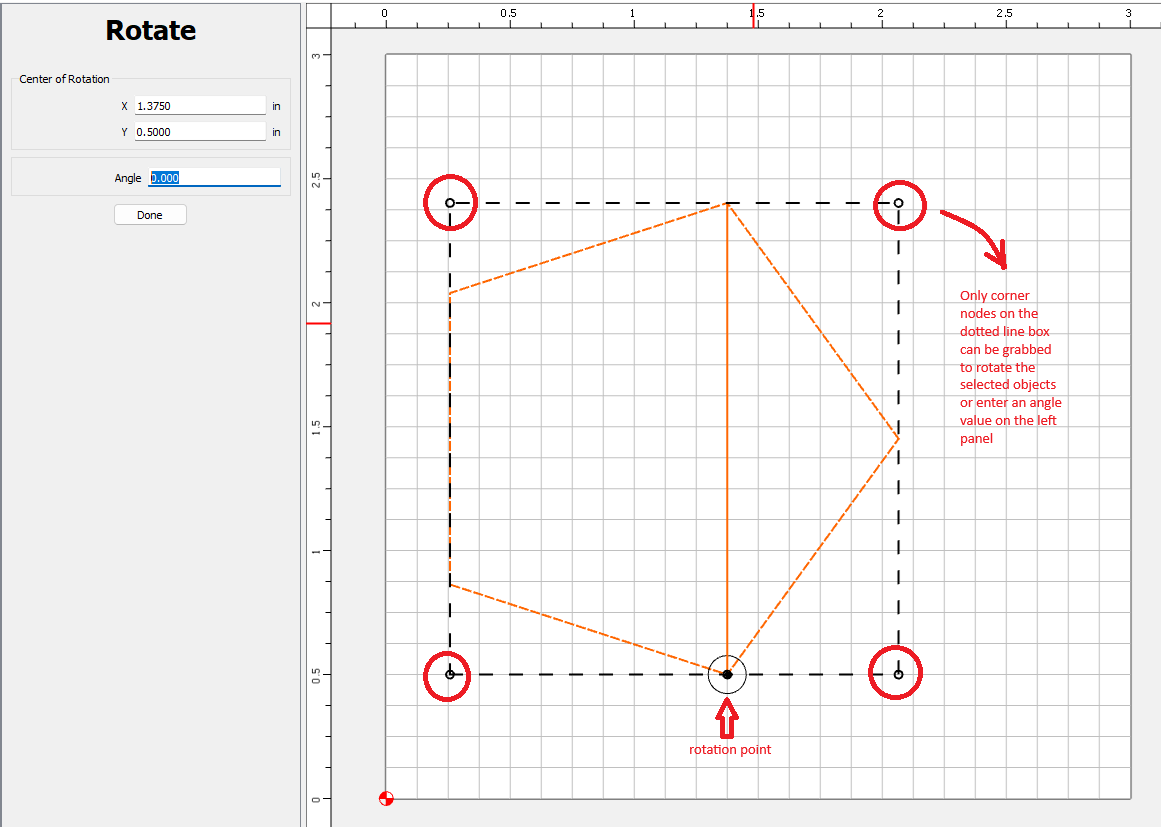
I am finding the need to use the rotation tool in Carbide Create often and am requesting a feature enhancement for rotating objects. Currently, the tool can be used to rotate a selected object by entering a center of rotation x and y coordinate and then either entering an angle value in the left panel or grabbing one of the 4 nodes in the corners of the dotted line box surrounding the selected object. This is ok for some instances but has its limitations. I am proposing an enhancement that would add the ability to grab a node on the selected object(s) and rotate it to another object’s node along a circle of rotation centered at the defined center of rotation. Shown below is an example that I am describing.
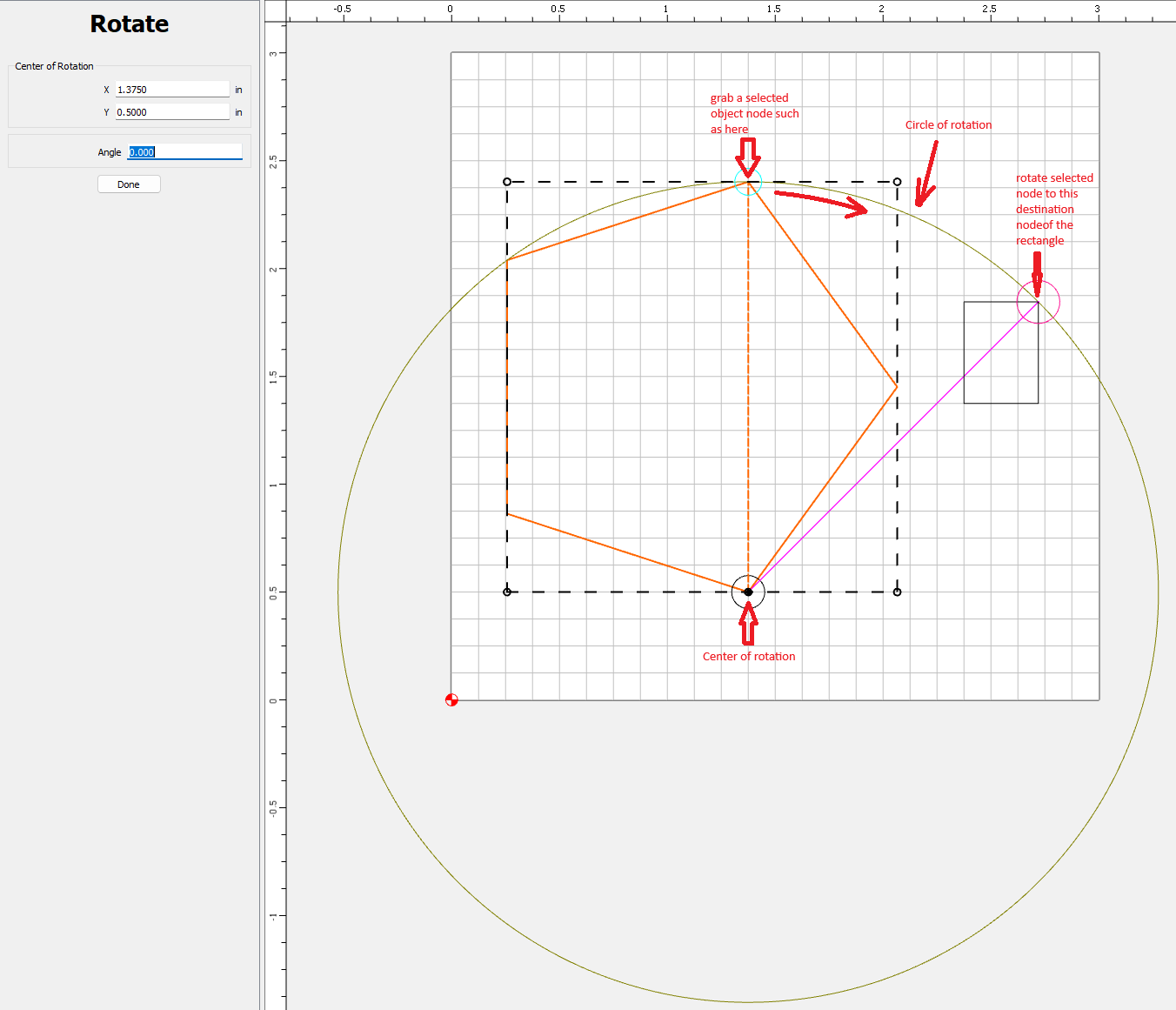
My thinking for requesting this feature is for bringing 2 objects together. One of which is the selected object with a node to be rotated and the other object that has a target node to be rotated to. The 2nd object that has the target node to snap to is moved to the circle of rotation, then do the rotation of the first object to the target object node. Once these steps are done, then the entire resulting objects can be moved/rotated together where desired. The main reason of my request is to add flexibility to the rotation tool so one can grab a node on the selected object instead of only being able to grab one of the 4 corner nodes of the dotted box. Plus, the ability to snap to something (grid intersection, object node, end of an open vector).
Is this capability possible as a feature enhancement?