I doubt if this is of any interest to anyone but me, but I decided to try implementing a Fusion plugin to solve my “engrave on curved surfaces” issue (previous thread, now closed). I use the openvoronoi package on github to calculate the 2D paths (“medial lines”) and clearance circles (becomes depth using bit angle), interpolate them, and then adjust them to the surface. As my old physics professor would have said, this is “hunting ducks with ICBMs”, but was kind of a fun exercise. I’m away from my home these days so haven’t actually run it on a machine, but it simulates OK (using the contour toolpath which, despite it’s name, follows 3D paths giving the effect of a 3D V-carve). (I’m not sure if I will release it, as a C++ plug-in I think it would be pretty fussy to support. I tried Python initially, but found it too sandboxed).
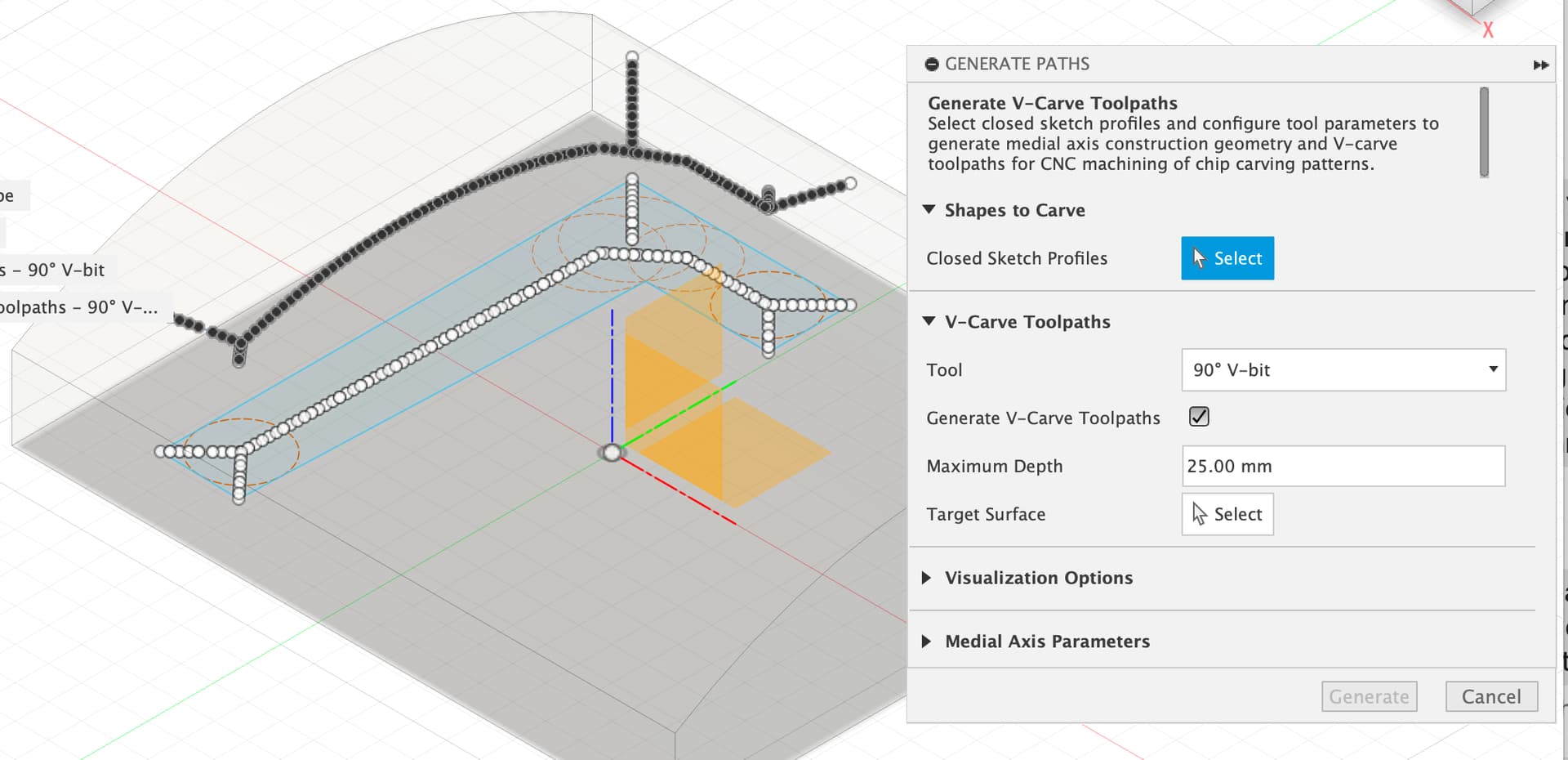
This looks super cool. For what it’s worth, I’d rather you make the code available with an explicit statement that you won’t support it or something 
If only because the more fusion 360 plugin examples the better  (especially c++examples)
Did you try the Trace tool path option ?
It’s been 25 years since I’ve really done much programming, basically software management since then (for radio astronomy of all things). I think I would not have had the patience to sort out interacting with the API, setting up the build system, …, without using AI assistance, but with it it was all pretty straightforward (but probably the resulting code is not that tight (but probably better test coverage)). Once I’ve used it in anger more myself I’ll probably make it visible, but there’s a huge difference between making something that works in general vs. something that works with a set of implicit assumptions (e.g., I calculate the surface height by raycasting from +Z so, e.g., it will work with a mesh of a solid surface, but that assumes that the orientation is already the way that your CNC will ultimately be aligned).
Yes, trace. That was a brain fart on my part. Thanks for pointing it out.
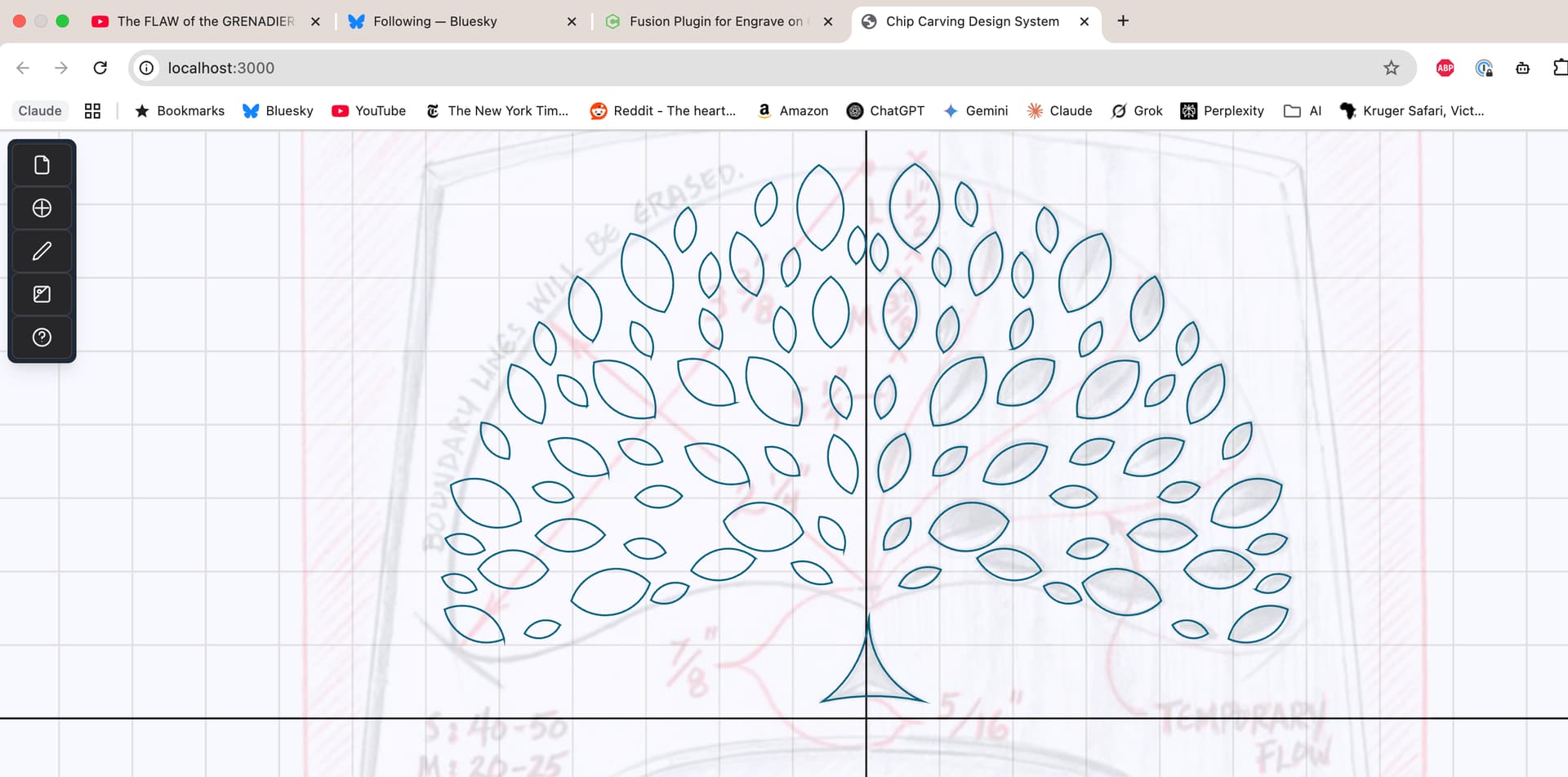
I should probably have mentioned that I also wrote a little browser front-end program to generate the particular kind of pattern I’m interested in. It will only be a win if I do a lot more of this. (But the fusion v-carve like paths on a curved surfaces only rely on closed profiles in Fusion sketches, however they are generated. (They are polygonized if they contain curves since openvoronoi only works on polygons)).
It basically allows you to load a background image with the design, calibrate its size, change the transparency, and then draw / edit shapes, with convenient editing, copying, mirroring, and random “jiggling” (so the mirroring is not so apparent). The fusion plug-in can obviously read the format this writes, but again the fusion plugin only needs closed planar profiles however they are generated.
If that’s a fun mind game, look up drag knife path generation. Could use one of those.
Would your code allow for a 2d path to be projected along a vector to a mesh ?
Looking to create a path or roads applied to a terrain model.
It’s not set up to do that now, but I think the approach would work with the caveat that only the sampled points would be exactly on the mesh, the curves would otherwise be a bit above or below the mesh depending on how jagged the mesh is and how finely you sample the curve.
I know it’s hardly optimum, but it’s worth a try.
I have another block of wood. If that happens I will take @CrookedWoodTex suggestion and make a mold to hold it .
I am running out of time and it’s hot in the garage. What you do for grand kids.
I have a project I need to do with this same scenario but this is a little too complicated for a carpenter
I made the repositories public:
https://github.com/bglenden/carving-fusion
https://github.com/bglenden/carving-schema
https://github.com/bglenden/carving-designer
There’s not really any user level documentation yet (or maybe ever), but I thought I would at least make it visible.
Briefly, the fusion plugin ends up in the Utilities top level menu, and Generate Paths allows you to select closed sketch profiles, and pick a target surface to project it to. Check “Generate Visualization” if you want to see the medial lines (approximately midpoint “skeleton”) and clearance circles (smallest circle that touches at least two edges, used for depth calculations along with the bit angle) that it calculates using the third party openvoronoi library, also in github (my fork to get it to compile on MacOS is available and I’ve generated a PR). It will create 3D sketch curves which can be used by the trace manufacturing toolpath. (The import design option reads the files created by the design program, which only has the two shapes I needed for my particular design at the moment).
I used Claude AI extensively for this - I hadn’t done any real programming in ~25 years. It was mostly marvelous, occasionally maddening. You still need to have programming experience to use it for things that are non-trivial IMO. The fusion plugin and design program are each about 10k lines of code, and a similar number of lines of test code. The code is probably not particularly tight, a disadvantage of any automation. I would definitely have been too lazy to get up to speed with modern software/technology stacks and figure out the Fusion API without the AI.
This topic was automatically closed after 10 days. New replies are no longer allowed.