Starting a new job and I tried setting zeros
X Y as I always have done to the front left corner of the stock. When I hit start I am getting a msg that “ the project will hit the left of the machine “ .I have tried resetting the zeros several times but getting same msg. ???
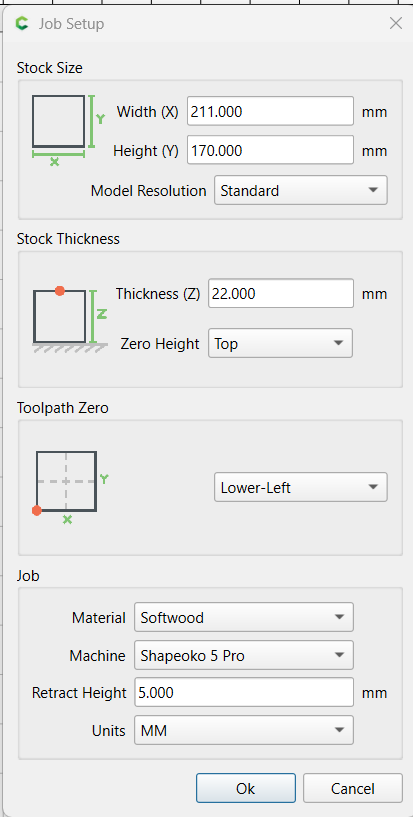
This is a warning as noted at: Carbide Motion Bounds Checking | Carbide 3D Usually it is caused by a mismatch between job setup:
and how origin is set relative to the stock:
https://guides.carbide3d.com/running-shapeoko/movements-zeroing/
I find that opening the .c2d file up and drawing a box which matches the specified dimensions (draw up the cut in profile if need be) or moving the machine to the origin and then using a tape measure to measure out the dimension(s) in question will make clear where things aren’t lining up.
If that doesn’t help, upload the file and a pair of screen grabs from Carbide Motion showing Position and Machine Position (click to toggle) and a photo showing the stock clamped in place and the machine at a specified offset from zero.
1 Like
You might want to run setup. Sometimes the wrong machine gets into the shapeoko.json file. Not often but it wont hurt to run setup.
Will,
This is a dead link
https://guides.carbide3d.com/running-shapeoko/movements-zeroing/
Moved to:
I did run setup and didn’t correct the problem
This topic was automatically closed after 30 days. New replies are no longer allowed.