Hello,
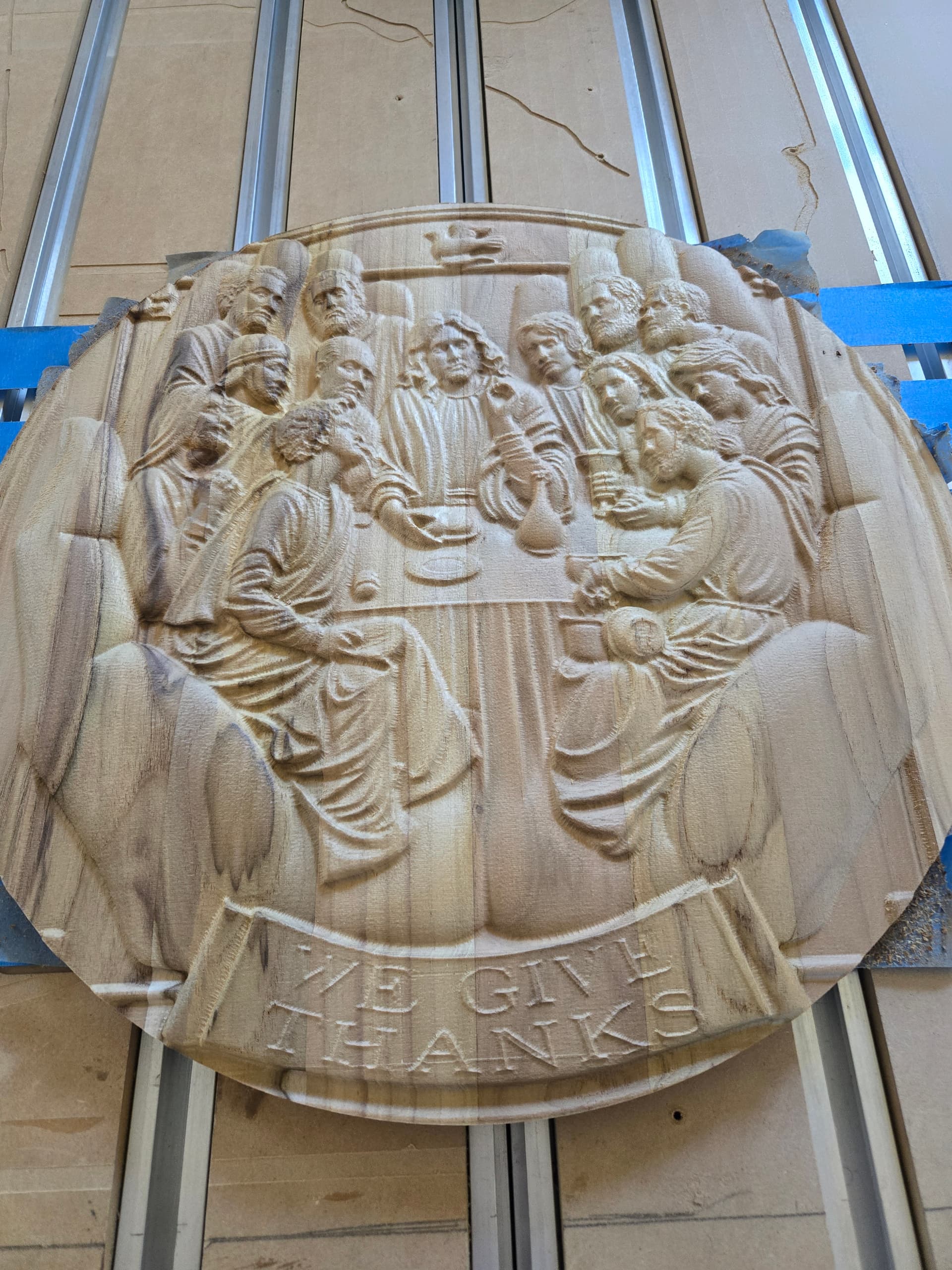
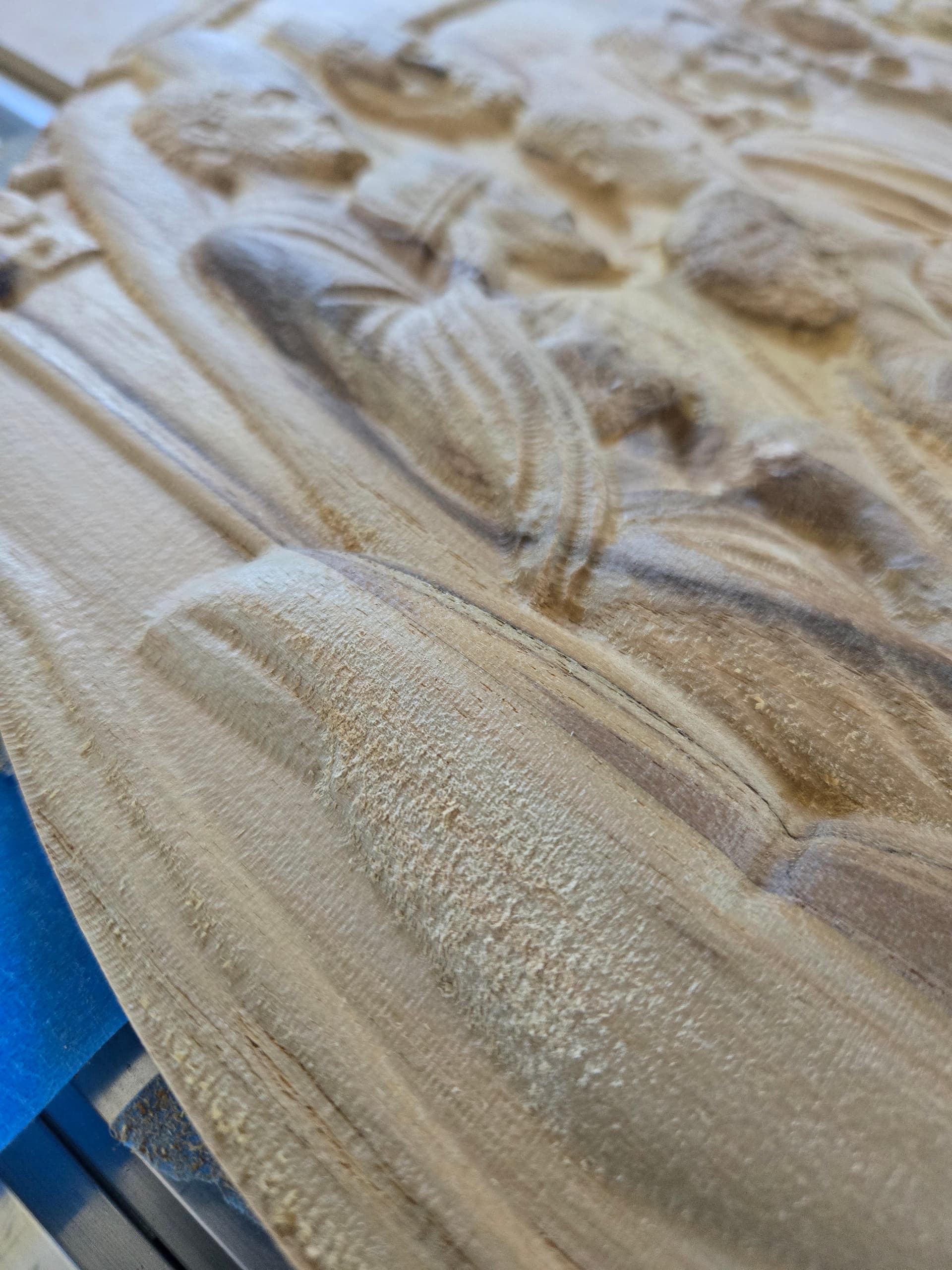
I just completed my first 3D carve using Carbide Create Pro ver. 8.36. I have a Shapeoko 5 Pro with a spindle. I’ve attached pix to show the issue I’m having.
The carve was completed using a #251 down cut 1/4-inch endmill for roughing, and a #101 ball nose endmill for finishing. Standard speeds and feeds. The wood is Teak from a blue big box store.
Can I run a second Finish pass with a smaller bit to get more detail and to get rid of the fuzz? I thought I heard someone state that if you go with the grain, it reduces the fuzz, True or Not?
There is an option for 3D Finishing toolpaths “Stock to Leave”, which is the same as for 3D Roughing toolpaths — the intent is to leave stock uncut, so that a successive toolpath can be run and that follow-on toolpath will have material to remove and will cut, not rub.
Probably you could just set up the 3D Finishing toolpath w/ the smaller tool and run only it — the design looks to be complex enough that there will be sufficient material to remove that rubbing won’t be too bad.
Will, one more question if you don’t mind.
If you look at the top picture, The text didn’t come out - the E in partially missing at the end on GIVE.
I was thinking I would sand the area smooth and attempt to V-carve the text.
Can I put a V-carve over this 3D?
Any advice as to how I would go about this, as far as getting the text in the correct location?
Many woods will give you some fuzz, to varying degrees related to technique, no matter what. I see it in teak. My hypothesis is that, being waxy, the uncut portions hold on to fibers in the chips more than in most other woods. Some other woods leave fuzz because they’re “stringy” such as red oak. In those woods it’s more likely higher concentrations, or more cross-linking, in the lignin component of the cell walls.
Try cutting a sample area in hard maple for comparison. BTW, pretty good job for the first time.