Sorry to blast this out there, but I need to know if anyone has seen this.
I spent hours yesterday on my first hand built design, getting everything correct. Design, Toolpaths, etc.
Went to open my file on the machine that I run Carbide Motion on and needed to change the stock depth, and everything seems blank.
The files has 1.5M in size… I save often… None of the additional copies will open.
Specifics:
Original machine was running a slightly older version
After open\close all day yesterday, the original machine won’t open the files either.
I signed up for the PRO test drive, but so far that is not going well if there is no way to save files on one machine and open them on another. AppState Logo v3.c2d (1.5 MB)
This is the best that can be recovered. It looks like something was funky on your computer as the file was being written, so the data was corrupted. (Network drive, Dropbox/Google Drive, or a thumb drive got removed before the operating system synced everything?)
It is a Drive attached to my Home Network Router… I was tying to use it to share files safely across my computers… I also made sure that everything on computer was closed and sync’d before I shut down the pc…
I’ve always recommended saving locally, then copying over.
I also retain my old habit from Quark XPress of after making a major change, saving twice, once appending a description of the current state, the second, renaming the original w/ the current date/time and moving it into a “backups” folder, then saving with the original name in that place.
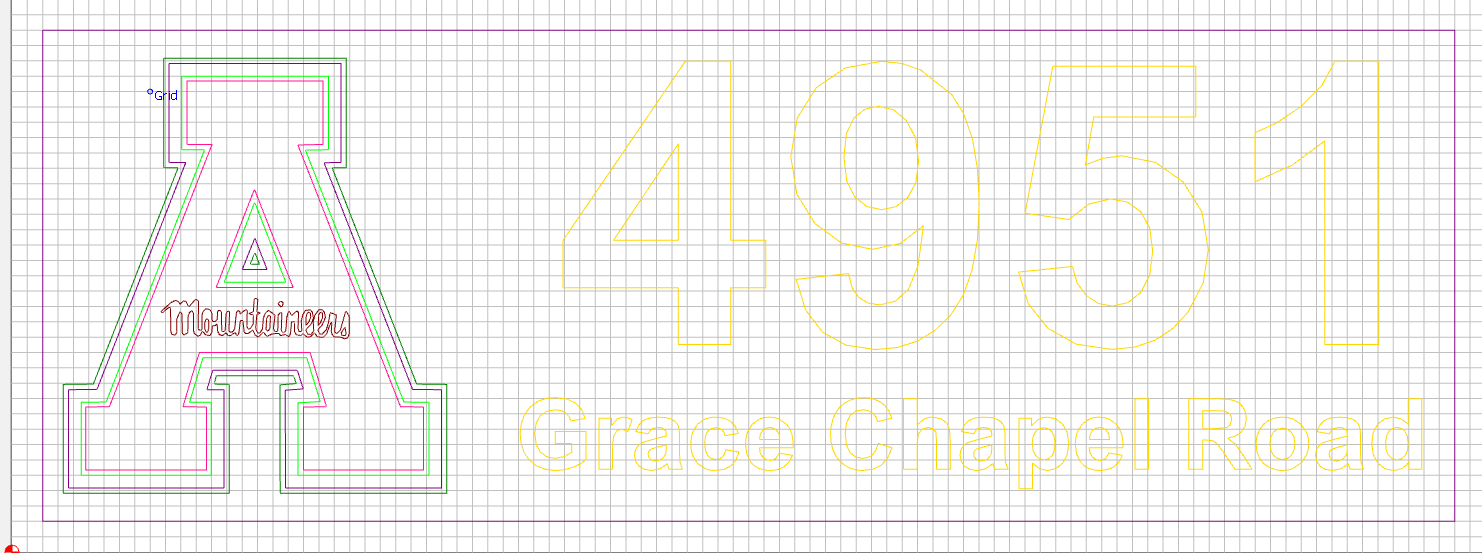
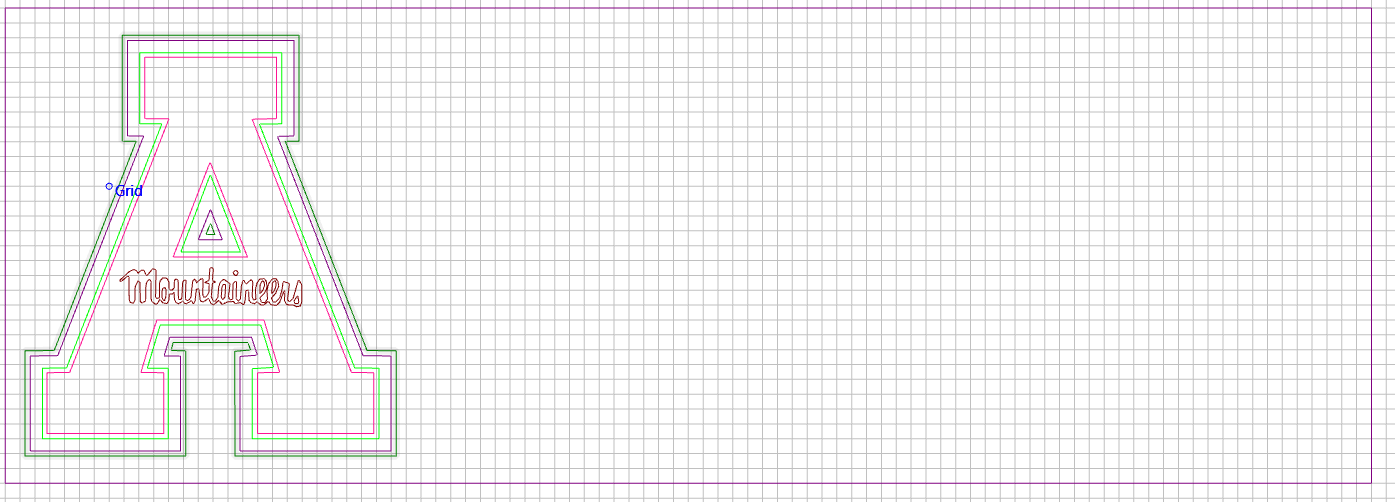
Give you a weird one… When I opened the recovered file in Build 842, I get what you see… Since 843 was released, I updated then was only able to see the “A” image… Looks like a big change in file format between the two versions.

 I HATE that program.