I make IDs for family and friend Key fobs.
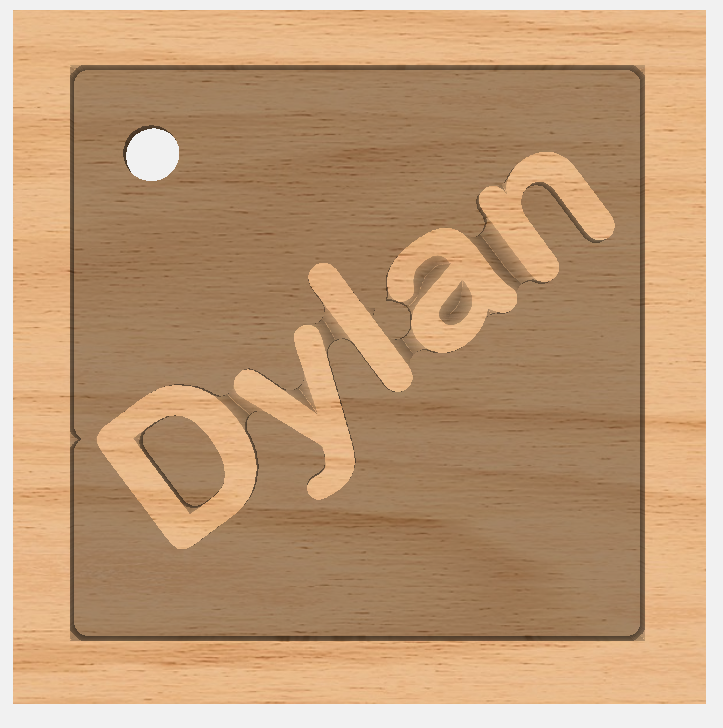
I am trying a new method with a tray and with the name elevated.
I did it, but did not write how I did it.(duh). I have tried multiple times, but could not recreate it.
Can someone tell me WHAT i need to do to recreate it? (what to select first, second, which boolean operation, to select keep original vectors or group vectors .
This is a picture of the desired result.
Thanks.
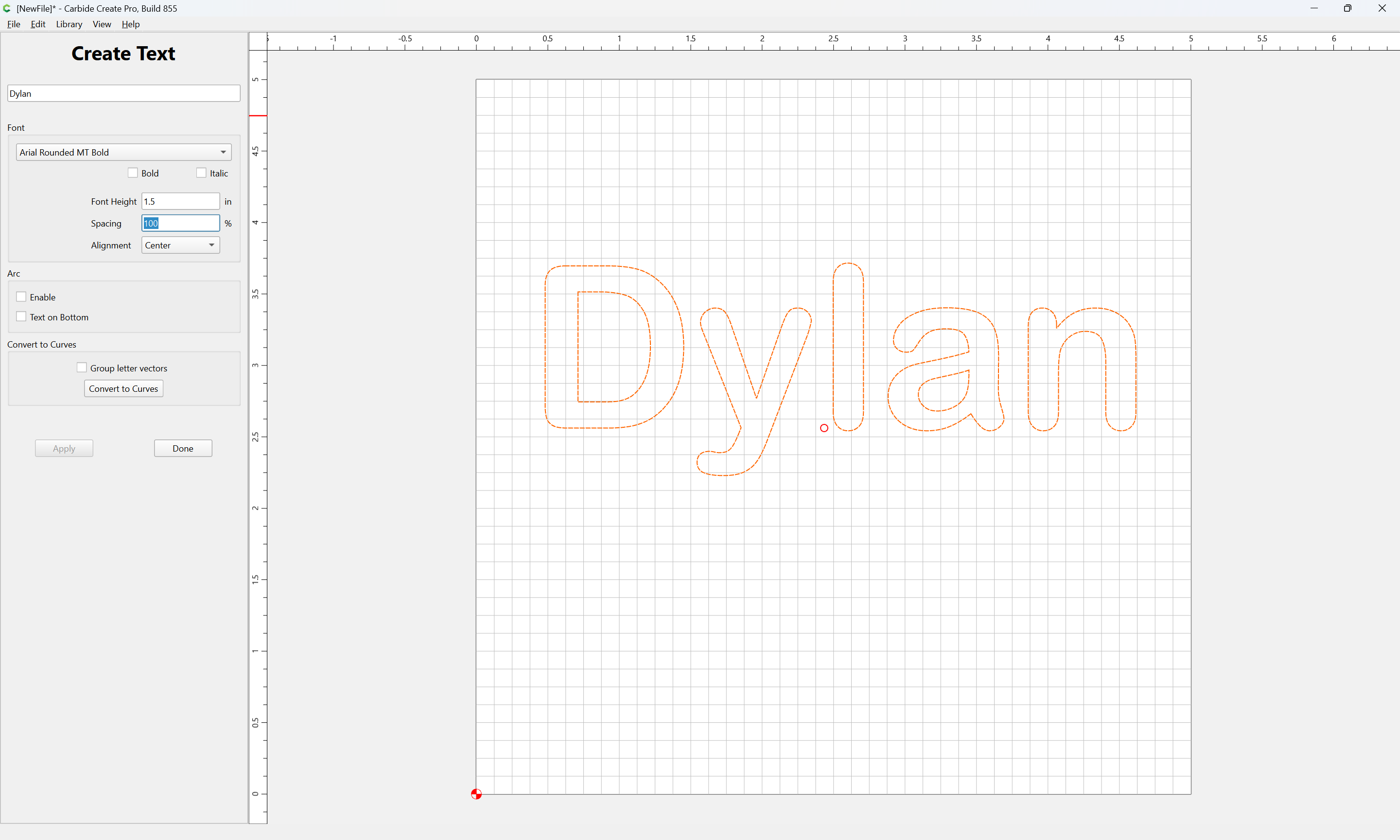
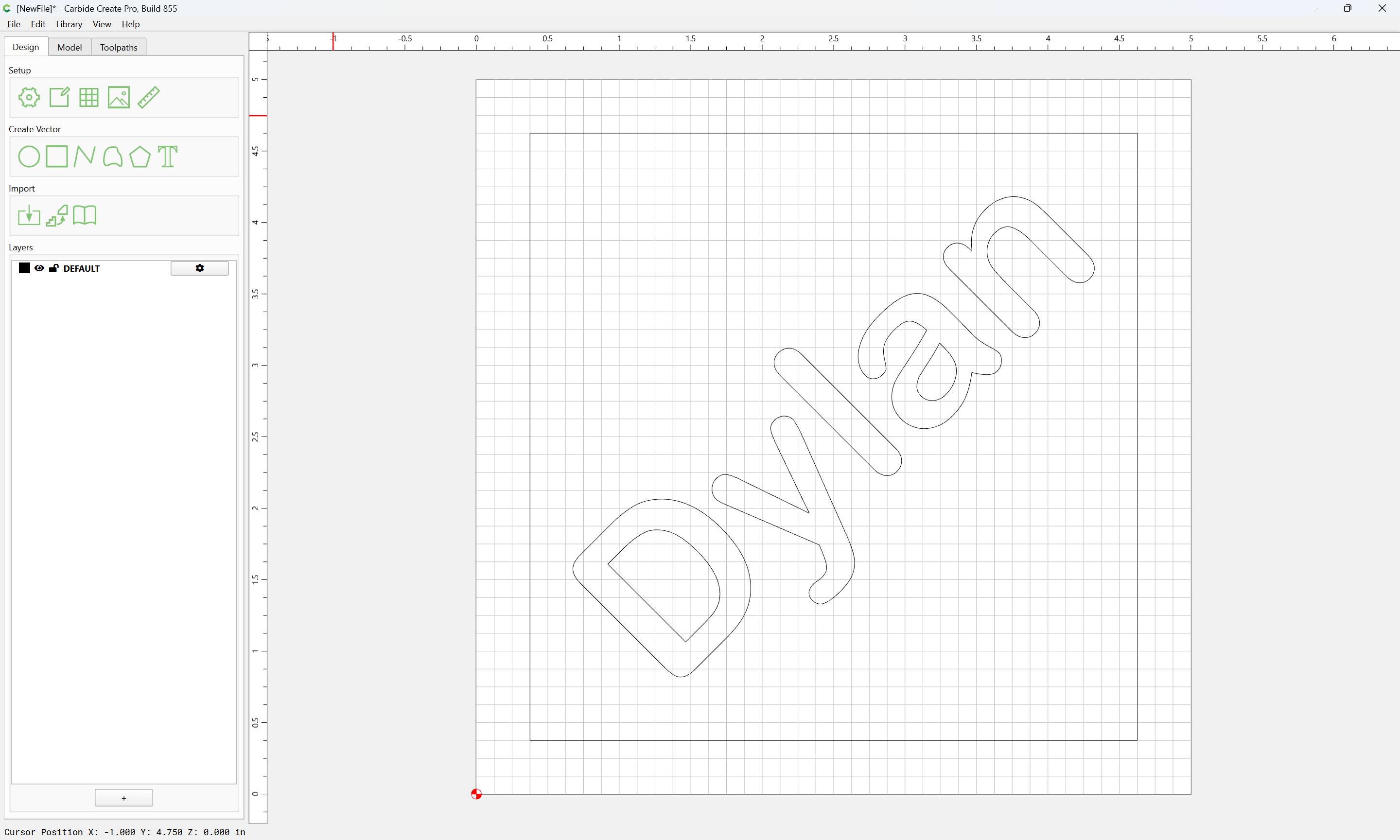
No Boolean necessary for this, set the text:
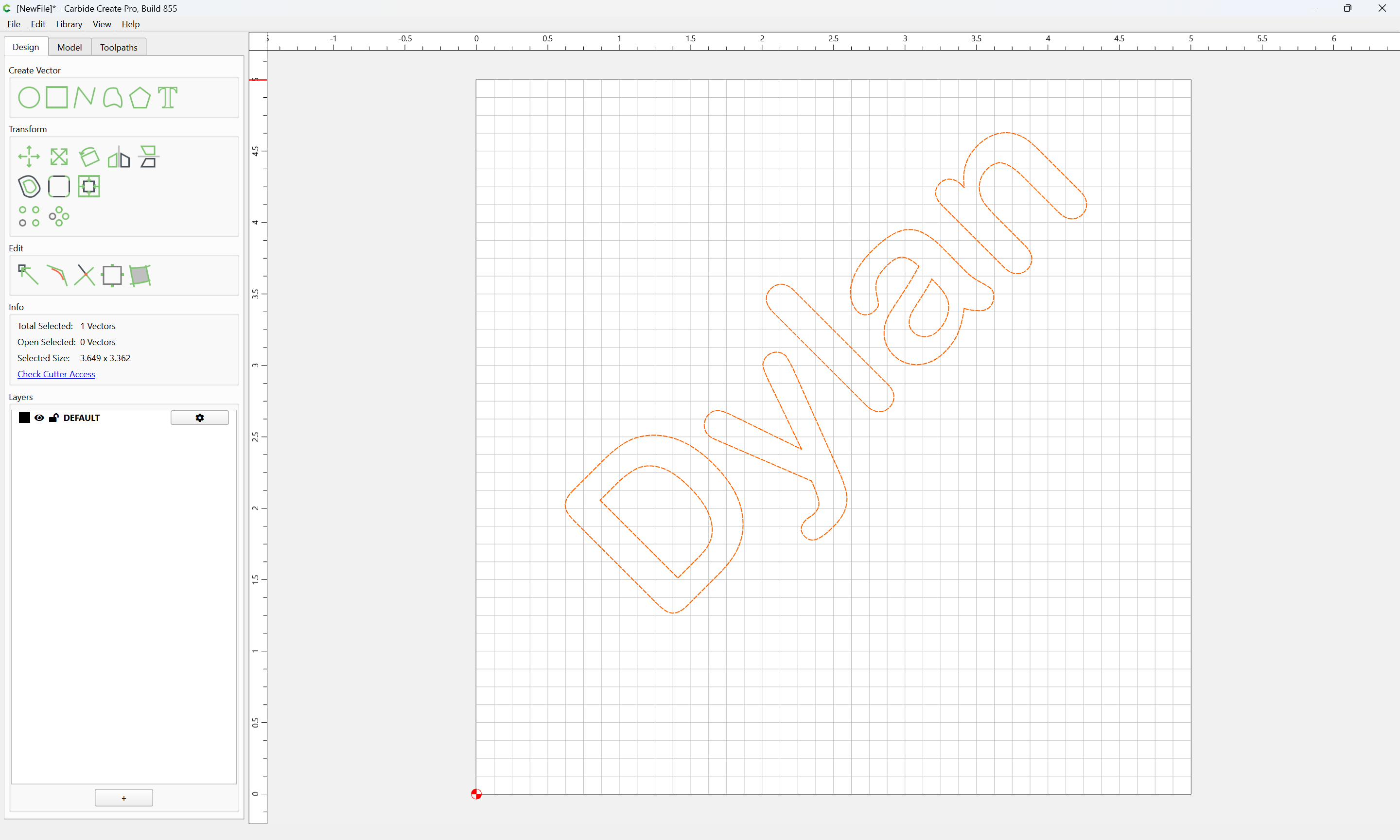
Rotate it:
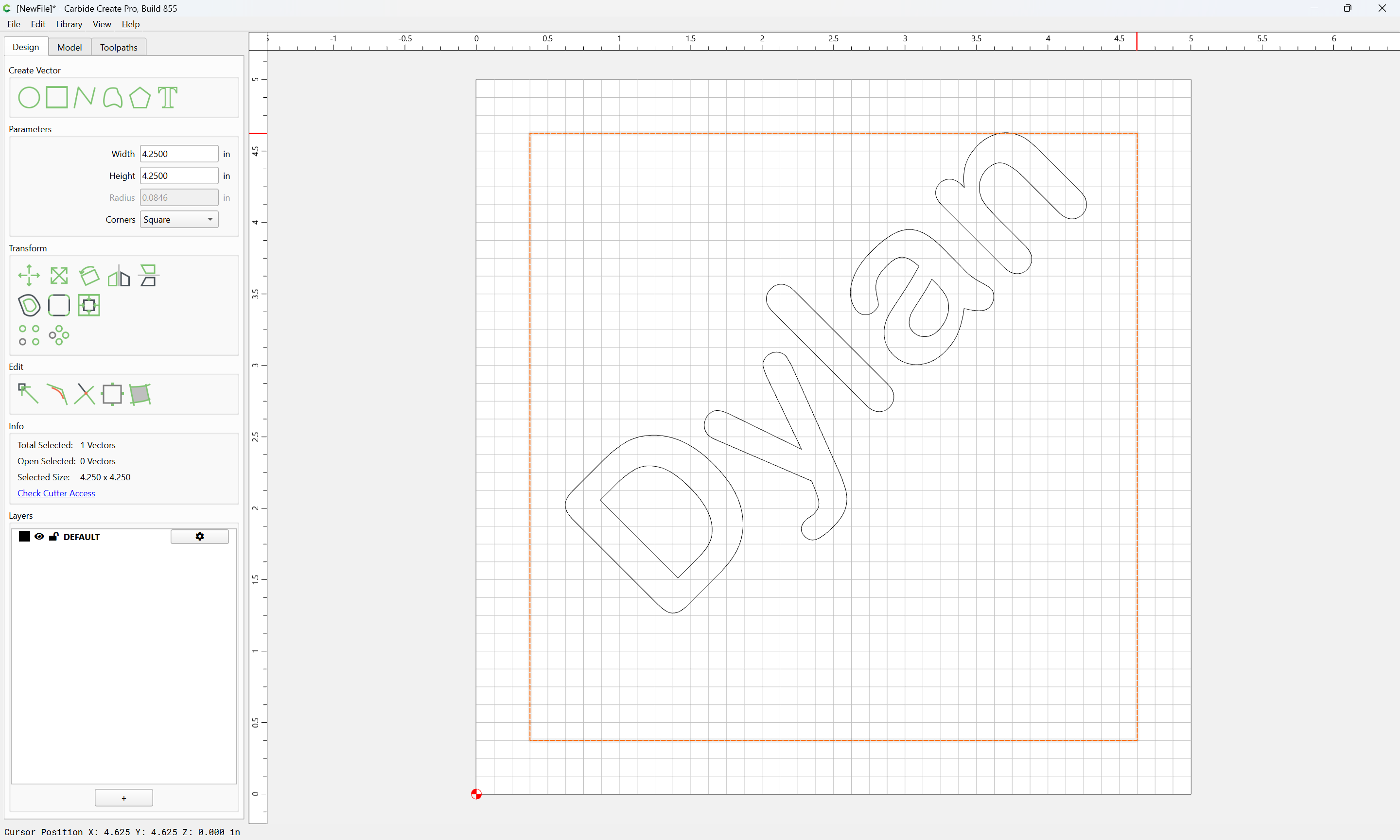
Draw some surrounding geometry:
Center things:
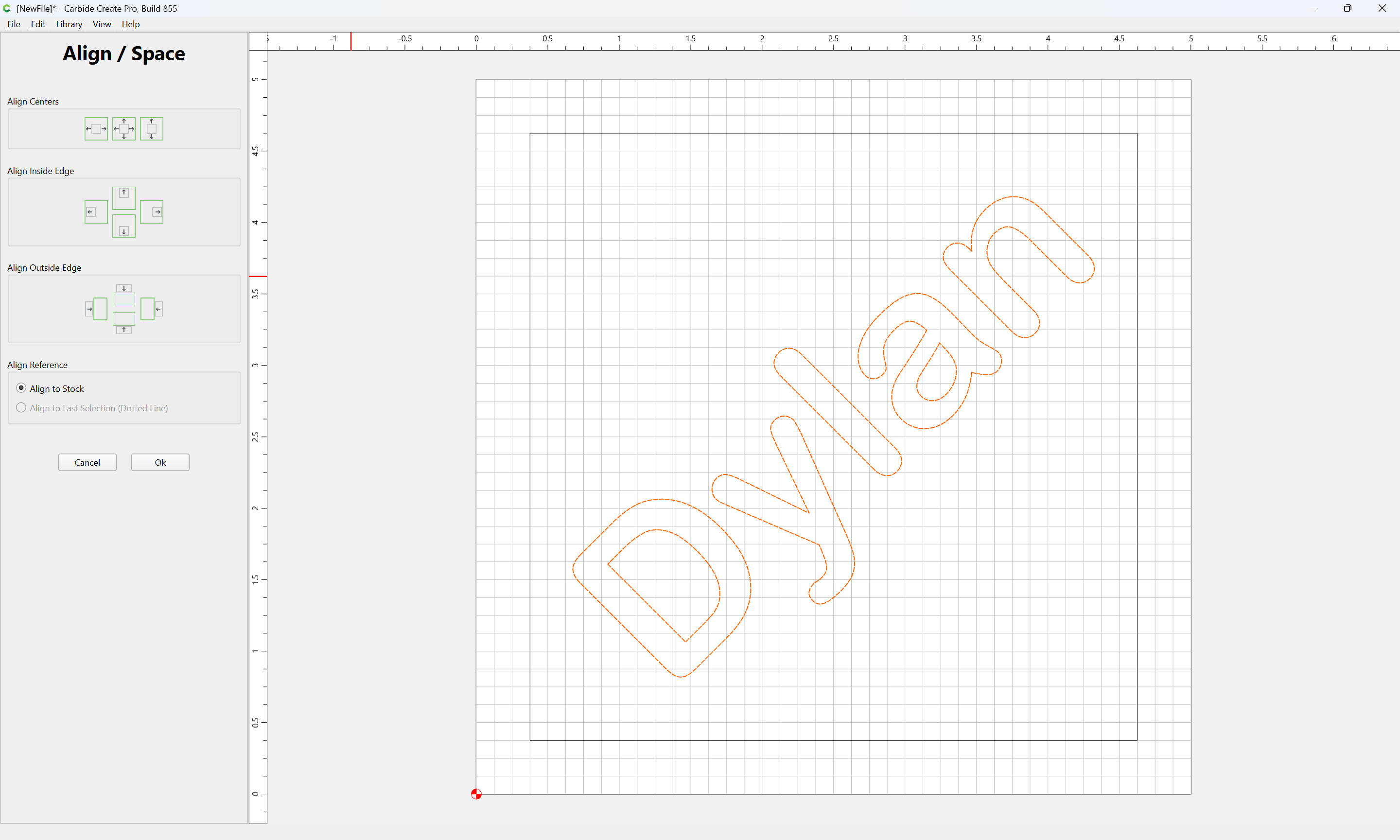
Select everything:
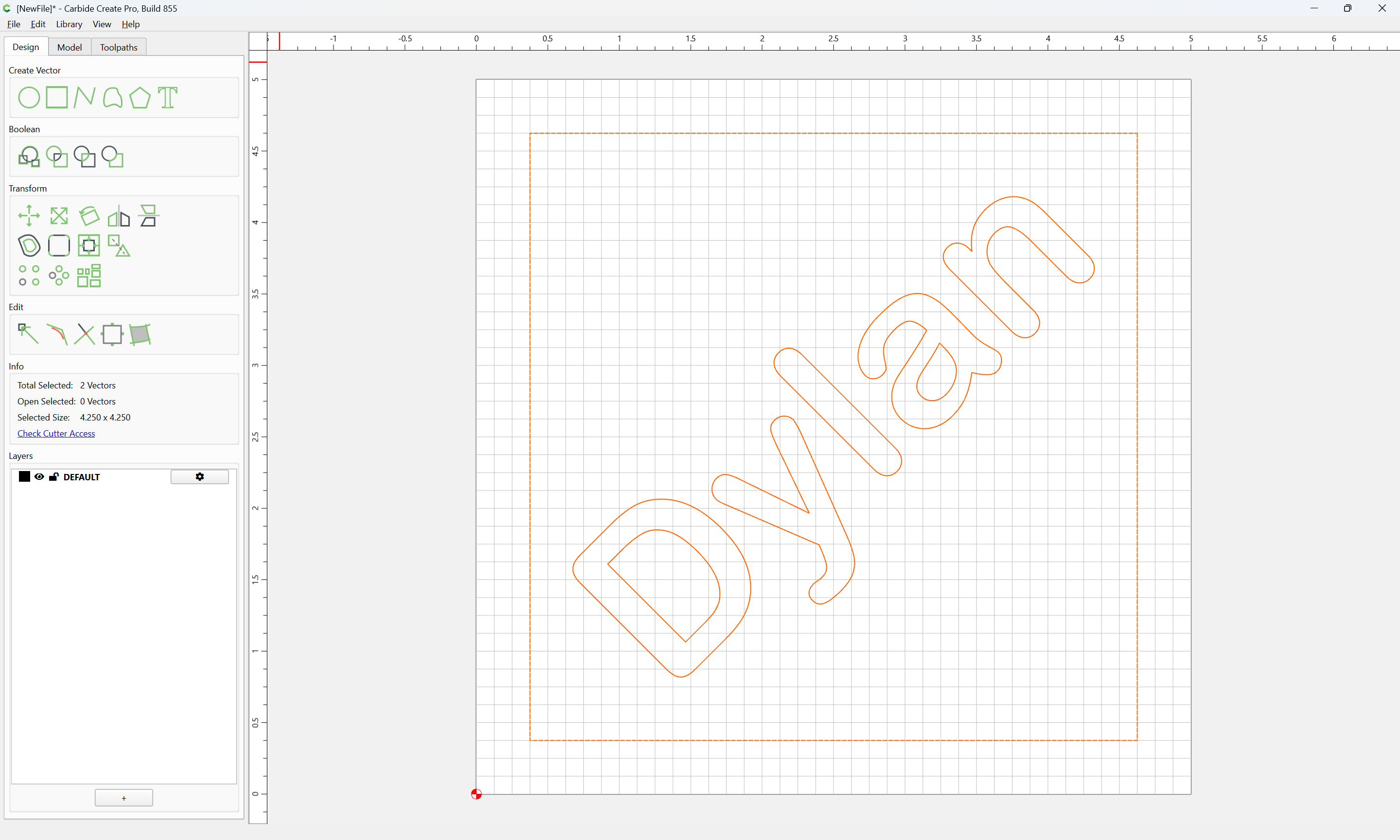
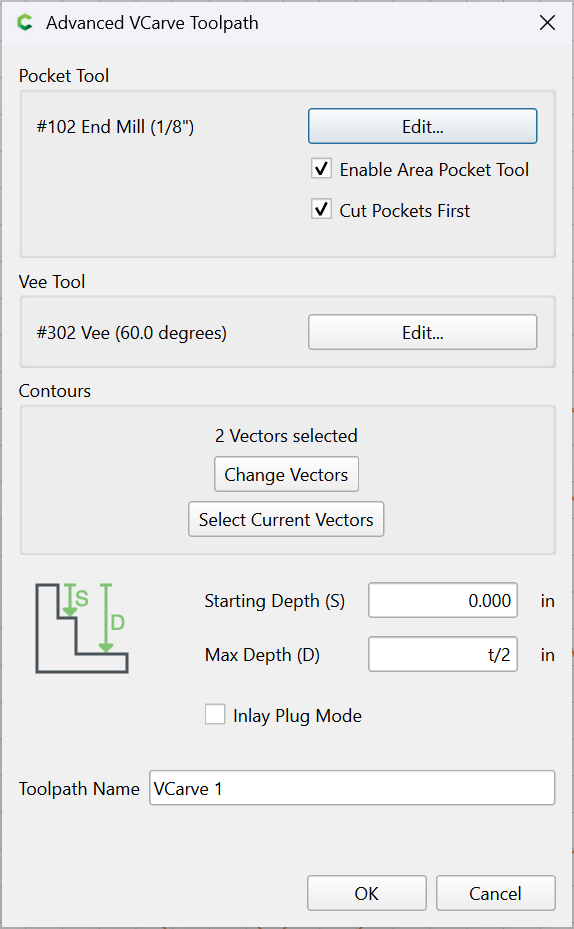
and assign suitable toolpath(s) — looks like a V-carving:
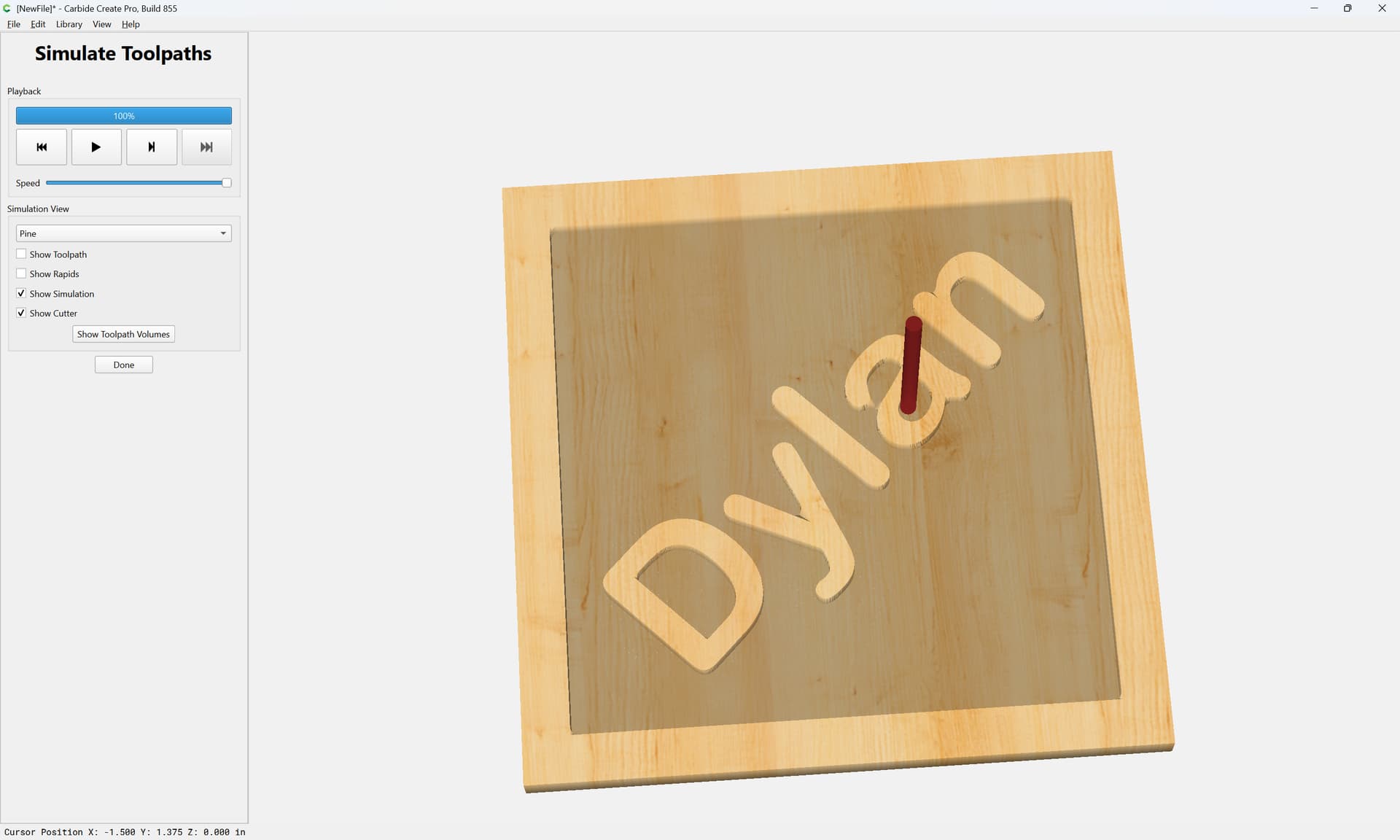
which previews as:
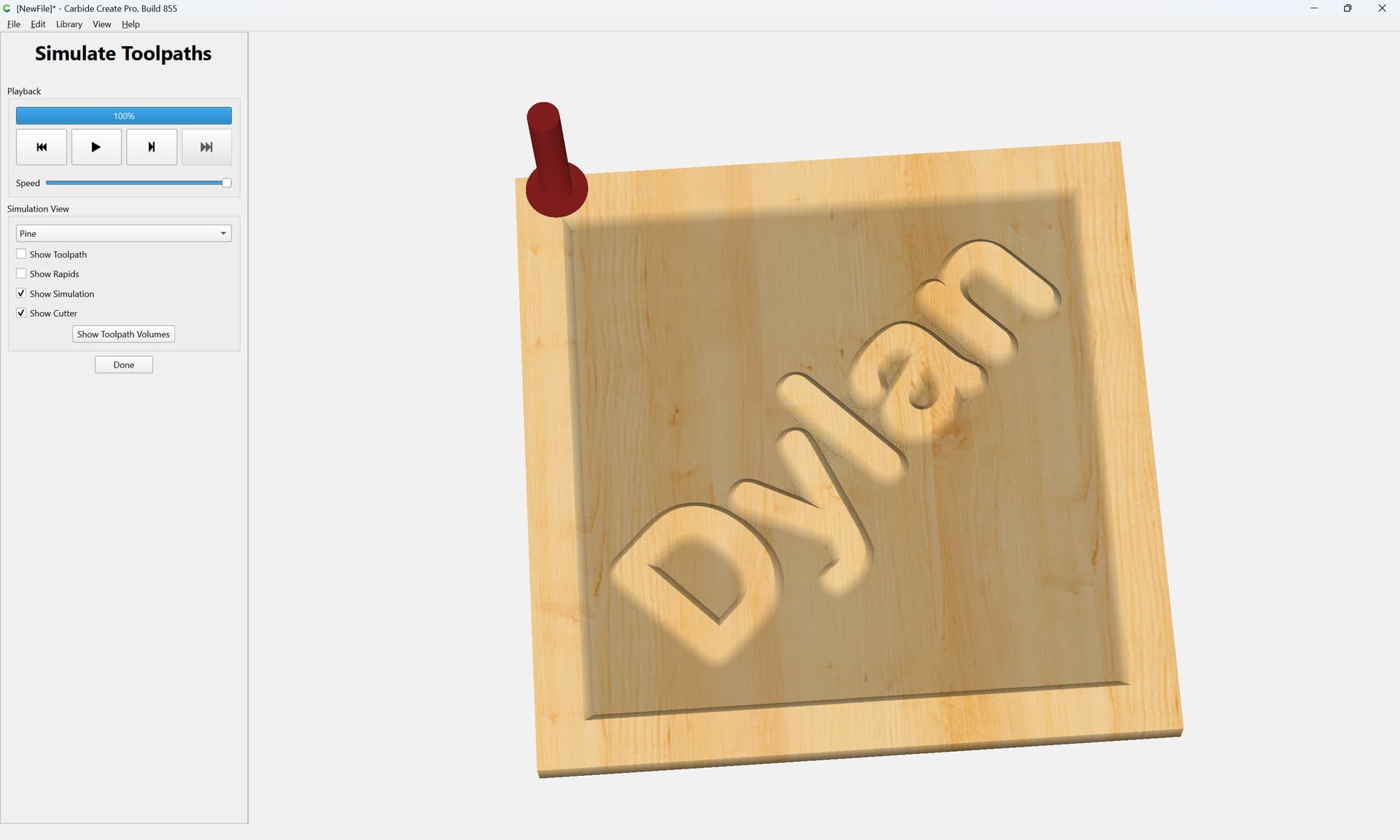
but it looks as if an inner contour was applied as well:

1 Like
Further, please note that Carbide Create is not a black box.
If you have a file, it is a pretty straight-forward thing to open it:
Switch to the Toolpath pane:
e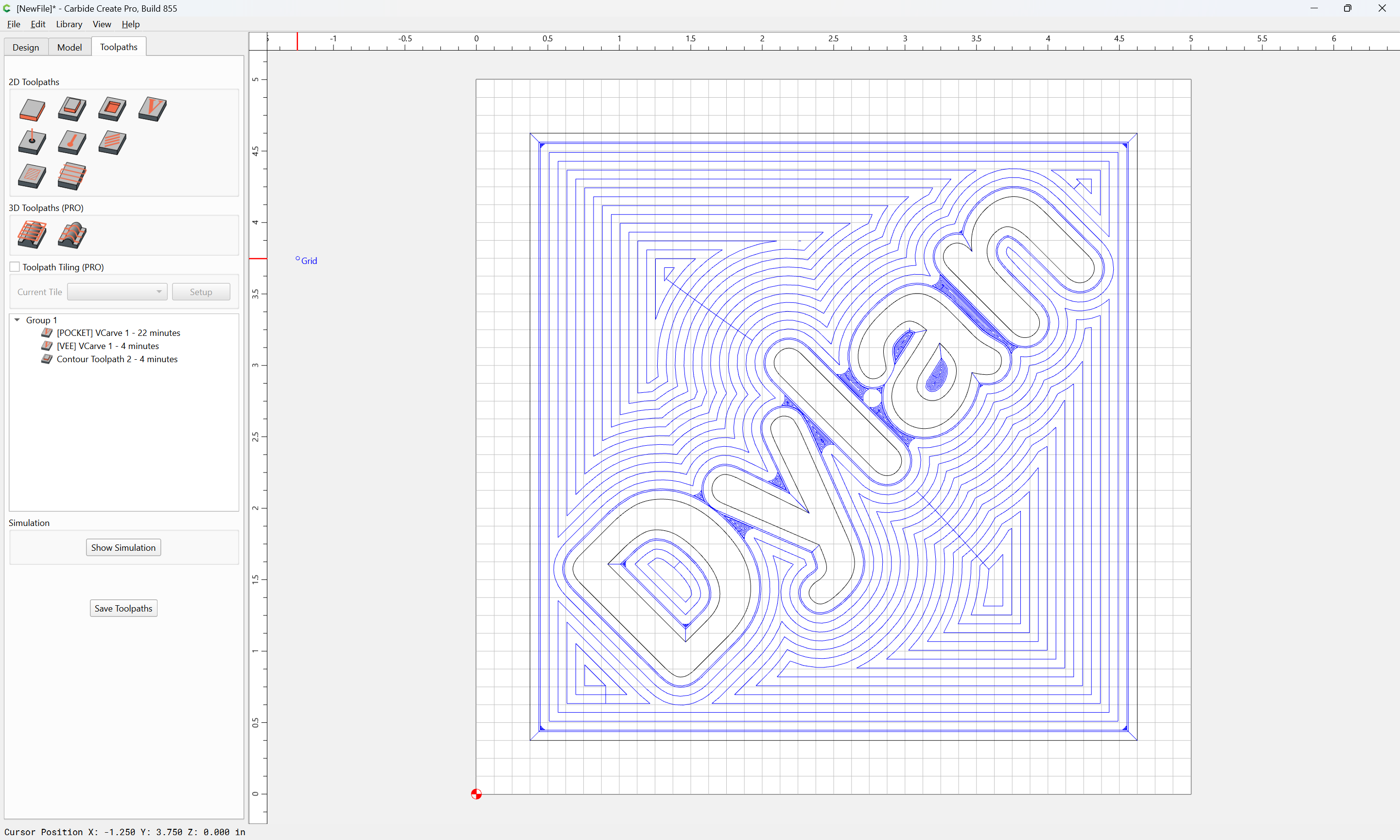
Right-click and edit a Toolpath:
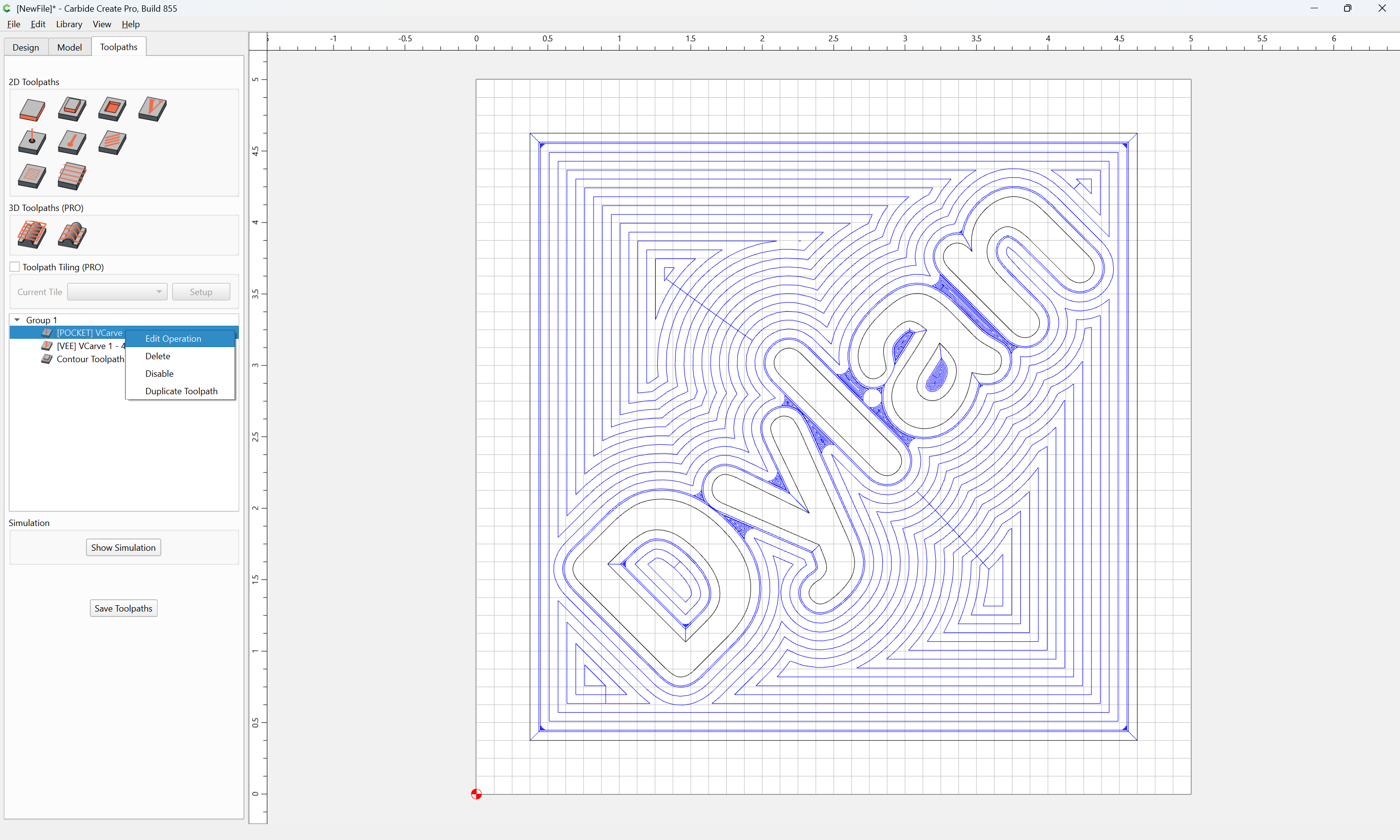

Click the “Select Current Vectors” button:
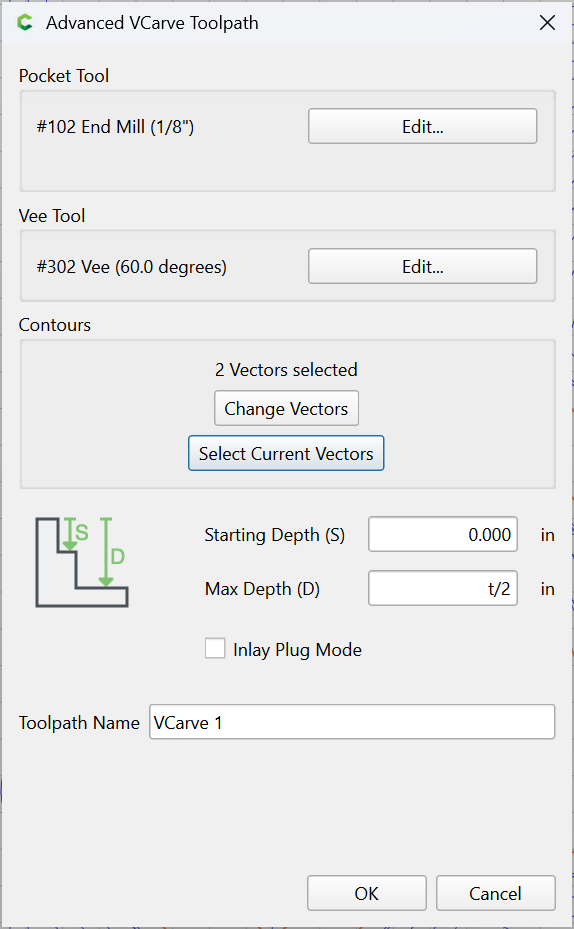
OK
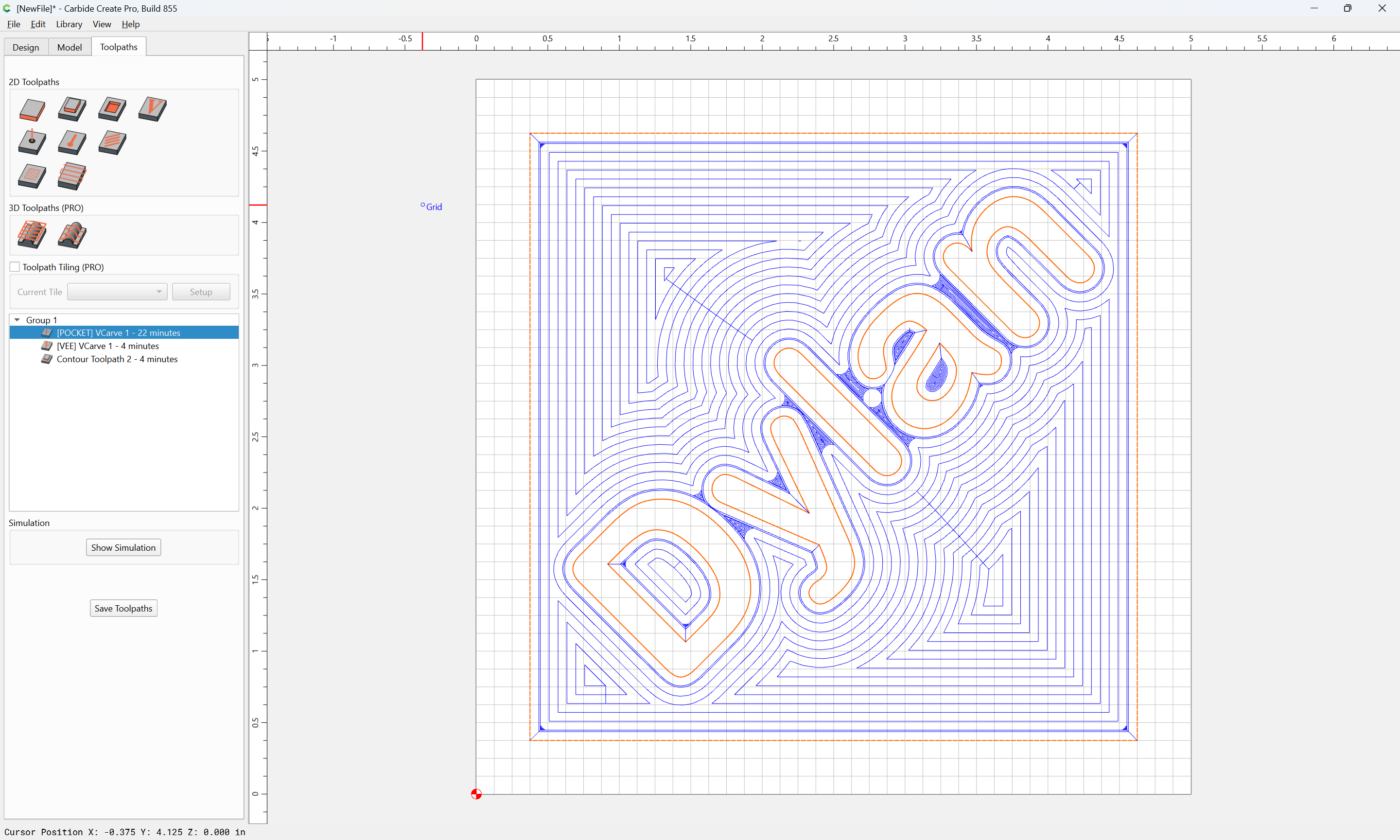
Then switch back to the Design pane to see the selection and if desired work with, and adjust it.
For a textual reference on this, please see:
3 Likes
Thank you. It worked perfectly. I’m not sure what you meant by a black box. . .
I was wondering though, COULD it use boolean application to achieve the same thing. I have no experience (obviously) with it. .
By “black box”, I meant a tool whose output could not be examined to determine what parts were active and how the effect was accomplished.
Boolean operations only affect elements which cross/intersect — in this design there are no intersections, so no Boolean operation would effect a meaningful change.