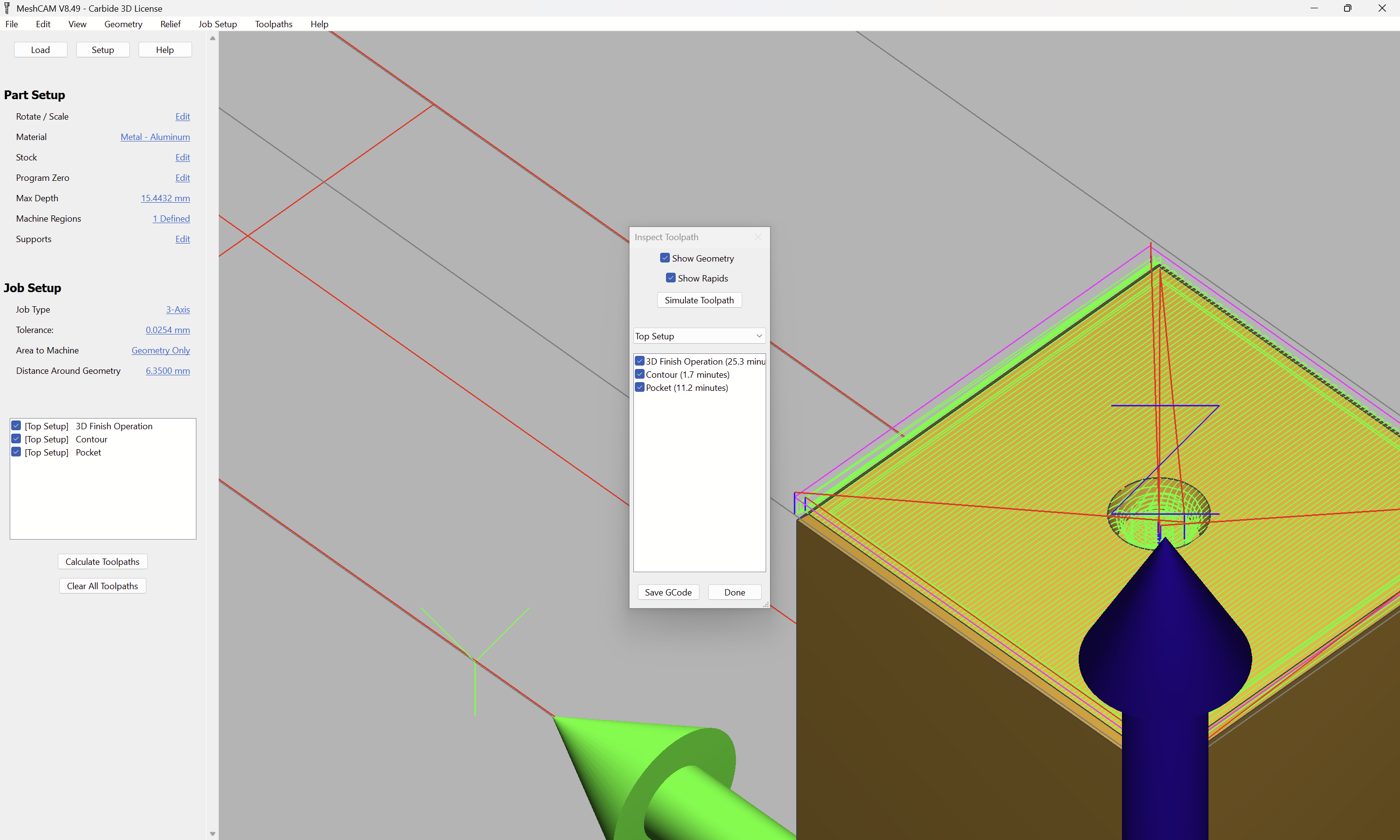
I’m having a hard time with MeshCam. Can someone tell me what I’m doing wrong?
The goal, to face, chamfer, and pocket a dice face. I started with loading selecting the face to clean off (3D Finish operation, pictured), then selected a contour tool path, selected my edges, finally, I selcted the pocket tool path and selected the polyline for the hole. The end result in the sim is a faced, questionably chamfered edge (10 min!) and no pocket. What in the world am I doing wrong?
Will, Thanks for the reply. I am using a 2.6mm ball nose for a 3 mm hole to a depth of 1mm. This should get the desired effect I am looking for. File attached.
Another aspect is the calculation tolerance. Always change it to at least .0001"/.003mm or smaller. On intricate toolpaths (and your dice pip is one, because it has strong curvature) it will make a significant difference. With the way MeshCam calculates toolpaths, the tool diameter should not be more than 3/4 or so the smallest detail it needs to fit in. Thus Will’s choice of the smaller endmill for the pip.
On the old grzforum I once likened MeshCam’s toolpath calculation to a blind person using a cane to navigate. If the cane tip was too big relative to an opening, the person couldn’t tell the opening was there at all. That is having the tool being too large relative to the opening. But tightening the calculation tolerance (and I see that you can go to a much smaller value these days–.0001" was the limit back in the day) is a major factor.