Hi everyone! I’m hoping to get some guidance on my sign design- specifically the tools used in the toolpaths of smaller details. I’ve attached the design file for a 22" wide sign that has some small logo details (company name and city has been removed for privacy). It’s my first sign design for a very patient and understanding client but I’m having trouble getting the small details to come out clearly. I first tried this using a 1/4 inch 60 degree vee bit and it didn’t look that great. My questions- should I go with a smaller vee bit? Maybe a smaller down/upcut bit? What would you all recommend for flawless detail work in this design? The idea is to mask this and then paint inside the carve out. Any thoughts, comments, or constructive criticism would be appreciated! TIA!
Sign details.c2d (584 KB)
Looks like your “fine details” are between 0.100" - 0.250" wide. I would think a 60° would be perfect for this.
What material? Is your workpiece perfectly flat and parallel to the cutting plane? i.e. Did you surface the top face to be flat before carving? What specific tool, and how are you masking?
Can you elaborate on “didn’t look that great.”?
I use Cody’s (Cadence Mfg.) 60° downcut bit & have had good results.
Thanks Tod, photos below.
This is flattened cypress and a test piece I cut off of the larger sign panel. (Thankfully I was mindful enough to test first).
Masking with Oramask.
In the photos below, I understand some of the paint bled/leeched and that is something I can easily account for but take a look at the detail in the paw print and corners of the letters. Not much detail left in the paw and some rounded corners. Not sure why that’s happening. Thanks again!
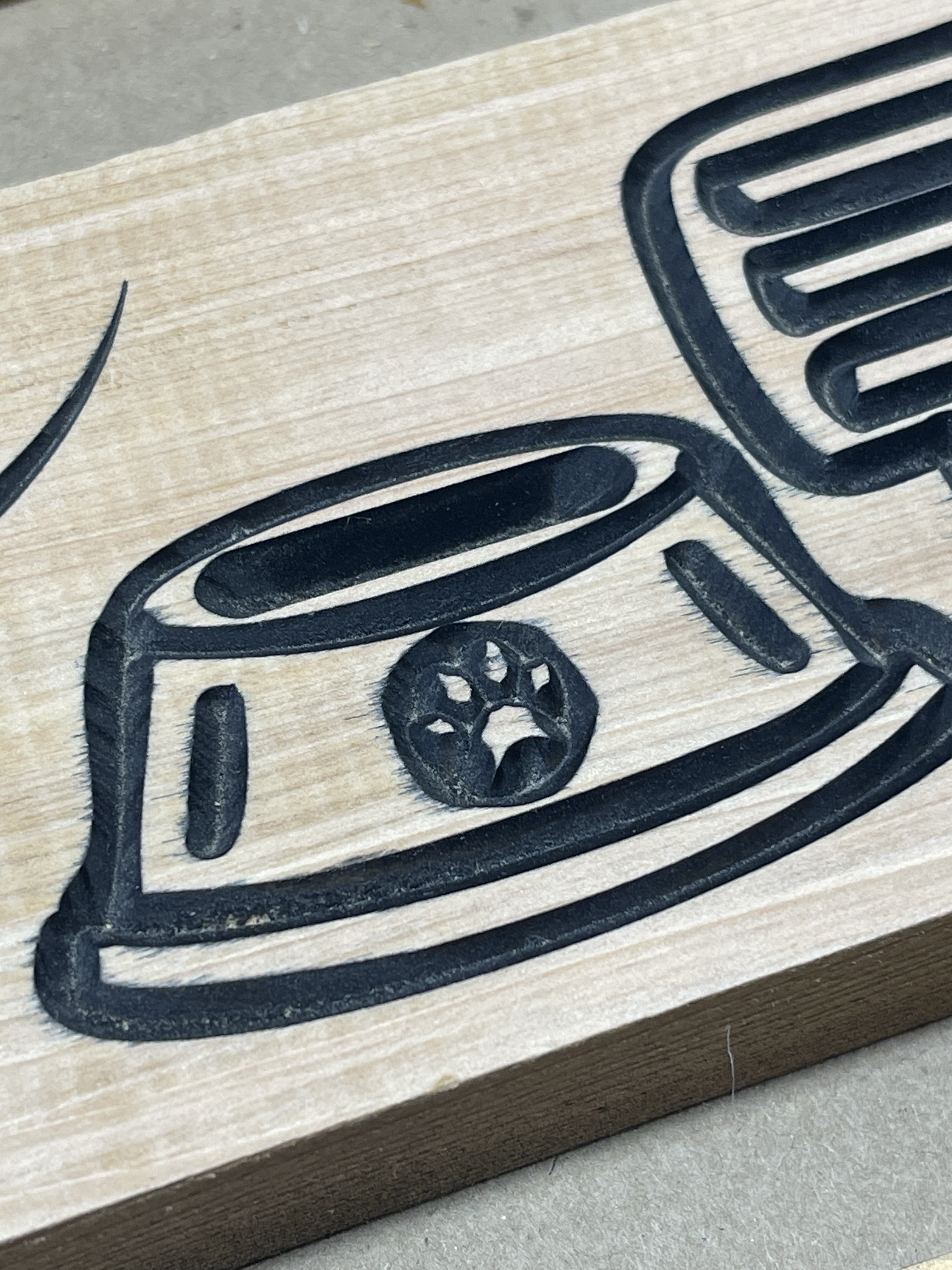

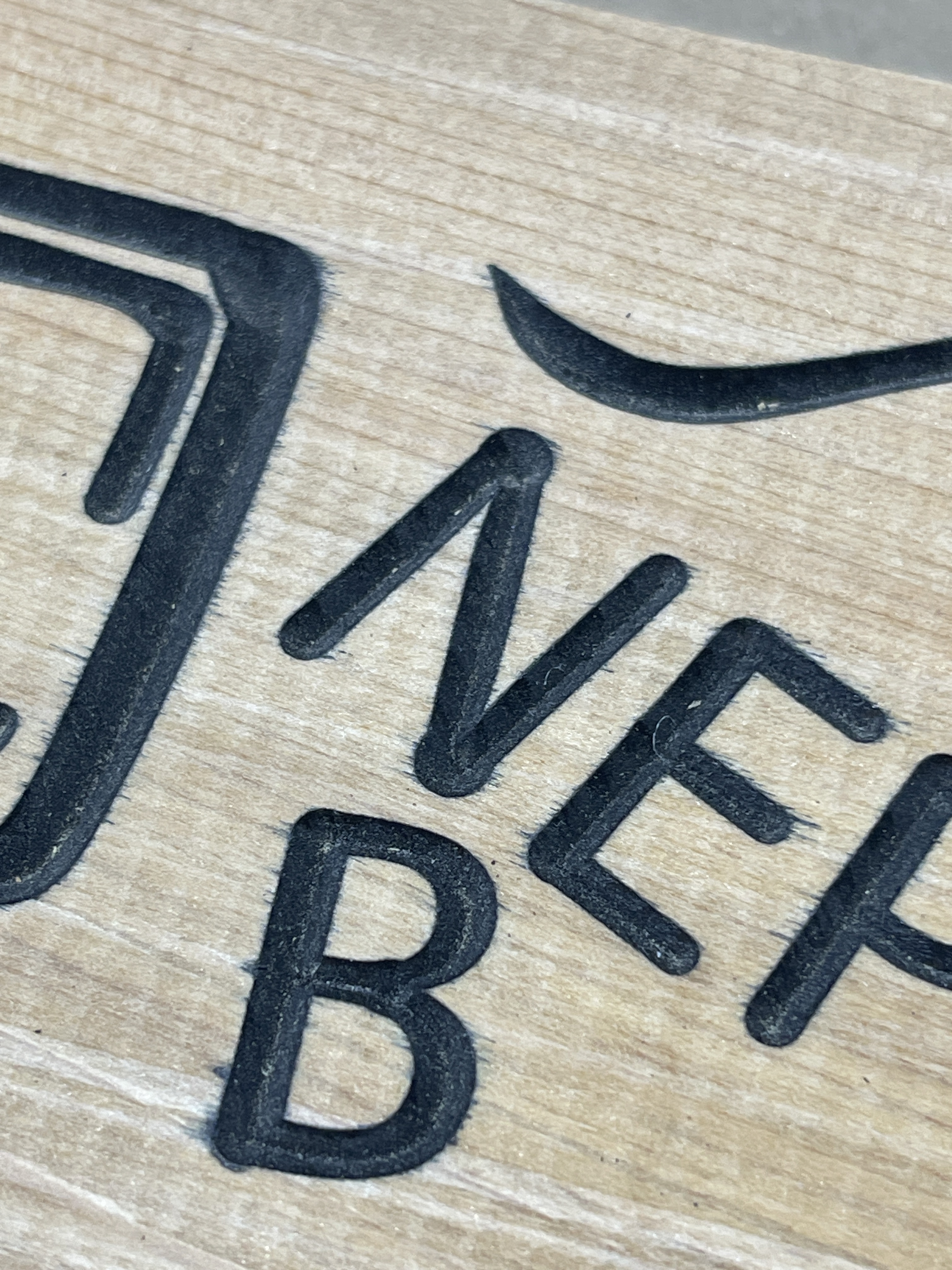
Looks like your cuts are wider than they should be. Is your vee bit rounded or flattened on the tip? Try cheating the Z zero up a bit.
It was the bit that is part of this set: HQMaster CNC Router Bits 1/4 Inch Shank Carving Bit 8 Pcs Set for Wood Detail Profile V Groove Engraving Solid Carbide CNC Router Bit Collection - Amazon.com but using the same tool library setting as the Carbide #302.
My depth was .2 inches on .8 inch stock. Hope that helps!
the bottoms of the cuts look pretty sharp. But the width of the cuts is wide. It’s either running too deep, or you used a larger angle vee than what you programmed.
This topic was automatically closed 30 days after the last reply. New replies are no longer allowed.