Has anyone solved the scaling problem when importing autocad dxf files into carbide create?
The default DPI for CC is 96 DPI. Some applications let you change the DPI on export. If I remember right Inkscape is default of 72 DPI but you can change that when saving the file. Likely the DPI is the culprit.
The other option is to make a rectangle the size you want your image and use the scale option to increase the size of the image to meet the required size.
It is supposed to work — we had an open call for files from AutoCAD a while back and got all the files which were sent in working.
The problem is some folks claim that DXFs do not have units:
while how they are implemented:
https://help.autodesk.com/view/ACD/2024/ENU/?guid=GUID-A58A87BB-482B-4042-A00A-EEF55A2B4FD8
Send the file in to us at support@carbide3d.com
Thanks for the reply. Unfortunately I do not use Fusion, I use AutoCad to design. I problem does not always rear it’s head. A couple of files I am working on for an old wood bodied car are giving me fits. The dxf file has an area of 24"x18" when I import it to CC the size is .096. Why.
Thanks for your help
SVG was created for print and screen usage. Older screens were 72 dpi and now are 96 dpi.
Metric and Imperial units are base 10 numbers.
In short if you pass through SVG the data will be based on the dpi of the SVG document.
So 10 (inches or mm) is 960 pixels.
If you have a scale factor problem using 960/1000 or 1000/960 as a factor.
The SVG origin is the Top Left corner.
As an example I created a single line from -5,-5 to 5,5 in a CAD system then exported as DXF version 11/12 ( These are simpler and older programs handle better)
SVGDXFtestMM.dxf (10.2 KB)
Inkscape is mm based. Inkscape went though a long process to remove the 72 dpi code.
I think it was versioni 0.92 that had 72 dpi history.
Using Inkscape, here is an example of a metric DXF file imported to a metric SVG document.
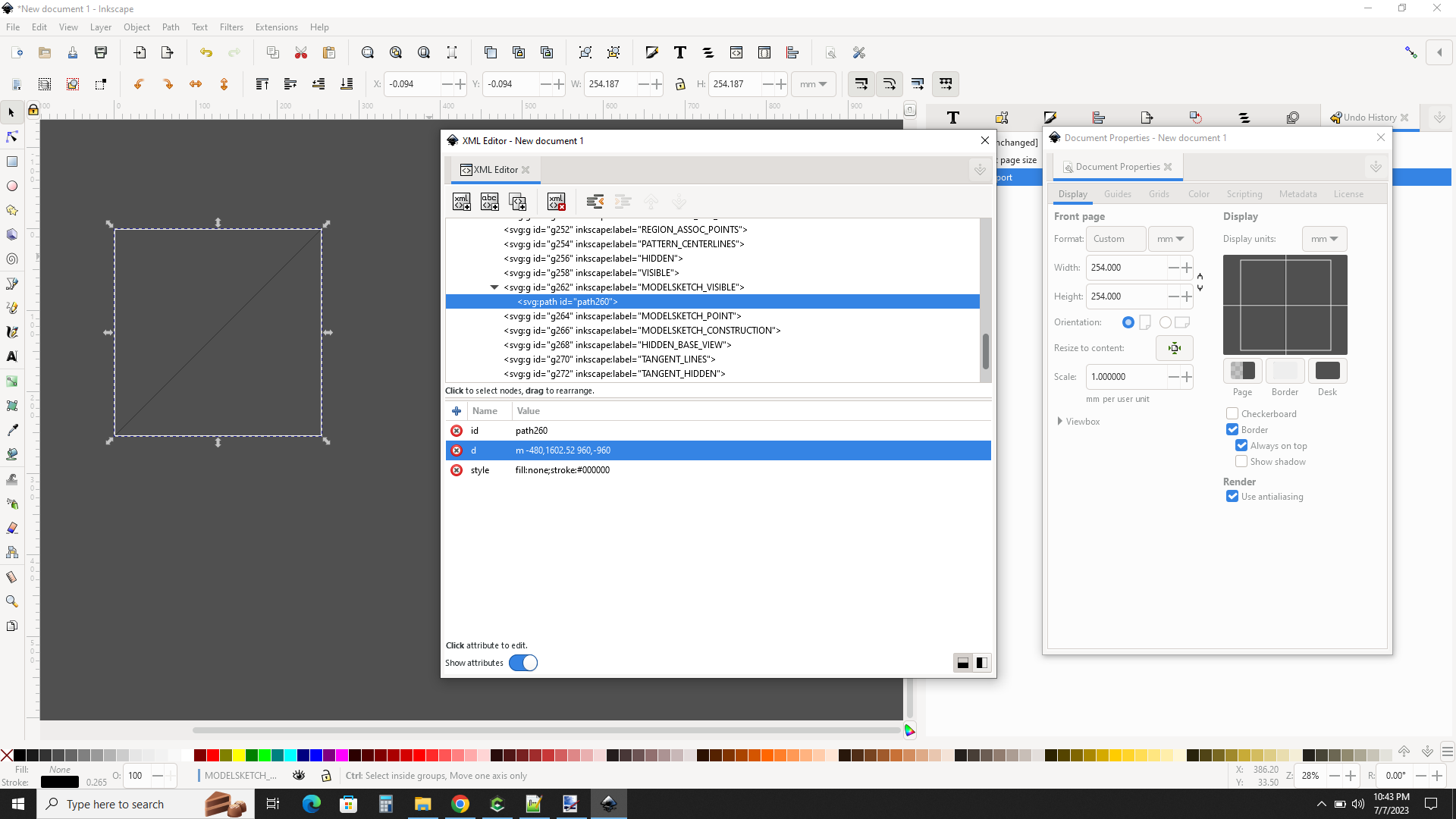
The XML Editor Dialog in the middle shows the SVG PATH
Note the coordinate of m -480,1602.52 960, -960
Little m means relative coordinates.
I have no idea where the first coordinate comes from but the relative move is 960
Path definition
The Document Properties Dialog on the right shows the canvas size
I tried this on all combinations of MM and Inch imports and got the same results, except the ViewBox and the Entity extents didn’t line up correctly, but te Path data was identical.
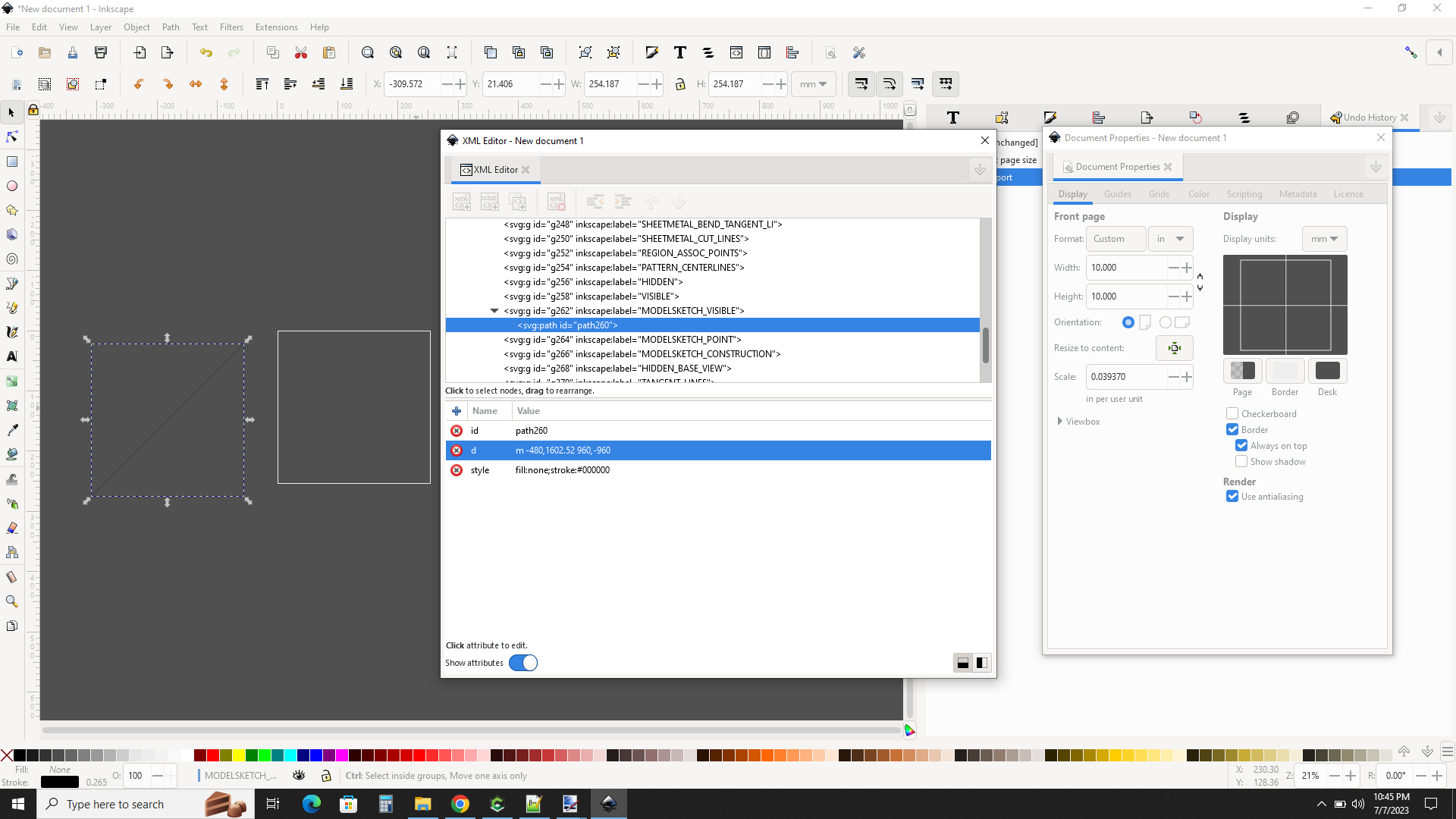
I have seen a really weird scale problem, but I can’t find the little piece of paper or the Link that explained it. It was when mixing dissimilar units
2 Likes
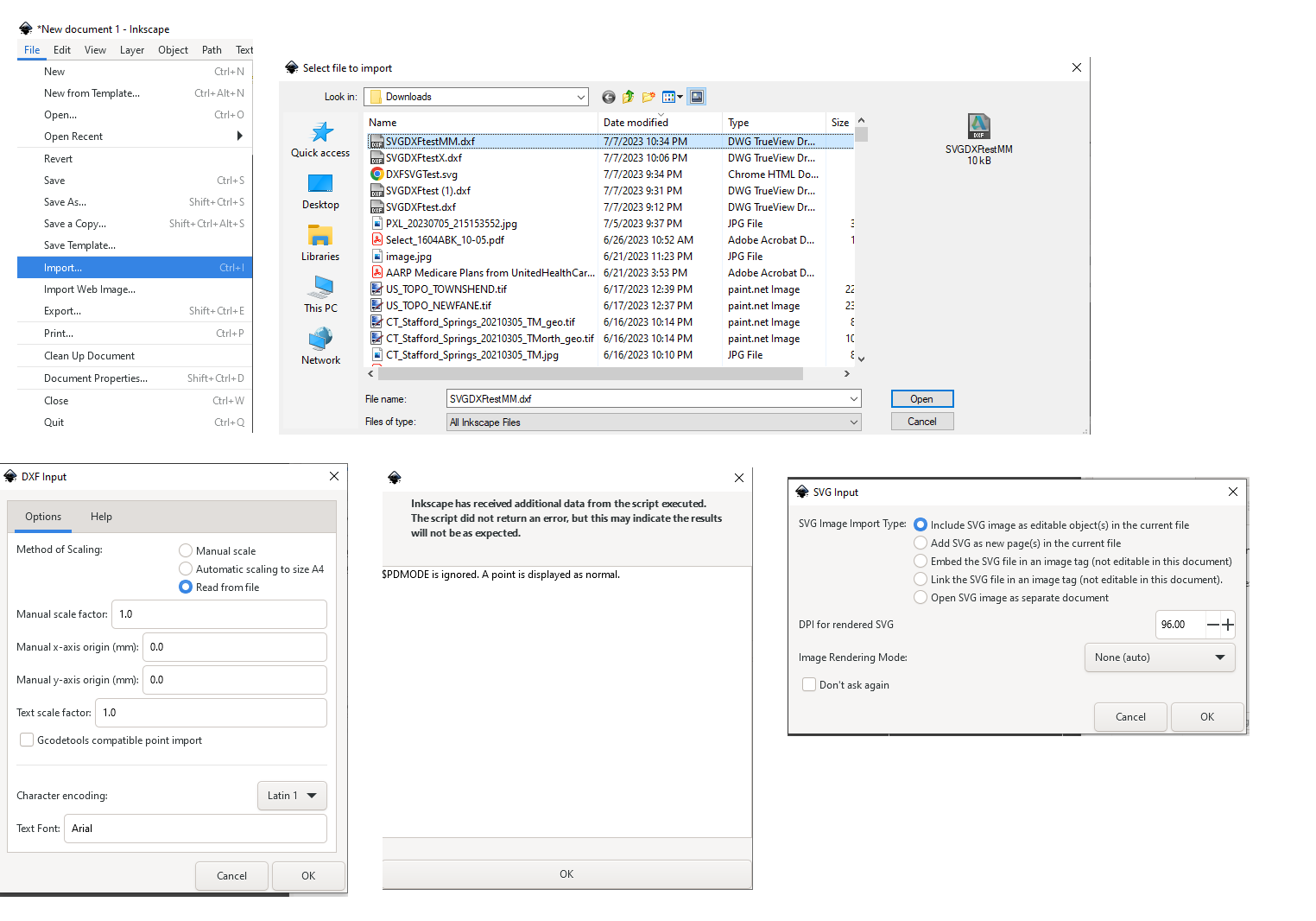
Oops, I forgot to include the Import options
DXF and SVG files are ascii text. Any TEXT editor, not WordPad or Word will work.
I suggest exporting the latest version of DXF that your target application can deal with.
Newer versions have higher order geometries that may help or hurt in a very bad way.
1 Like
DXF Units - the bane of anyone trying to convert models.
There is a confusing list of “unit” related codes in DXF.
And it seems DXF files can be “unitless”
https://ezdxf.readthedocs.io/en/stable/concepts/units.html
https://dxfwrite.readthedocs.io/en/latest/headervars.html
The AutoDesk documentation is not helpful.
Here is the Imperial test file of my tests. Both DXF files must be “unitless”.
SVGDXFtestX.dxf (10.1 KB)
I had to try a new version of DXF, so I selected the 2010 version.
SVGDXFtestMMr2010.dxf (130.3 KB)
SVGDXFtestInR2010.dxf (130.2 KB)
There is a $INSUNITS code in this version, but both test files contained the same value of 0
The geometry is in Modelspace which seemed to be separate.
I did a compare of the two newer version files and found the ModelSpace dictionary did contain a code for units. The Inch file had a value of 1 and the MM file had a value of 4 .
These align with the available values for $INSUNITS.

The results in Inkscape were identical to the r12 versions.
No profound revelations.
2 Likes
It’s not just CC that has problems importing Autodesk DXF files.
Fusion 360 has the same issue, the last ‘fix’ I saw from Autodesk was to go and set default units for new models, then create a new model with those default units and import the DXF file. So either the DXF files are unitless or the labelling is such that Fusion 360 can’t read the units.
This applies to DXFs from both Autocad and Revit, some work, some require this bodging, one might have thought that CAD software would pay attention to specifying units…
2 Likes
In all these post most every thing refers to inkscape. I have been using autocad for 20 years and understand the settings. All these suggestion don’t seem to work. One work around that some times works is to open a new file then cut and past the old into the new.
@bigjeff Using the clipboard to transfer vector data…
Hell why not !
Are the results clean on the CC side ?
Are results different per OS ?
I have to try this.
After dinner …
On Windows 10, CC does not enable the Paste option when data coming from outside the application as far as I can see. Anybody else ?
This topic was automatically closed after 30 days. New replies are no longer allowed.