Ok so I am working on some vcarve inlays, using the inlay mode works. but this is my problem. im trying to get a hand press fit. smaller glue gaps. so just an example. my pocket being .25 i go to my plug click plug inlay mode plug depth .23 and top gap of .004 the plug slips right in it dont move around but does seat to bottom. Is there away to make the plug a touch tighter.
One “trick” to change the math a bit is to change the angle used on the tool.
For Example: Keep all your toolpath settings the same, but go into the actual tool and adjust the angle up. So, for a 30-degree vbit, change it to 30.5 degrees. Changing the angle of the bit will change the math for the carve just ever so slightly. I suggest playing with this on some cheap MDF before using this “trick” on your project.
yea i try everything on mdf first or scrap material i have around Thanks for the clue i am going to give that a try. I already tried just doing it in a vcarve but no such luck. I have done it in a straight end mill but didnt like the looks of the image rounded corners where i need square ect. I am not good enough with my chisels to do fine detail cleaning just yet.
1 Like
Do a test, something like this…
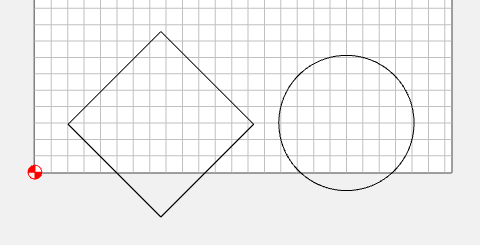
The shapes hang off the edge so you can see & measure the gaps.
0.004" is way too small for a Top Gap.
Start with
Female: Depth: 0.250,
Male: Plug Depth: 0.150 Top Gap: 0.150
Leave the male on the machine & press fit the female to the male & measure the actual gaps.
Now adjust the plug depth & top gap to get the numbers you really want.
Make a note of your “fudge factor” for that material/cutter combination.
2 Likes