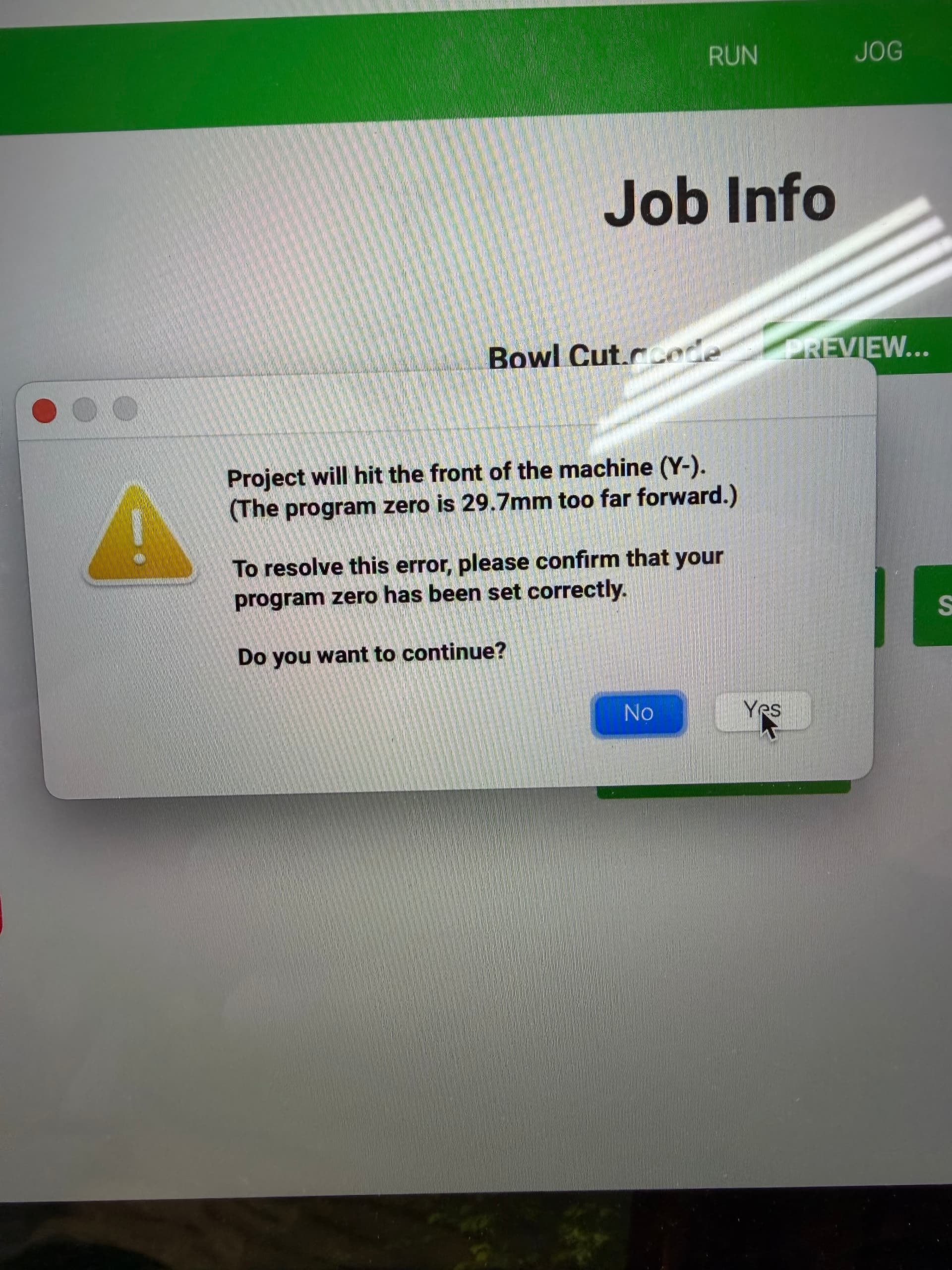
Hello, I have had the machine for a year and half, this has never happened before…
After I use bit sitter for XYZ, load the Gcode file I made from VCarve I"ve used on a PC and saved the tool path to my USB drive. (which I’ve been doing successfully for over 6 months.). From my Mac Book, load the file from Carbide Motion V653. This message pop’s up:
"Proect will hit the front of the machine (Y-).
(The program zero is 29.7 mm too far forward.)
To resolve this error, please confirm that your program zero has been set correctly.
Do you want to continue?"
Now after this screen pop’s up, I say yes, but it doesn’t ask to set the new bit to load.
Does anyone know why this is happening? What can I do?
Usually it is caused by a mismatch between job setup:
and how origin is set relative to the stock:
I find that opening the .c2d file up and drawing a box which matches the specified dimensions (draw up the cut in profile if need be) or moving the machine to the origin and then using a tape measure to measure out the dimension(s) in question will make clear where things aren’t lining up.
Judging by the number, and agreeing with everyone referencing that the origin of your job point should match your starting point, did you remember to jog your machine and set the zero points?
I had that happen to me recently; where it assumes that where the spindle is at that moment (in my case, the default recalibrated centered position) was the zero point and gave that error. I had to go to the jog and press “current xy/ current z” and “zero all” to fix the bug. Even when it already showed the desired position as zeros already. I guess its a way to remind the machine?
Thanks everyone, I got the file from Etsy, and it was marked as center alignment and I just moved it to Bottom Right and it fixed the issue. I have learned this from one of the video links that was posted on this question.