I’m still really new to this. I have the Pro 5.1. I want to do a large carving on a table I’m making. (15"×48") The estimated run time is 43 hours. Is it safe to run this in one session? Should I pause the job, and restart it at the step it left off, or just send it? Just wondering how the pros do it. TIA -T.D.-
If you have multiple tool paths then create your file and disable all but the first tool path. Then run it. Reopen the .c2d file and disable the first and enable the second tool path and save. Run the second tool path and repeat for additional tool paths.
The machine is capable of running the 43 hours but are you. You should not leave the machine unattended. Things happen and there is a potential to start a fire.
If you have a single tool path like an advanced vcarve do the pocket first and disable the vcarve. Run the first pocketing part first. Then open CC and disable the pocket and enable the vcarve.
As far as 43 hours that is likely an over estimation by CC/CM. However it will not be that much shorter in reality. So you need to split the job into more bite sized chunks. Post your file and get opinions on how to split it up.
While running the file if things are going well then you can increase the speed in CM. Just dont over do it. try 25-30% first.
3 Likes
It’s a 3D carve. The 43 hour run is for the roughing cut. There is another 30 hour for the finishing cut.
I would suggest starting with a smaller project in scraps of this material and using it to dial in feeds and speeds first:
Then, once you are confident of the machine and of your feeds and speeds the file should take a reasonable period of time during which you will be able to monitor the machine and the progress of the cutting (do not leave the machine running unattended).
If need be, you can divide the region of the cutting into smaller sections for a 3D Roughing toolpath.
1 Like
The machine will run for 43 hrs given no issues ( power outage, collision, static, chip removal ).
I walk away from long run jobs and let it rip over night. These are light cutting operations.
Pausing the job when the spindle is in the air works. Record the line number.
You have to leave everything on for the duration you are away. I hit the VFDbutton, you can shut off the VFD.
If you have a power issue, you will have to re-zero the part on the machine.
If you stop the machine, it’s the same.
Be aware a the file may run a lot longer is the is significant Z moves and/or high number of short moves.
Can you process areas of the overall project by using a window of areas to define smaller sections ?
If you don’t mind, what operation type generates a 43 hr roughing pass ? How deep ?
What are the S&F and DOC ?
2 Likes
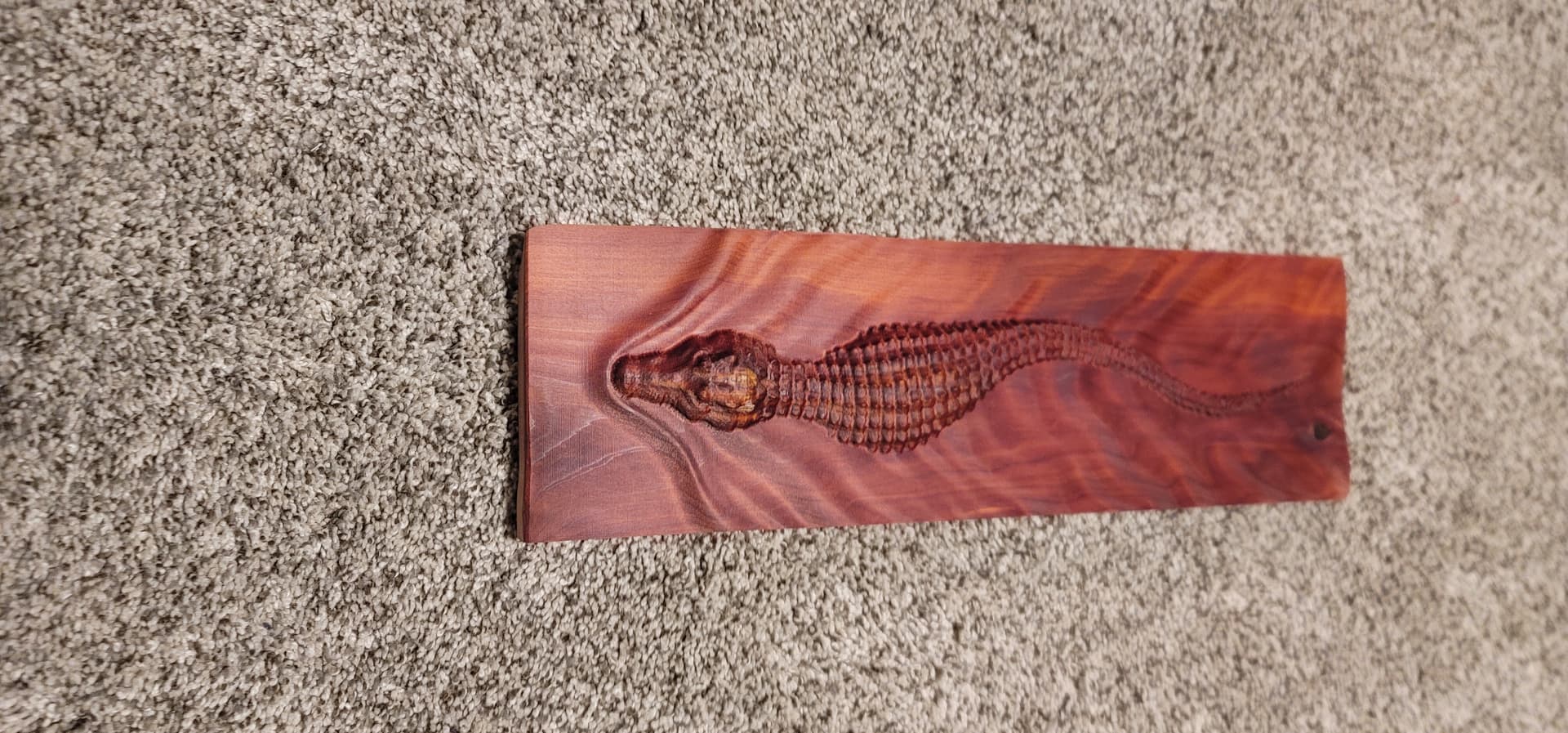
This is the project. I ran a scaled down test to see how it did.
S&F and DOC… if i remeber correctly, DOC is .250", I’ll have to check when i go out to the shop tomorrow for feed rate.
You will hear from some people saying just let it run over night.
I can not over emphasize how bad an idea this is. When things go wrong on the CNC, they go very wrong, very quickly.
The time from “Huh, that was an odd noise” to “FIRE! FIRE! FIRE!” may be seconds.
In this video, the time from the stock first moving to flames was 24 seconds in real time.
4 Likes
@mhotchin is correct.
Did the test job run in time estimated ?
43 hours for a 15x48 roughing cut is excessive. Check your stepover and where the 3d model is placed in the wood. I start my 3d jobs just a little bit below the material surface. A 30 hour finishing I might believe @ 8% stepover…but not the roughing cut.
1 Like
Have you seen the video which we did on this?
4 Likes
Would be curious to see the file and the parameter, it could be faster for sure
second that: same happened with my machine. Smoke from the basement window alerted a neighbour, who called 911 first, then me, and I could not get in there because of the smoke even to switch the machine off or get to the breaker box. Was still embers, no open flames. But matter of seconds the fire people said. They arrived withing 3min after the 911 call.
Whenever I meet one of the firefighters in a cafe or grocery they ask me whether the machine is running unattended in the basement, whether they should get their truck…
Nobody wants that kind of being known.
I was very, very lucky.
Never leave the machine unattended. NEVER.
3 Likes
Thank you! I haven’t found this video. It’s actually a very similar project. I want to do an alligator table.
Thank you. I’ve been on the fence about this, but not anymore.
Feeds and Speeds. I take the depth I want to go and do some serious math to calculate the number of passes I want to make. You could make multiple jobs for each pass. Key is you can’t remove your piece from the working surface, I almost never use the default settings. And I do the same thing gdon_2003 does above.
Just using some quick estimation, Opie’s (Kevin’s) job ran about 18 hours, and it’s about 4x bigger than yours. Using his parameters & tooling, you should be able to cut yours in about 4.5 hours.
Total time = Distance / Feedrate
Distance for a given volume is affected by DOC, Stepover, and non-cut motion (Rapids, retracts, ramping)
A good rule of thumb for 3D is to use the largest diameter ball mill you need to get the detail you want. Find the smallest detail (concave area) on the model & use a tool that just fits.
Another one is, don’t use 3D to cut 2D (flat, prismatic) shapes. Use boundaries to limit your 3D toolpath to the area that needs 3D.
If you want to share the .c2d file, and tool parameters for any custom tools, I bet we can get your time down to something reasonable.
5 Likes
Hi, as far as monitoring a job, I use a small Blink camera to monitor my jobs. It’s just not realistic to stay with the CNC for 43 hours. The camera I have is basic and I don’t have nor need a subscription to record the session. Like that, I can be elsewhere in the house and monitor the progress. It’s a good idea to be able to hear the running job as well and the camera can let you listen and adjust the volume. I know it goes against the recommendation to not leave the CNC unattended, but really, does anyone here have time to babysit such a long process?
Our recommendation is to optimize feeds and speeds and adjust/manage cutting area to reduce duration for a given operation to something manageable.
Our new line of tooling:
has markedly improved material removal rates, esp. the #213 which can remove about a third of a 4x4 sheet of half inch plywood pretty quickly:
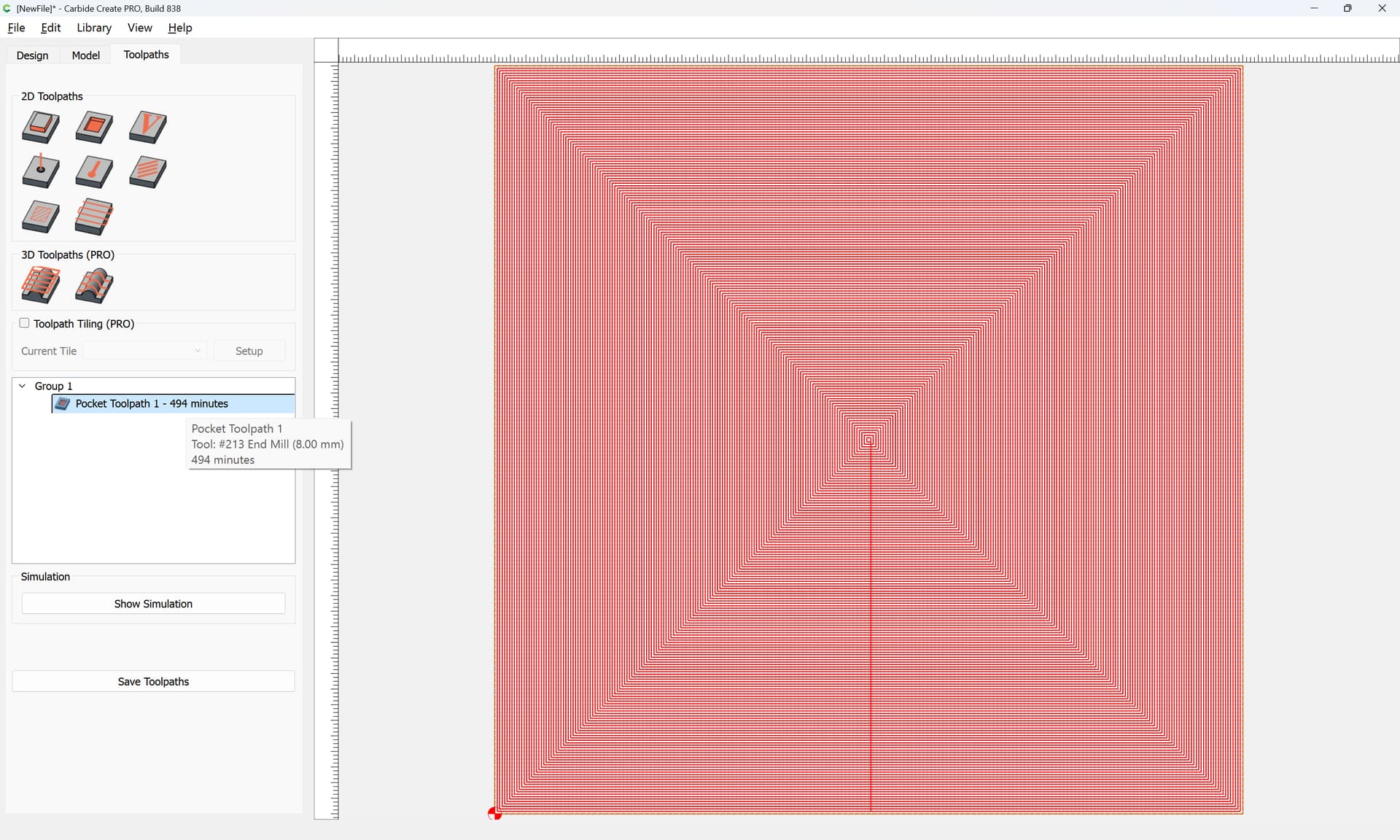
It’s an open loop system, the switches are only used for homing, and the machine will take no notice of getting stuck on a knot or some other obstruction — we expect that folks will treat our machines as the power tools which they are and use suitable caution.
1 Like