I have a rectangle with fillet corners the size is 13" Wide (X) and 9" height (Y).
I have my grid on .125". I must have moved the rectangle somehow, but how do I line it up with the grid on both x and y axis? When I select a line to snap it to the grid it will only line up one of the sides. For example if I choose the left line of the rectangle the 9" side and snap it to the grid it will then move the whole box up or down to snap it. The left side will then be lined up but the top and bottom side will not be lined up with the grid. The same happens if I choose the top or bottom line and snap them up with the grid . I do need 1/8" grid spaces for the designs in the rectangle. What I have been doing is zooming really far in and going back and forth to line it up. I prefer not to have to do that if there is an easier way.
Create another rectangle, larger than the one you have. Align it appropriately.
Now select the original rectangle first, and the new one second. Hit the ‘Align Vectors’ button - second row, third button.
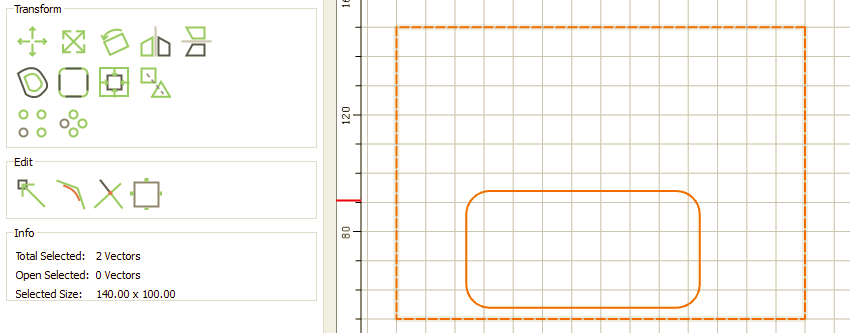
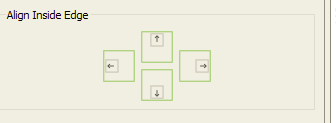
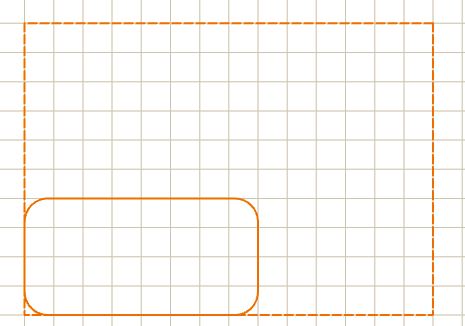
Now use ‘Align Inside Edge’ to move the rectangle into position.
2 Likes
A couple of options:
- draw a small square at the corner and use as a handle
- turn off the corner treatment, move it, then restore it
- move using the available node, then move again by the dimensions of the corner treatment
This topic was automatically closed 30 days after the last reply. New replies are no longer allowed.