Hello all, just beginning my CNC adventure here and trying to tackle a photo carve project with the cut rocket halftone generator. I am able to get the SVG file into Carbide Create (free version) and when I go to setup the v carve tool path it begins to calculate (very slowly) and then stalls at right around 85%. I have tried different sizes of the photo as well as grid density all with the same result.
I wondering if I am just not being patient enough or if there is something else I’m doing wrong, like do I need the pro version of Carbide Create or ??? I waited for about an hour each time for it to calculate and then gave up. Should I be waiting longer or is this normal? I’ve looked for more instruction to doing these online and in the forum but I haven’t been able to find much more information. Any help would be great thanks!
Please send the pixel image, notes on the halftone settings, generated SVG and C2D file which you are having this difficulty with in to support@carbide3d.com and we will try to look into this with you.
Ok great I’ll send that over tomorrow morning thanks much!
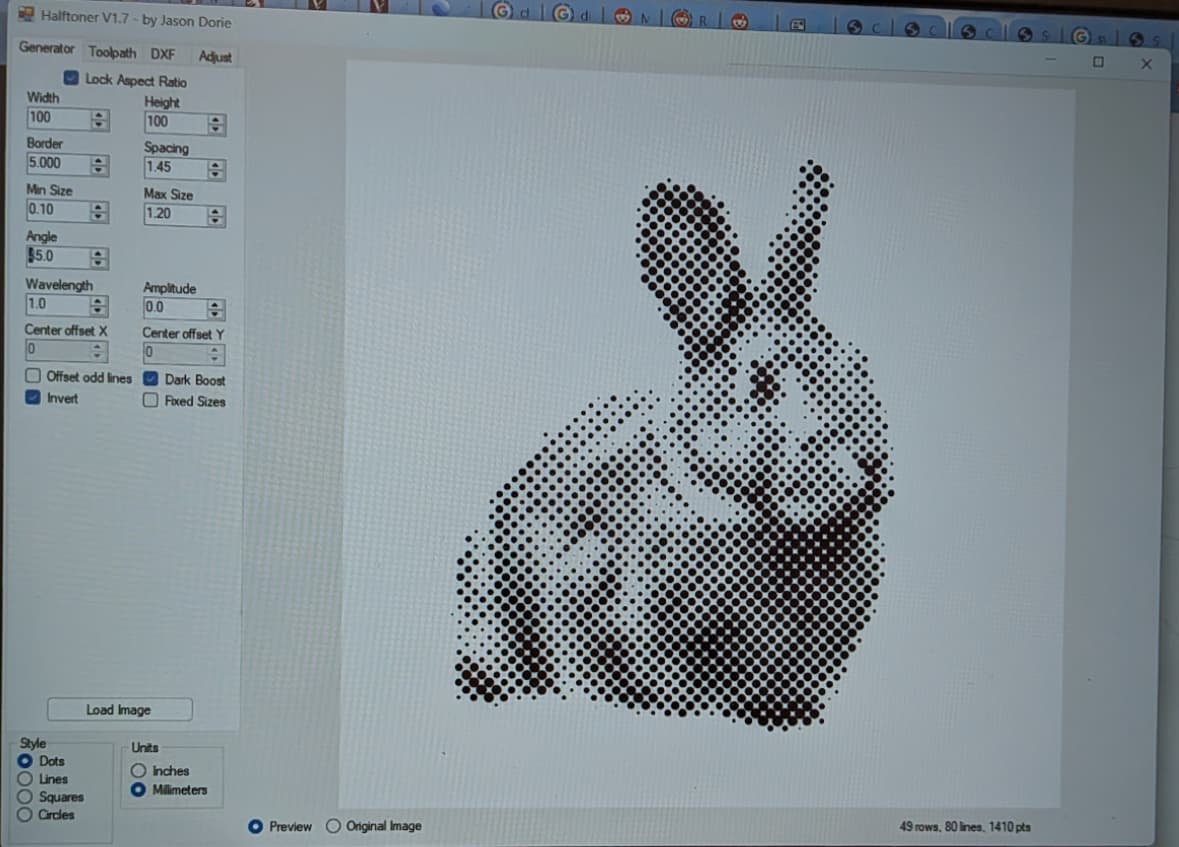
Another choice is to use a halftone generator. I’ve been trying a couple of them, including the free older Halftone 1.7 which can be downloaded through github. The developer originally had a domain that he used for halftoners, but let the payments lapse and it’s become a malware site. The link is what I’ve been using for a while, but of course always do a virus scan on downloads like this. There is no spindle control in the gcode, you need to use manual control to turn on your spindle. However the generated gcode is very efficient and makes good use of G0 rapid moves. The only feed rate moves are a short plunge to make the dots.
Expect to spend some time practicing and learning what the settings do. Watch out for the border size, it comes off the photo and clipped this pic a bit. Here’s a screen photo (sorry, I usually do screen snips but didn’t this time) of a recent project, I wasn’t all that happy with the results (at that size a 0.75mm dot spacing worked better) but it’s what I captured. There’s also a tool path tab that’s pretty self explanatory.
Thanks for the link & info! I’ll check it out. I definitely need some practice with this but I’m beginning to get the gist I think.
This topic was automatically closed 30 days after the last reply. New replies are no longer allowed.