After initializing Shapeoko Pro, I load the G-Code file (Vectric Aspire saved w/ Shapeoko PP) & Carbide Motion (latest version) disconnects from the machine. When I re-initialize I see the file I tried to load already present. I ran two 20 minute test cuts with the vac and everything was fine.
Does anyone else have this issue? In my case, the controller card is brand new yet I’ve had 2 out of 6 file load attempts disconnect. Normally this is blamed on interference from the vac or the router, but both were off and the vac (Festool w/anti-static hose) was not even connected. I’m using the two-choke USB cable and a USB isolator recommended by C3D.
Even though these two test cuts ran, it’s not encouraging to think about putting expensive wood on the machine for a two hour carve when the controller card can’t reliably load a text file.
Anyone experience this and (hopefully!) have a solution?
It should not be possible to disconnect from the machine and then see a file already loaded when you reconnect. Which is not to sat that it cannot happen, but that’s not a behavior that we’ve ever seen. So, just to confirm, exactly what do you mean by “disconnect”?
Sounds like you are having an OS (Operating System) problem. Maybe a memory issue (running out of memory) or something in the OS is failing. If in Windows open task manager and keep it open to see if you can spot any problems when loading your file.
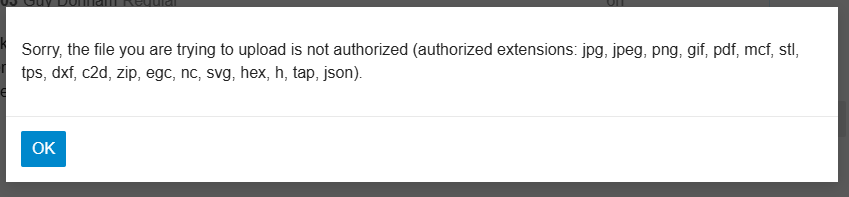
File uploaded. Simple raster operation to surface stock. Thank you again. I feel bad that senior people at C3D have to deal with file extension questions, but I do appreciate your help. Maple Leaf Pocket 1 (1).gcode (2.1 KB)
It seems we can replicate the bug on a Windows machine but not on a Mac. We’ll see if we can replicate it on a Windows machine with the full debugger- if so, it should be a quick-ish fix.
Not to just pile on, but it certainly happens in Win 11, fairly often, maybe every 4 or 5th times when using during the day. Exactly as described. I figured it was just a quirk of my equipment so just initialized and move on. I guess I’m glad to hear that I’m not alone.
I thought I was the only one, but I’m also seeing consistent machine disconnects when I load my c3d gcode file. I updated to latest version of CM to see if it was a version issue, but no dice as of this morning. I’m not getting any kind of bugsplat, the machine drops and I’m taken back to the ‘Connect to cutter’ screen. Strangely it only happens once. I can load multiple files after the first disconnect and I don’t see it again until the next session. For further info I’m on an M1 Macbook air with latest OS version 26.1(?) but I’ll have to double check to be sure.