Okay, first, the shapeoko 5 pro has been in storage for about 2yrs. I just didn’t have room for it. However, I just finished building a workshop on the back of my property, so the first thing I did was unpack my CNC and get it put together. Unfortunately, things haven’t gone well…
What it’s doing:
When I turn on the machine, I hear the faint click of a relay switch inside the controller, the green front logo light comes on, the red and green light on the controller turn on, if I press metal to the limit switches they light up red, but it will not engage the motors and it will not initialize in carbide motion. Also, the gantry undermount light isn’t coming on. And I can manually push the gantry while it’s plugged in, indicating there’s no power to the motors. Crucially, it was running fine the last time I had it together.
What I’ve tried:
-
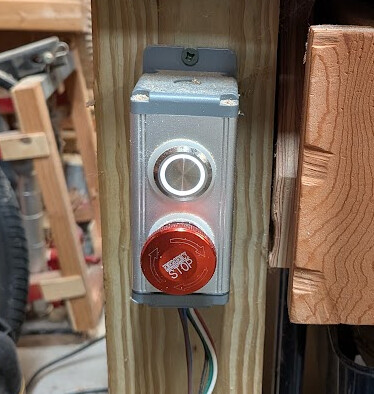
I tested the estop pendant since that’s a common issue point mentioned in the forums. The pendant is fine. I took it apart and tested the switch directly, NC to Com with my multimeter. It’s closed when the switch is unlocked and open when it’s pressed. I then plugged the switch back in and tested the circuit board in the switch housing, and it was good. I then tested it at the pin out, and that was good. I even plugged in the cable and tested at the other end of the cable and that was good. So the pendant functions. But if I plug everything in and turn on the machine, the pendant stop button has zero effect on the machine. The front light stays on, the green machine on light on the controller stays lit, literally does nothing when I press and release the red estop button. However, if I unplug the pendant, the front light and the green machine on light go out.
-
Next up I checked every single pin connector in the wire harness. The machine sits on a torsion box with Casters, so I wheeled it out to the middle of the shop so I had open access to every side. I inspected every connection. Every pin is seated in its connector, and every connector is connected. There’s no connectors hiding that didn’t get connected. I also checked all the pins in the connectors where it connects to the controller. All the pins look fine. It’s fully seated.
-
I took the right end cap off the gantry and moved the ground to ensure it wasn’t a bad ground. I also unplugged the ground pin at the back and moved it to different holes a few times.
-
I measured voltage at the female side of the plug where it connects to the controller, and it’s getting 122.9v. And it’s on a 20A breaker and a standard power outlet with no fault protection.
-
I then opened the controller and measured the voltage on the V+ and V- terminals and it was 24.3v. There’s no obvious blown caps or anything like that. It appears to be getting power.
-
I went back and checked all the connectors again.
-
I unplugged my spindle to make sure there was no interference from that, and it made no difference.
-
I went back to the wire harness and inspected every single inch for damage and could not find anywhere with so much as even a dent in the sheathing. The wiring “looks” fine. That doesn’t mean there isn’t a broken wire somewhere, but there’s no visible damage to any wire, so it’s unlikely to be damage.
…I’m at a complete loss for explanations at this point. Since it was running the last time it was assembled, logically I would lean toward user error. Something simple, a missed connection, etc. You’d think a controller failure would happen when it’s running, not sitting comfortably in a box with no power. But I’ve triple and quadruple checked the wiring. Not saying I’m not blind and occasionally an idiot (and I’m hoping that’s all it is), but if that’s what it is I’m running low on ideas of where to look.
If anyone can offer any insight, please help. I can’t rule out that I’m just an idiot, but I’m reasonably confident everything I’ve checked above has been checked correctly and repeatedly.