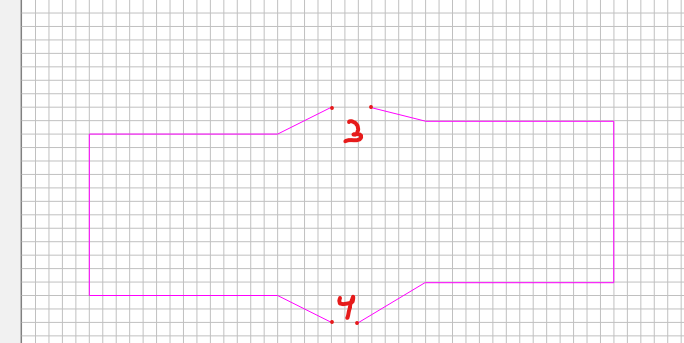
using CC v7. Hopefully i can explain correctly. As an example, say i have 2 separate squares. I delete a node in both to open them up making them basically 2 open polylines. Is there a way to merge them both together back into one closed vector?
Are they already touching, i.e. do both the polylines together make a closed curve? If so, select both and then hit the ‘Join Vectors’ button. Sometimes you have to run it a second time to properly close the curve.
If the polylines together do not form a closed curve, I would draw new polylines connecting things together. Then, select them all and ‘Join Vectors’.
I just now got it to work. Thanks. I was just being and idiot. I got it to work by adding a 3rd and 4th polyline and connecting them node to node then selecting all and joining. No idea why i couldn’t figure it out. Seems so simple now.