I’m trying to understand and figure out how to place a 3D Stl file on top of another 3D base. In essence, I’m trying to make a wall plaque that is a 3D contoured Spartan shield for a military friend. I want to place his tabs and insignia on the shield that is contoured like a real shield. Any help would be appreciated!
Some great stuff in here: Introduction | Design into 3D Bookmark it!!
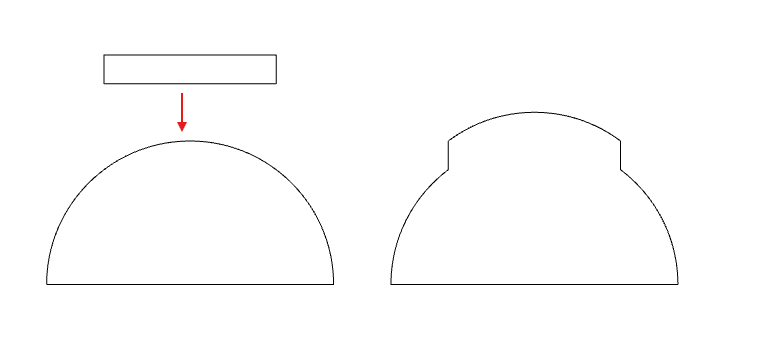
Simplified context… Adding the 2 on the left results in the right (Sideview)
1 Like
Actually, that site is just getting started, and its coverage of Carbide Create Pro’s 3D modeling is quite basic — the page you want for this is:
If anyone has any feedback or suggestions for improvement, I’d be glad of it.
Basically, you have a couple of choices:
- add the STL so that it follows the contour of what is already there (this is shown in @Tod1d 's image above)
- add the STL so that it is its actual shape on top of what is already present
Usually, a bit of experimentation will work out which is the best approach — if you get stuck, upload the files here or send them in to support@carbide3d.com
1 Like
This topic was automatically closed 30 days after the last reply. New replies are no longer allowed.