I finished running my first 3D toolpaths and it did not take off all the material as shown in the simulated view. Areas in red are example of material left. Also, is there a way to clean up the areas in blue? This is related to stepover settings? I used flat end mills, not ball end mills.
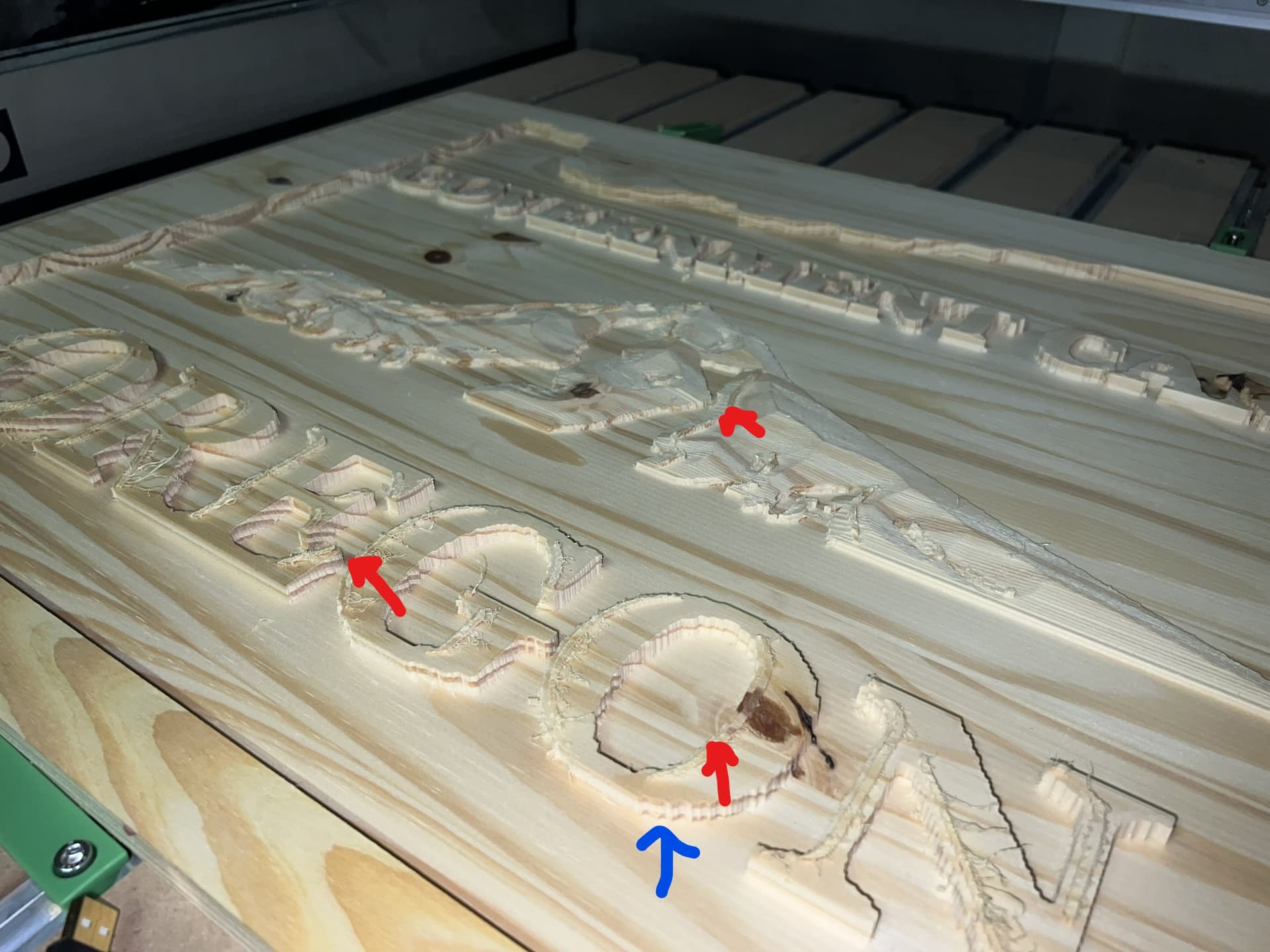
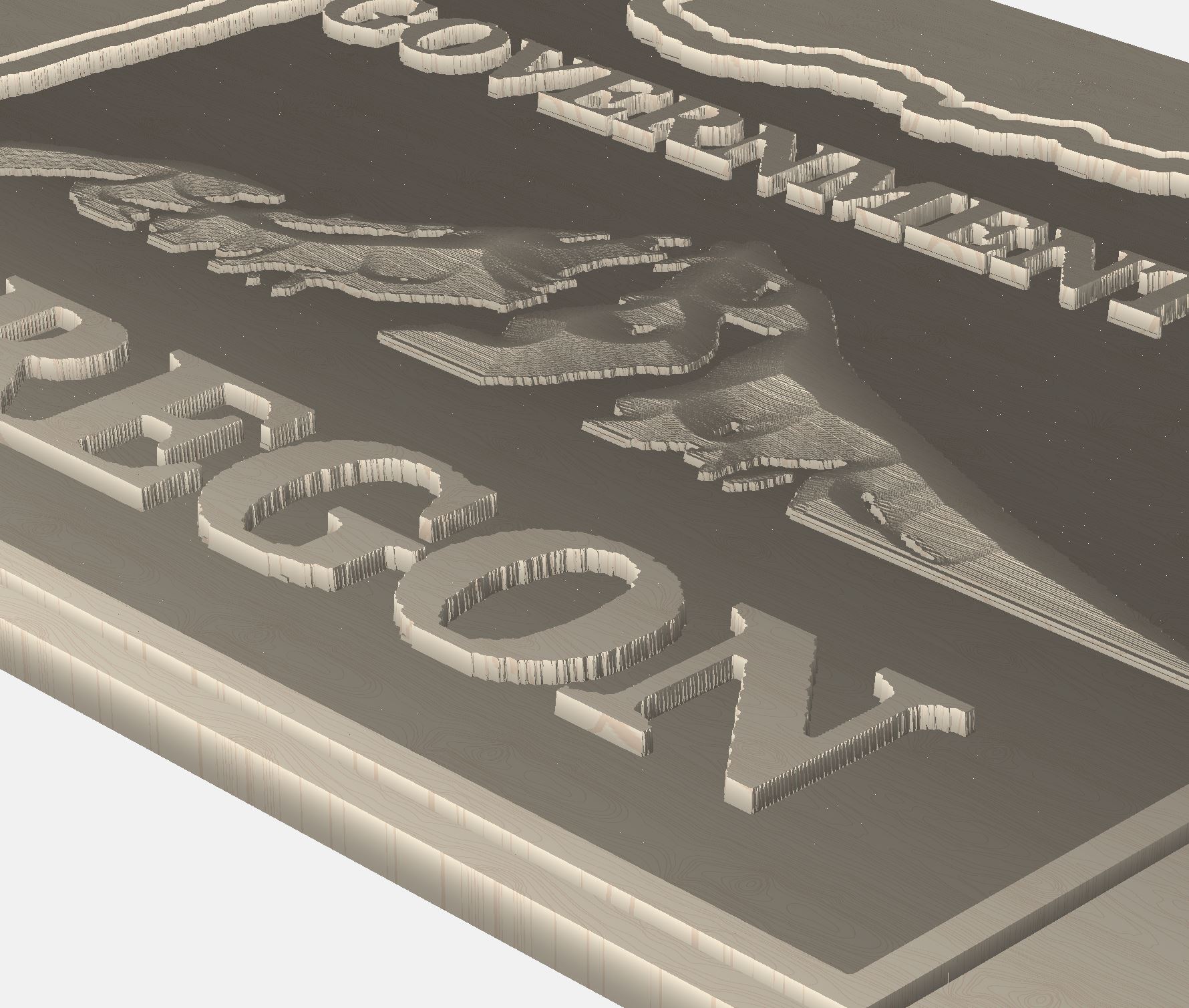
The 3D toolpaths are usually used w/ a succession of smaller ball-nosed endmills — have you tried that?
I have not. I can try.
Any tips to cut down the run time? Would it make sense to run a pocket for flat surfacing and come back and run the 3D toolpaths only on the 3D areas? I’m thinking that would result in smoother letters and faster run time?
Yes, if you allow each sort of toolpath to play to its strengths, you will get more efficient toolpathing, and a better result.
1 Like
This topic was automatically closed 30 days after the last reply. New replies are no longer allowed.