Motion isn’t recognizing my c2d files on my laptop anymore when I go to load a new file. If I exit out of Motion and go to the location of the c2d files, there they are. If anyone could help figure this out please do. Motion has found files to run each and every time up until today
Which version of Carbide Motion are you using?
Windows or Mac OS?
Where are the files being stored? Compleat path/directory structure?
What are the filenames which are being used?
Latest version 653
Windows
C:\Users\elcar\OneDrive\Pictures\Carbide Create
Dog Home, All the file names are just one or two words etc
Hope this what you needed. sorry not to include that in original post
@edbucsjr Is your OneDrive folder on the C Drive sync’d with the OneDrive cloud location? I had a similar issue where the files were not sync’d.
In Windows Explorer the file or folder status column should look like:

or

1 Like
Which version of create made them? Since the file format changed with a create update
John
Yes all the files are sync’d
I updated Carbide Create to 838 about an hour ago. So I’ve been on the version just prior since I started using Create.
To confirm, you:
- create a file in Carbide Create 838
- save it to: C:\Users\elcar\OneDrive\Pictures\Carbide Create using a filename which is just ASCII characters and the .c2d file extension
- verify that the file can be opened by Carbide Create once saved
- launch Carbide Motion
- try to load a file from Carbide Motion, navigating to that directory and it won’t work
Could you send us a screengrab showing the File | Load dialog?
This is using Motion to locate file
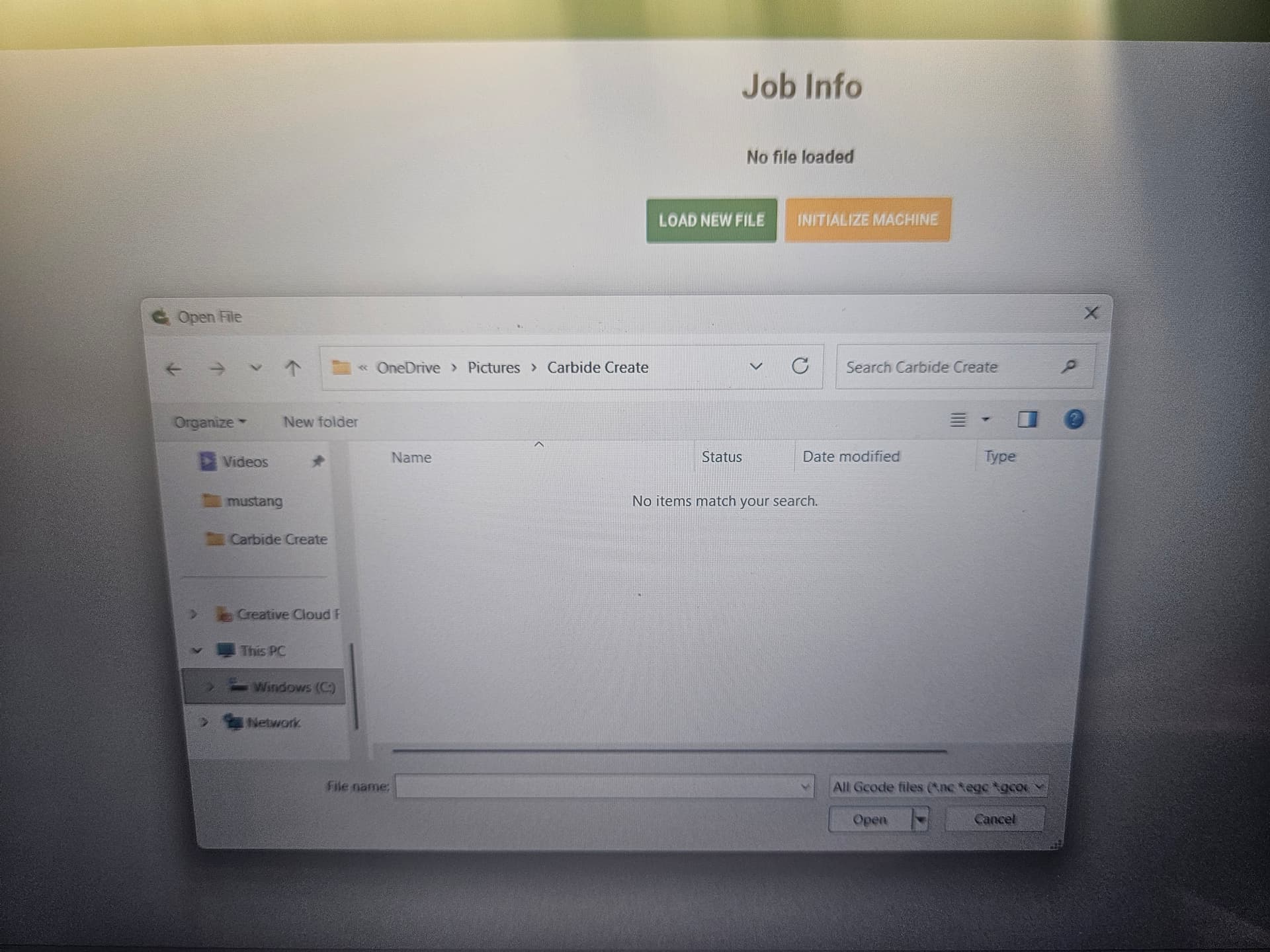
This is just going to the same location without Motion
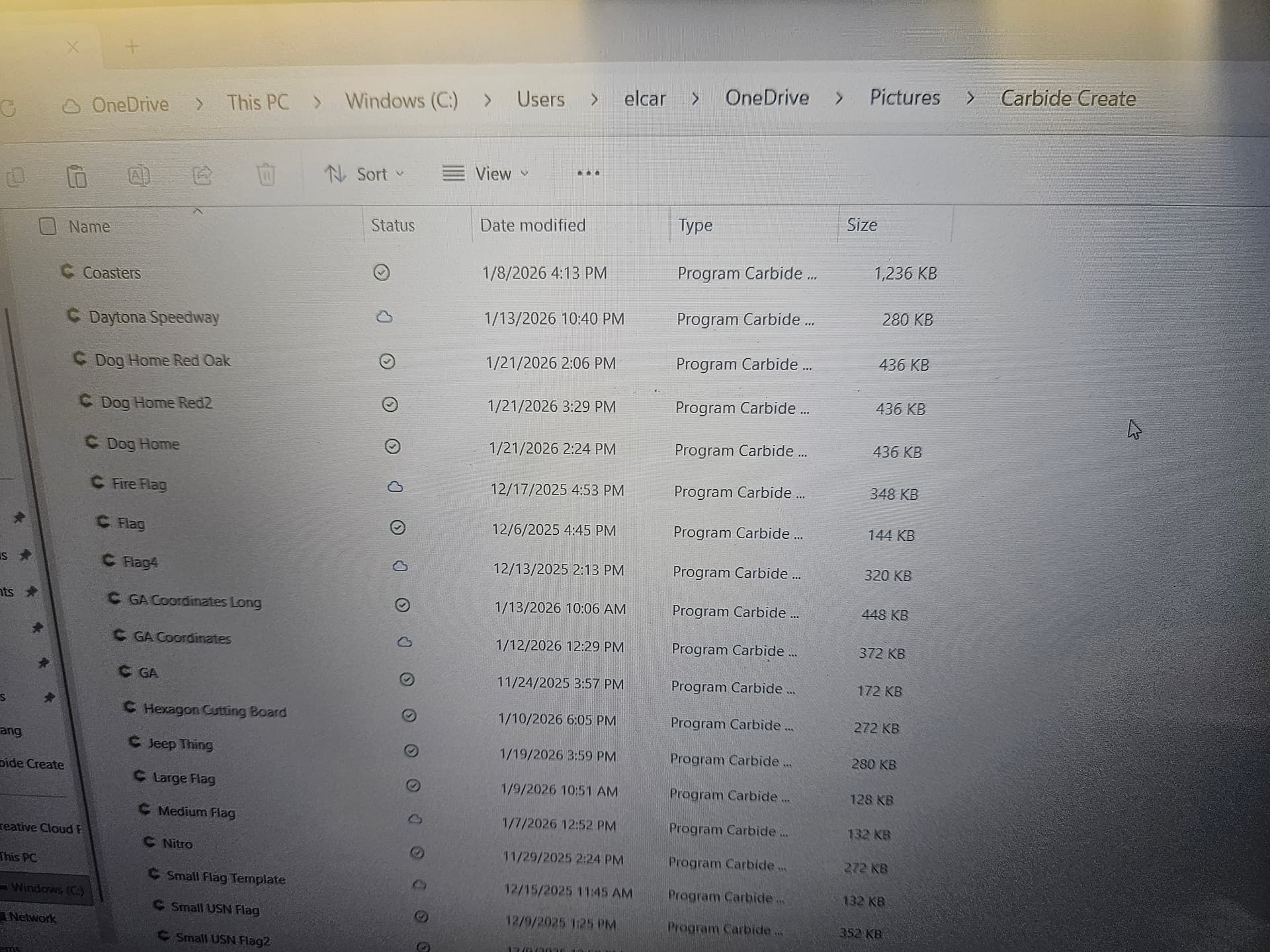
All my files are there. I’m at a loss. I just did a project 2 days ago and it was just fine.
You have your OS configured to hide file extensions — I would recommend to set it to always show them.
In Carbide Motion, what happens if you put the cursor in the File name field, click and type a letter?
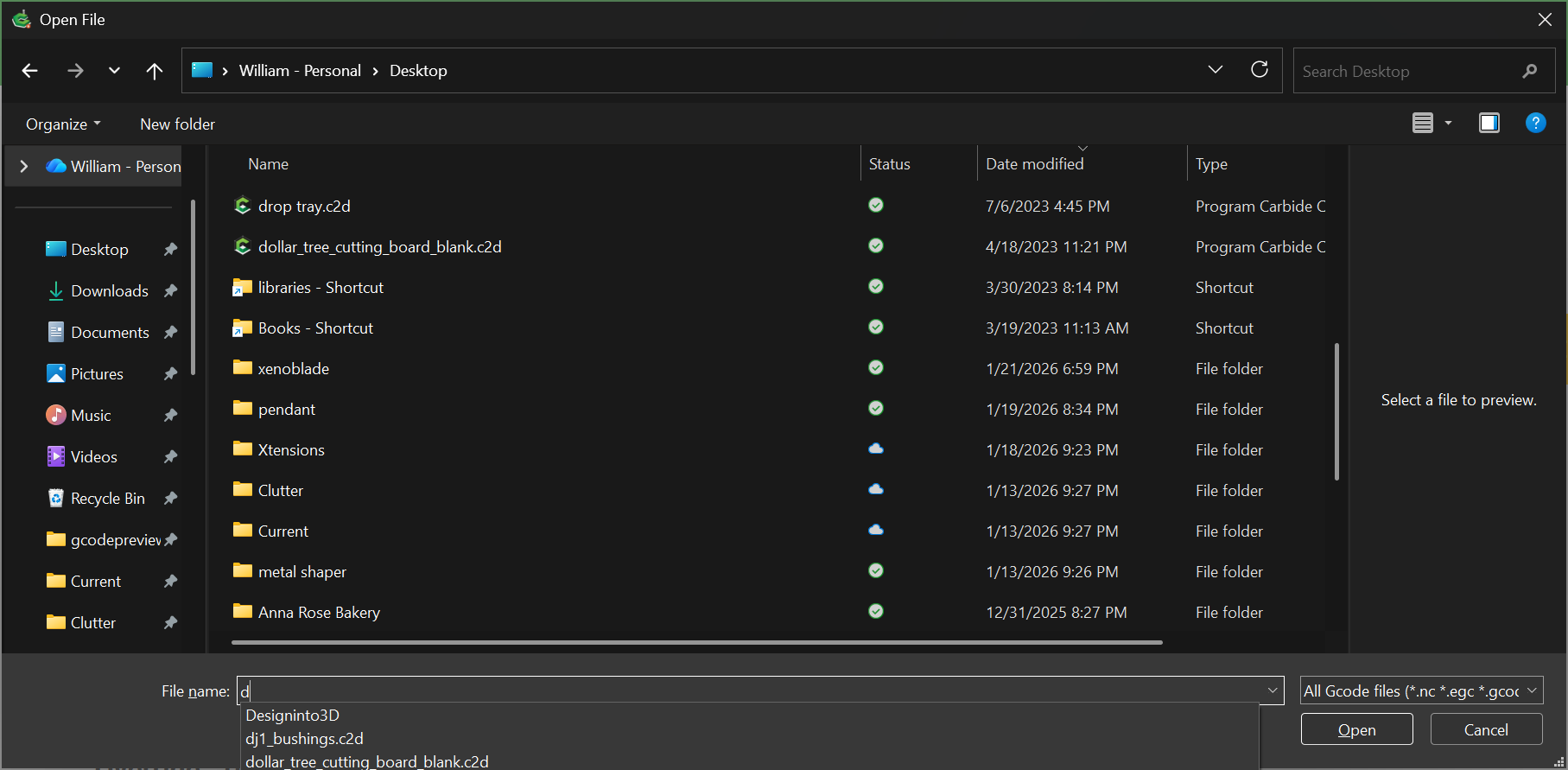
Are you then able to select a file?
What is the full name, including file extension of one of the files which Carbide Create can open?
Upload a test file here?
Not an expert by any means but in the first pic bottom right its looking for “all GCode files” is there an option for “all files”? It wont find .c2d files if its looking for .nc files
UGA Updated.c2d (1.2 MB)
Jeff, it does show all the file extensions including c2d files its just not shown in the screenshot, but i i hit the drop down it shows the file types to look for and its there.
1 Like
No, Carbide Create includes .c2d under that single drop-down entry for “All G-code files”
If your .c2d files do not show when running Carbide Motion, this would seem to indicate some sort of problem with the permissions.
What happens if you launch Carbide Motion first, then launch Carbide Create, then use the “Send to Carbide Motion” feature?
Or, if you shift-right-click on a .c2d file select “Copy as Path”, then paste the file path into the Carbide Motion Load file dialog?
I just did what you asked about typing the name of the file. It does load it then. No files are visible, but if I type the file name and then click ok, it loads into Motion.
Ok now this is strange. After typing a file name in the file name line and clicking open. Like I said Motion loads that file. I went back just a bit later and restarted Motion to load a file again all the files were now visible again.
This topic was automatically closed 30 days after the last reply. New replies are no longer allowed.